

Campus labs that stay in the state you left them
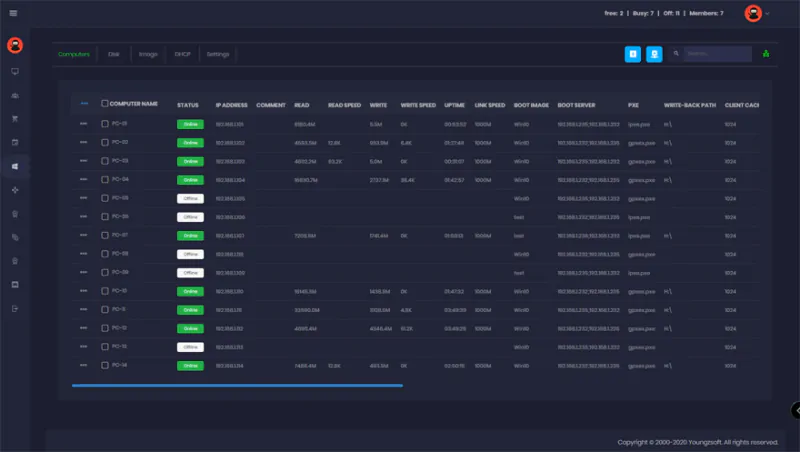
Esports rooms, teaching labs and open-access machines under one console. Every seat boots from a single image, and every student signs in as themselves.
What it does
Clean on every restart
Whatever a student installed or broke is gone at the next reboot. The lab opens each morning in the state IT prepared.
Update once, not fifty times
Software rollouts happen on the master image. Every machine in the lab picks the change up with a restart.
Windows domain login
Students sign in with their existing domain account. Nothing new to issue, nothing extra to remember.
Personal disks
Coursework that must survive a reboot lives on a personal disk tied to the account, not to the machine.
Booked and metered access
Sessions can be timed and scheduled, which matters when a room is shared between a class, a club and open hours.
Usage you can report on
Who used which room and for how long, which is usually what the budget conversation needs.
Esports-ready
Tournament rooms use the same stack: shared licenses, ranked events and a controlled client on every seat.
Lower cost per seat
Thin clients without local disks cut the hardware bill and, on CCBoot figures, up to 40% of the energy.
Two rooms, one stack
A campus esports room and a teaching lab have the same underlying problem: many people share the machines, and none of them should be able to change what the next person finds.
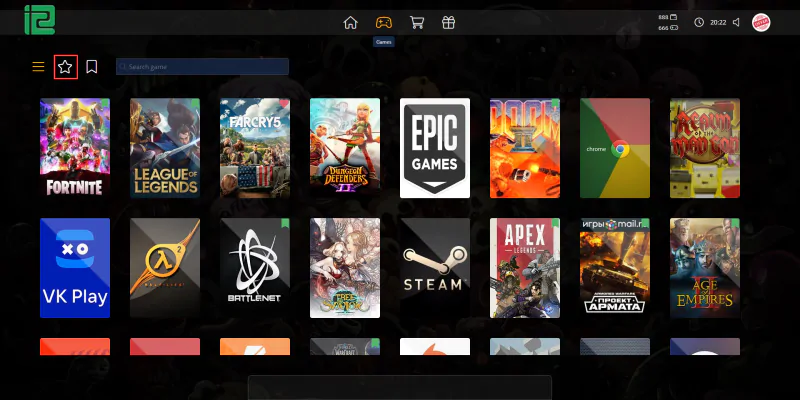
CCBoot solves that at the boot layer, and iCafeCloud sits on top for access, scheduling and reporting. The esports room adds the license pool and the event tooling; the teaching lab adds domain login and personal disks.
- One image serves machines with mixed specifications
- Restore points make a bad rollout reversible
- Multiple operating systems from the same client
- Load balance across servers as the estate grows
Install it once, for the whole room
Course software, launchers and the tools a department asked for are added to the master image and listed centrally. The next restart is the rollout — there is no walking the room with a USB stick, and no lab that is one version behind because a machine was switched off that day.
The same list is what students are offered on the client, so what a room can run and what a room shows are never out of step.
Common questions
Can students keep using their existing campus accounts?
Yes. CCBoot supports Windows domain login, so a student signs in with the account IT already issued and nothing new has to be handed out.
Where does coursework go if the machine resets?
On a personal disk tied to the account rather than to the seat. Anything that must survive a reboot lives there and follows the student to whichever machine is free.
Can one image cover machines with different hardware?
Yes, that is the normal case on a campus where the estate was bought in batches. One image serves mixed specifications, and restore points make a bad rollout reversible.