

The following explains how to refund an order in the POS page by searching for its order number in the list.
- On the POS Refund page, enter the Order ID in the search bar and press Enter to refund the order.(Figure 1)
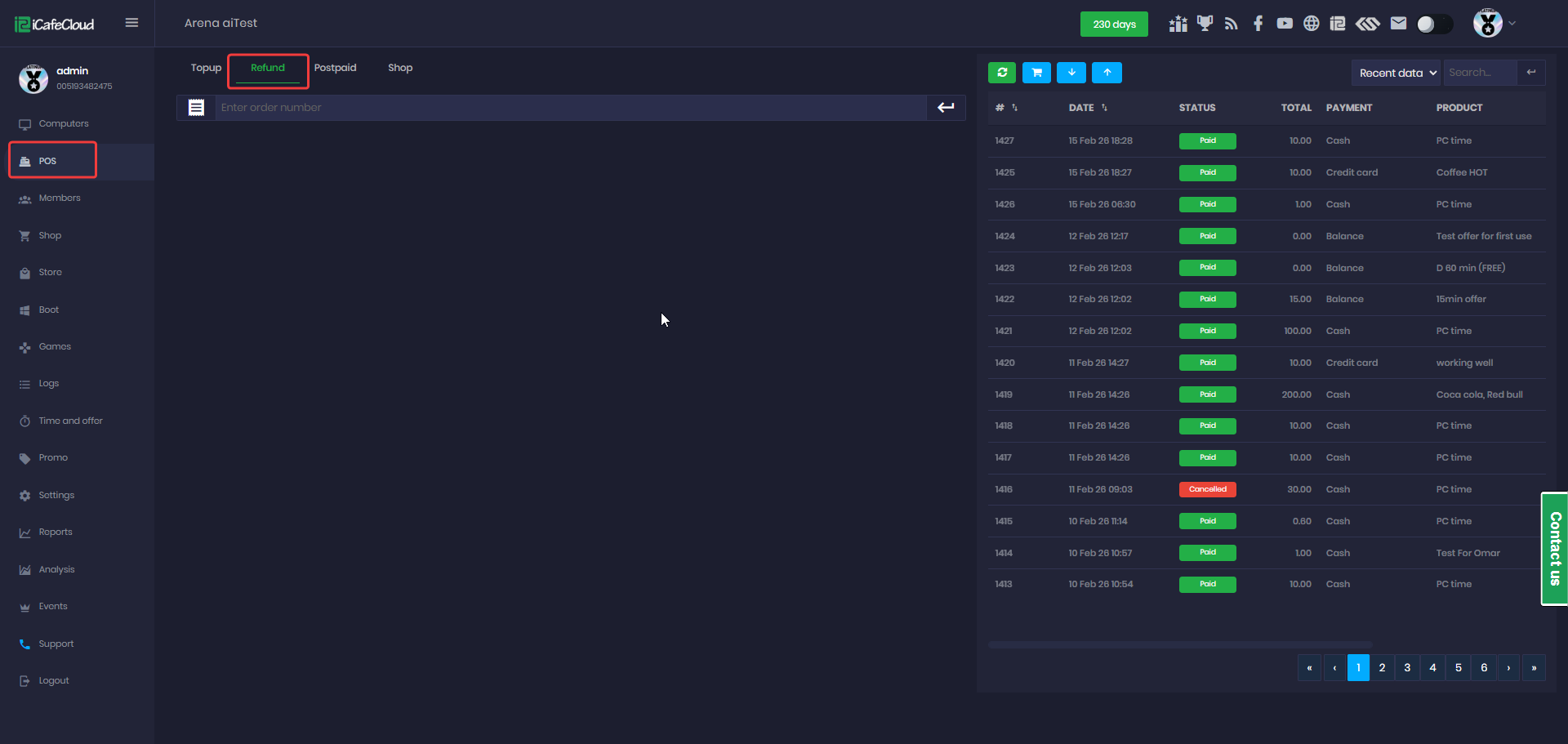
Figure 1
- Some actions cannot be refunded. When you enter the order number, the system will mark these as Non-refundable. (Figure 2)
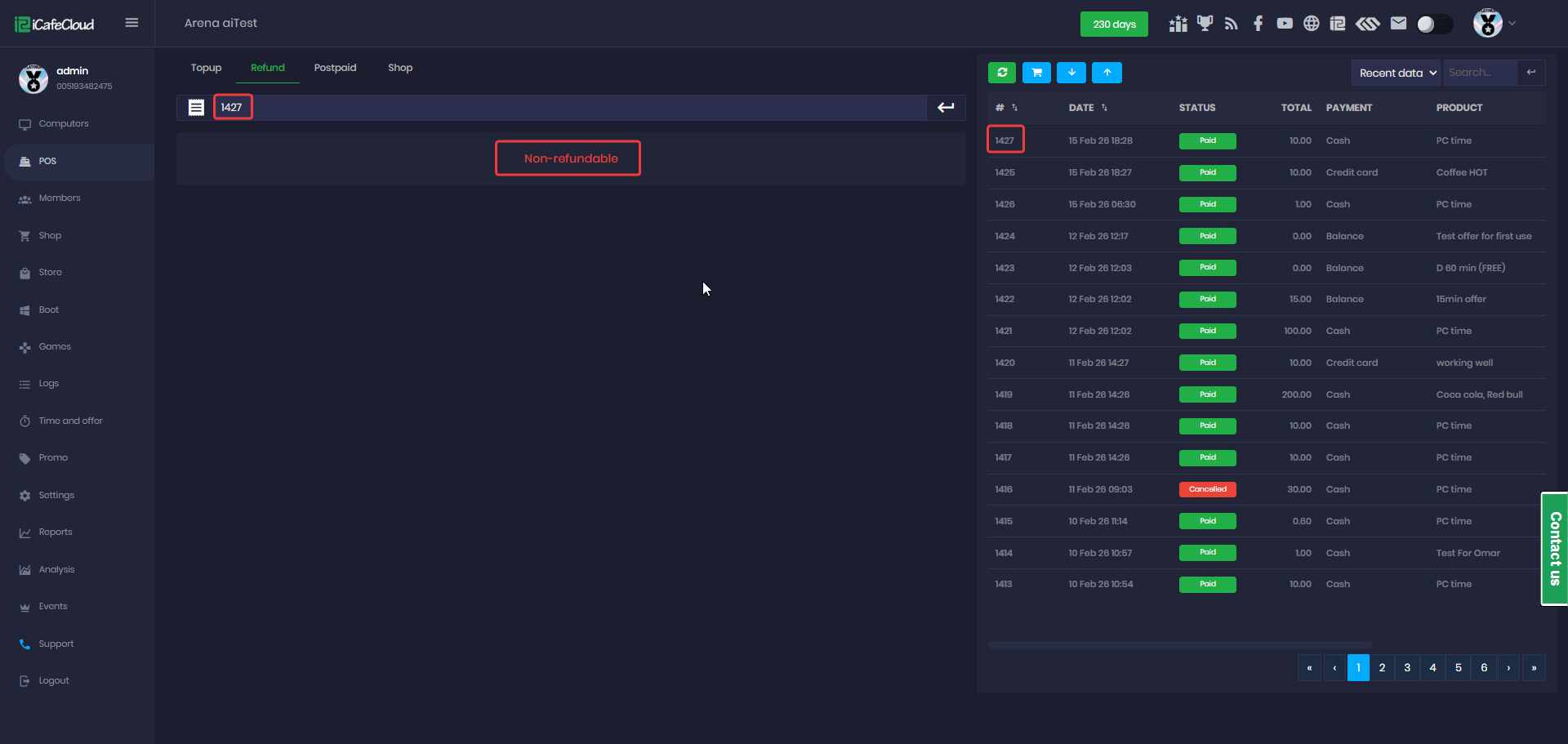
Figure 2
- For refundable items, you will see the amount paid and a Refund button available to process the refund. (Figure 3)
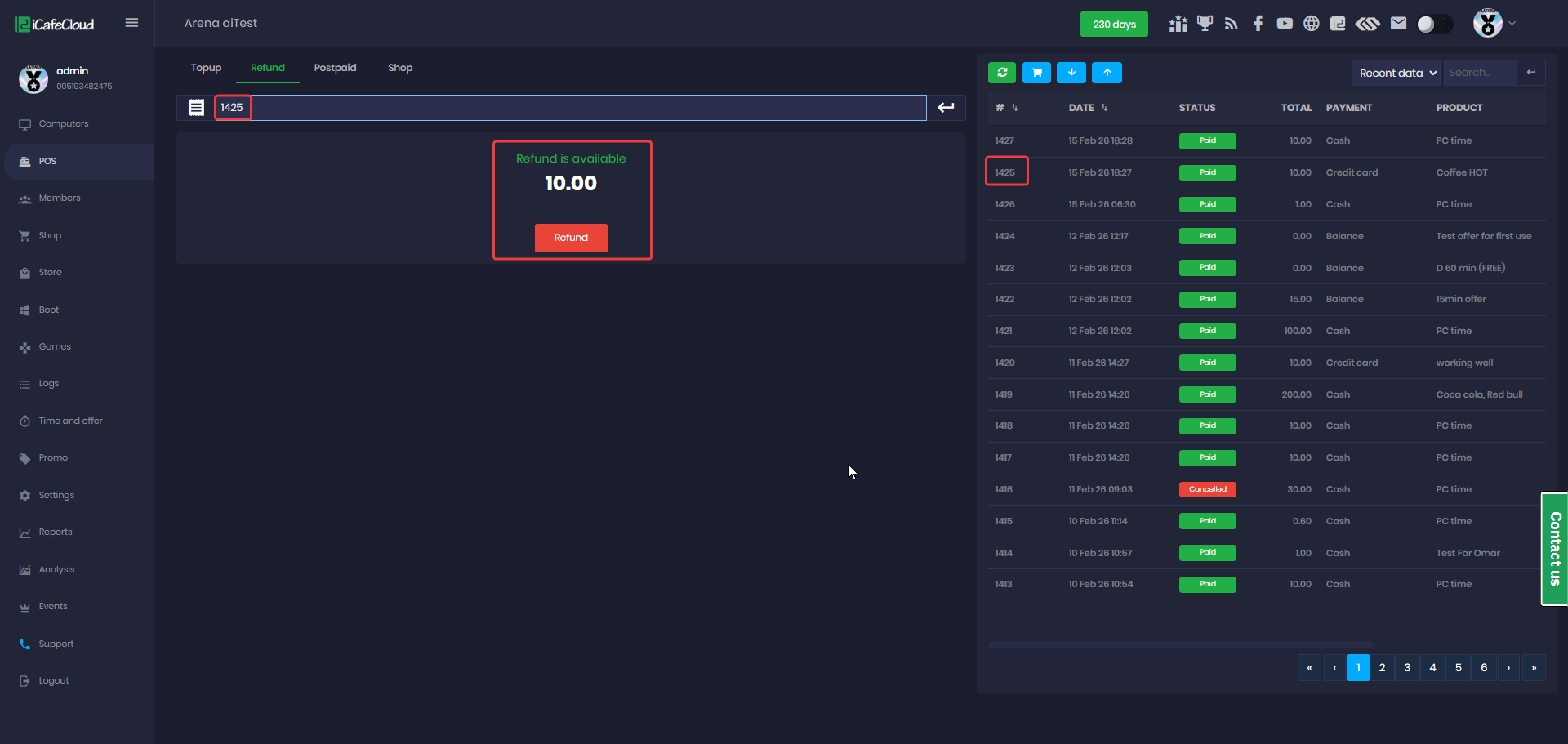
Figure 3
- Once the refund is processed, a confirmation popup will appear and click OK to continue. After that, click Refresh, and the order status will update to Canceled. (Figure 4)
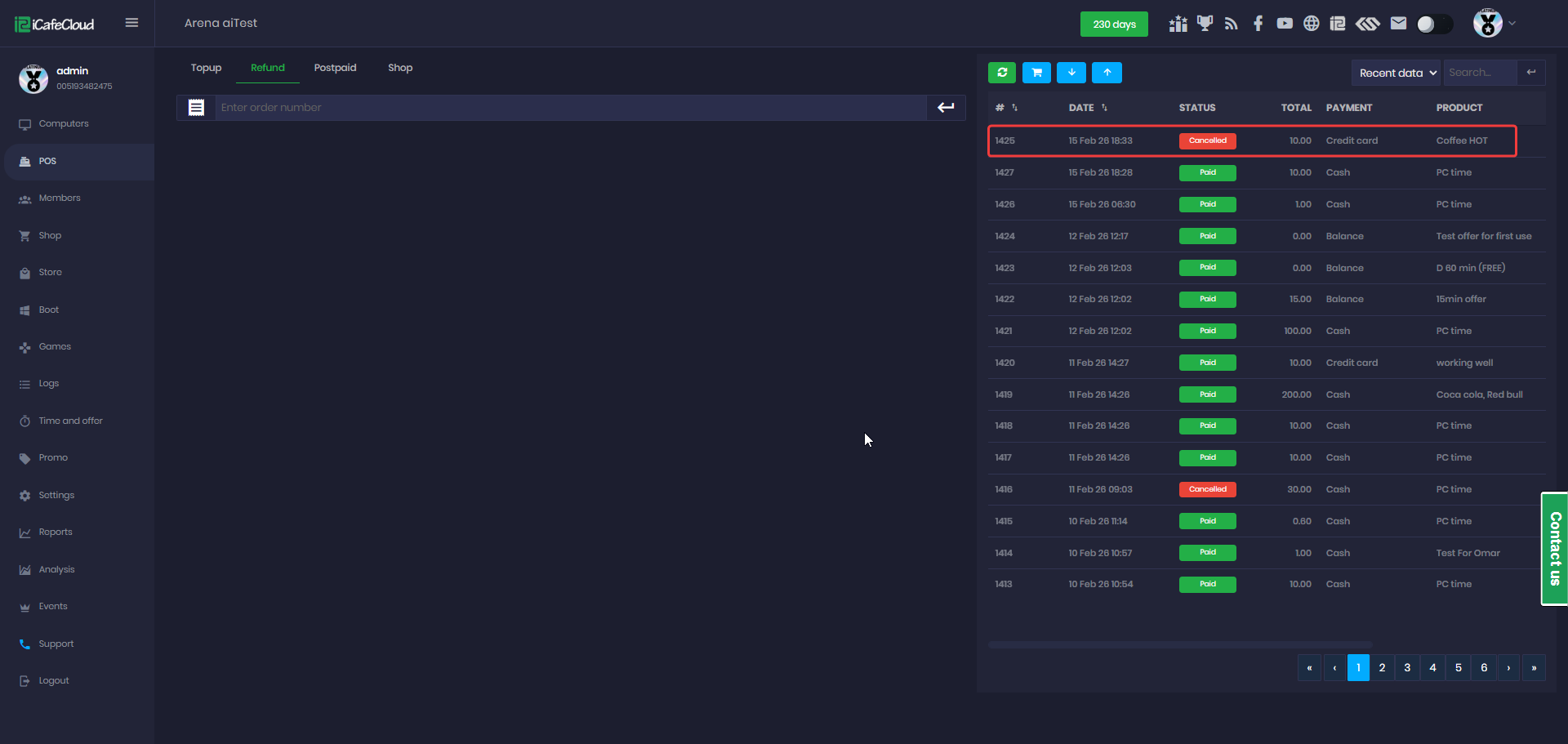
Figure 4
- For transactions made with mixed payment methods, refunds can be issued either back to the credit card or returned as cash. (Figure 5)
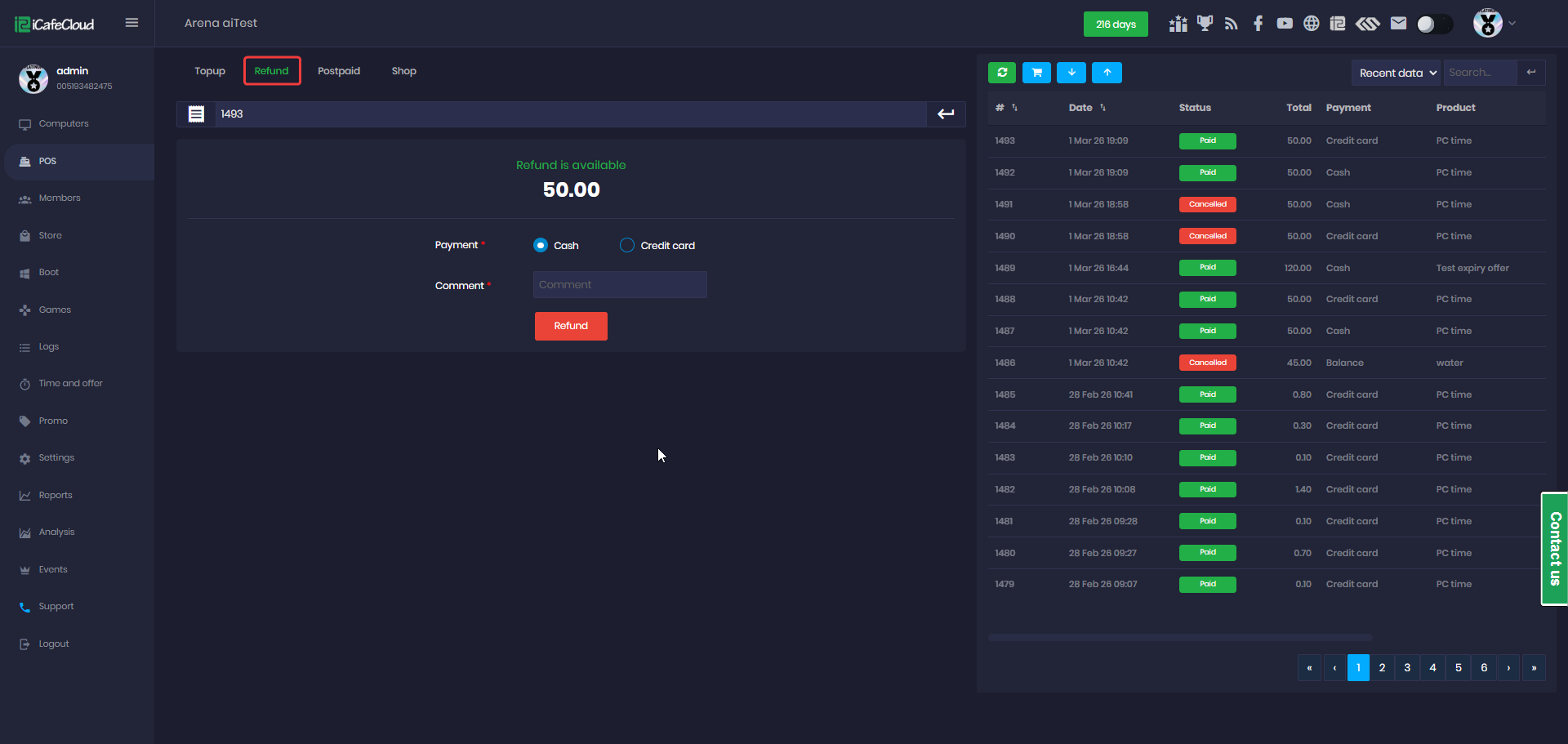
Figure 5
- This option allows partial refunds. To refund both payment methods, repeat the refund process for the other payment type.
- The POS displays the revenue generated during the employee’s shift, including cash, credit card, and QR payments, as well as the cashier balance. (Figure 6)
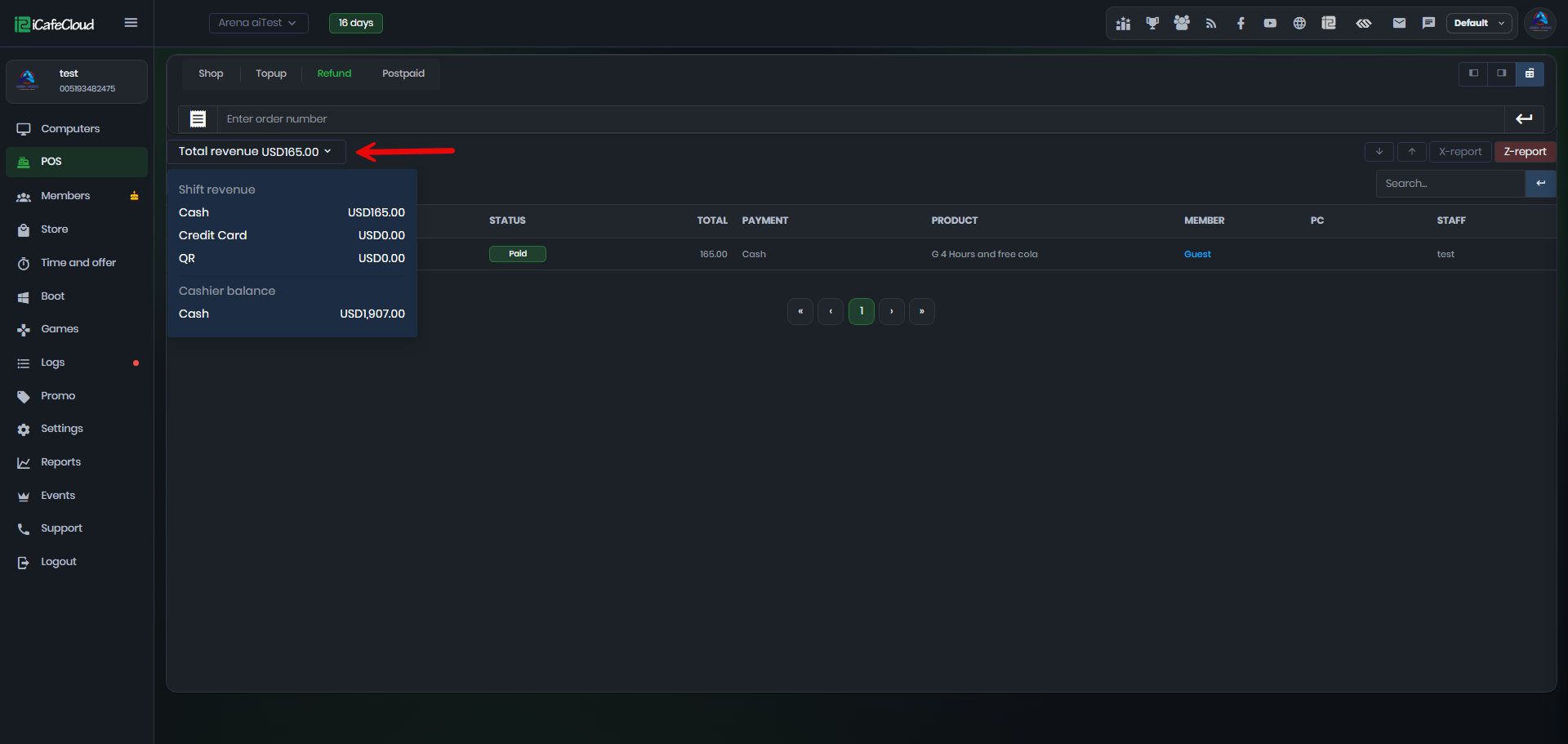
Figure 6