

The following explain how to top up guest accounts, individual PCs, and member accounts directly from the POS page.
- Go on POS page click at topup and then Guest , next enter the preferable amount , add a comment if you prefer and continue with payment
If a customer provides a bill larger than the top-up price, use the calculator to calculate the amount of change that needs to be given back. (Figure 1)
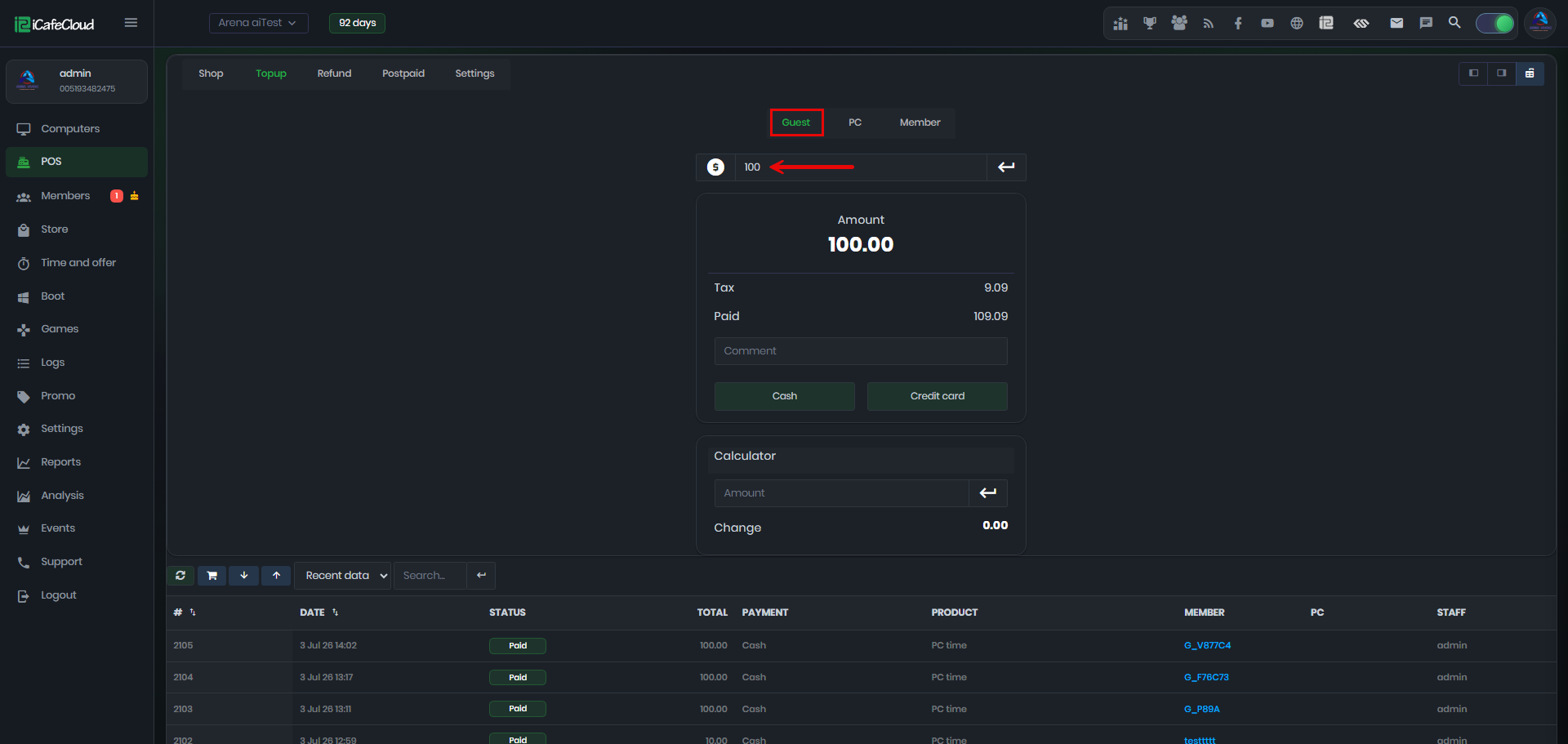
Figure 1
- A new window will appear showing the guest details, with options to print the information or proceed to the shop. (Figure 2)
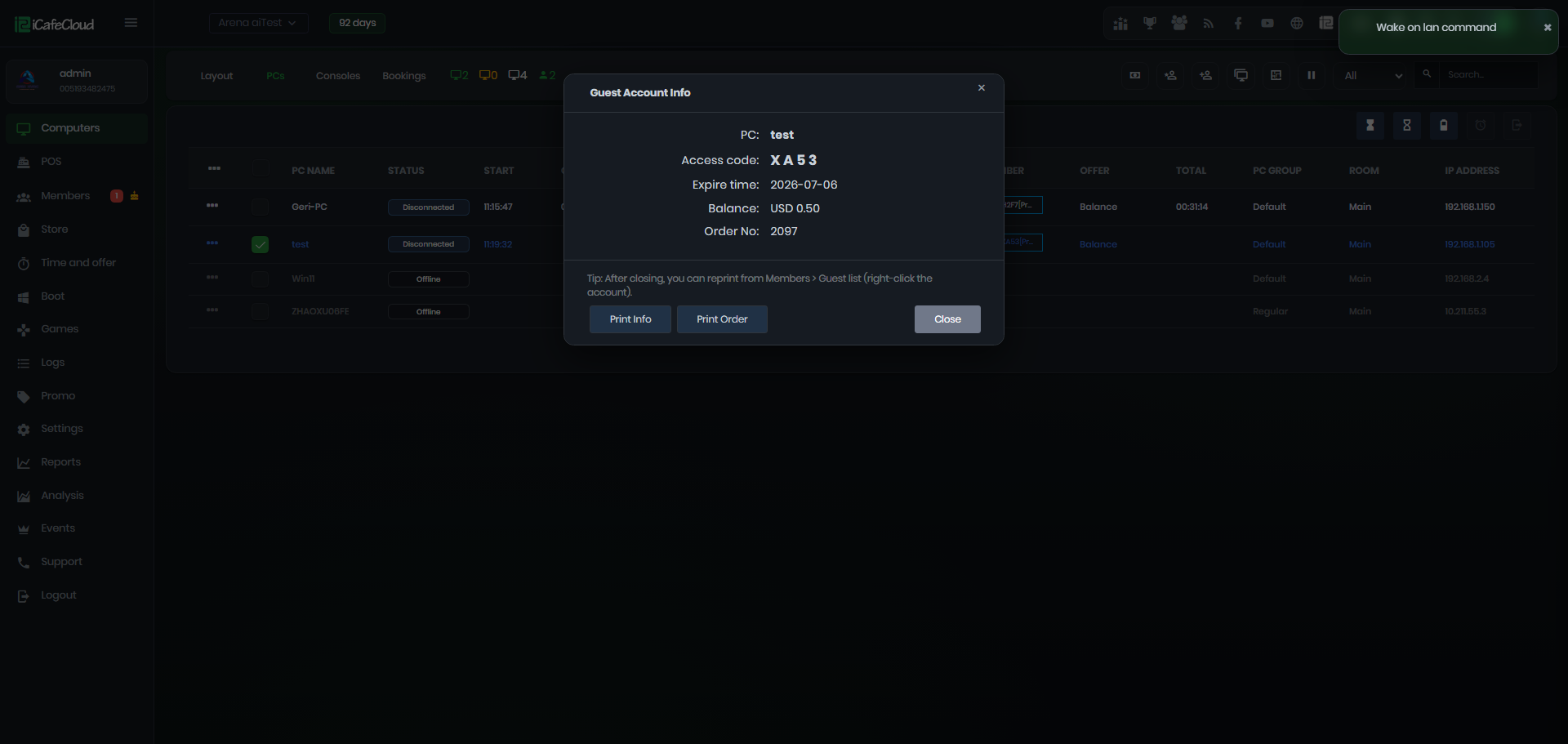
Figure 2
- In the PC tab, enter the amount and click the Enter button next to it.
Then select the PC, click Enter again, and finally choose the payment method. Prepaid session will start(Figure 3)
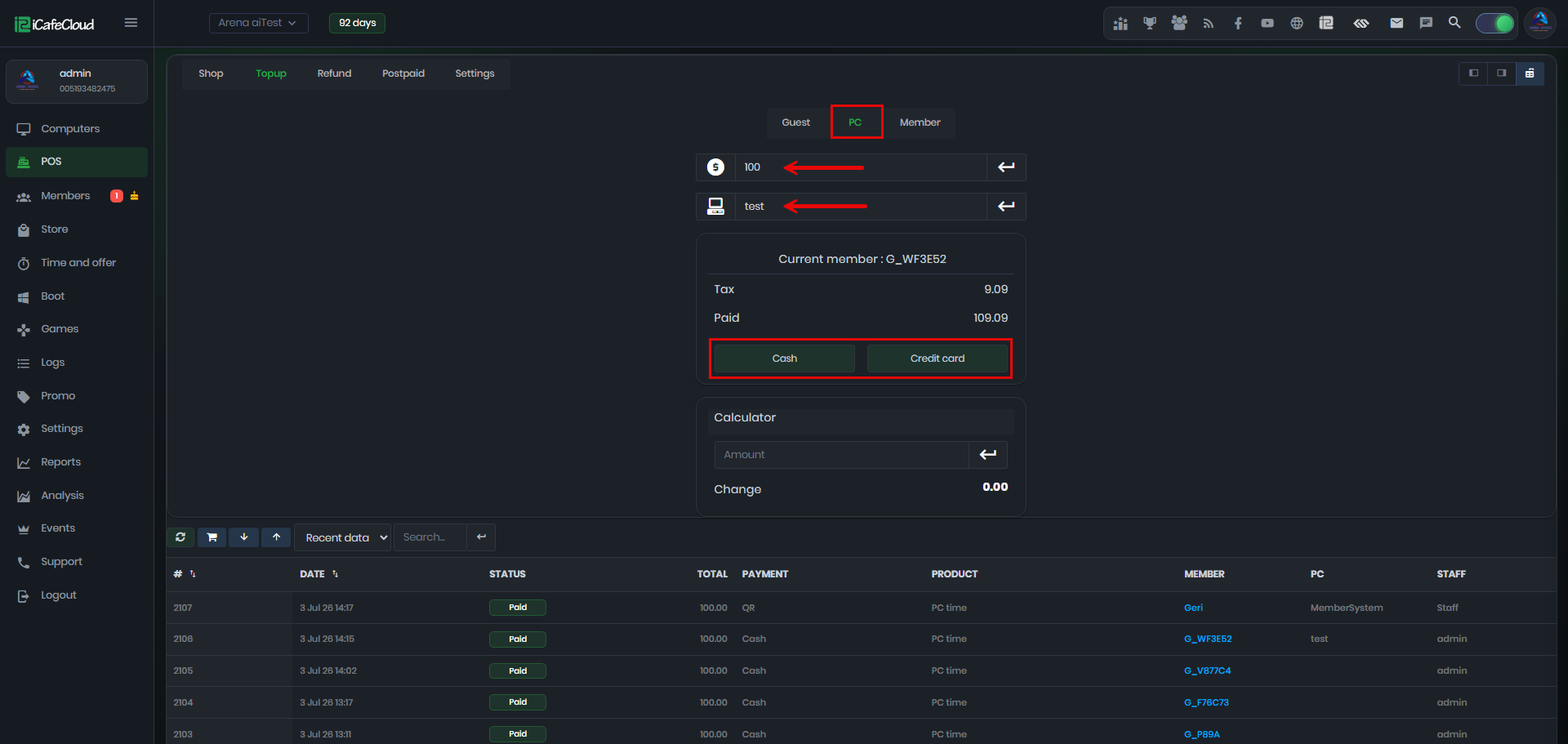
Figure 3
- On the Member page, enter the amount and click Enter.Then type the member’s name, select it from the list, and press Enter again to view the member’s balance.
- You can optionally add a comment, then choose the payment method to complete the top-up. (Figure 4)
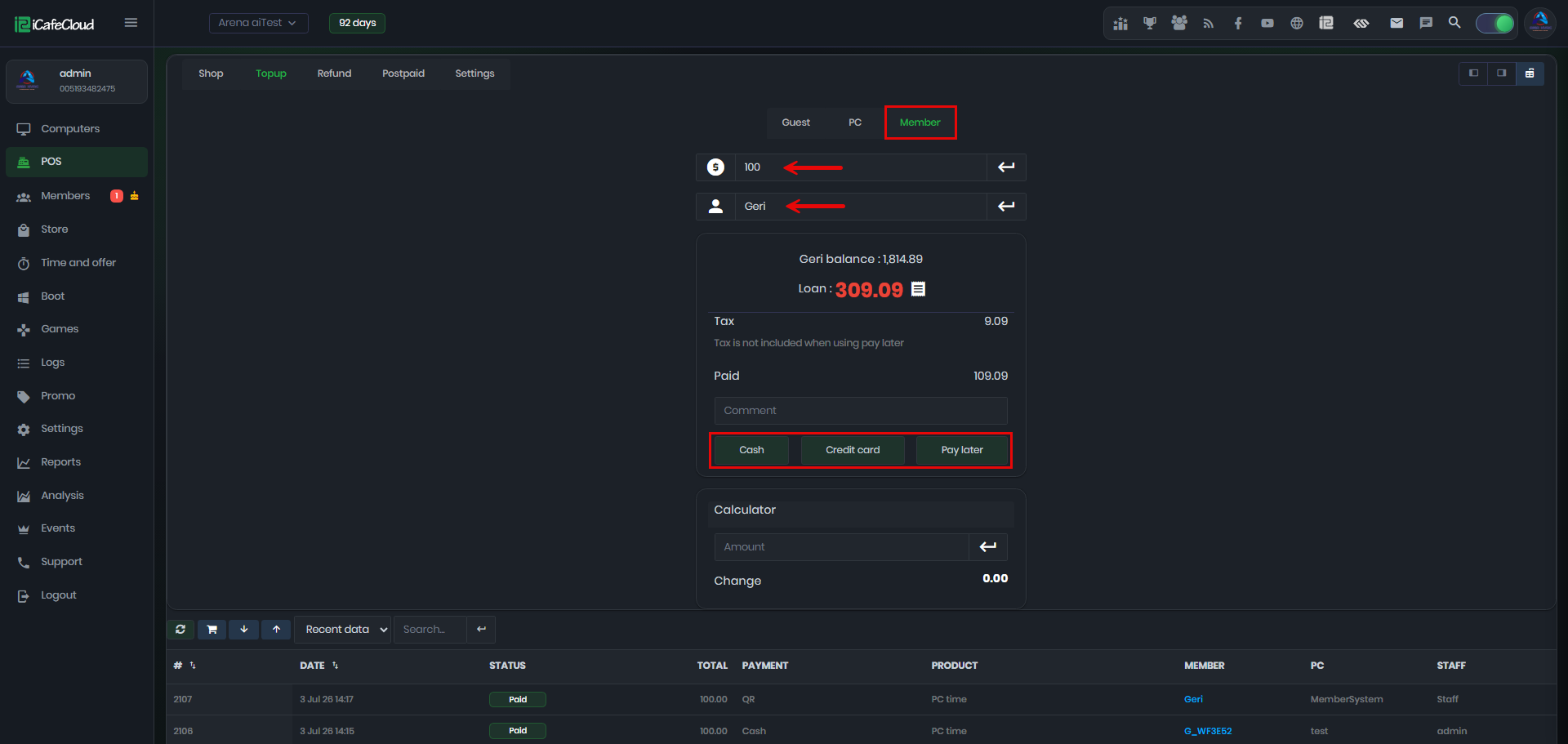
Figure 4
- The POS displays the revenue generated during the employee’s shift, including cash, credit card, and QR payments, as well as the cashier balance. (Figure 5)
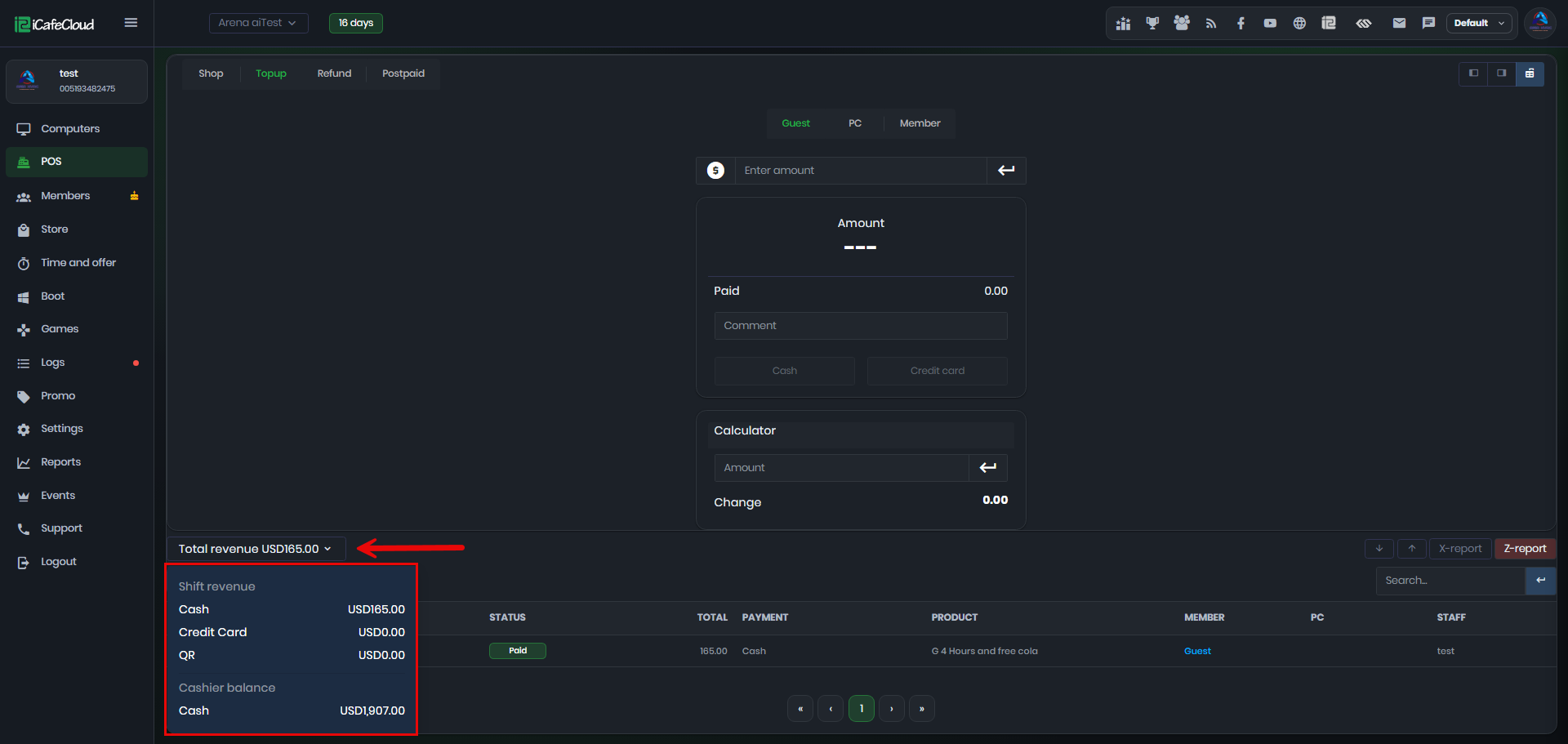
Figure 5