

The following explains how to monitor active postpaid sessions, checkout a session, and process the payment in the POS page.
- The Postpaid page shows all active postpaid sessions. You can view the PC name, start time, remaining time, end time, total time, and also use the check button for more details. (Figure 1)
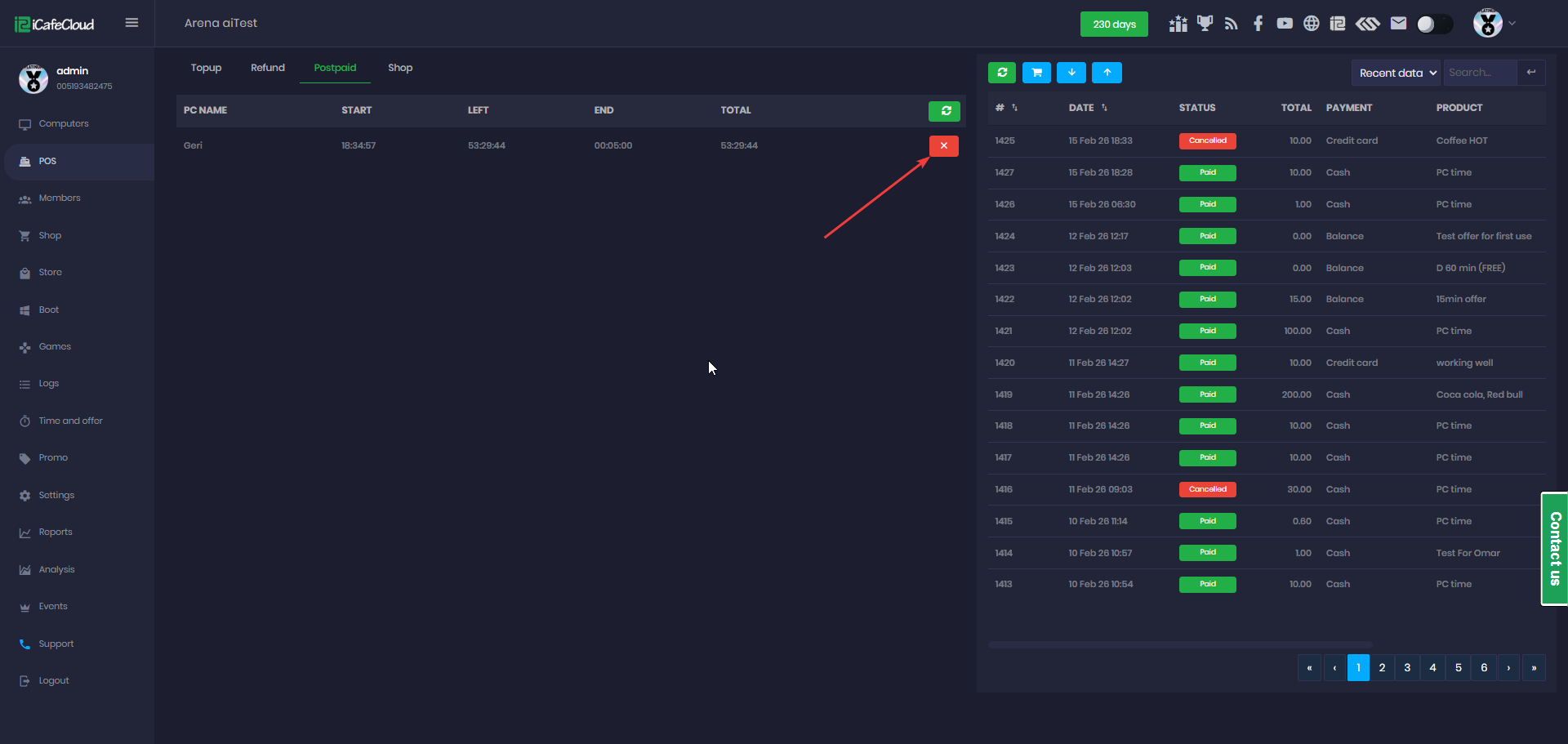
Figure 1
- When you click Checkout, the checkout page will appear. Enter the amount paid and click Checkout again to confirm the payment. (Figure 2)
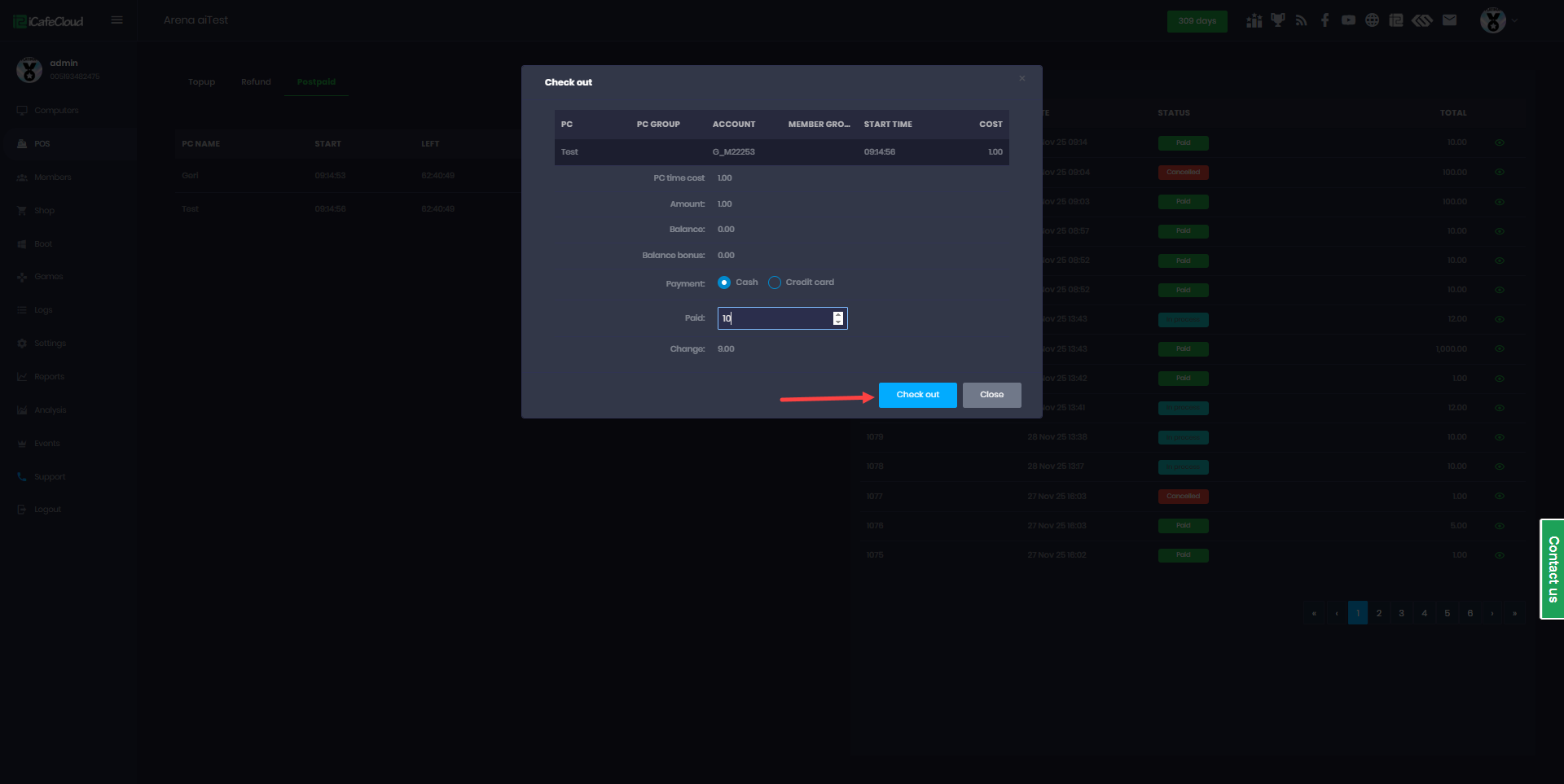
Figure 2
- The POS displays the revenue generated during the employee’s shift, including cash, credit card, and QR payments, as well as the cashier balance. (Figure 3)
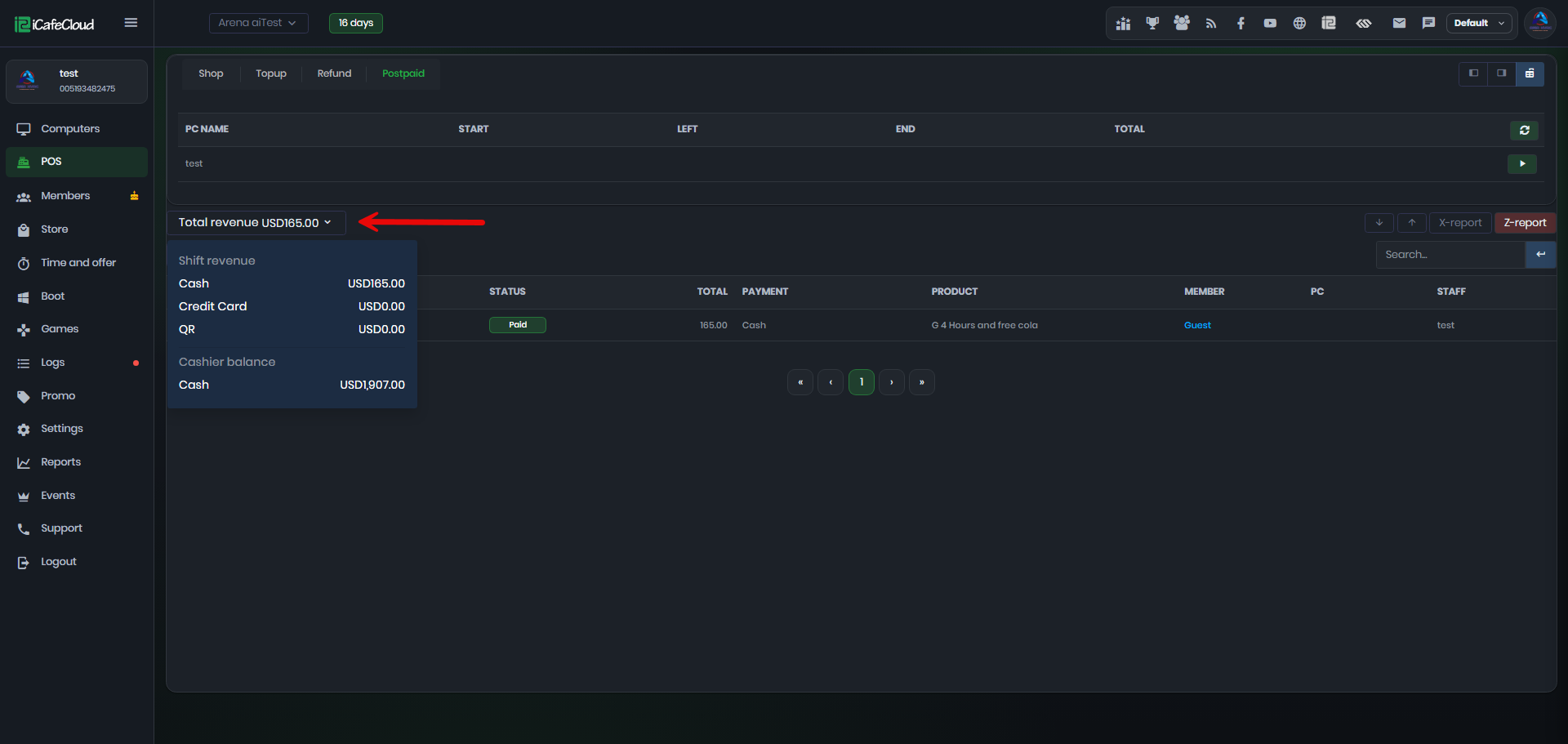
Figure 3