

The following explains how to use the shop on the POS page.
- On the POS shop page, you can view all available products and offers ready for purchase. (Figure 1)
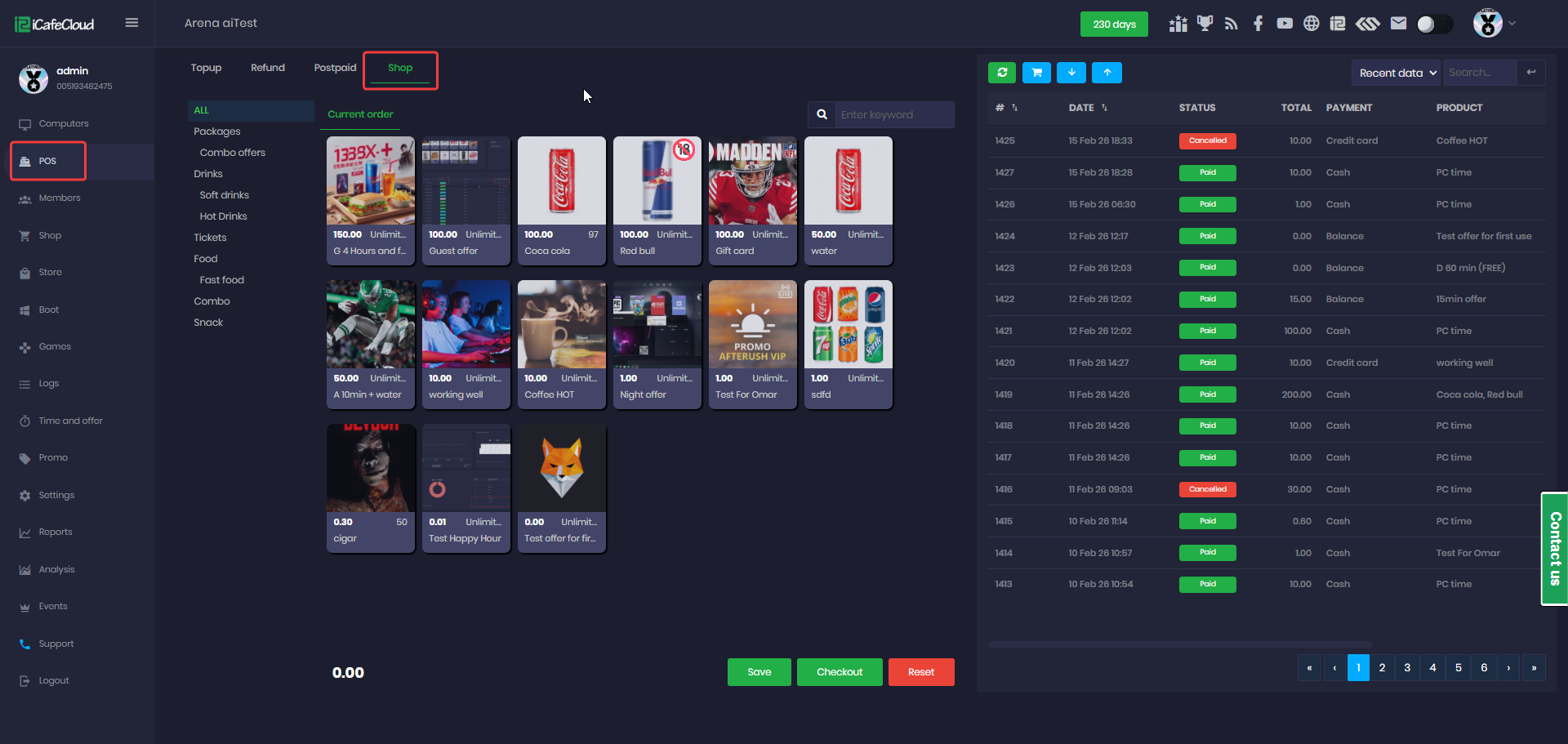
Figure 1
- Select the products you want, and a red dot will appear showing the number of items selected. Then proceed to checkout. (Figure 2)
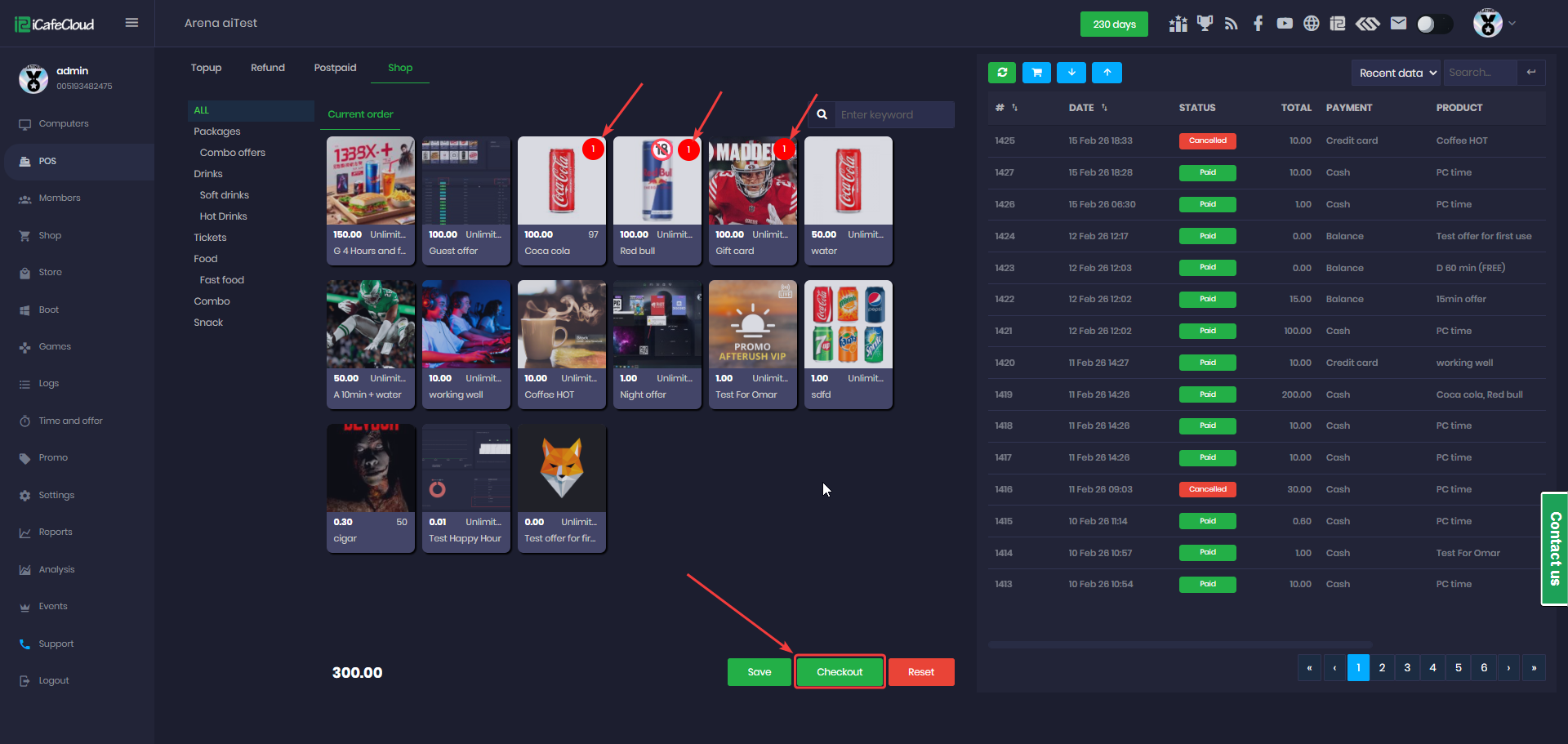
Figure 2
- Click the red dot to decrease the number of selected items.(Figure 3)
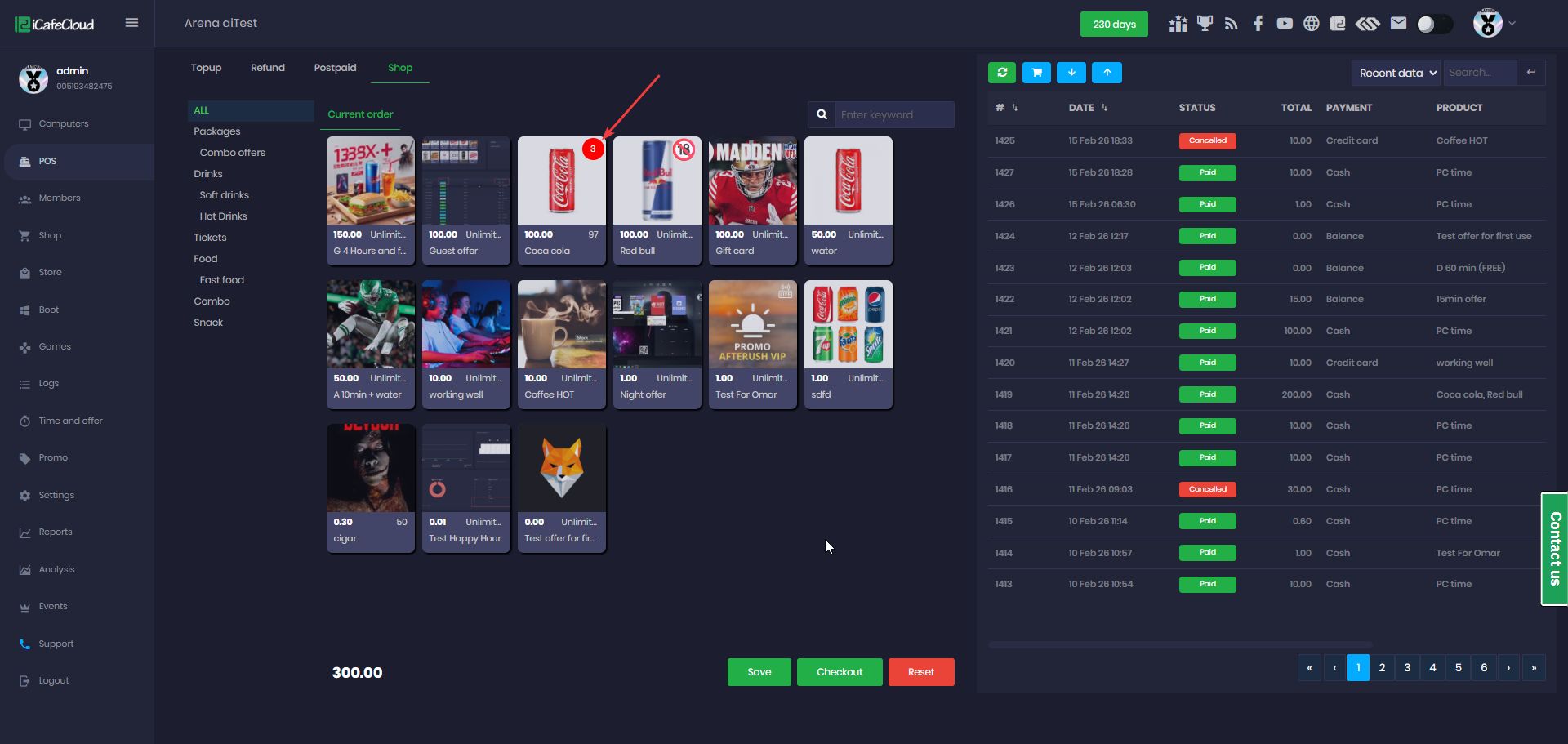
Figure 3
- On the Checkout page, select whether the purchase is for a Guest or a Member. If it is a member, enter the member account and press Enter. If it is a guest, you may optionally enter a mobile number.
- Check if a promo code is available.
- Select the payment way
- Enter the amount of the bill provided by the customer so the calculator can automatically calculate the change to be returned, then click Confirm. (Figure 4).
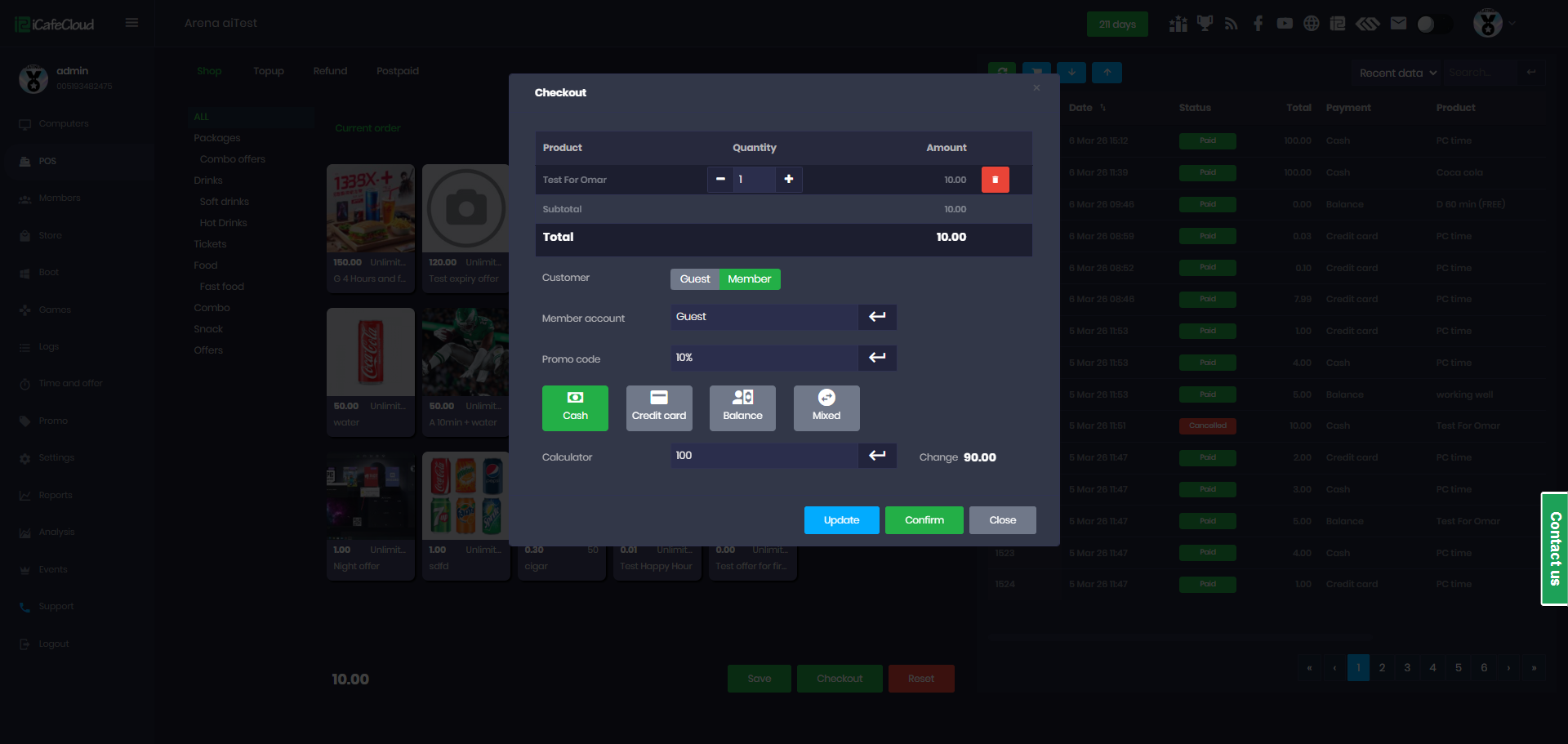
Figure 4
- On the new order page, click Confirm to complete the checkout process. (Figure 6)
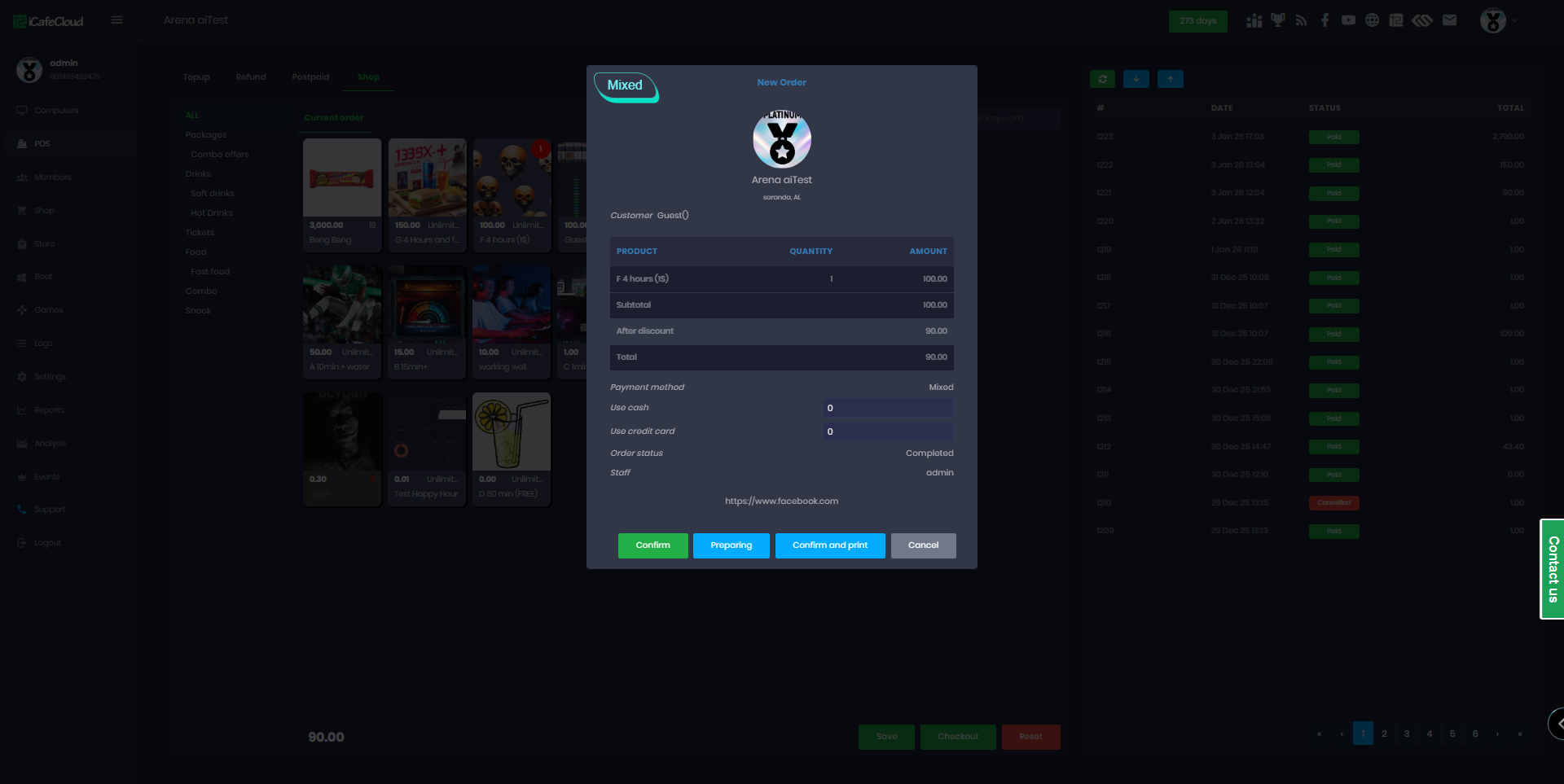
Figure 6
- The order will appear as Paid in the transaction list. (Figure 7)
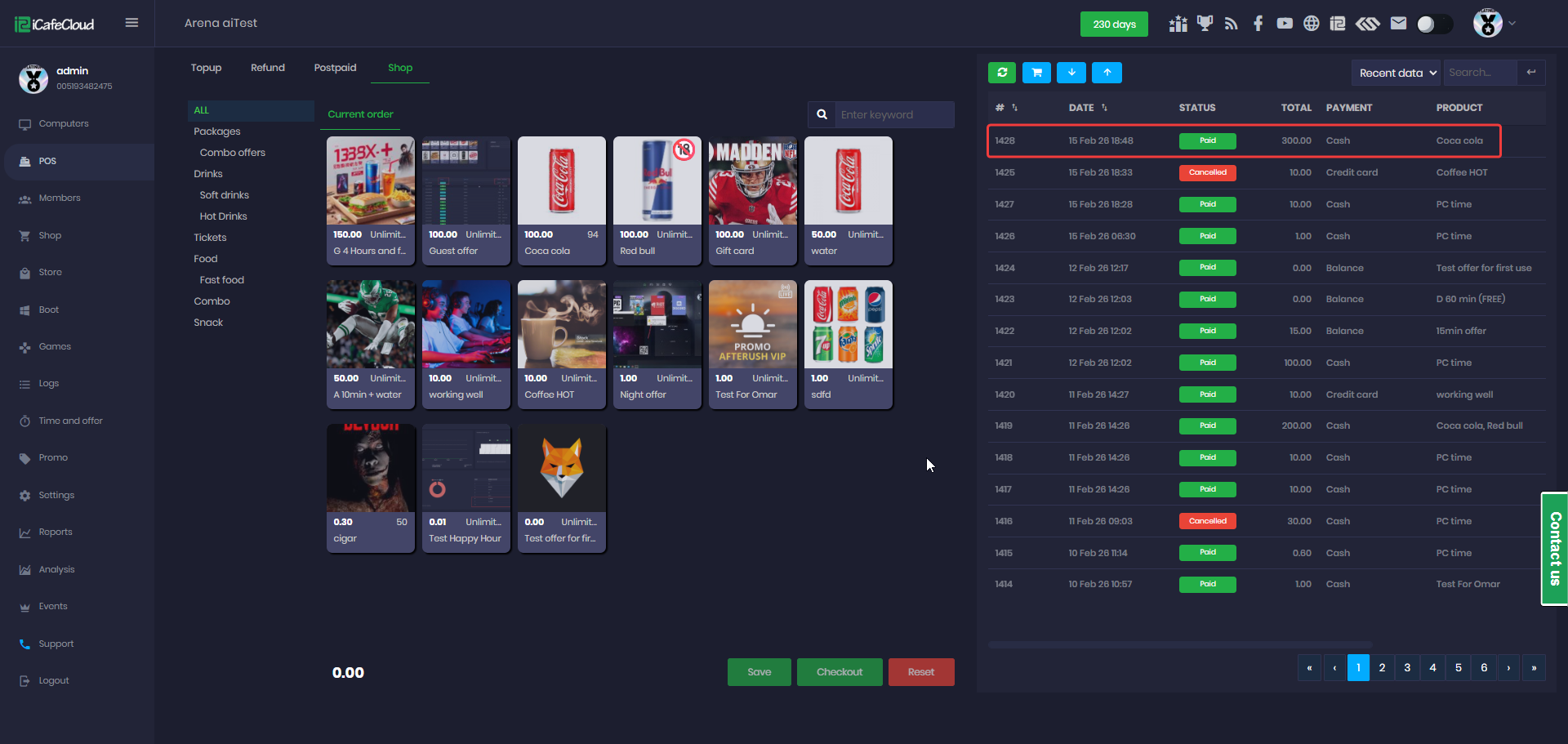
Figure 7
- Saved orders are displayed next to the current order.(Figure 8)
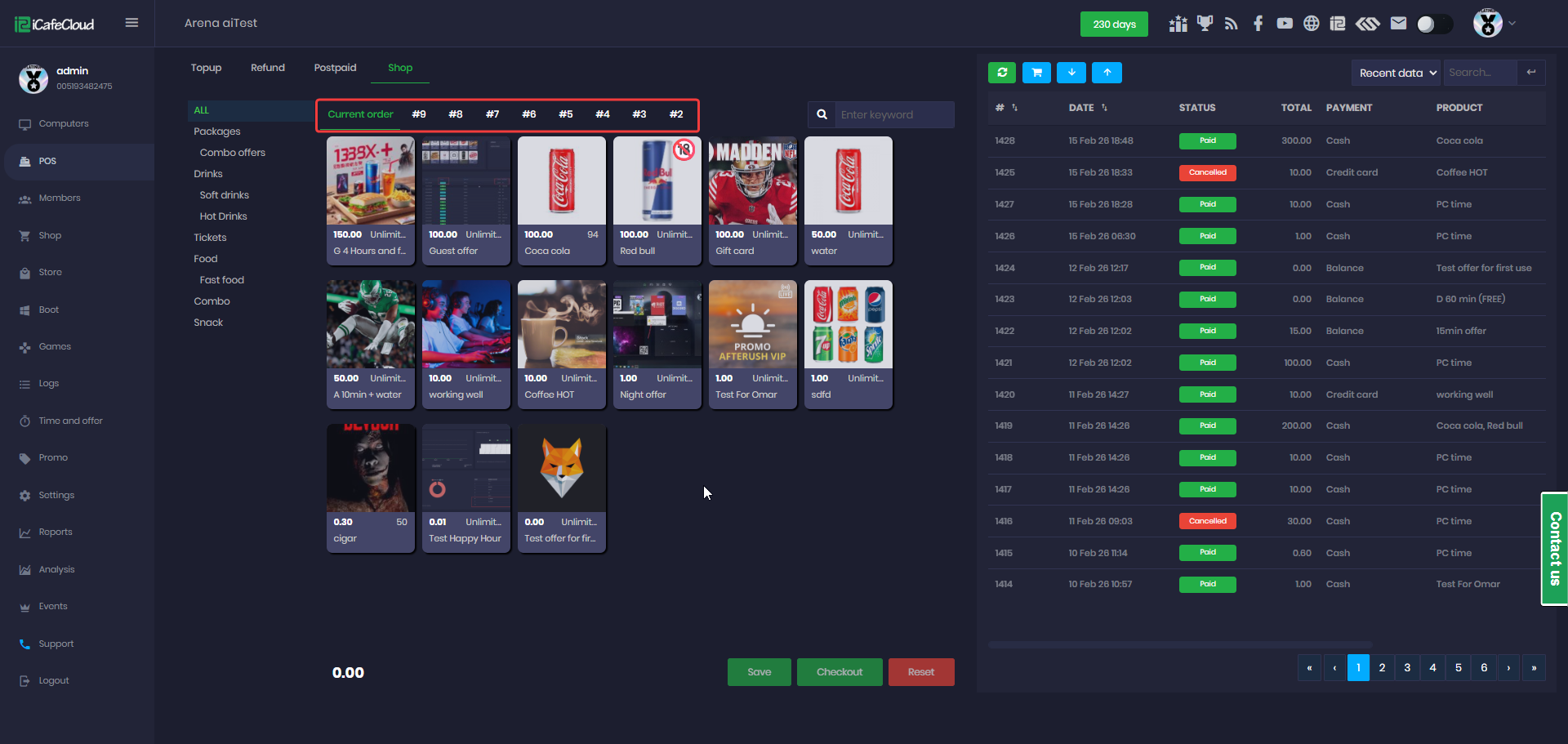
Figure 8
- By clicking the column next to Order ID or Date, you can sort the list by oldest or newest, depending on whether you are viewing Recent or History data. (Figure 9)
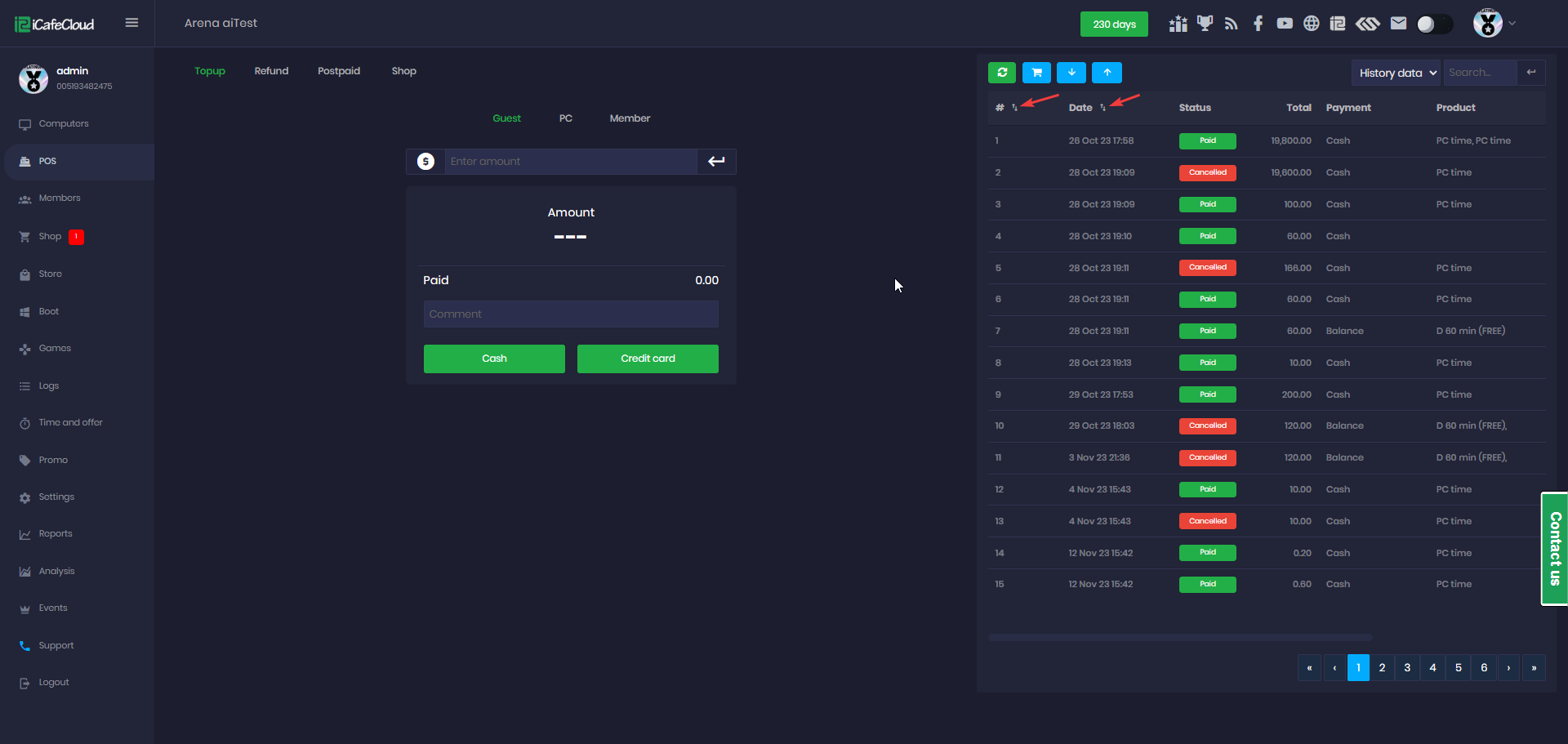
Figure 9
- From the Tools menu at the top, you can modify the layout of the POS pages, such as the Shop page. (Figure 10)
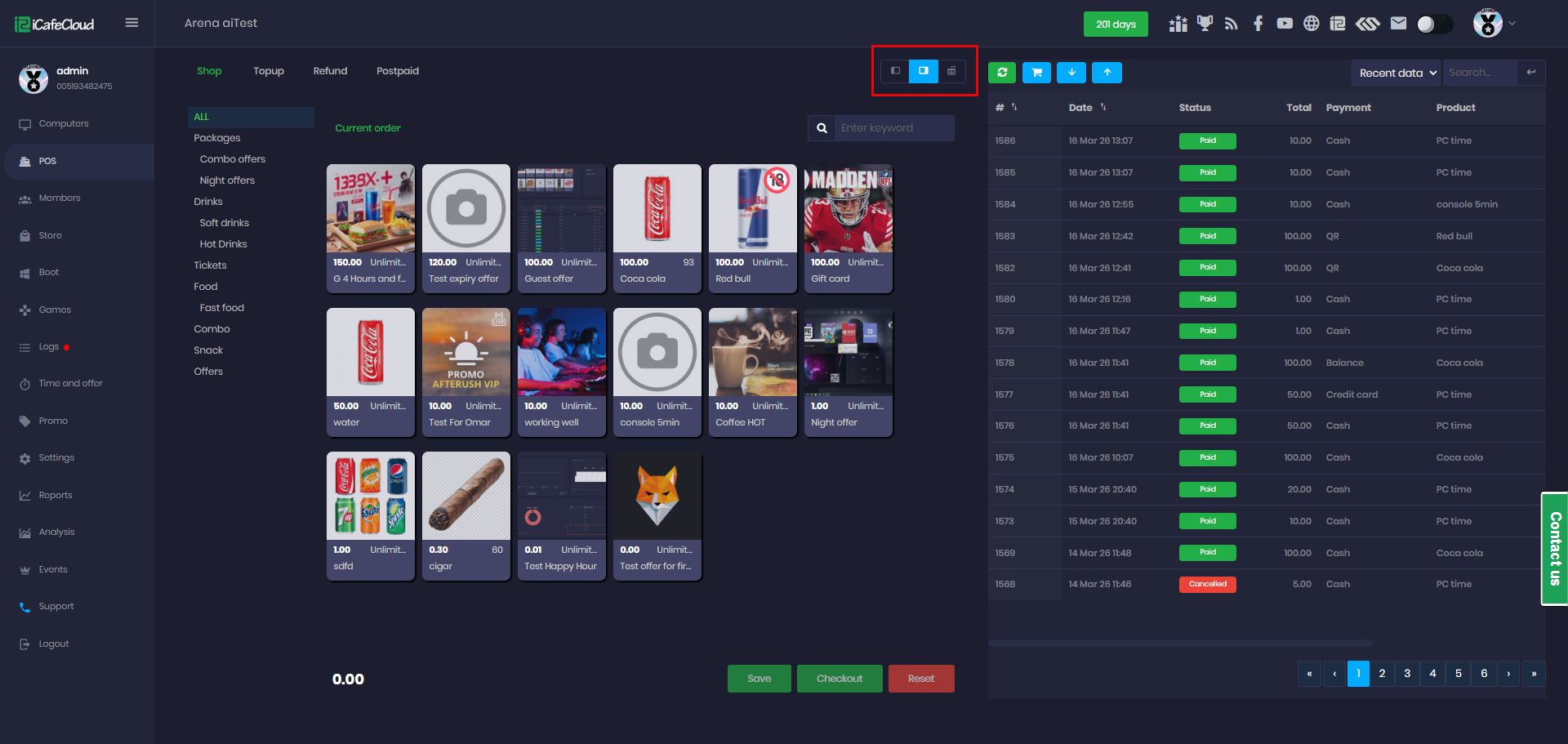
Figure 10
- If Full Screen Mode is enabled, the Transaction History will be moved to the bottom of the interface. (Figure 11)
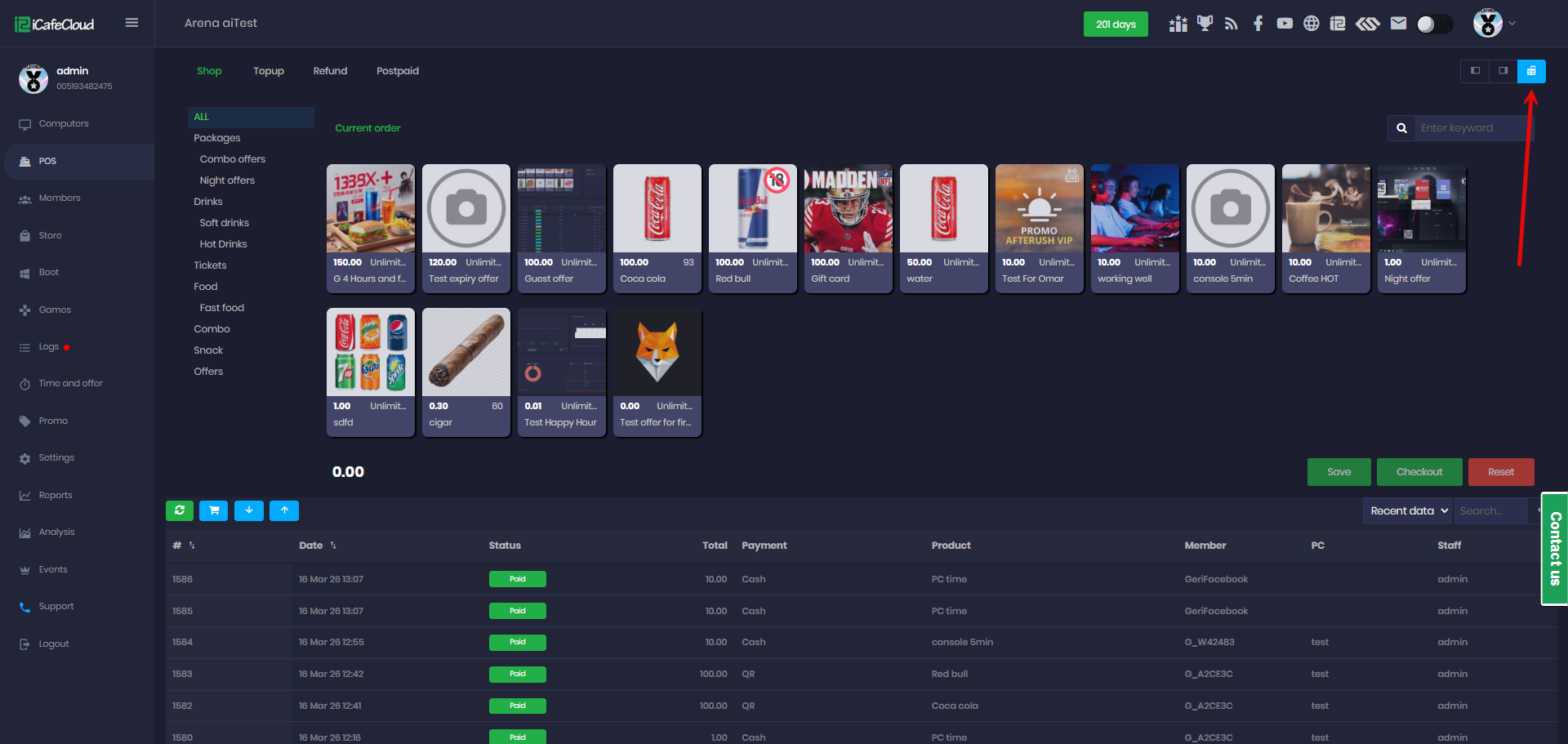
Figure 11
- The POS displays the revenue generated during the employee’s shift, including cash, credit card, and QR payments, as well as the cashier balance. (Figure 12)
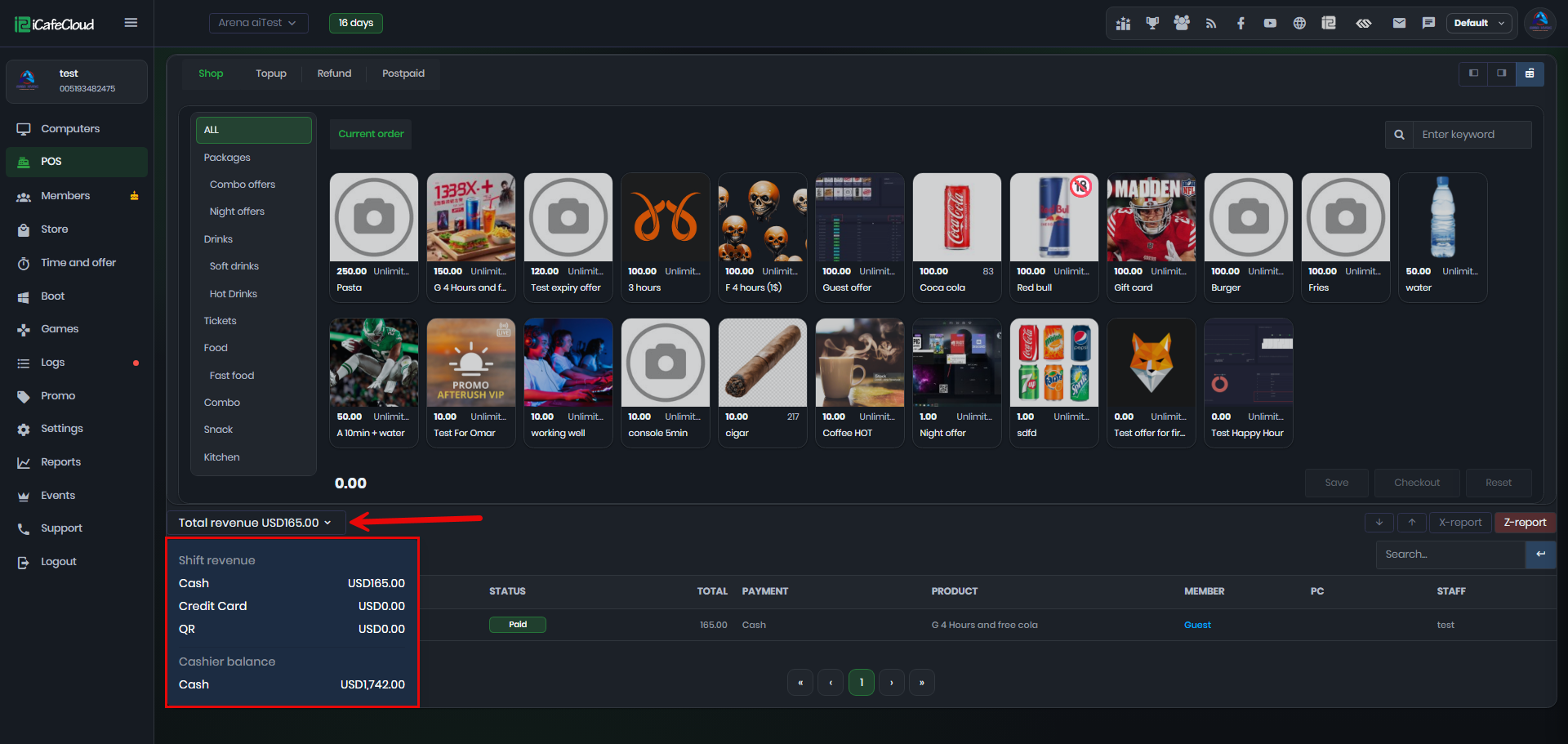
Figure 12