

Here's the thing about running a PC Bang in 2024: the operational reality has shifted pretty dramatically, but a surprising number of venues are still working with tools that were borderline obsolete before COVID. Players walk through your door expecting flawless performance, instant seat booking, a game library that's current — and while they're having that smooth experience up front, your back-office is quietly drowning in manual billing reconciliation and spreadsheet workarounds you cobbled together two years ago because the old software couldn't handle your membership tiers.
iCafeCloud markets itself as the all-in-one fix. Cloud-native, built for high-density operations, handles billing and member management and remote PC control from one dashboard. For operators who've been duct-taping legacy LAN tools together since the 2010s, that pitch sounds almost too clean.
So we dug in. Here's what we actually found.
TL;DR — Quick Verdict
Overall Score: 8.2 / 10
iCafeCloud is a cloud-based gaming cafe management software built for high-throughput environments — specifically the kind of high-seat-density, 24/7 operation that defines the South Korea PC Bang market. Billing automation, member management, remote PC control, game content distribution: it's all here, under one dashboard, and it mostly does what it says on the box.
Best for: Multi-seat PC Bang operators who need centralized billing, real-time monitoring, and scalable membership management.
Skip if: You're running a tight 15-seat setup and need something deployed by end of day with zero configuration headaches.
What Is iCafeCloud? (And Why PC Bang Operators Are Switching)
The legacy LAN-management tools that dominated Korean internet cafe operations through the 2000s and into the 2010s had one thing in common: they required an on-premises server, manual update cycles, and a staff member who knew where all the bodies were buried in the config files. When that person quit, you were in trouble.
iCafeCloud was built as the answer to that problem. Cloud-native from the ground up — which means operators can watch seat status, push game updates, and pull revenue reports from any device. Not just the terminal bolted to the front desk.
The platform organizes itself around three operational pillars: billing precision, member lifecycle management, and remote PC control. Those are genuinely the three things that determine whether a high-volume Korean internet cafe runs smoothly or bleeds revenue through the cracks every single shift.
It targets everyone from single flagship locations to regional chains. Whether that's a strength or a sign of feature bloat depends entirely on your scale.
PC Bang-Specific Features: What Actually Matters Here
Game Content Management — Starting Here on Purpose
I'm leading with this one because it's the feature that most directly reflects how the Korean market actually operates, and most software reviews bury it somewhere near the bottom.
League of Legends patches. PUBG updates. Lost Ark content drops. The South Korea PC Bang market runs on titles that push updates constantly — sometimes weekly, sometimes more — and if you're manually touching 80 machines every time Riot ships a patch, you're losing revenue hours you will never get back. Full stop.
iCafeCloud pushes updates across all machines simultaneously, scheduled during off-peak windows. You configure it once, it runs. For operators who've spent late nights babysitting update queues one machine at a time, this feature alone shifts the operational math in a pretty meaningful way.
Internet Cafe Billing Software and Session Control

The internet cafe billing software engine handles time-based and package-based charging without staff involvement. You set up your rate cards — peak hours, off-peak discounts, overnight flat rates — and the system enforces them. Sessions open, pause, and close with per-minute accuracy.
[PRO TIP: Configure "Happy Hour" rate rules for weekday afternoon slots to compete with the aggressive pricing common in Korean university districts — iCafeCloud's rate scheduler handles this natively.]
The revenue leakage argument is real. Manual billing in a 60-seat venue running 18 hours daily creates rounding errors, missed session closures, and staff-dependent inconsistencies that pile up quietly. Even a 2–3% leakage recovery pays for a Professional tier subscription within weeks.
Remote PC Monitoring and Control
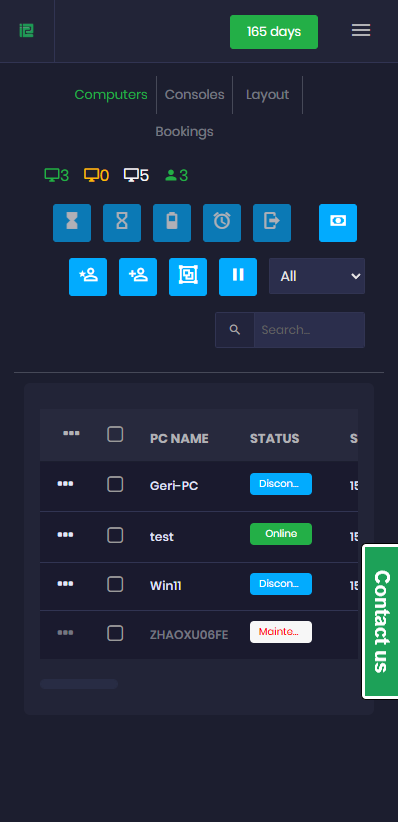
Every seat. Real time. Active, idle, locked, maintenance — all visible from the central dashboard. Remote reboot, session termination, software push, without leaving the front desk.
At 30 seats, this is convenient. At 100+ seats, it's the difference between one staff member managing the floor effectively and needing three. That's not a small distinction when you're doing labor cost math.
Member Management and Loyalty Tiers
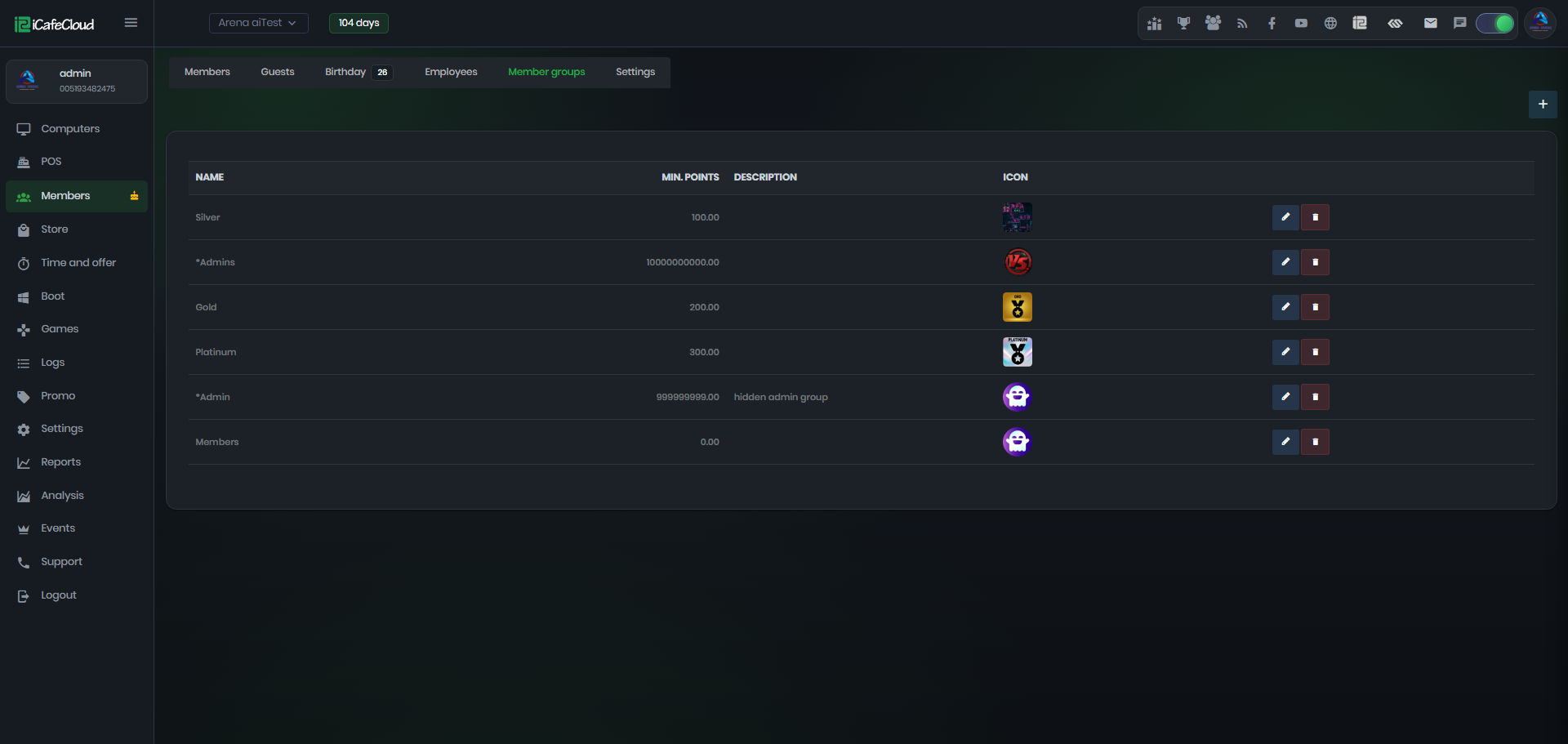
Korean PC Bang customers are loyal — specifically loyal to venues that reward them for it. iCafeCloud's member module tracks cumulative play time, supports tiered loyalty programs, and lets operators set membership-level pricing as a direct competitive lever. Points accumulation, tiered benefits, profile persistence across visits: the cultural expectation is there, and from what I can tell, the feature set actually meets it.
Multi-Location Management
One account. All locations. Consolidated revenue reporting, cross-location member recognition, centralized dashboards. For operators running a second or third venue, this is what makes expansion feel like scaling rather than starting from scratch.
Pricing — The Honest Version
Subscription model, tiered by seat count:
Plan Tier | Seat Range | Key Inclusions |
Starter | Up to 30 seats | Billing, basic member mgmt |
Professional | 31–100 seats | + Remote control, game mgmt |
Enterprise | 100+ / Multi-location | + Analytics, dedicated support |
For Korean PC Bang operators, Professional is probably the practical floor, not a nice-to-have upgrade. The Starter tier's exclusion of remote control and game management makes it genuinely incomplete for a market where patch cycles and seat monitoring aren't optional features — they're the job.
Does iCafeCloud Actually Fit the South Korea PC Bang Market?
That's where things get interesting — because "built for high-density gaming environments" is something a lot of platforms claim, and most of them mean it loosely.
The honest answer: mostly yes, with one non-trivial asterisk.
The seat density handling is real. iCafeCloud's architecture doesn't degrade at 100+ seats, which is a genuine differentiator from legacy tools that start choking above 60. The game content management module is clearly designed by people who understand that the game library is the product in Korean PC Bang culture. The loyalty mechanics match what Korean customers actually expect.
The asterisk is localization. How deep is the Korean-language UI support? Are local payment gateways — Kakao Pay, Naver Pay — integrated natively, or do they require custom configuration? iCafeCloud's documentation doesn't make this immediately clear, and "confirm with the sales team" is the honest answer here. Take this with a grain of salt if you read elsewhere that localization is fully sorted — verify it yourself before you commit.
[EDITOR'S NOTE: Korean PC Bang operators evaluating any management software should prioritize vendors with Korea-based or Korean-speaking support channels. Downtime support response time is a critical evaluation criterion in a market where venues operate 24/7.]
One more thing on fit: onboarding. The platform's feature depth is a strength and a tax simultaneously — you don't get one without the other. Budget for a real setup period. One to two weeks for a full configuration including billing rules, member tiers, and PC client deployment across all machines. Operators who've rushed this and launched with misconfigured billing rules have a painful story to tell.
Honest Pros and Cons for PC Bang Operators
What works:
· Cloud-native architecture — no on-premises server dependency, no single point of failure buried in a back room
· Unified dashboard covering billing, members, and PC control without constant platform-switching
· Scales from single location to regional chain without forcing a migration to a different system
· Game update automation is genuinely excellent for a market with aggressive patch cycles
· Real-time seat monitoring earns its keep at any venue above 40 seats
What needs honest scrutiny:
· Onboarding is not trivial — one to two weeks minimum for proper setup
· Localization depth requires direct verification; Korean operators should not assume native-language support before confirming it
· Under 20 seats, the feature set is over-engineered; simpler tools exist and cost less
· Cloud dependency means your internet connection is now infrastructure — a solid local connection isn't optional
Final Verdict: Is This the Right Internet Cafe Management Software for Your PC Bang?
Serious.
That's the one-word version. iCafeCloud is a serious platform for serious PC Bang operations.
If you're running 50+ seats, managing a membership program, competing in a Korean gaming cafe market where the customer across the table has three other venues within walking distance — this is one of the most capable internet cafe management software platforms currently available. The cloud architecture solves real problems. The feature set maps to what Korean operators actually need. The multi-location capability gives you a genuine growth path rather than a software migration nightmare when you open location two.
And honestly? The game update automation is fast. Like, genuinely fast — the kind of fast that makes you realize how much time you were losing before.
For casual or micro-scale operators: this isn't your tool. Look elsewhere.
For everyone else — if your current software is the reason you can't see what's happening across your venue in real time, can't automate billing without babysitting it, can't push a game update without touching every machine — iCafeCloud deserves a serious conversation. Your mileage may vary depending on how deep the Korean localization actually goes, but the core platform holds up.
Final Score: 8.2 / 10
Frequently Asked Questions
Q1: What's the best internet cafe management software for a large PC Bang in Korea?
For high-seat-count operations, iCafeCloud is among the stronger current options — cloud-based billing, member management, and remote PC control in one platform. That said, NetCafe Pro and Antamedia are worth evaluating against your specific localization requirements before you decide. Don't skip that step.
Q2: Can iCafeCloud handle Kakao Pay or Naver Pay?
Unclear from public documentation, which is itself a yellow flag. Korean operators should confirm local payment gateway support directly with iCafeCloud's sales team before deployment — not after. In my experience, this is the question that tends to get glossed over until it suddenly matters.
Q3: How long does setup take for a 60-seat PC Bang?
Realistically, one to two weeks for a proper configuration — billing rules, member tiers, PC client deployment across all machines. Budget the time. Operators who've rushed this and launched with billing errors describe the experience in terms I can't repeat here.
Q4: Can one account manage multiple PC Bang locations?
Yes. Multi-location management is a core feature at the Enterprise tier — consolidated revenue reporting, cross-location member recognition. Directly relevant if you're running or planning to run more than one venue.
Q5: Is iCafeCloud overkill for a small PC Bang under 20 seats?
Probably. The platform is built for mid-to-large operations. Smaller venues will find simpler, cheaper alternatives that don't require a two-week onboarding investment just to get up and running.
Q6: Does iCafeCloud work as internet cafe billing software for 24/7 operations?
Yes — the billing engine is designed for continuous operation, handling session opens, pauses, and closures with per-minute accuracy across overnight and peak-hour rate cards. That said, your internet connection becomes critical infrastructure; any outage affects the whole system.