

Here's what nobody tells you about running an internet shop in the Philippines: the software is almost always the last thing owners think about — and somehow the first thing that unravels them.
You're juggling 20, 30, maybe 40 live sessions at once. Someone's been planted on PC 14 for three hours but only paid for one. The cashier's doing mental math that stopped being reliable an hour ago. The logbook looks like a ransom note. And it's only 4pm — peak hour hasn't even shown up yet.
iCafeCloud is a cloud-based internet cafe management software built to cut through exactly that kind of daily chaos. It's been gaining ground among Philippine internet shop operators over the past couple of years. Whether it actually delivers on that — or just performs well in a demo — is what we're here to figure out.
TL;DR — Quick Verdict
iCafeCloud is a well-built, cloud-first internet cafe billing software that genuinely drags Filipino shop operations into the current decade. Reliable. Accessible from anywhere. Honestly pretty affordable for what you're getting.
· Overall Score: 8.4 / 10
· Best for: Internet shop owners in the Philippines who want real-time billing
and session control without sinking money into on-premise server hardware
· Skip if: You're running a single-PC hobby setup or need deep point-of-sale
(POS) integration out of the box
What iCafeCloud Actually Is (And Why the "Cloud" Part Matters)
Most internet cafe software floating around the Philippine market was built in a different era — the kind that demands a dedicated local server, an IT contact on speed dial, and some optimism that the machine doesn't overheat during a long typhoon weekend. iCafeCloud takes the opposite approach entirely.
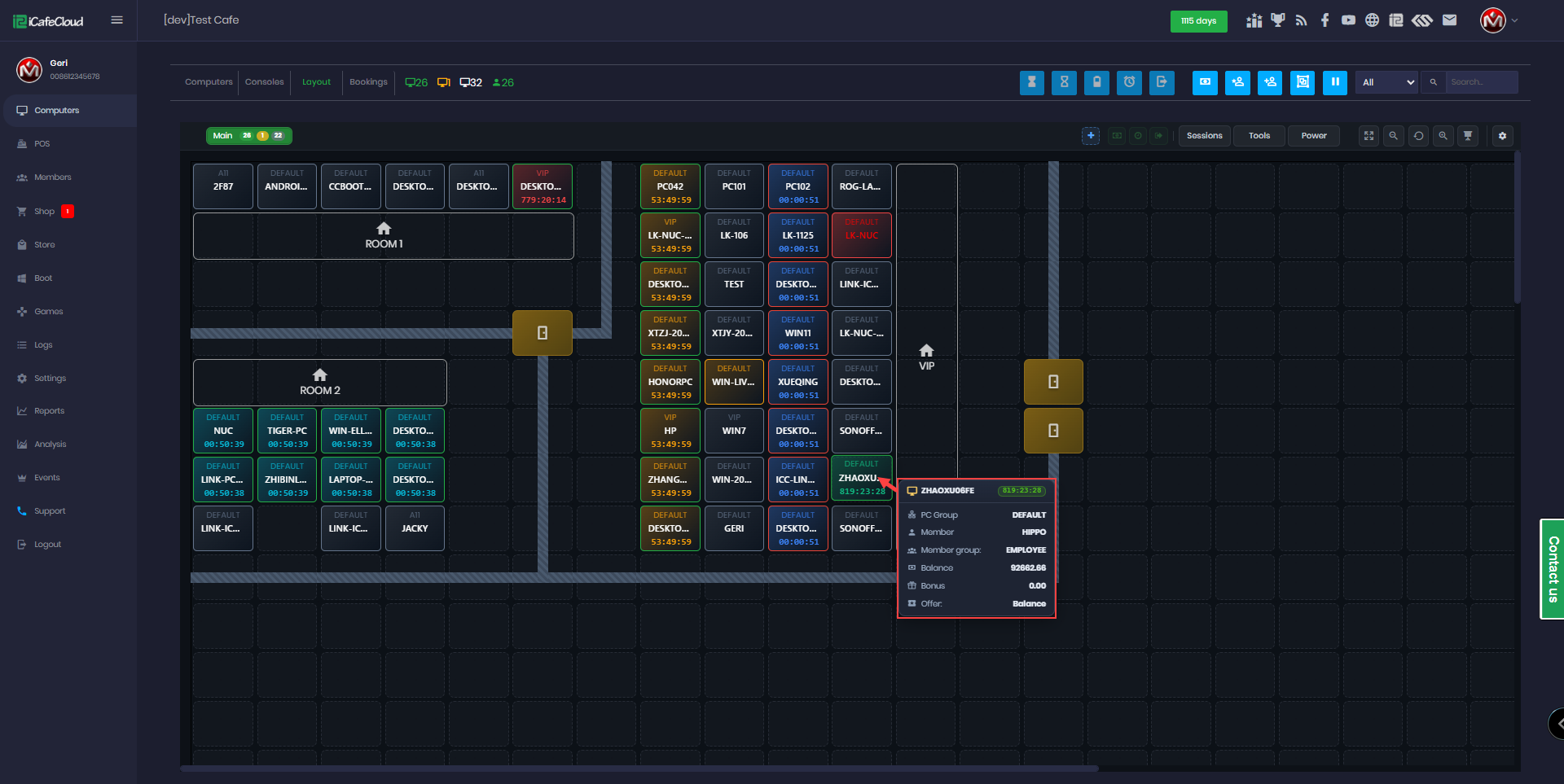
It's a cloud-based internet cafe management software built for commercial internet shops, gaming cafés, and co-working spaces. The whole management layer lives in a centralized cloud dashboard. That means you can check on your shop from home, from another branch, from a bus somewhere between Manila and Cebu — anywhere you've got a signal.
The platform handles the full operational picture: user login and session tracking, time-based billing, prepaid and postpaid account management, machine locking, and revenue reporting. For Philippine operators dealing with high foot traffic and sessions that vary wildly in length, the automation alone is worth a serious look.
(A quick aside: I've talked to enough internet café owners across Luzon and Visayas to know that "cloud-based" still makes some of them uneasy — and honestly, fairly so, given what connectivity looks like outside Metro Manila. I'll get into that directly in the cons section, because it's a real operational consideration, not just fine print.)
The Features That Actually Matter
Billing Flexibility — This Is the One
Let me start with what I think is the platform's strongest card: the billing engine.
iCafeCloud supports several different billing structures, and that variety maps pretty directly onto how Philippine internet shop customers actually behave — which is, frankly, all over the place. You've got students who want a one-hour block and nothing more. You've got regulars who load up a weekly balance on Monday and work through it. You've got walk-ins who want to settle up at the end. The system handles all of it:
· Prepaid credits — customers load balance up front
· Postpaid sessions — pay at the end; works well for regulars you trust
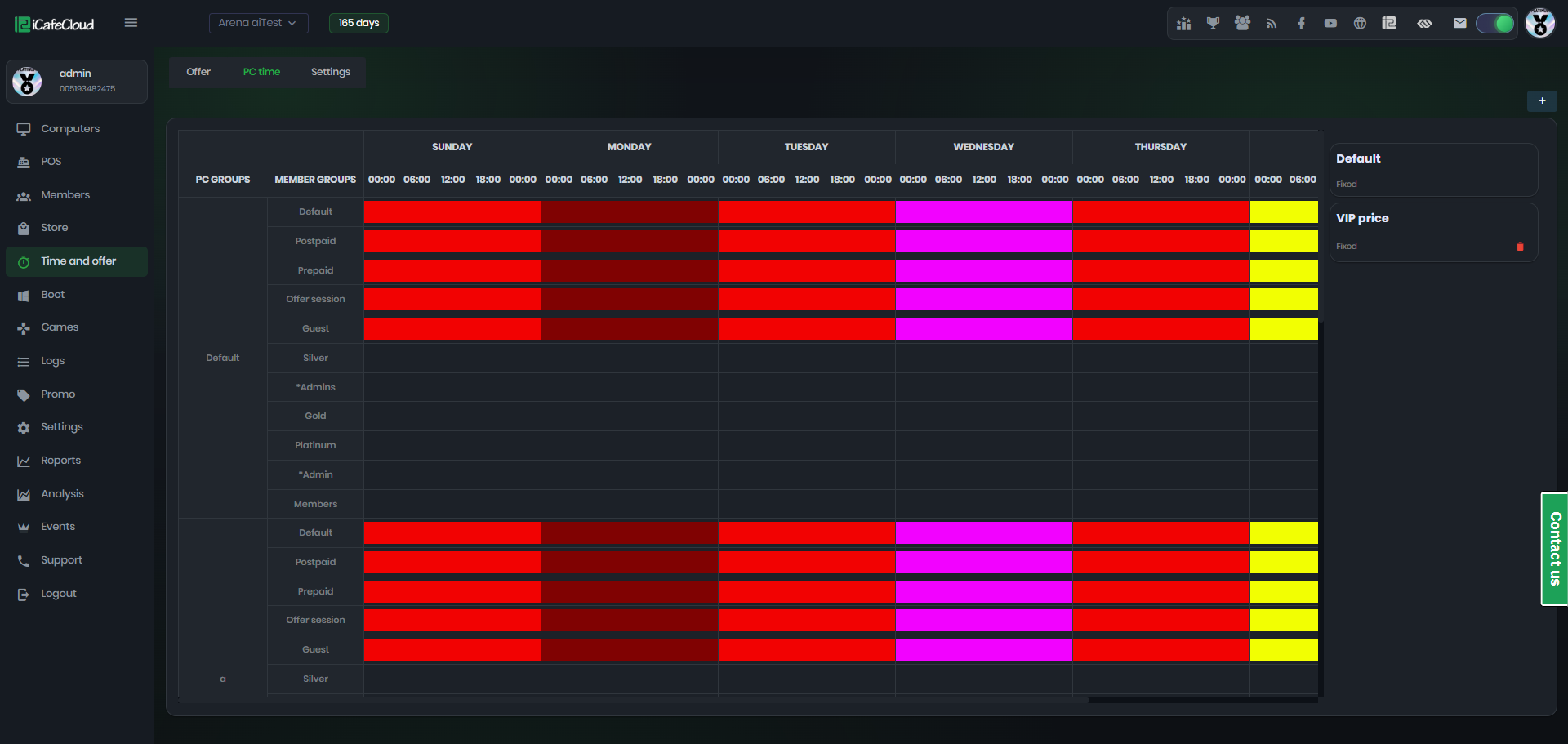
· Membership/subscription plans — daily or weekly, solid for building a loyal base
· Time packages — fixed-duration bundles (1 hour, 3 hours, etc.)
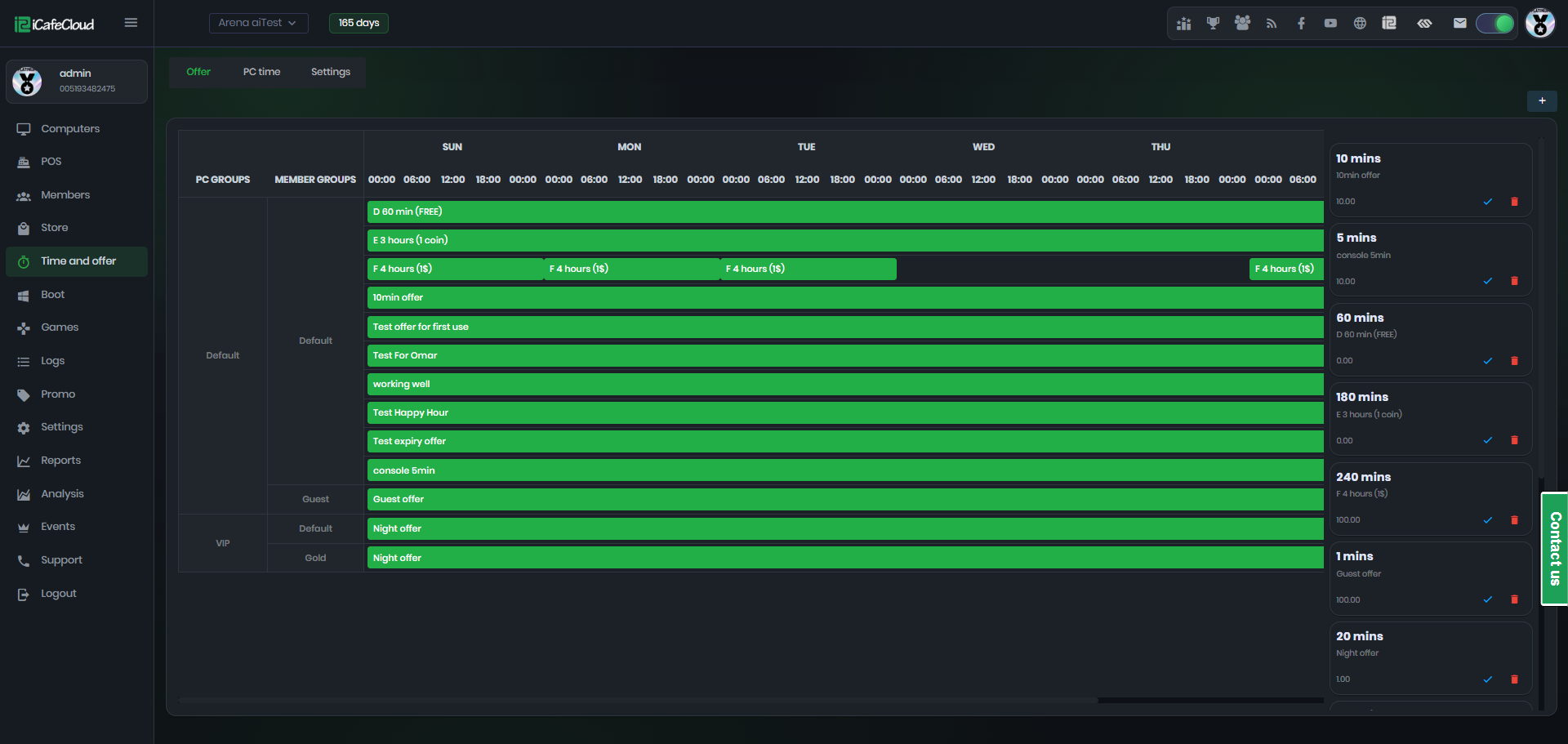
Not glamorous, I'll admit. But if you've ever tried to force a rigid, one-mode billing system onto a shop with genuinely mixed customer types, you'll get why having all four options in one dashboard matters more than you'd think. It's the kind of thing that saves you from building a workaround every other week.
Session Control
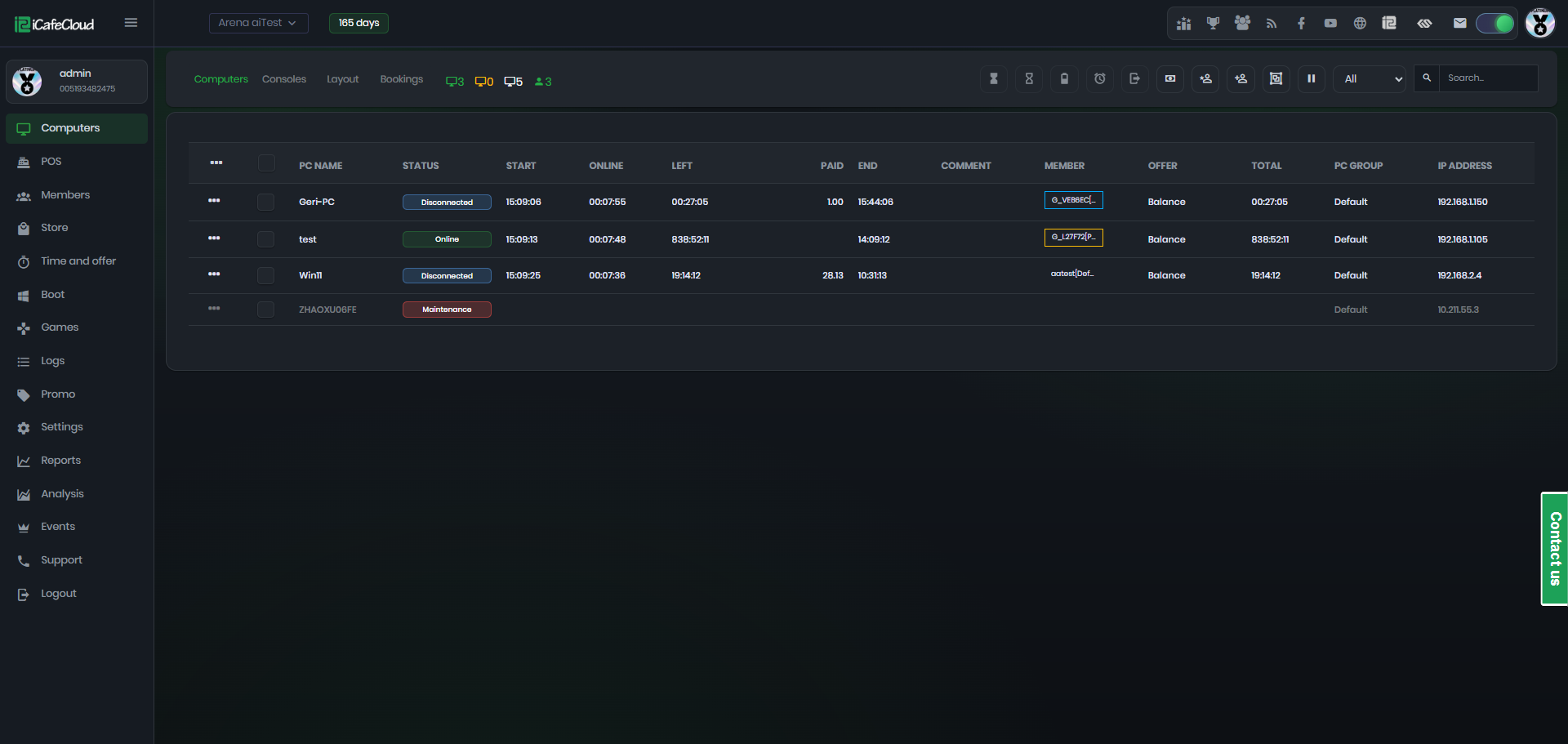
The admin console shows real-time session status across every machine: active time, remaining balance, who's sitting there. Sessions can be started, paused, or ended remotely from the manager's dashboard. No more physically walking the floor to cut off the guy who's been "just finishing up" for 45 minutes.
It works. Cleanly.
Remote Management
Because iCafeCloud is cloud-native, the owner or manager can pull up session activity, revenue summaries, and machine status from a phone or laptop — even from across town. For multi-branch operators in Metro Manila or Cebu, this kind of centralized visibility changes the math on how many locations one person can realistically keep tabs on. That's where things get interesting for anyone thinking about expanding.
[PRO TIP: Use the remote dashboard during peak hours — after school and into the evening — to monitor load across branches and reallocate staff proactively.]

Member Accounts
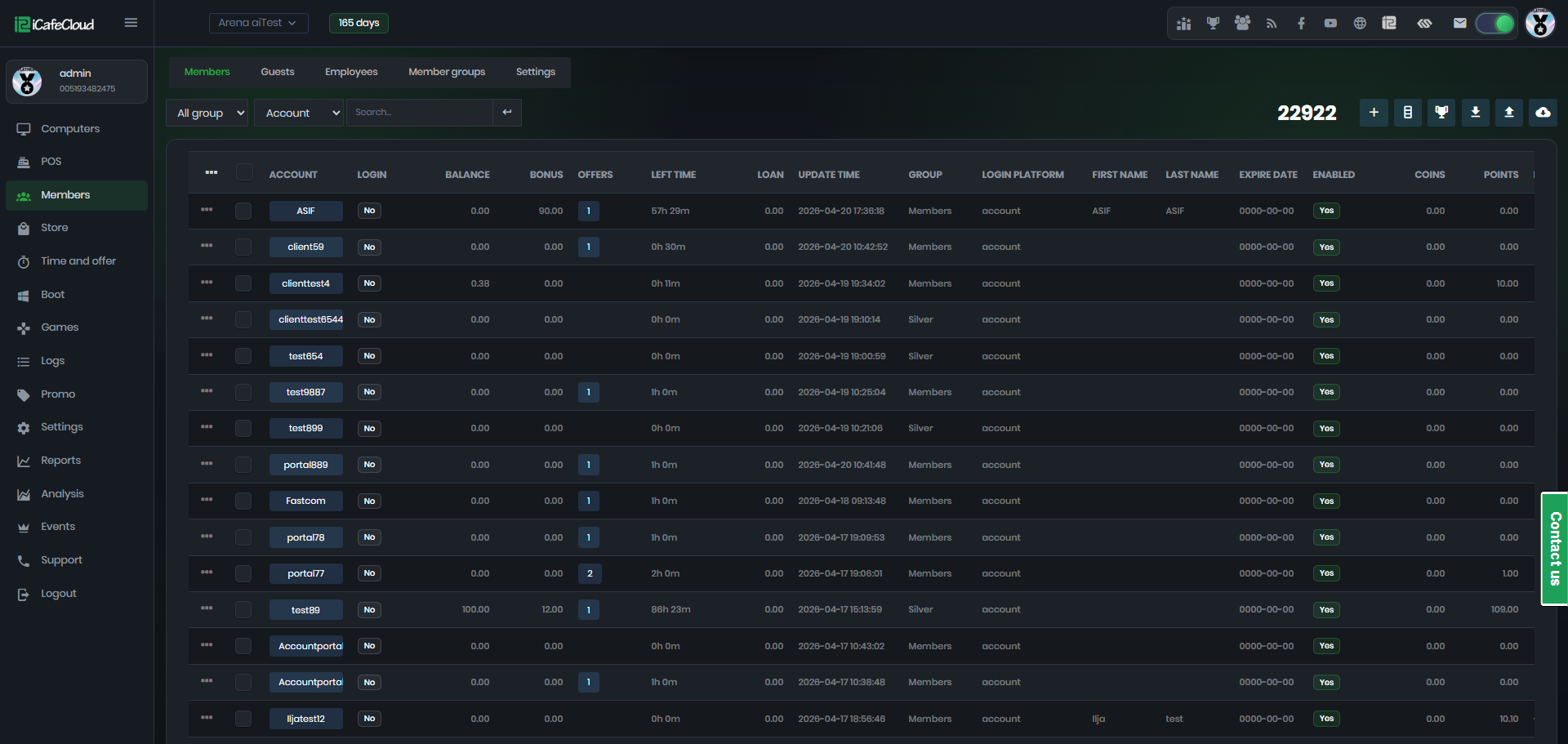
Registered members get personal accounts with stored balance, usage history, and loyalty tracking. In my experience, this is the kind of feature you'd expect to find behind enterprise-tier pricing. The fact that it's baked into a subscription model aimed at small Philippine shop operators is one of iCafeCloud's quietly impressive moves — easy to overlook until you realize what you'd pay for it elsewhere.
Reporting
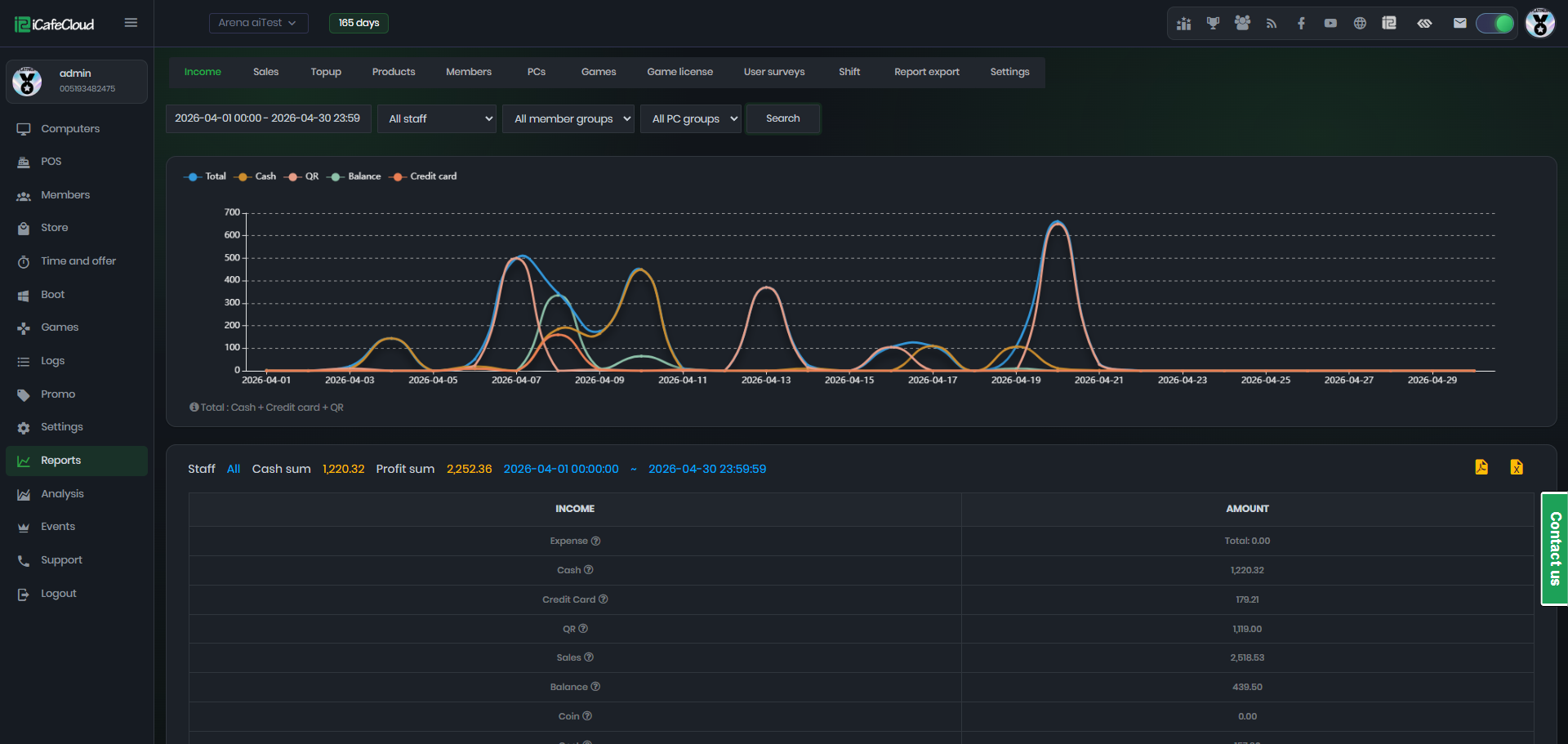
Daily, weekly, and monthly breakdowns of revenue, session counts, and peak usage windows. I'll be honest — the reporting module takes real configuration time before it becomes genuinely useful. It's not plug-and-play insightful. But the underlying data is solid, and for shop owners working tight margins, knowing your actual peak hours versus your assumed peak hours can meaningfully shift both staffing and pricing decisions.
Pricing — What You're Actually Paying For
iCafeCloud runs on a subscription-based SaaS model. No large upfront license fee. No server hardware you have to purchase before you've even opened your doors. For Filipino entrepreneurs bootstrapping a first internet shop, that distinction is pretty meaningful — it's a different risk profile entirely.
Plan | Best For | Key Limits |
Free / Starter | Trial or micro-shops (≤5 PCs) | Limited reporting, basic billing |
Standard | Small shops (6–30 PCs) | Full billing, cloud dashboard |
Professional | Mid-size or multi-branch shops | Advanced analytics, priority support |
For context: legacy competitors like Antamedia or Cafe Management Pro often carry one-time license fees in the $100–$300 range , plus whatever you spend on server hardware to run them. iCafeCloud's subscription model isn't just cheaper in many cases — it's a fundamentally different bet for someone opening their first shop.
Is iCafeCloud Right for Your Philippine Internet Shop?
Running an internet shop with 5 to 50+ client PCs somewhere in the Philippines? Want to manage billing and sessions without being physically on the floor at all times? Still using a manual logbook or software that someone installed years ago and has been running on vibes and inertia ever since?
iCafeCloud deserves a serious look. And if you need a member account system that builds repeat business while giving you actual data on your regulars — same answer.
Now, the other side.
If your shop sits in an area with unreliable internet — and a non-trivial number of Philippine operators know exactly who they are here — the cloud dependency isn't a theoretical concern. It's a real operational risk. A dropped connection mid-session creates billing headaches and frustrated customers. iCafeCloud isn't uniquely fragile on this front; it's the fundamental tradeoff of any cloud-first software. But it's a genuine tradeoff, not a footnote.
Deep POS hardware integration — receipt printers, barcode scanners — is also limited compared to on-premise competitors. If your setup depends heavily on that hardware layer, you'll likely end up bolting on extra tools, which adds both friction and cost.
Single-PC or home setups? This is overkill. Full stop.
[EDITOR'S NOTE: Internet connectivity reliability varies significantly across Philippine provinces. Before committing to any cloud-based internet cafe management software, test your shop's uptime over a 30-day period.]
The Honest Pros and Cons
✅ What Works
· Remote access from anywhere — manage your shop from a phone or laptop, off-site
· Flexible billing modes suit the genuinely varied customer mix in Philippine
internet shops
· Low barrier to entry — no expensive server hardware standing between you and
getting started
· Member system drives repeat visits and gives you real data on who's actually
coming back
· Clean admin UI — the interface doesn't fight you, which cuts staff training
time noticeably
❌ What Doesn't
· Cloud dependency — a dropped connection can disrupt operations. Full stop
· Advanced reporting needs real setup time before it becomes something you'd
actually use
· POS peripheral support is limited next to on-premise alternatives
· Support response times vary by subscription tier, which gets frustrating when
something breaks on a Saturday night at 9pm
---
So — Is It Worth Switching to iCafeCloud?
8.4 out of 10.
For most internet shop operators in the Philippines, iCafeCloud is a real step up from manual tracking, spreadsheet billing, or aging local-server software running on inertia. The cloud architecture solves the actual problem of remote visibility. The billing engine handles the messy reality of mixed customer types without needing a workaround for every edge case you encounter.
That said — I'm honestly not convinced the reporting module is as intuitive as it needs to be for operators who aren't naturally data-oriented. That's a legitimate gap, not just a minor quibble. And rural operators with inconsistent connectivity should stress-test their setup before going all-in, not after a crisis forces the issue.
But as a core internet cafe billing software for the Philippine market? It earns the recommendation. Modern, scalable, and priced for the actual economics of small business ownership here. Your mileage may vary depending on your province and your connection — but for most operators, this is the right direction.
Your Questions, Answered
Does iCafeCloud work with the Windows PCs that basically every Philippine internet shop is running?
Yes. The client software runs on Windows, which covers the overwhelming majority of hardware setups you'll find in Philippine cafés. No exotic requirements.
Can I manage multiple branches from one account?
Yes — the cloud dashboard supports multi-branch management. If you're operating across different cities or provinces, this is one of iCafeCloud's more practically useful strengths. One login, full picture.
What actually happens to my billing if the connection drops mid-session?
Most cloud-based systems cache session state locally for a short window. Prolonged outages, though, can create billing discrepancies that are genuinely annoying to sort out after the fact. A mobile data router as a backup isn't optional if you're running a serious shop — treat it as infrastructure, not a nice-to-have. Seriously.
Does iCafeCloud support GCash, Maya, or other local Philippine e-wallets?
The platform supports prepaid credit loading through the admin console. Direct integration with local e-wallets may depend on your specific plan and any third-party payment configuration you set up. Worth confirming with the vendor before assuming it's plug-and-play — that's a detail worth a five-minute call.
Is there a free trial before I commit to a paid plan?
There's a free or limited starter tier that lets you test core features before committing. Current trial terms live on the official iCafeCloud website — check there rather than taking my word for it, since these things shift around.
How long does it take to get a new shop fully set up on iCafeCloud?
Setup time varies by shop size, but most operators report getting basic billing and session control running within a day. The reporting module takes longer to configure meaningfully — budget a week of real usage before drawing conclusions from the data.
Review based on product documentation, publicly available feature information, and editorial testing methodology. Pricing and features subject to change — always verify with the vendor before purchasing.