

Internet Cafe Software Features
Eight things a gaming venue has to get right, from taking the money to keeping the games patched. iCafeCloud does all of them from one panel — here is what each one actually covers.
The eight things it does
Each one has its own page with screenshots, the rules you can set, and links into the documentation your staff will use.
- BillingPrepaid, postpaid, member and offer sessions, priced by PC group, member tier and hour of the day.
- Game LibraryOne catalogue across every PC: Steam, Epic, Riot, Uplay, VKPlay, Windows Store and your own local titles.
- Game UpdatePatches land on the server image, not on your customers. Update once, serve every machine.
- License SharingA pool of centre-owned accounts that lends a licence to whoever is playing, then takes it back.
- ReportingIncome, top-ups, offers, products, games and members — by day, by shift, side by side.
- BookingCustomers reserve a seat from the portal or their phone; the machine is held and released for them.
- MembershipAccounts, groups, balances, bonuses and a self-service portal your regulars actually use.
- PromotionPromo codes, top-up rewards, points, bonus rules and a lucky spin — all running by themselves.
One platform, not eight tools
Most venues end up with a billing app, a spreadsheet, a launcher someone set up two years ago and a notebook behind the till. The parts do not talk to each other, so the numbers never agree and nothing can be automated.
In iCafeCloud these eight areas share one database. A session billed on the Computers page is the same record that shows up in the shift report, that earns the member their points, that frees the game license for the next player. Set a rule once and it holds everywhere.
- One admin panel for every machine and every branch
- Cloud hosted — nothing to maintain on your side
- Works alongside CCBoot diskless or on plain HDD installs
- iCafeMenu client, member portal and mobile app included
- Documented in a wiki with 500+ how-to articles
Everything in one dashboard
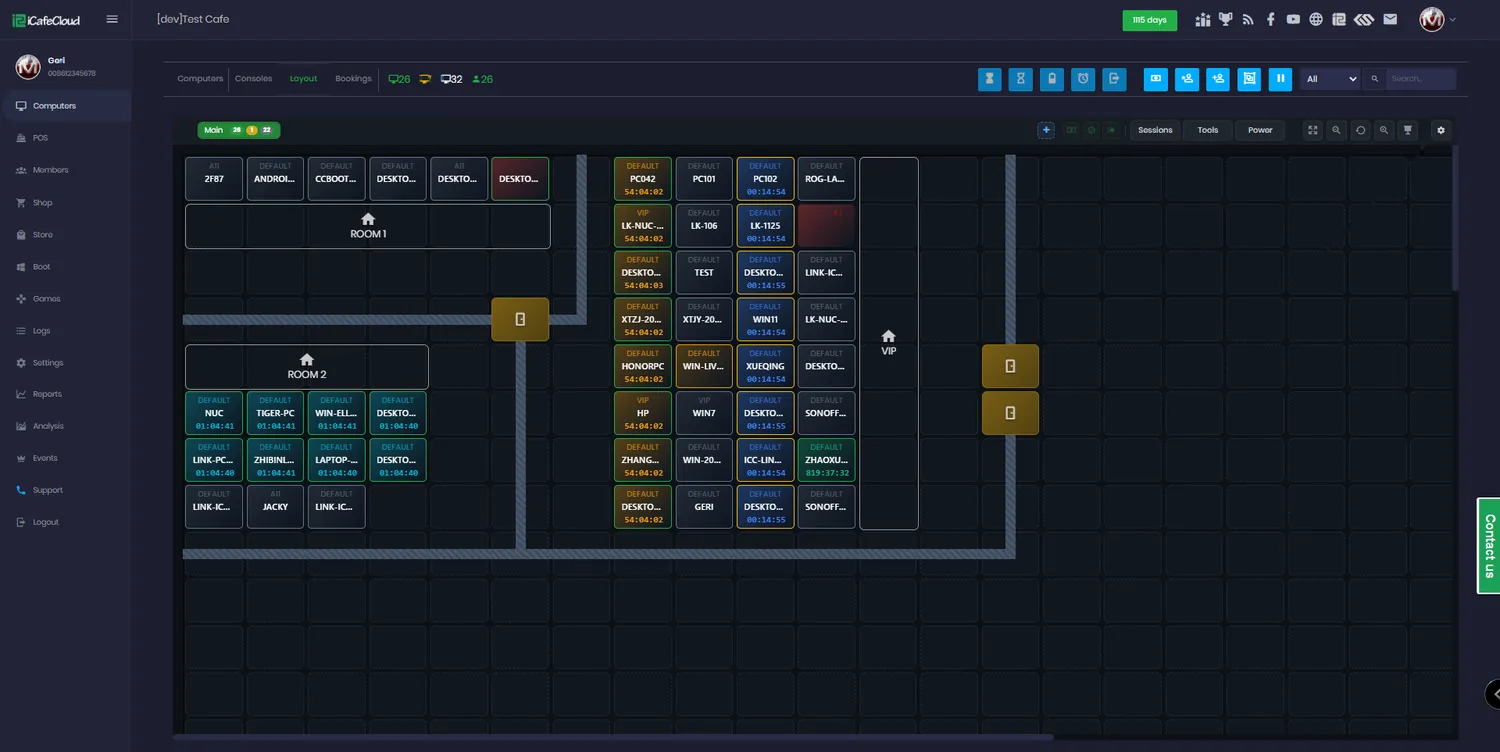
The Computers page is where most of the day happens. Every machine shows its status, who is on it, how long they have left and what they owe. Selecting a PC gives you the same controls you would have standing in front of it.
Because the panel is a web page, the counter, the office and your phone all see the same live state. There is no separate management PC to keep running, and a second venue is another entry in the same list rather than a second system to learn.
Common questions
Do I need a server in the venue?
The management side runs in the cloud, so there is nothing to maintain on your side of it. You still install the iCafeCloud server on a machine in the venue, so the clients, games and boot images have something local to talk to.
What happens if the internet drops?
Sessions that are already running keep billing from the local server. The dashboard reconnects and syncs once the line is back, so a brief outage does not cost you a night of takings.
Can I migrate from another billing system?
Usually yes. Bring your member list and balances — the support team will tell you what can be imported directly and what has to be re-entered.
Are these features sold separately?
No. All eight come with iCafeCloud on every plan. Pricing is per PC per month, so what you pay depends on the size of the venue rather than on which features you switch on.
Does it work with diskless boot?
Yes. iCafeCloud runs on plain HDD installs and alongside CCBoot diskless, and the game update and GameFix side is built specifically for machines that reset on every boot.
How long does setup take?
Most venues are billing real sessions the same afternoon. Install the server, point it at your game drive, set your prices, and the client rolls out to the PCs from there.
See all eight running on your own machines
Start a free trial and set up a real centre in an afternoon, or open the demo and click around first.