

Automatic Game Updates for Internet Cafes
Nothing empties a gaming centre faster than a customer sitting through a forty gigabyte patch. iCafeCloud pulls updates onto the server image on your schedule, so the machine somebody sits down at is already current.
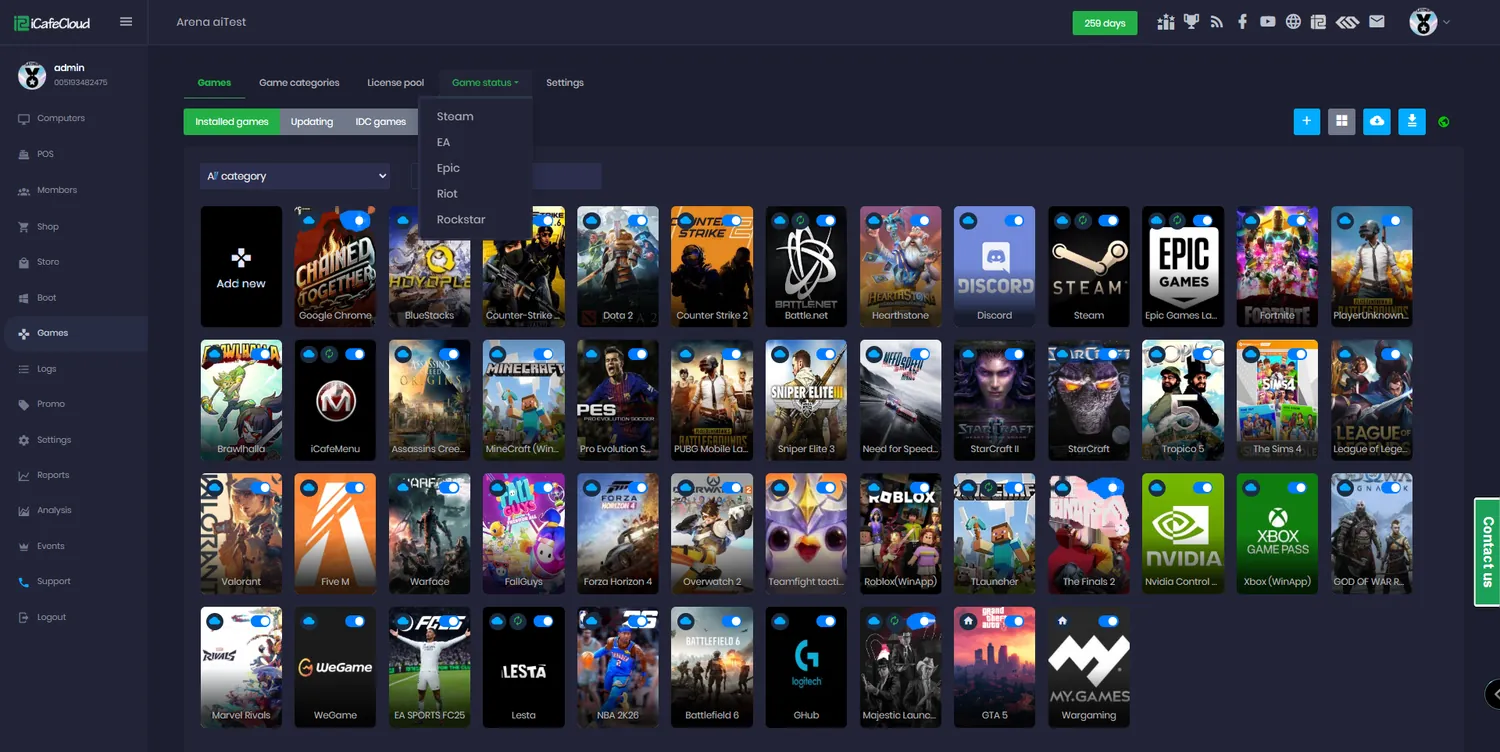
How updates get handled
IDC download and update
iCafeCloud’s own distribution servers push titles and patches straight onto your game disk. Games from IDC arrive with the folder data they need, so they do not need GameFix on top.
On your schedule, at your speed
Set the download speed and when updates may run. Patches land overnight instead of competing with paying customers for bandwidth at seven in the evening.
Steam update script
A background script signs in with your centre’s Steam account and keeps Steam titles current, including reading the confirmation code from a mailbox you nominate.
GameFix for diskless
Symbolic links between server and client AppData and ProgramData, so games installed once on the server run properly on every diskless machine.
Custom mklinks
A title GameFix does not cover? Drop an icafemenuready.bat next to the executable and define your own links and registry keys.
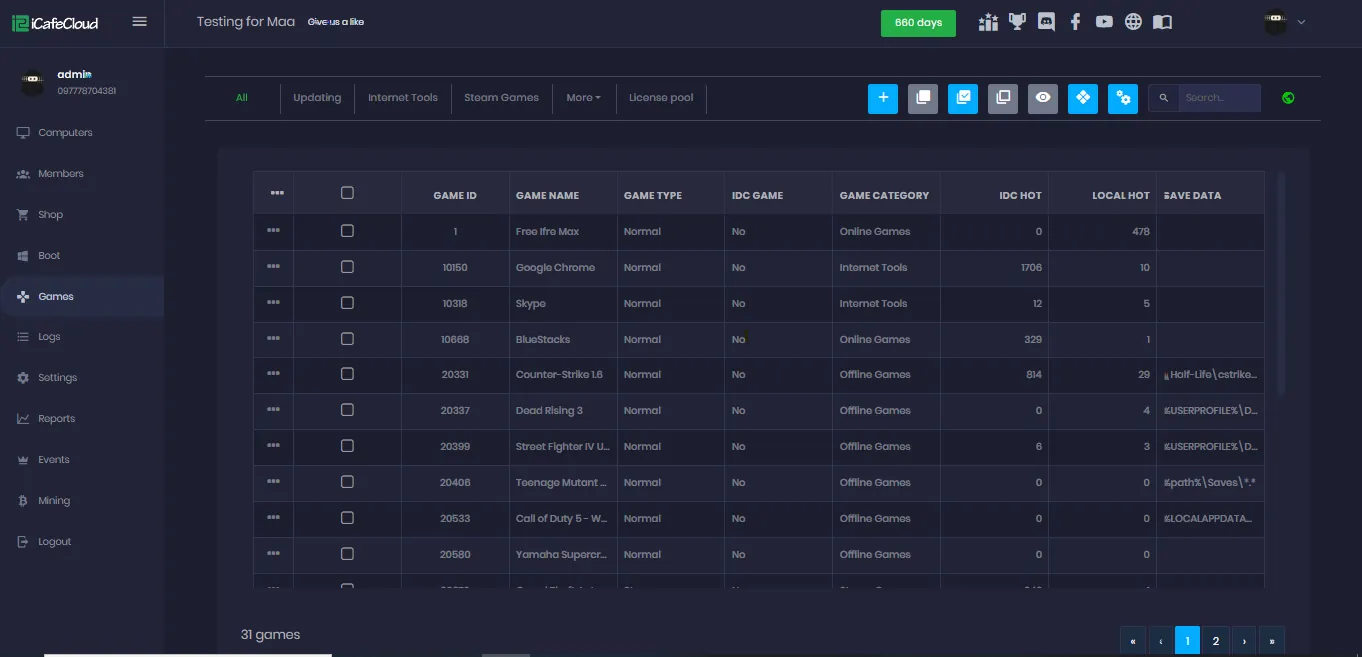
Version and popularity columns
The games list shows the installed version next to the IDC version, with IDC hot and local hot, so you can see what is behind and whether anyone actually plays it.
Launcher server status
Steam, EA, Epic, Riot and Rockstar status in the panel, so when a game will not start you know in seconds whether the problem is yours or theirs.
Report an update problem
One button on the Games tab sends the issue to iCafeCloud instead of leaving you to work out a broken patch on your own.
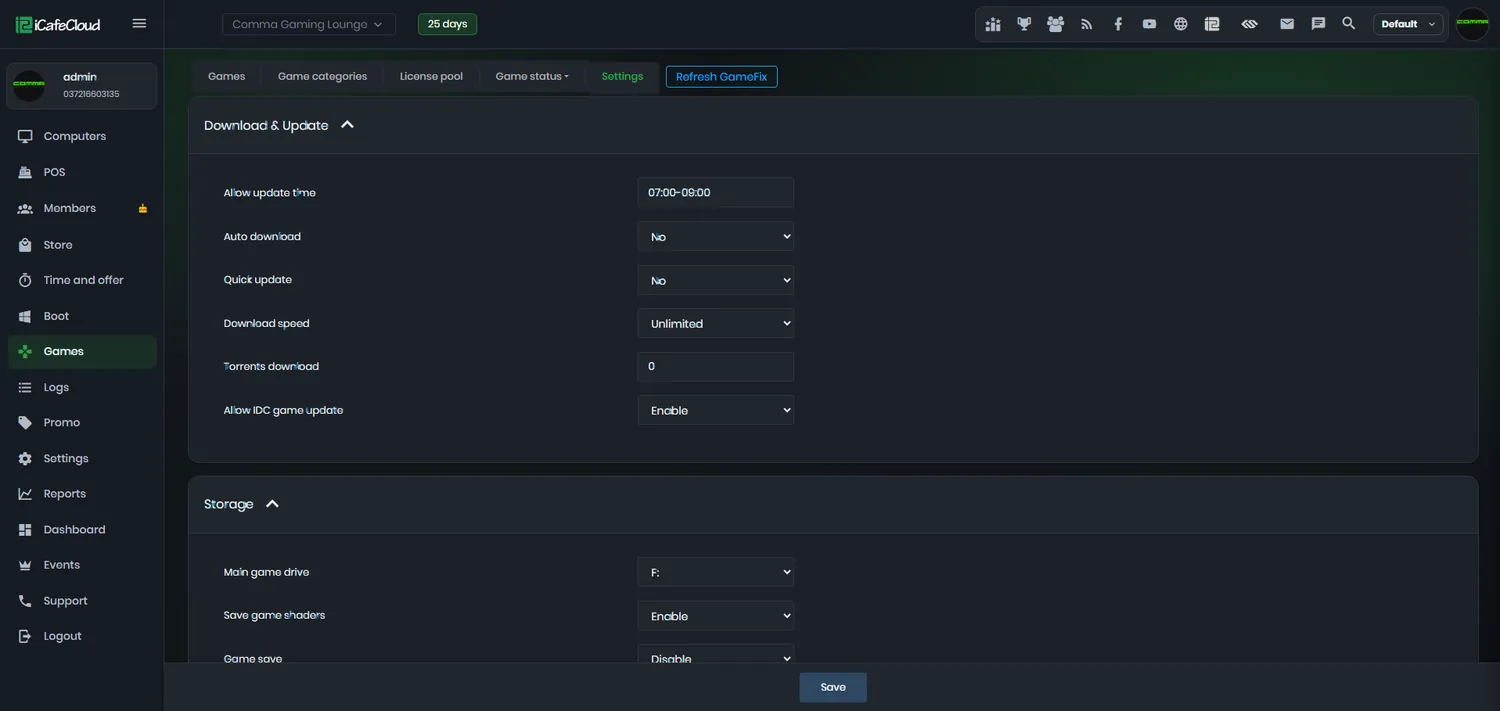
Downloads that do not fight your customers for bandwidth
Game Settings is where you decide how aggressive updating is allowed to be: download speed, whether IDC updates are enabled, which drive games live on, and how much of your line a patch may take.
Turn Allow IDC Game Update on and new versions come down from iCafeCloud’s servers by themselves. Because IDC packages already contain the iCafeCloud folder data, there is nothing to fix afterwards.
Diskless, HDD or hybrid — the patch still lands
How the update reaches the client depends on how you boot your machines, and iCafeCloud covers all three. The common part is that the work happens once, on the server.
GameFix is what makes the diskless case work. It creates the symbolic links that Epic, Riot, Steam, Rockstar, Call of Duty, PUBG, Discord, FiveM and others need in order to find their data when the system drive resets on every boot.
- Diskless — every PC boots the updated image
- HDD install — the client syncs from the server
- GameFix links AppData and ProgramData for you
- Custom mklinks for anything GameFix misses
- Game saves and shader caches kept per member
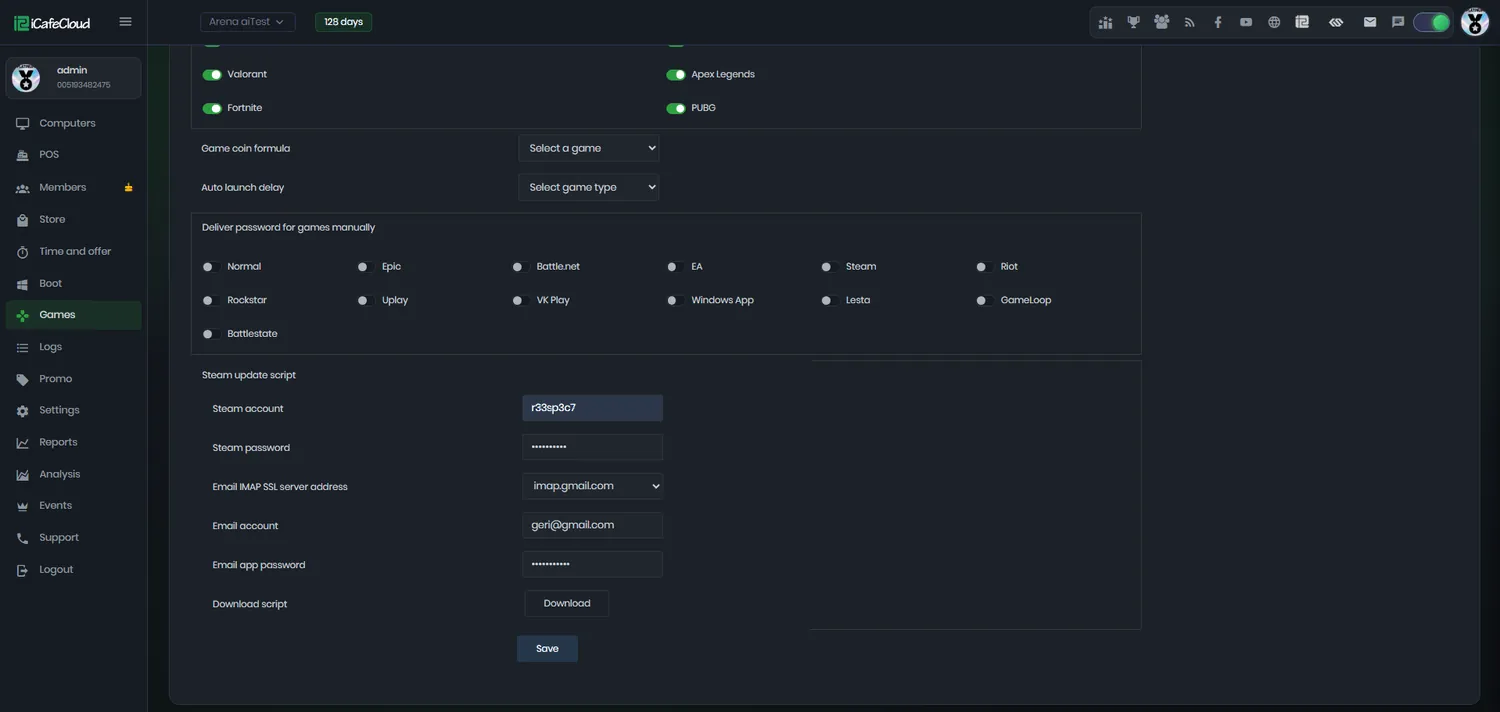
Steam, kept current without anyone signing in
Steam is the awkward one: it wants a human, a password and a code from an email. The iCafeCloud update script handles all three.
Give it the centre’s Steam credentials and an IMAP mailbox, pick the games it should look after, and it runs in the background. You stop discovering at opening time that the most popular title on the floor wants a two-hour download.
Know what is behind before a customer tells you
The games list puts the installed version next to the version IDC is offering, so a title that has fallen behind is obvious at a glance rather than at the moment somebody tries to play it.
IDC hot shows how often a game has been played across the network in the last thirty days and local hot shows how often it has been played at your venue. Together they tell you what to keep patched and what to delete.
How an update reaches the floor
- 01
The server pulls it
IDC or the launcher downloads the patch onto the game disk, at the speed and in the window you set.
- 02
GameFix links it
Symbolic links point each client’s AppData and ProgramData at the server copy, so nothing has to be installed per machine.
- 03
The image is served
With diskless boot every PC starts from the updated image; on HDD setups the client syncs from the server.
- 04
The customer just plays
They pick the title from the menu and it launches. No patch screen, no waiting, no refund.
Documentation
Update, patch and fix procedures from the iCafeCloud wiki.
Common questions
Do customers ever wait for a patch?
Not if the update lands on the server first. Games are downloaded and patched on the game disk, and the client machine boots or syncs from that, so what a customer launches is already current.
What is IDC?
It is iCafeCloud’s game download network. Turn on Allow IDC Game Update and titles come down from those servers with the iCafeCloud folder data already included, which means you do not need GameFix for them.
Does this work on diskless setups?
Yes — that is what it is built for. GameFix creates the symbolic links between server and client AppData and ProgramData that titles such as Epic, Riot, Steam, Rockstar, Call of Duty and PUBG need in order to run on a machine that resets every boot.
Can Steam games update automatically?
Yes. Configure the Steam update script with the centre’s Steam account and an IMAP mailbox for confirmation codes, choose the games it manages, and it runs in the background.
What if a game is not supported by GameFix?
Create your own links. Put a BAT file named icafemenuready.bat next to the game’s executable with the mklink and registry commands that title needs, and iCafeCloud runs it.
Can I limit how much bandwidth updating uses?
Yes. Download speed and the update window are set in Game Settings, so patching does not compete with the customers who are paying you right now.
The rest of the platform
- BillingPrepaid, postpaid, member and offer sessions, priced by PC group, member tier and hour of the day.
- Game LibraryOne catalogue across every PC: Steam, Epic, Riot, Uplay, VKPlay, Windows Store and your own local titles.
- License SharingA pool of centre-owned accounts that lends a licence to whoever is playing, then takes it back.
- ReportingIncome, top-ups, offers, products, games and members — by day, by shift, side by side.
- BookingCustomers reserve a seat from the portal or their phone; the machine is held and released for them.
- MembershipAccounts, groups, balances, bonuses and a self-service portal your regulars actually use.
- PromotionPromo codes, top-up rewards, points, bonus rules and a lucky spin — all running by themselves.
Stop losing hours to patch screens
Start a free trial and let iCafeCloud keep the game disk current while the floor stays busy.