

Internet Cafe Membership Management
A named account is what turns a walk-in into a regular. iCafeCloud keeps the balance, the bonus, the hours, the offers and the history on one record — and lets the customer manage most of it without ever queueing at your counter.
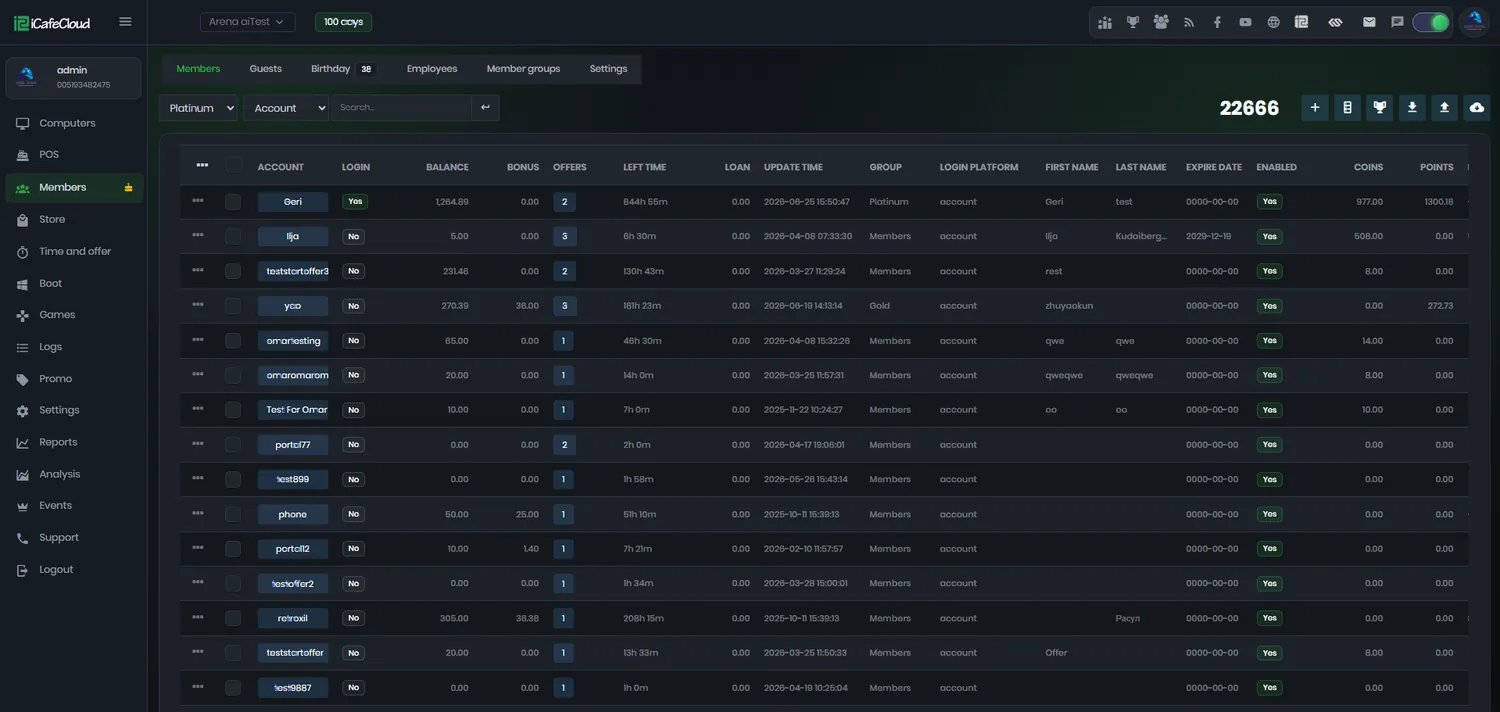
What a member account holds
Unlimited accounts
There is no cap on members. Each record carries balance, bonus, points, coins, remaining time, offers, loans, comments and a full activity history.
Member groups
Silver, gold, platinum, or whatever you call them. Each group gets its own prices, its own offers and its own discount rate.
Balance and top-up
Load balance, coins and points from the counter and print a ticket, or let the customer top up from the portal on their phone.
Offers on the account
Attach a time package directly to a member and it is waiting for them the next time they sit down, with no code to remember.
Loans
Let a trusted regular play on credit, with the amount recorded against the account instead of on a note behind the till.
Birthdays and age rules
A birthday tab shows who is celebrating today, and age ratings limit which games appear for younger members automatically.
Social and QR sign-in
Google, Facebook and Telegram login, a QR code that links a phone to your centre, and self-registration at the client PC.
Import and clean-up
Bring members in from CSV or from another iCafeCloud licence, and let dormant zero-balance accounts expire on their own.
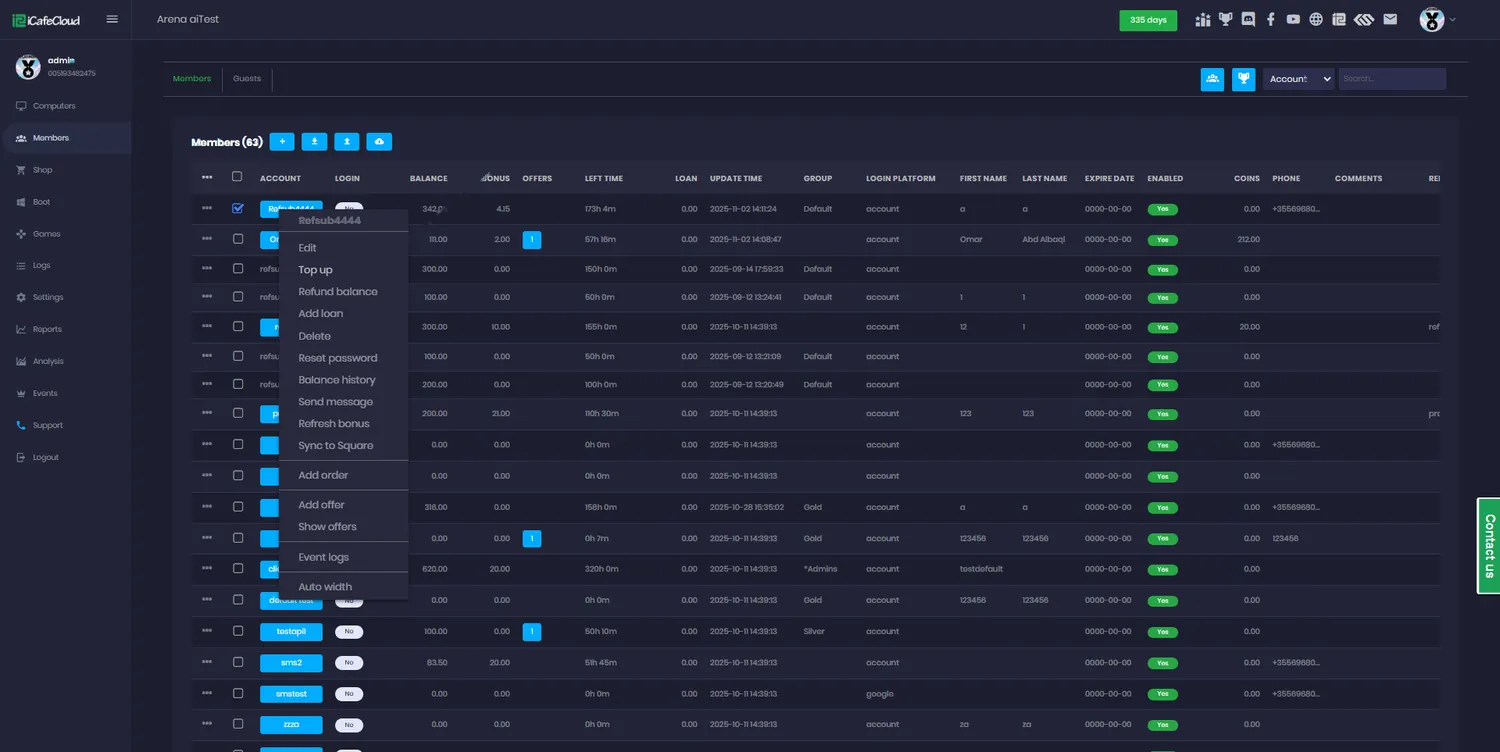
Everything about a customer, one right-click away
From the members list your staff can top up balance, add coins or points, attach an offer, grant a loan, send a message, refund, or open the full balance history — without leaving the page or learning a second screen.
Batch actions cover the rest: top up or delete many accounts at once when you are running a promotion or cleaning up after one.
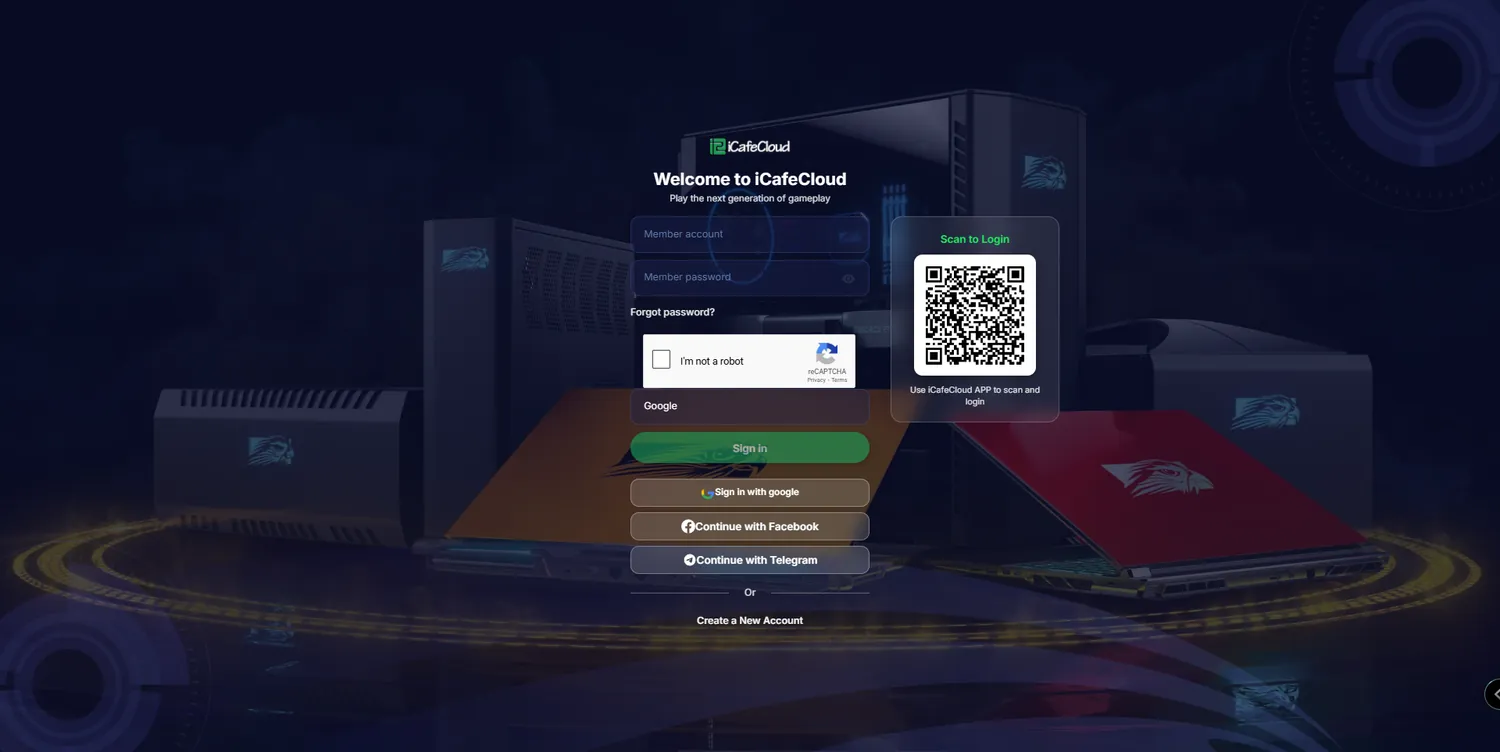
A portal they will actually use
The member portal runs in a browser at your own address, or through the iCafeCloud app. Customers sign in with their account or with Google, Facebook or Telegram, and a QR code links a phone to your centre in one scan.
From there they top up, check their balance history, book a PC, order from the shop and see their orders. Every one of those is a job that used to interrupt somebody at your counter.
Five ways somebody becomes a member
The cheapest membership is the one the customer creates themselves while they are already sitting at a machine.
Convert to member is the one worth knowing about: a prepaid or offer session running right now becomes a named account, and the customer is not charged for the minutes spent registering.
- Created by staff from the Members page
- Self-registered at the client PC
- Registered through the member portal
- Converted from a live prepaid or offer session
- Imported from CSV or another iCafeCloud licence
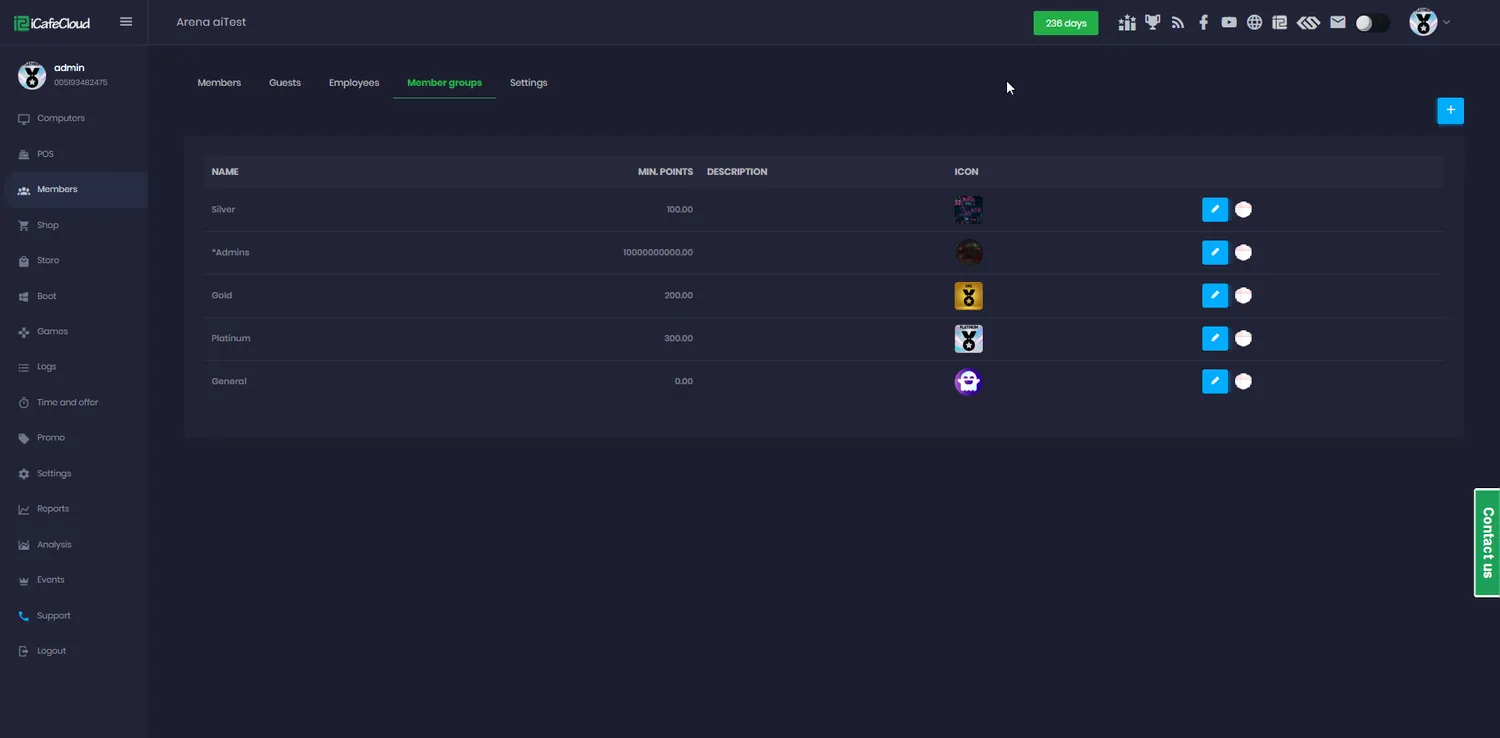
Groups are where the pricing lives
A member group is not just a label. PC time prices, offers and discount rates all attach to groups, so moving a customer up a tier changes what they pay everywhere at once.
That is also what makes the loyalty side work: points earned on top-ups and shop purchases can be spent on an upgrade from one group to another, so regulars climb a ladder instead of asking for discounts.
From walk-in to regular
- 01
They play as a guest
A prepaid or offer session starts without any account at all.
- 02
They convert
Convert to member turns that live session into a named account, without charging for the registration time.
- 03
The record starts
Balance, bonus, points, hours and purchases all attach to the account from that moment forward.
- 04
They come back
Their group’s prices apply automatically, their offers are waiting, and they top up from their phone.
Documentation
Creating, grouping and looking after member accounts.
Common questions
Is there a limit on how many members I can have?
No. iCafeCloud supports an unlimited number of member accounts on any licence.
Can customers register themselves?
Yes. Enable Register member at client and they can create an account at the PC, or they can register through the member portal. Social login with Google, Facebook or Telegram is also available.
What is the difference between a guest and a member?
A guest account is temporary — it has an expiry time and a balance and suits walk-ins. A member account is permanent and carries history, group membership, bonuses, points and offers.
Can I charge different customers different prices?
That is what member groups are for. Each group can have its own PC time price, its own offers and its own discount rate, and a customer’s group decides what they pay everywhere.
Can somebody play on credit?
Yes. The loan function records an amount against the member’s account and it is settled the next time they top up, so you are not keeping track of it on paper.
What happens to accounts nobody uses?
Members inactive for six months with a zero balance can be deleted automatically, which keeps the list, and your reports, meaningful.
The rest of the platform
- BillingPrepaid, postpaid, member and offer sessions, priced by PC group, member tier and hour of the day.
- Game LibraryOne catalogue across every PC: Steam, Epic, Riot, Uplay, VKPlay, Windows Store and your own local titles.
- Game UpdatePatches land on the server image, not on your customers. Update once, serve every machine.
- License SharingA pool of centre-owned accounts that lends a licence to whoever is playing, then takes it back.
- ReportingIncome, top-ups, offers, products, games and members — by day, by shift, side by side.
- BookingCustomers reserve a seat from the portal or their phone; the machine is held and released for them.
- PromotionPromo codes, top-up rewards, points, bonus rules and a lucky spin — all running by themselves.
Turn tonight’s walk-ins into next month’s regulars
Start a free trial, open the member portal, and let your customers do their own admin.