

The following explains the data available on the Topup report and the formulas used to calculate it.
- To open it, go to Reports > Income and select the Topup sub-tab. It shows only income from balance topups, filtered by the selected date range, staff, member group, and PC group. (Figure 1)
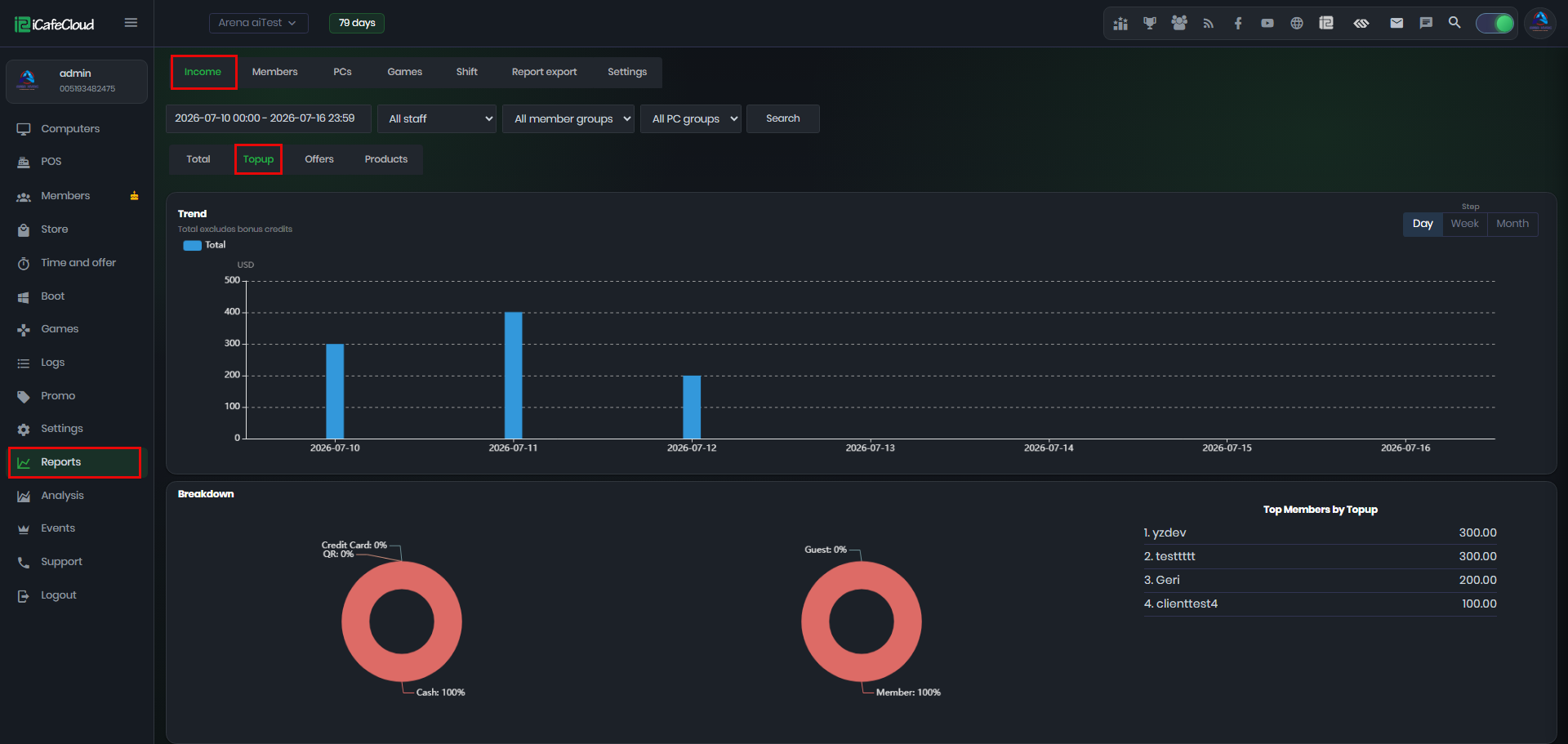
Figure 1
- Trend – Shows the total topup amount per period. Use the Step buttons (Day / Week / Month) to group the chart.
the Total excludes bonus credits, since bonus is given for free and is not real income. (Figure 2)
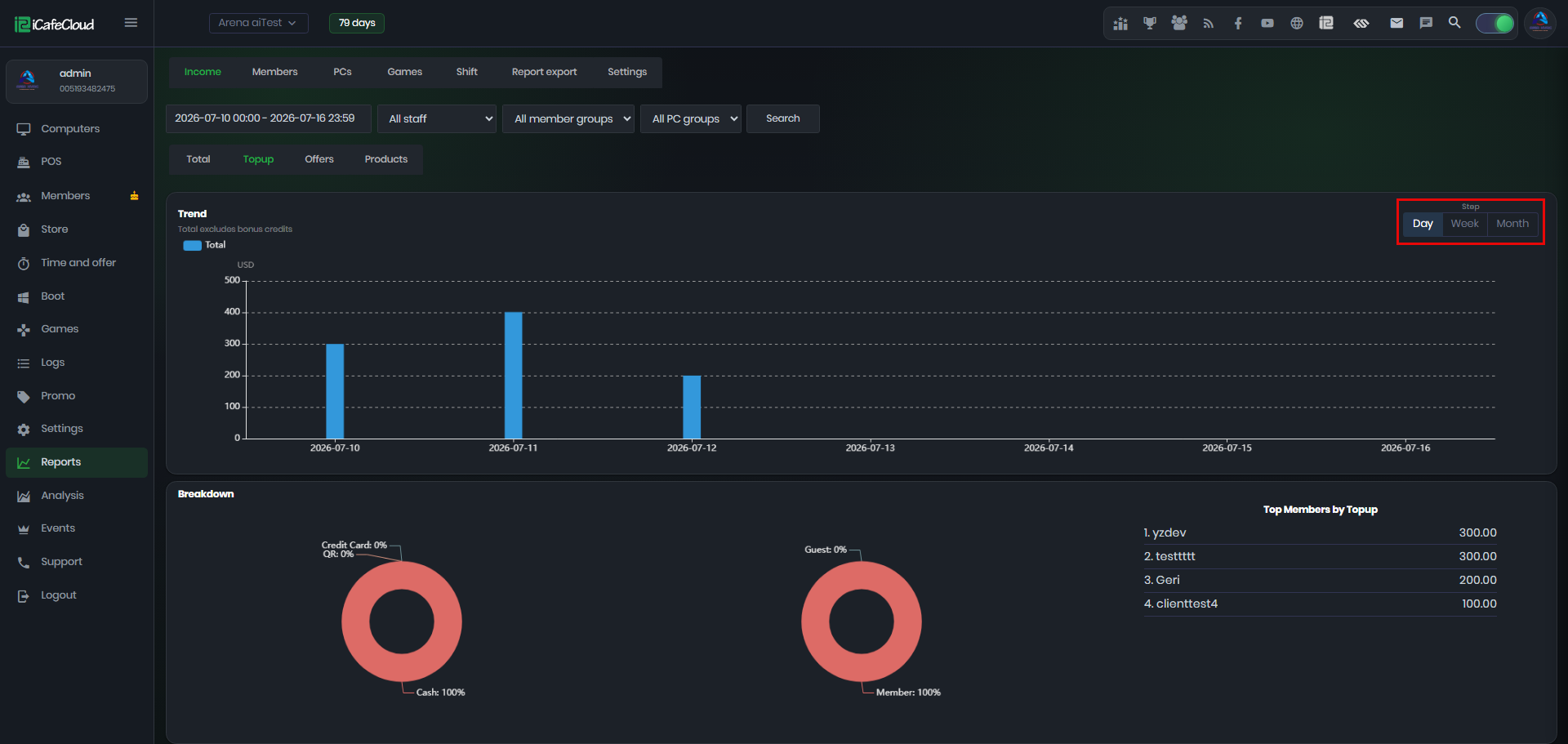
Figure 2
- Breakdown – payment method: shows how the topups were paid, as a percentage of the total:(Figure 3)
Cash
Credit card
QR
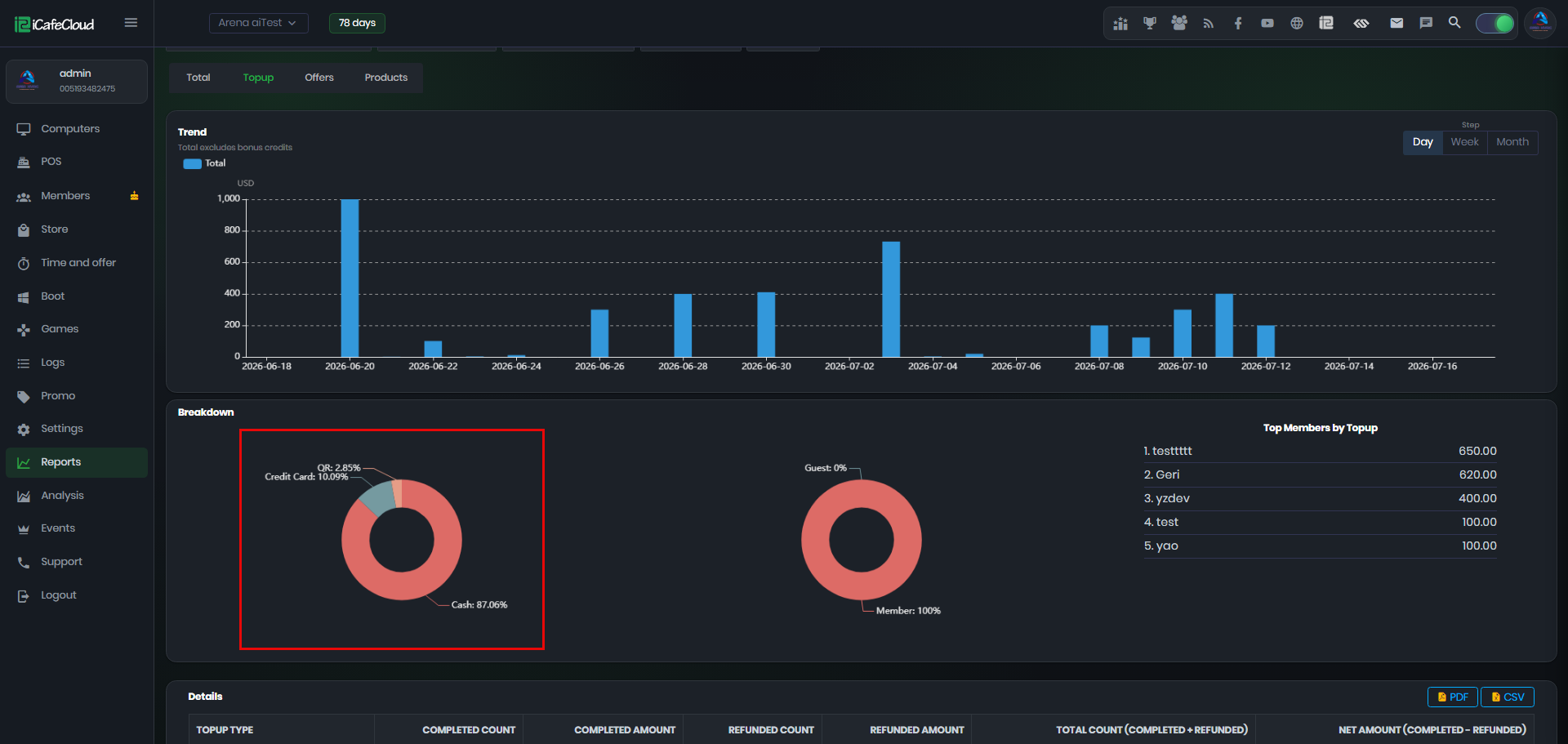
Figure 3
- Breakdown – account type: shows who topped up: (Figure 4)
Member – Topups to registered member accounts.
Guest – Topups to guest accounts.
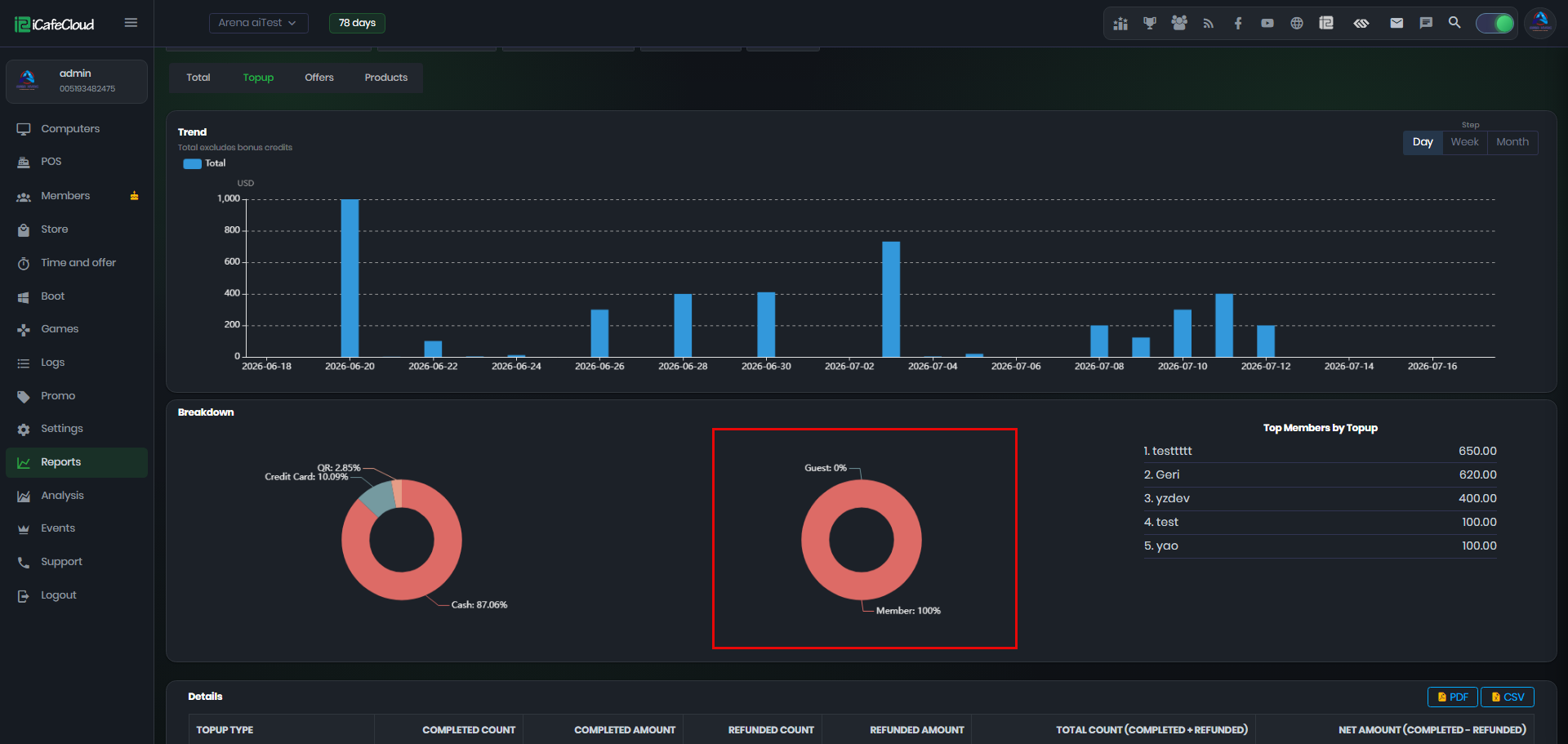
Figure 4
- Top Members by Topup – Ranks the members who topped up the most in the selected period, with the total amount per member. You can view up to the top 100 customers. Useful for identifying your most loyal customers. (Figure 5)
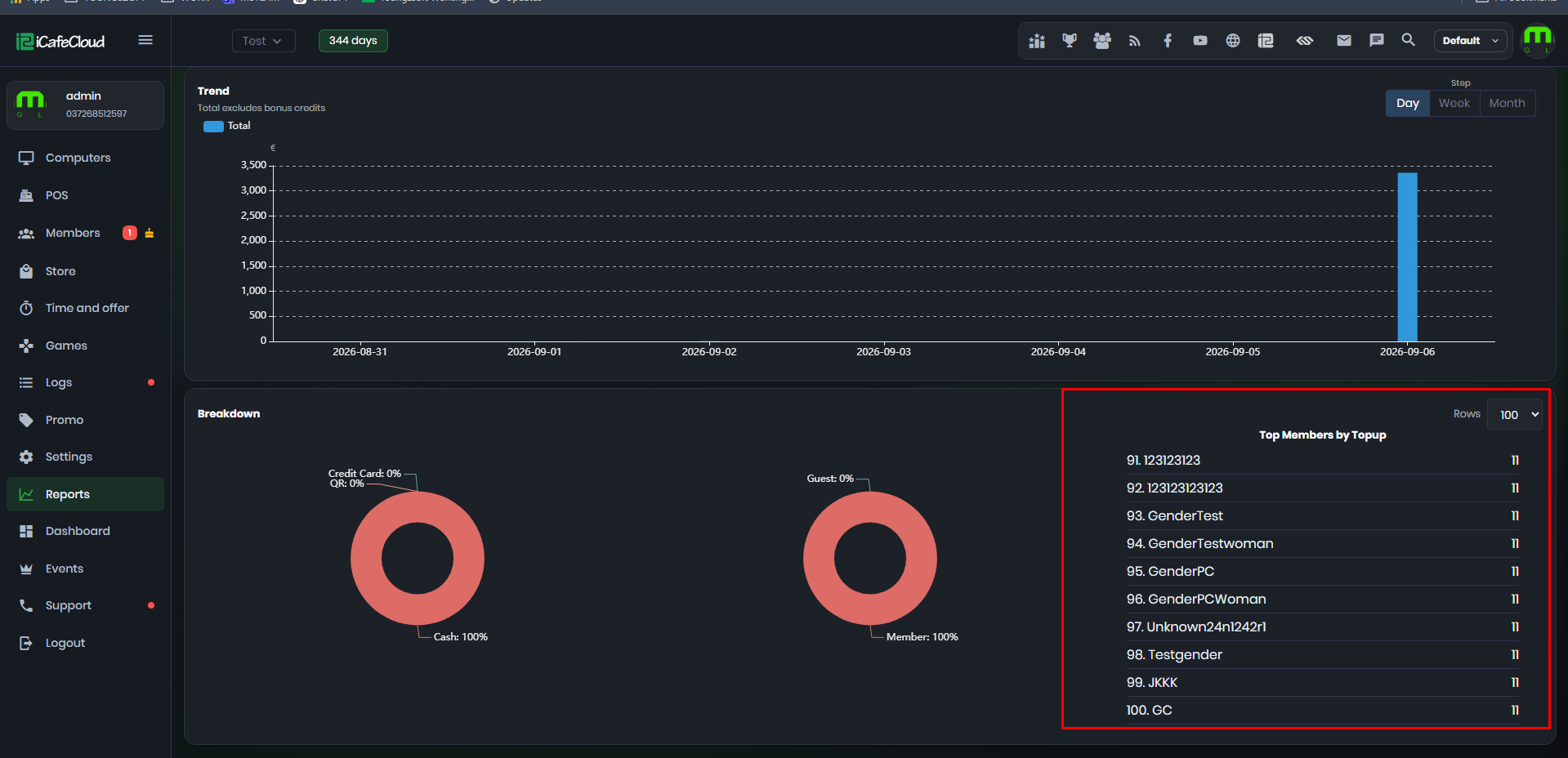
Figure 5
- Details – The table at the bottom breaks every topup type down by completed and refunded transactions, with PDF and CSV export buttons: (Figure 6)
- Completed Count / Completed Amount = Number and value of successful topups.
- Refunded Count / Refunded Amount = Number and value of refunded topups.
- Total Count = Completed + Refunded.
- Net Amount = Completed − Refunded.
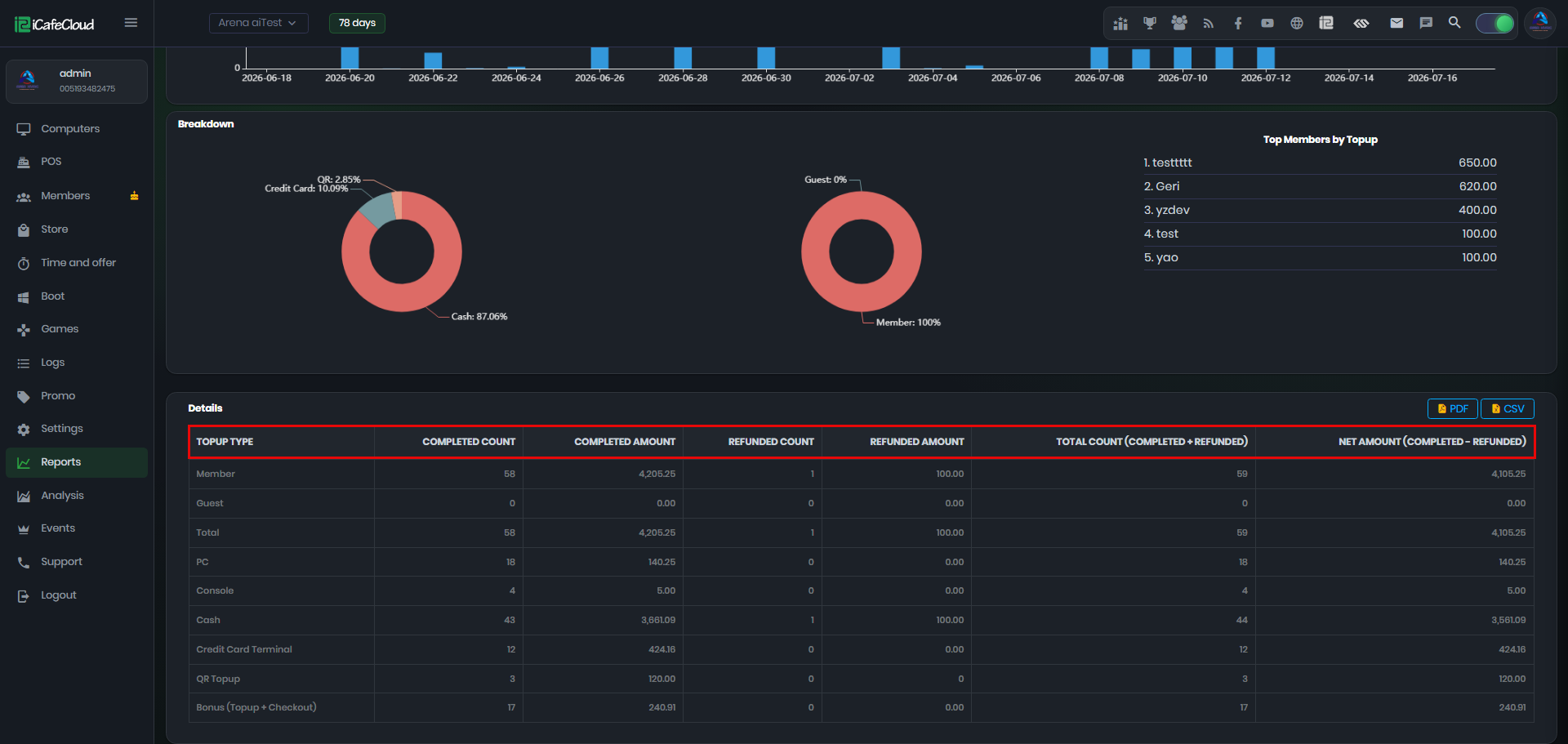
Figure 6
- Member Topup (showing the number of member account topups + total amount topped up)
- Guest Topup (showing the number of guest account topups + total amount topped up)
- Total (Member + Guest topups combined)
- PC Topup (showing the number of topups made from PC sessions + total amount topped up)
- Console Topup (showing the number of topups made from console sessions + total amount topped up)
- Cash (topups paid in cash)
- Credit Card Terminal (topups paid by credit card)
- QR Topup (topups paid by QR code)
- Bonus (Topup + Checkout) (bonus credits given with topups or at checkout — listed for reference only, not included in the Total)
- The Total amount consists of Cash, Credit Card, and QR payments. Bonus credits are excluded, since bonus is given for free and is not real income.
- The Top-up amount is calculated as Cash on the day it is added.
- If the top-up balance is spent on the next day, the usage will only appear as Profit in the reports for that day.
- This means you may notice situations where the Profit amount is greater than the Cash amount.
- Example:
If you top up $100 to a member today but they don't spend any of it, the full amount will be recorded as Cash today.
If the same member spends $50 the next day, the report will show Profit as $50 more than Cash..
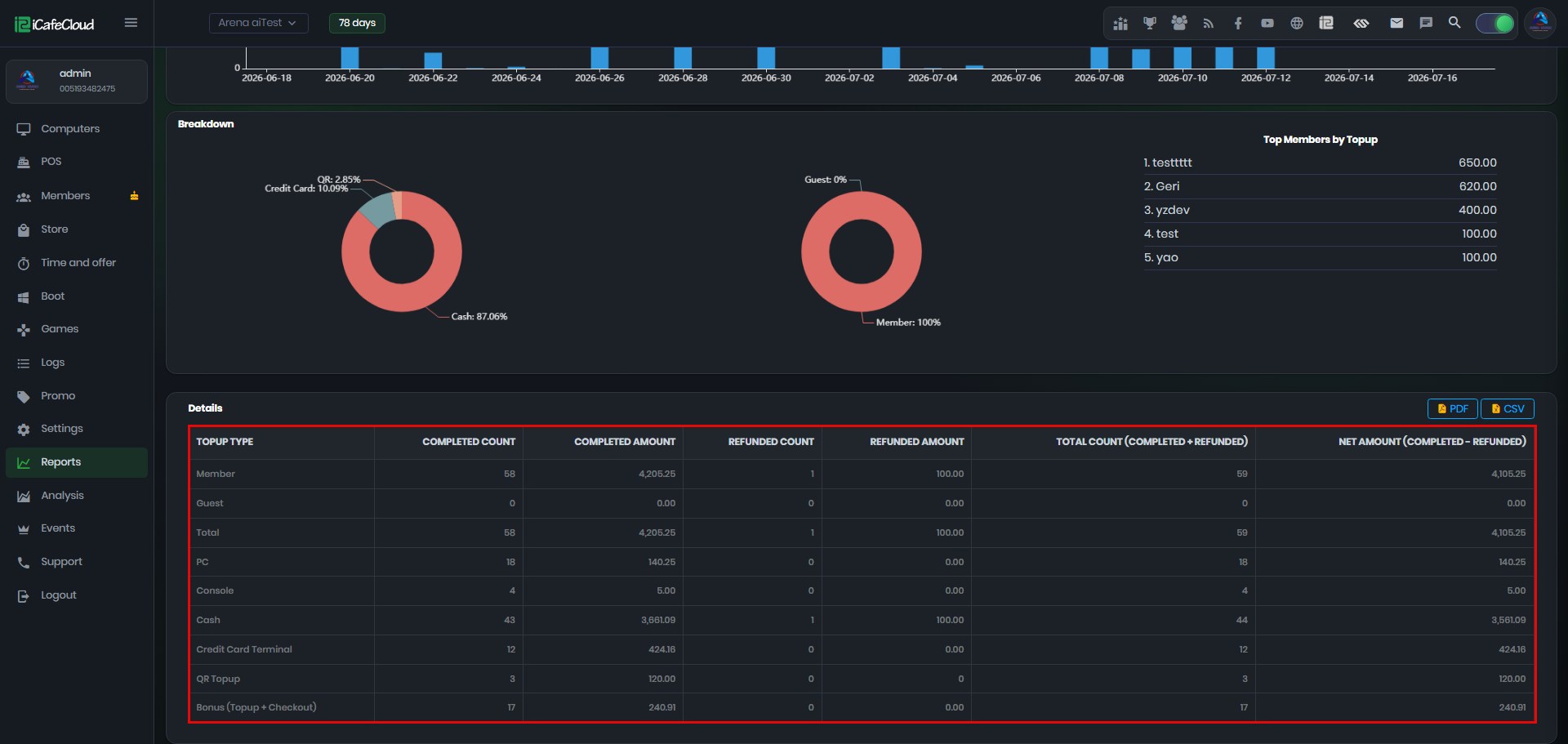
Figure 7