

The following explains how to export and download report data locally in PDF or CSV format. You can choose to download a specific report type.
- Navigate to the Reports page. At the end of the report details, you will find two yellow icons that allow you to download data for the selected date range and report category in PDF or CSV format.(Figure 1)
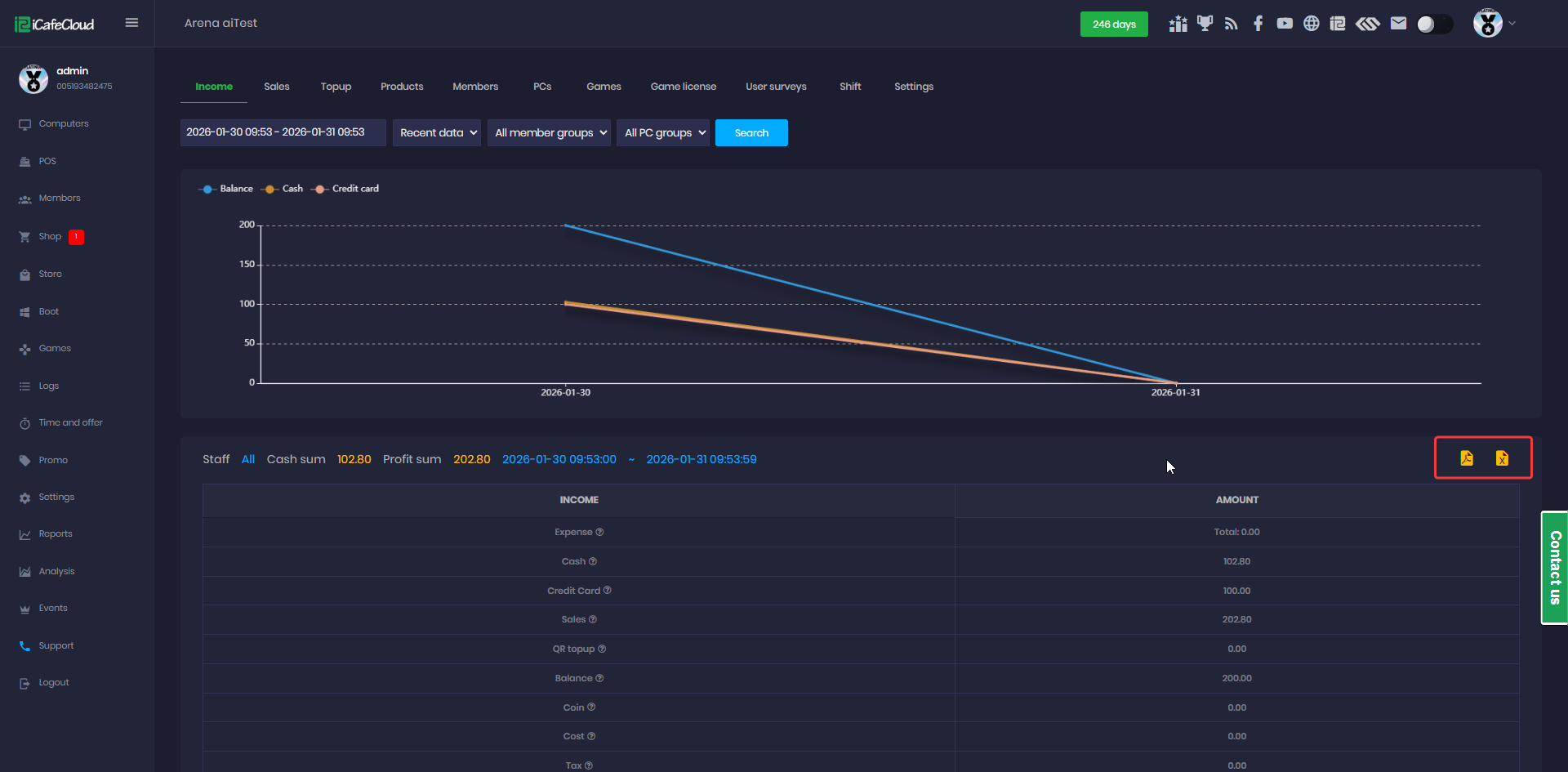
Figure 1
- The downloaded files are based on the selected report category:
- If you select Income, the file will contain only income data.
- If you select Sales, the file will contain only sales data.
- If you select Sales and then click the Download as PDF button, the downloaded file will contain only sales data in PDF format.( Figure 2)
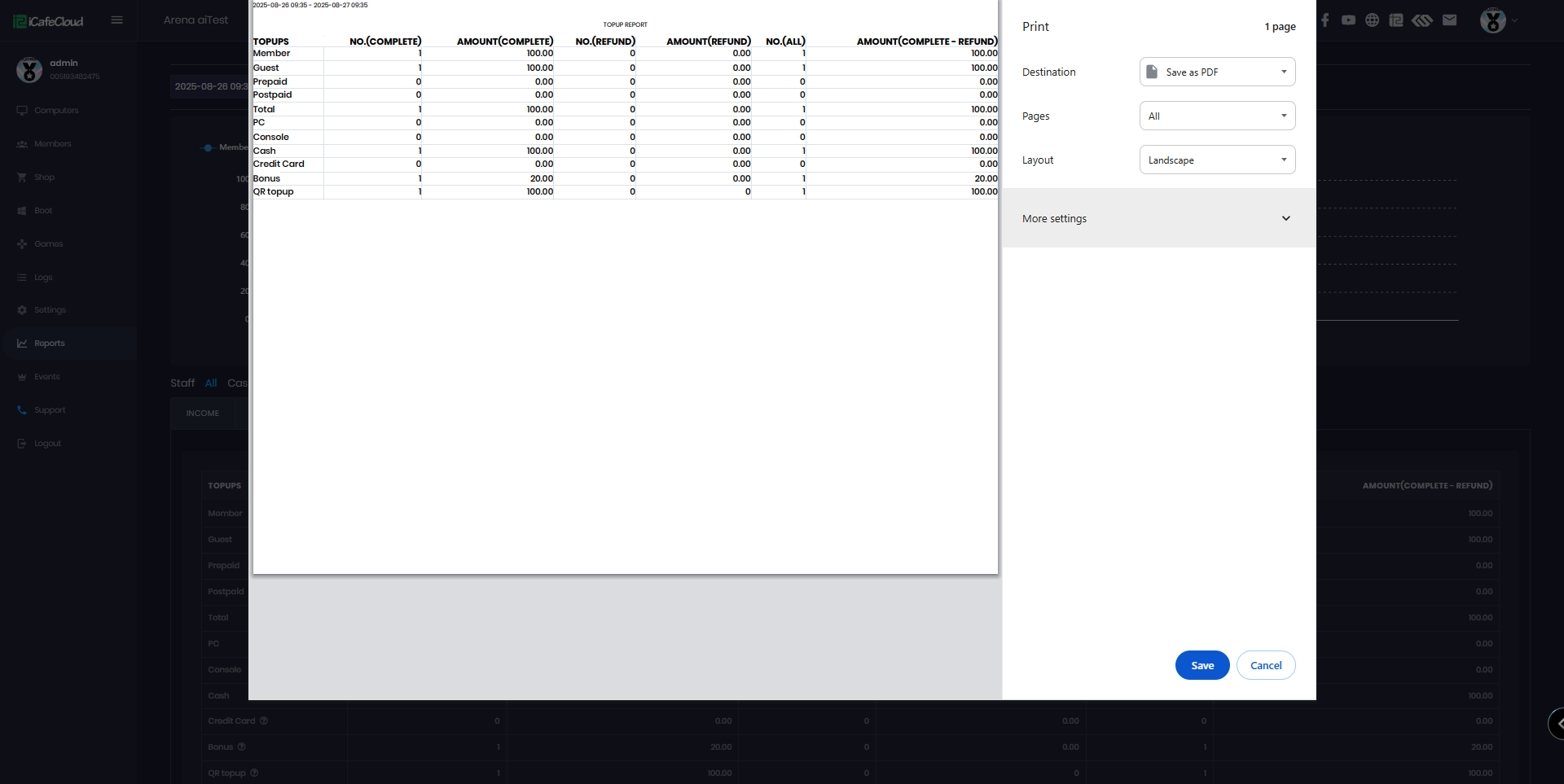
Figure 2
- If you select Sales and click the Download as CSV button, the downloaded file will contain only sales data in CSV format.(Figure 3)
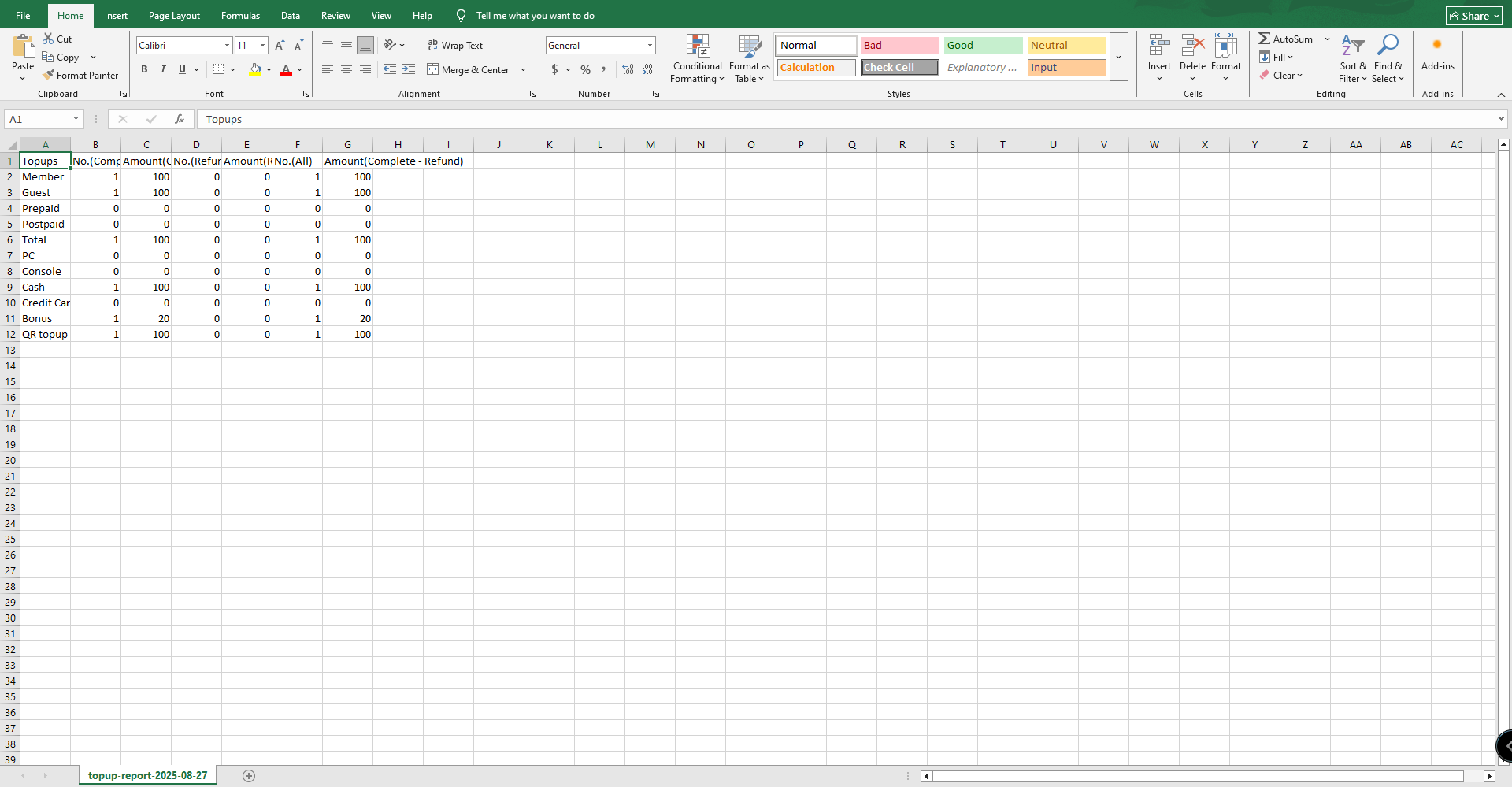
Figure 3