The following explains how to delete billing logs between specific dates in iCafeCloud.
- Only the Admin account can delete the billing logs.
- Deleting billing logs follows the timezone selected in the Settings page.
- Navigate to POS - Settings then scroll down to find the Delete Logs section. Carefully select the dates you want to delete, and click the Delete button (Figure 1).
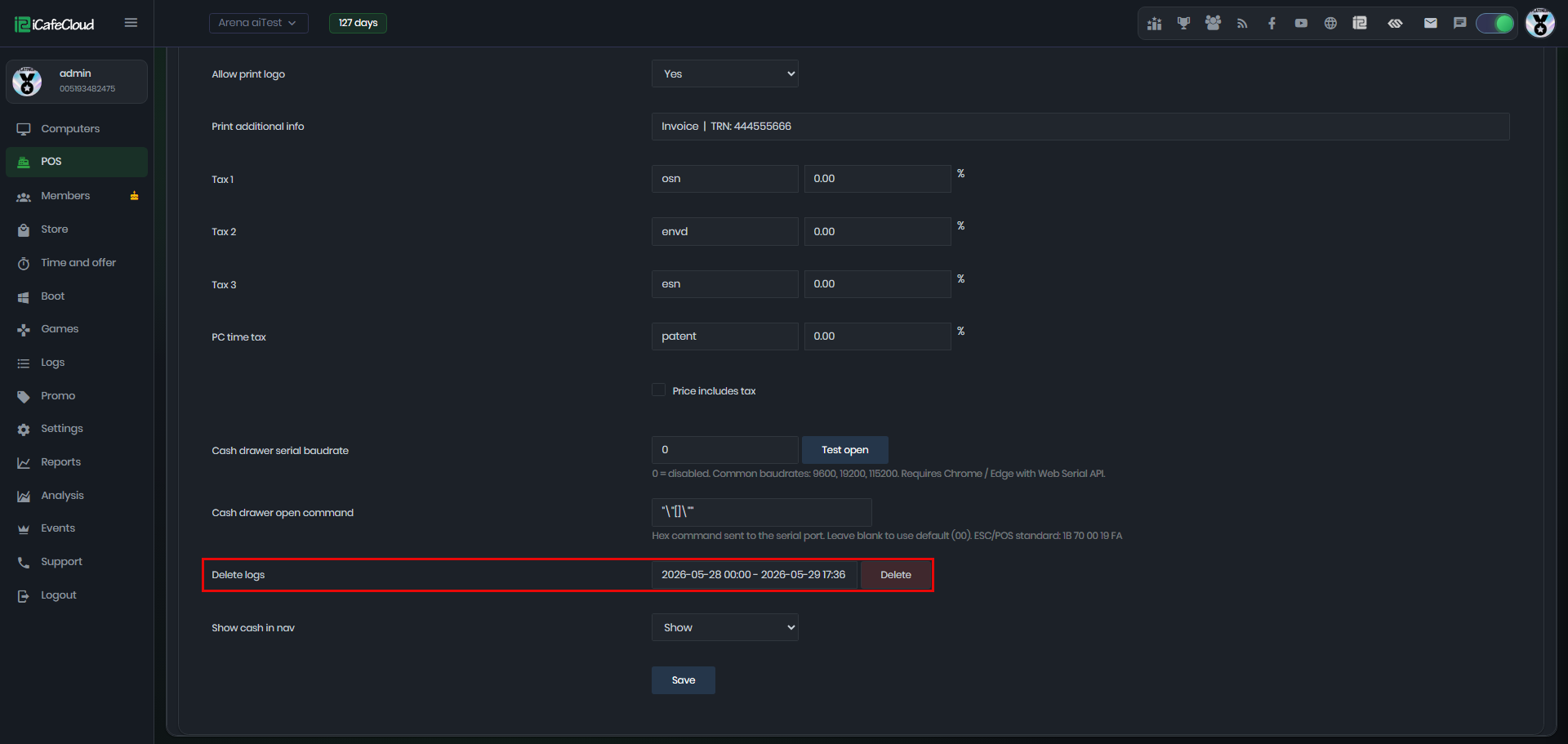
Figure 1
- A confirmation popup will appear asking you to verify the deletion. Double-check the selected dates, and if you're sure, click Yes to proceed.(Figure 2)
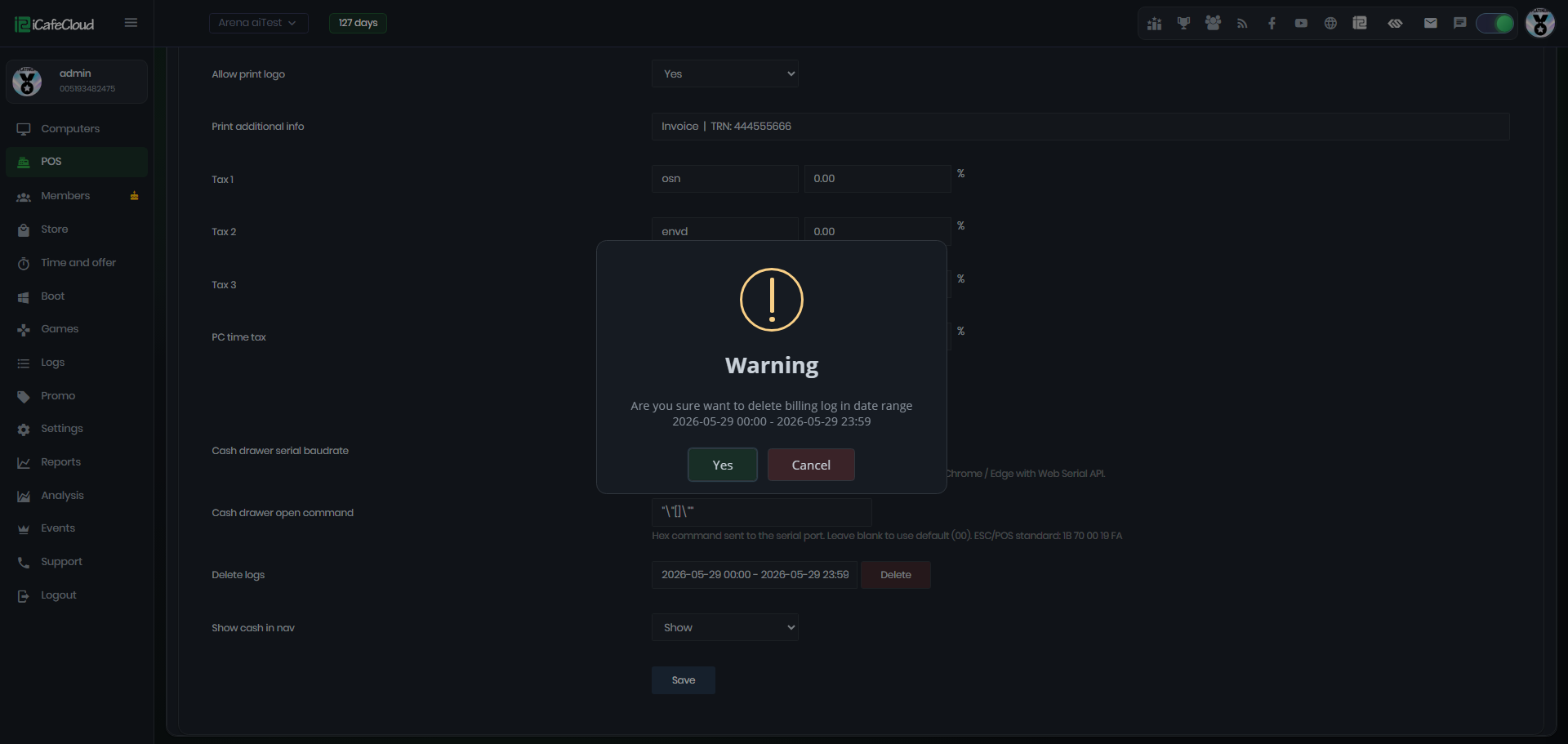
Figure 2
- Next, a success message will appear indicating how many rows of logs were deleted (Figure 3).
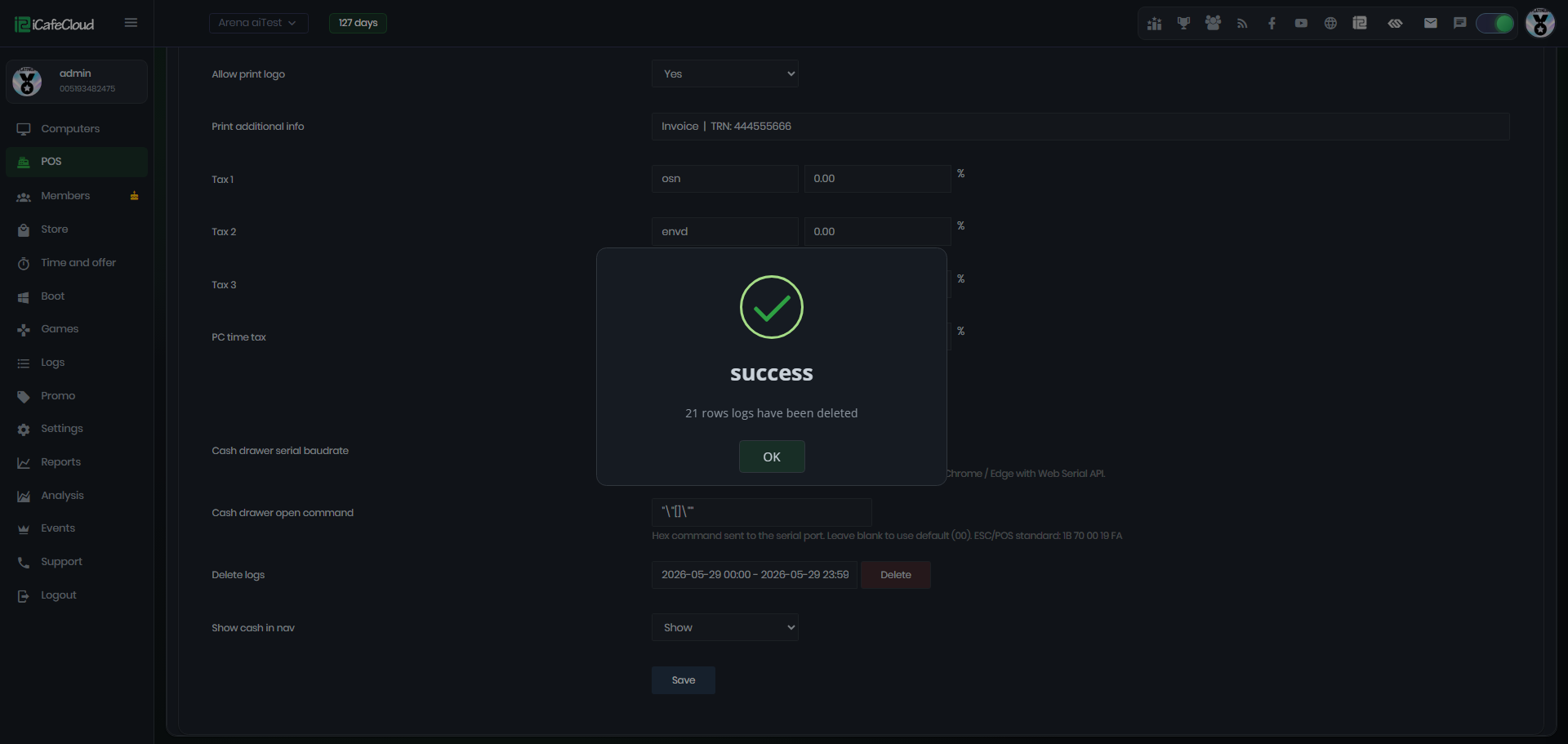
Figure 3
- Deleted logs cannot be restored. Please make sure before proceeding.