

The following explains how to set your center location on Google Maps, allowing users to easily find and navigate to your center from the mobile app.
- Go to the Settings page and click on License.(Figure 1)
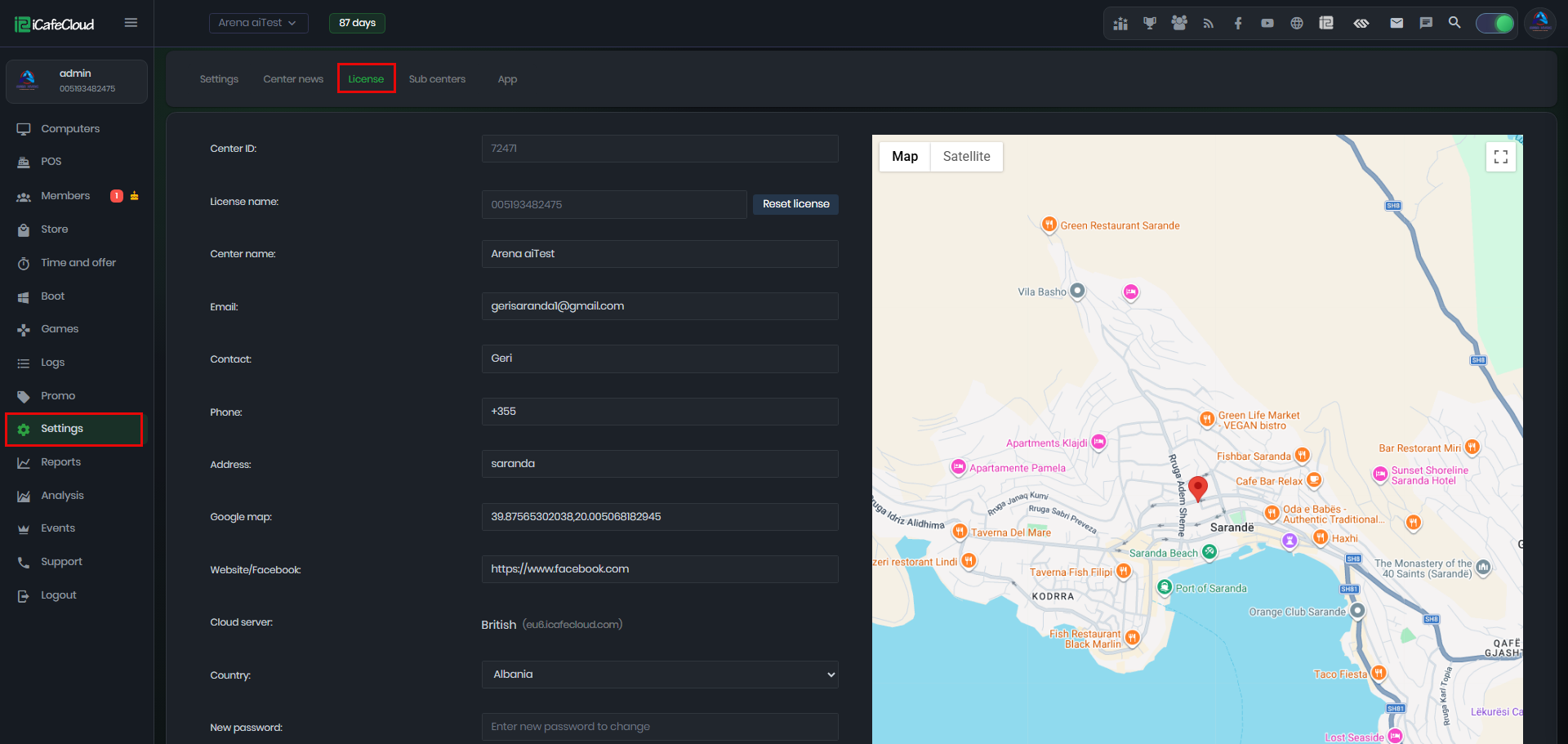
Figure 1
- Click on the map to place the red marker and set your center location. After selecting the correct location, click Submit to save the changes.(Figure 2).
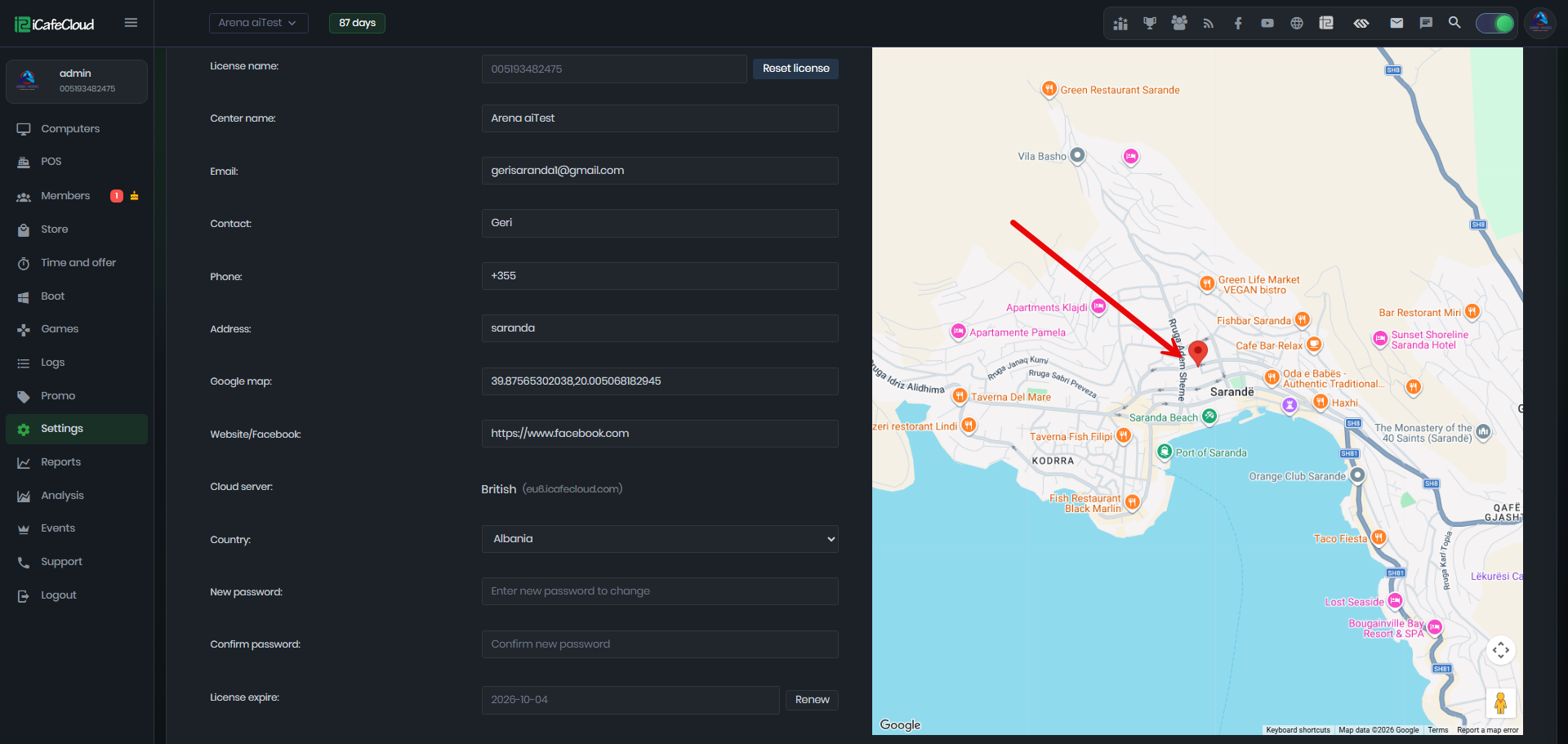
Figure 2