

The following explains how to enable and how to check the shift revenue from the POS pages
- To enable Shift Revenue, go to POS → Settings → Show Shift Revenue and change the setting to Show. (Figure 1)
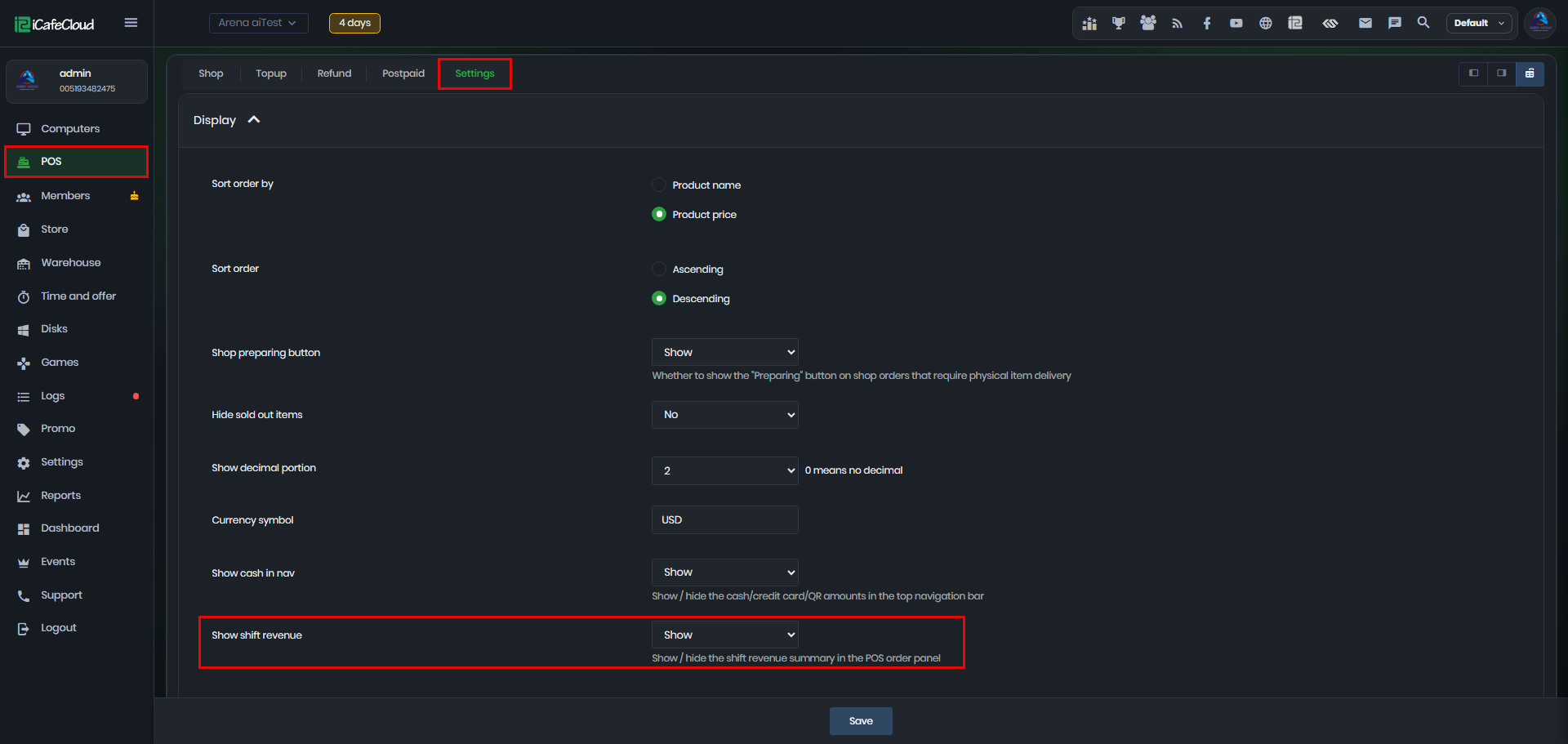
Figure 1
- Once you start a shift, the Total Revenue will be displayed on the POS page.
- Hover your mouse over the Total Revenue to view a detailed breakdown of the revenue, including Cash, Credit Card, and QR payments. (Figure 2)
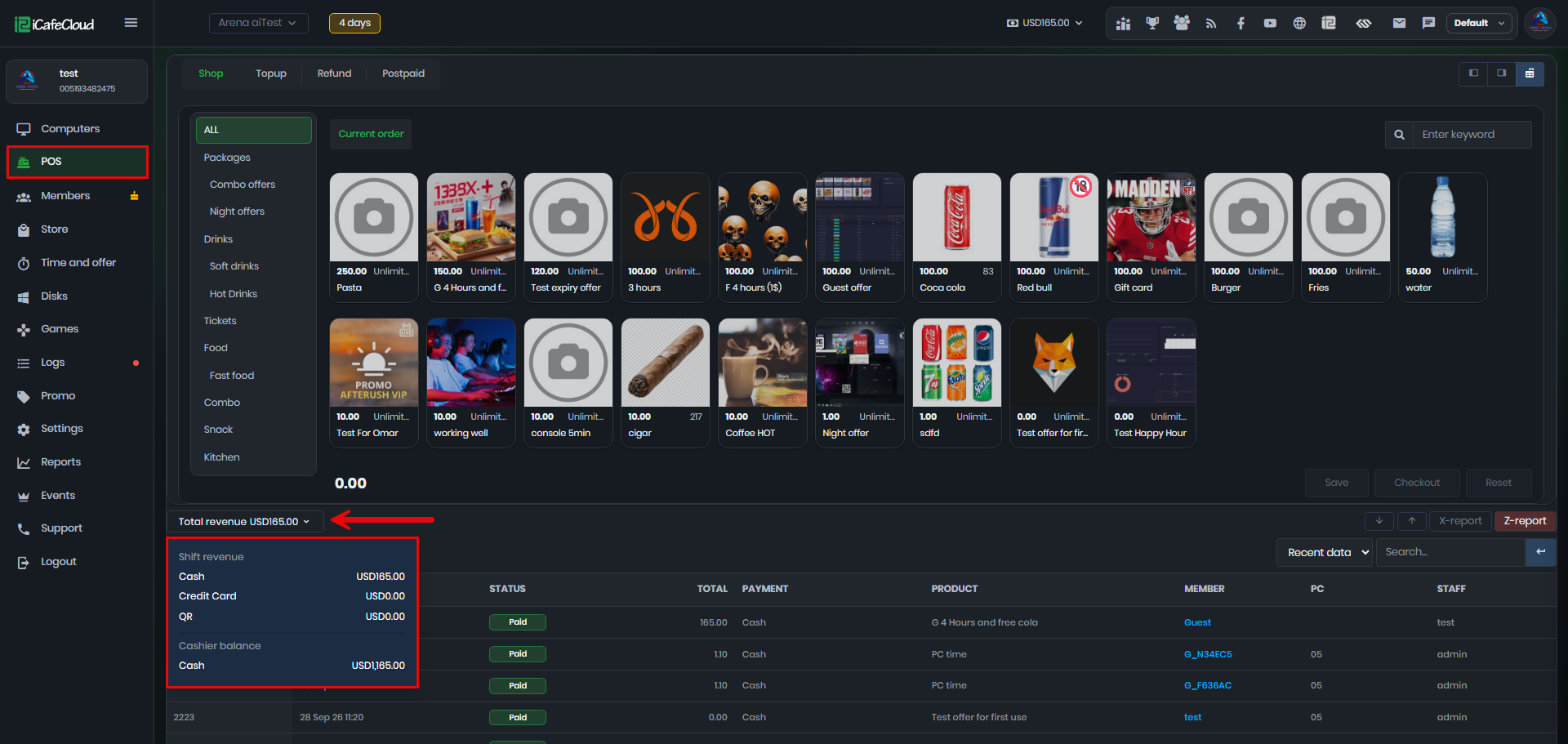
Figure 2
- The total Shift Revenue will be displayed across all POS pages, including Shop, Top-Up, Refund, and Postpaid.