

The following explains how to show or hide center contact info in member portal.
- To show center contact info in the member portal go to Settings -> Client settings. (Figure 1)
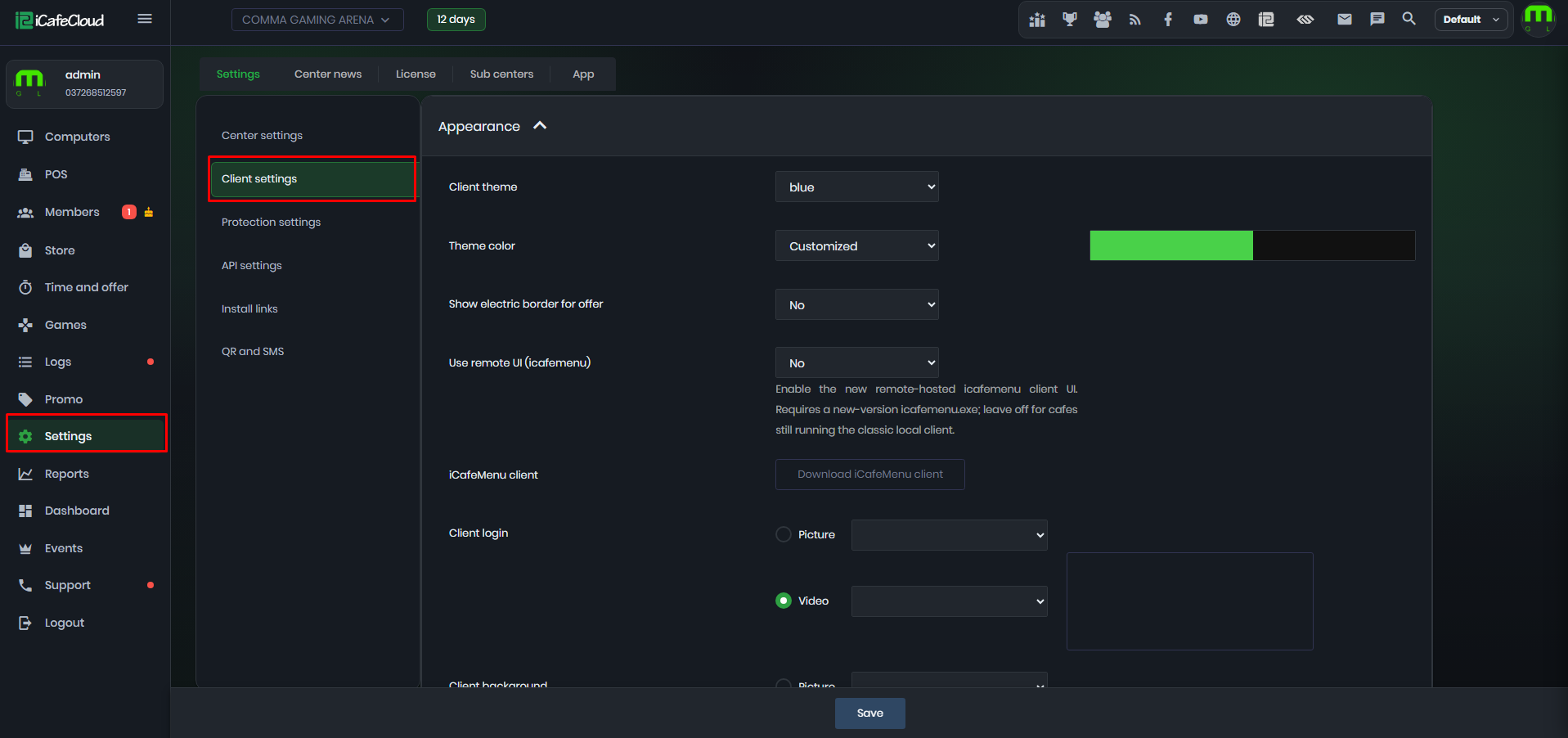
Figure 1
- Find Center contact phone and Center Contact email. (Figure 2)
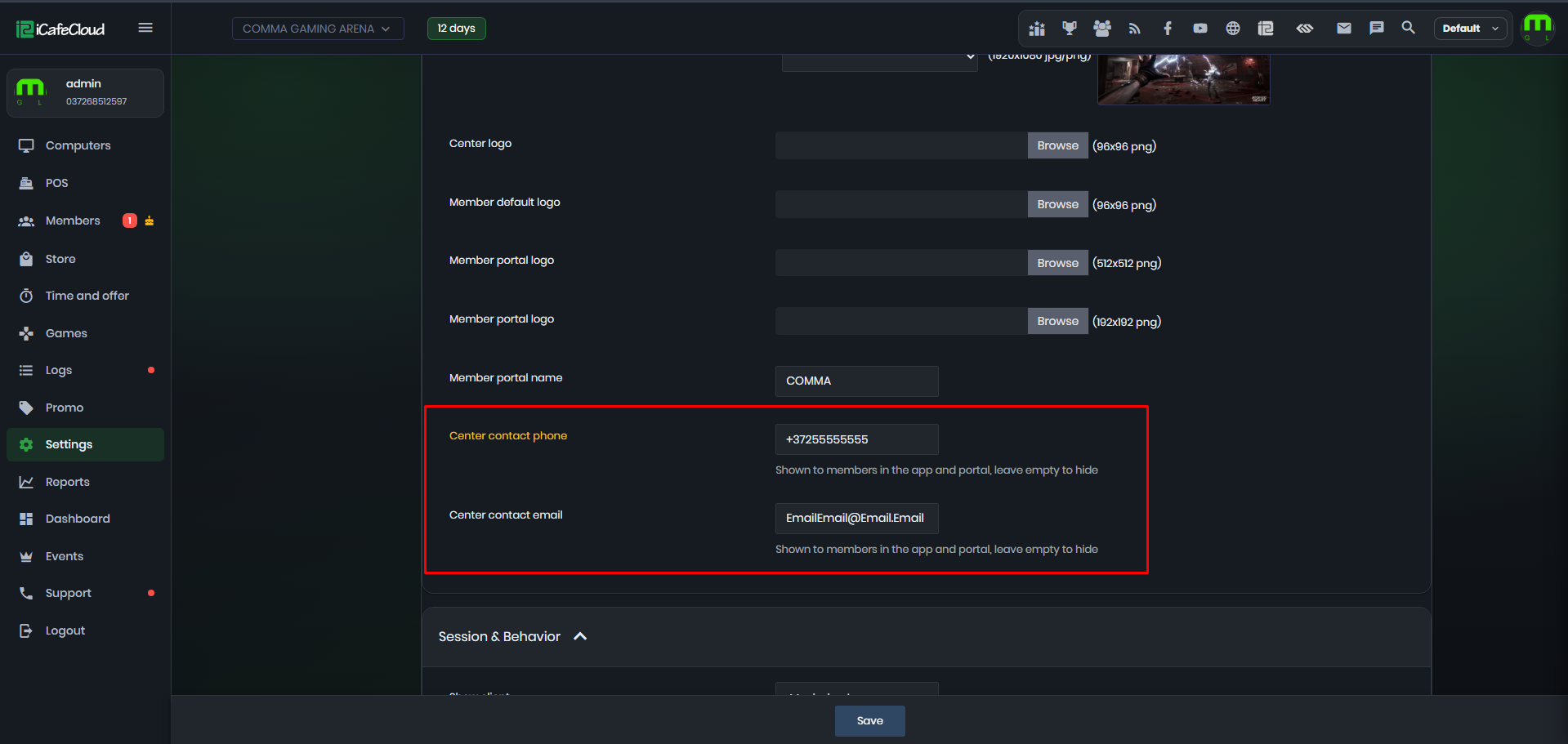
Figure 2
- After adding contact phone and email, it will be shown in the member portal. (Figure 3)
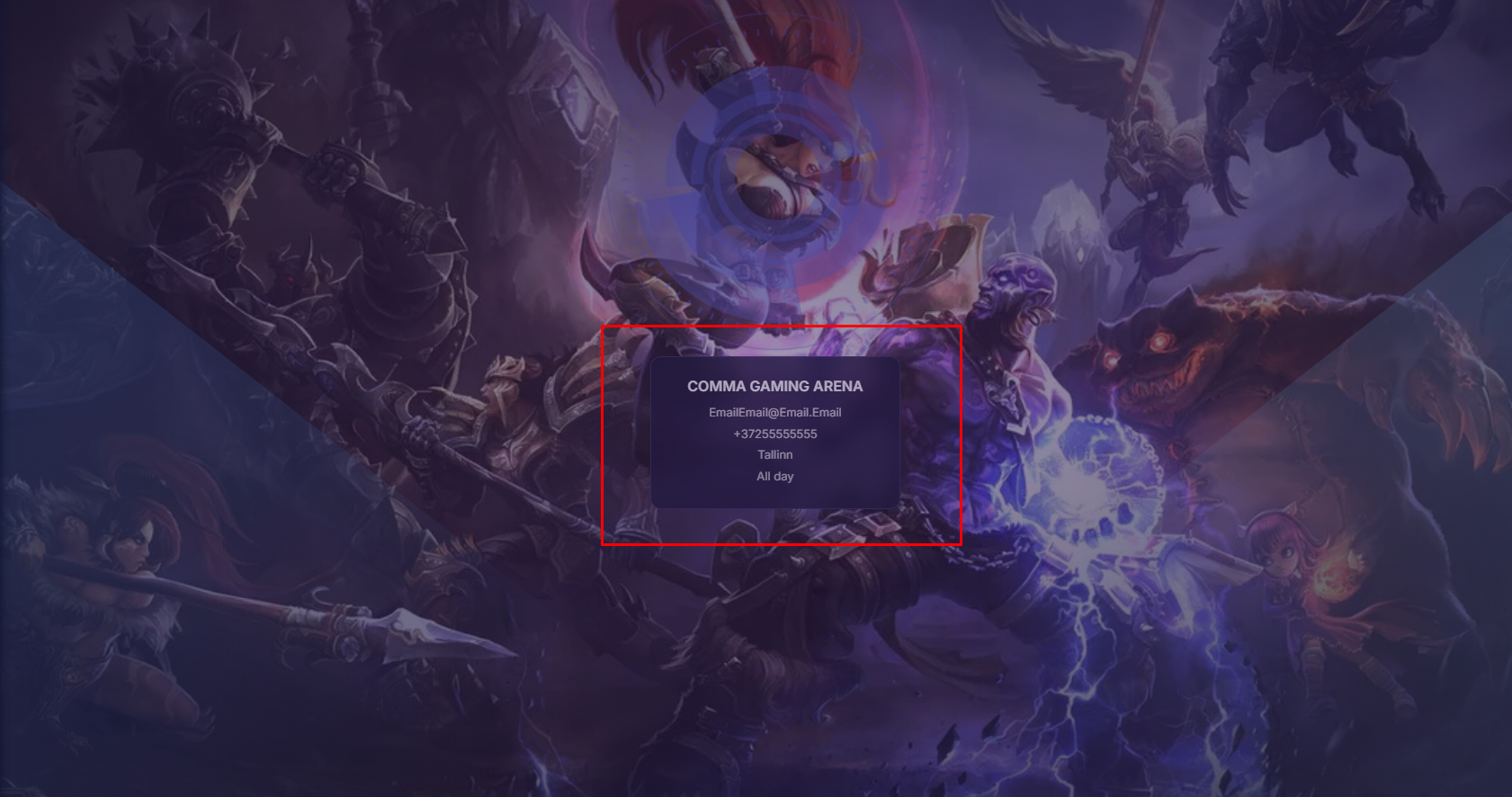
Figure 3