

The following section explains how to install the iCafeApp on your mobile device as an app, whether you are using an Android or iOS device, and how to link your account to the centers you want to connect with using either an existing member account or a new account.
- You can download the app from Google Play & App Store by searching for iCafeapp and installing it on your mobile device. (Figure 1)
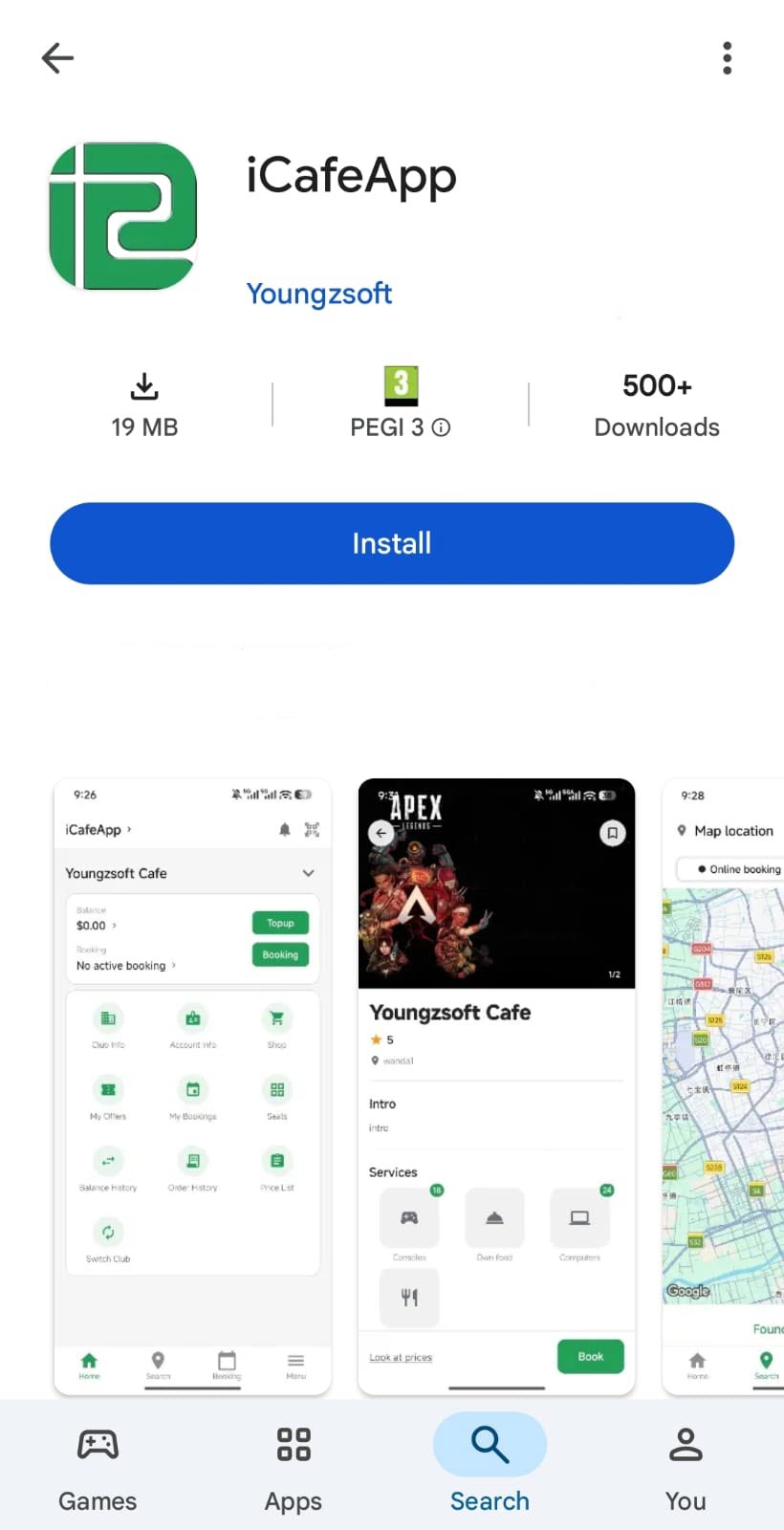
Figure 1
- After installation, the iCafeCloud app icon will appear on your phone. Tap it, and a screen will be displayed Sign in. (Figure 2)
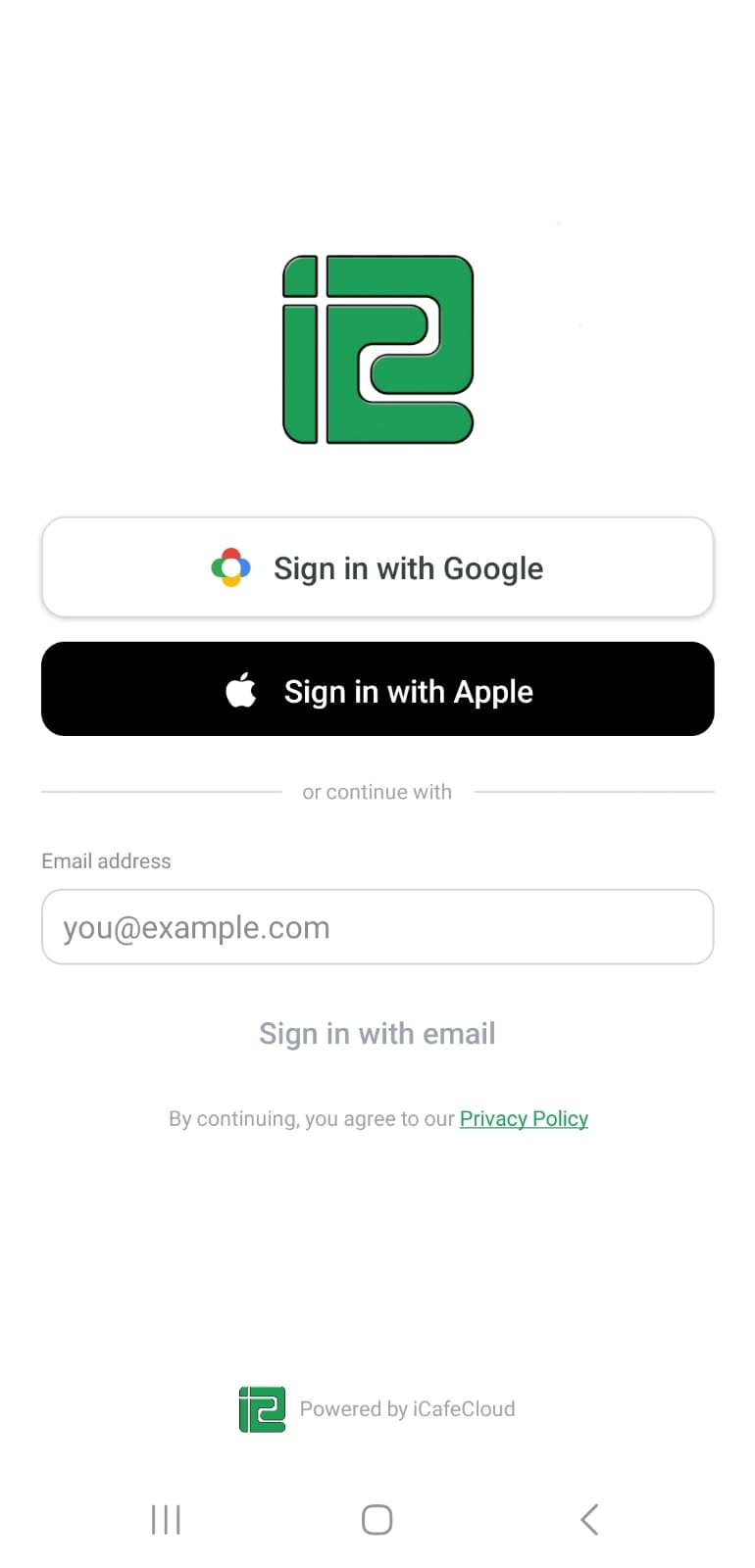
Figure 2
- After signing in with a new account, you will be prompted to complete your profile details. (Figure 3).
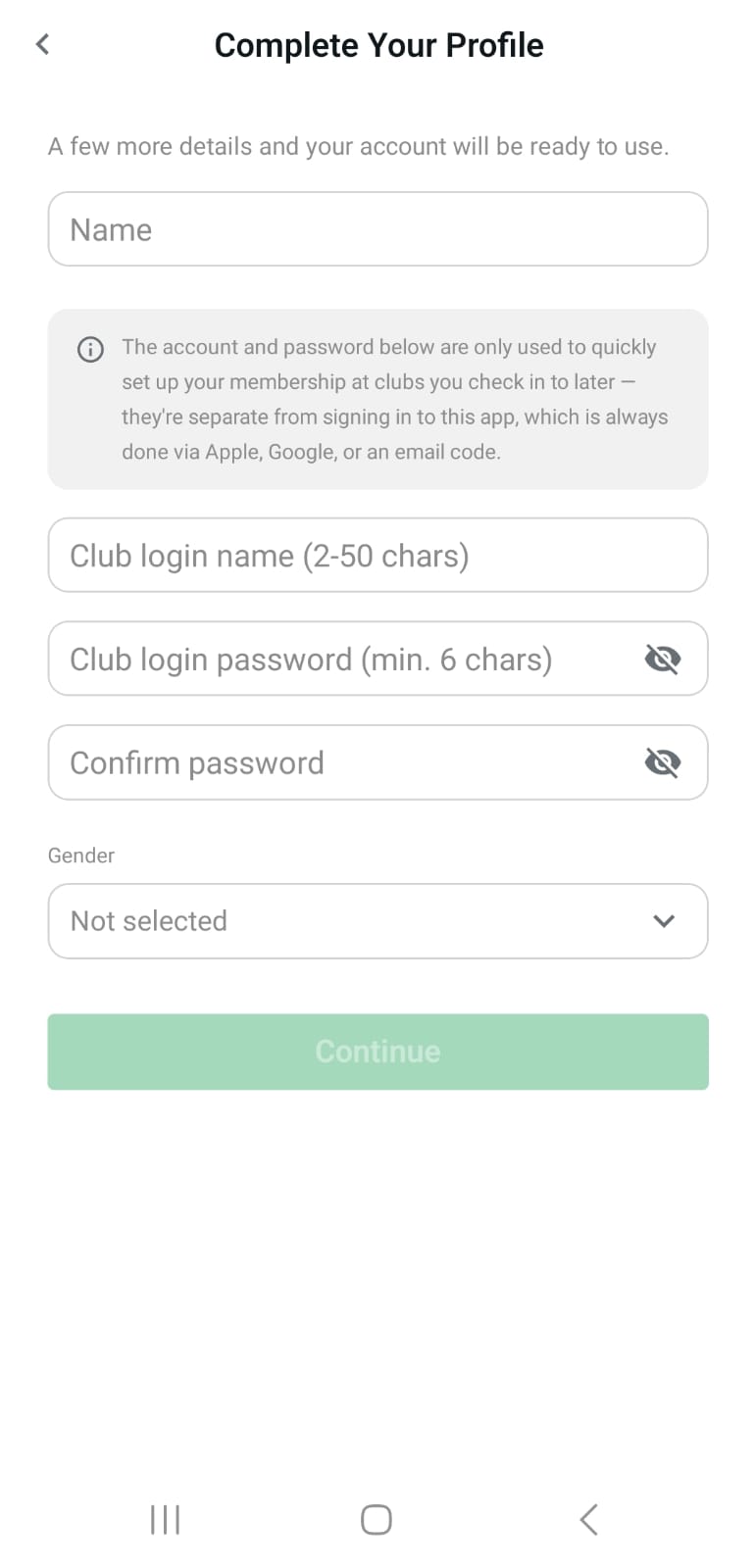
Figure 3
- You will then be redirected to the map, which displays all centers in your area. Locate your center by clicking on it. (Figure 4)
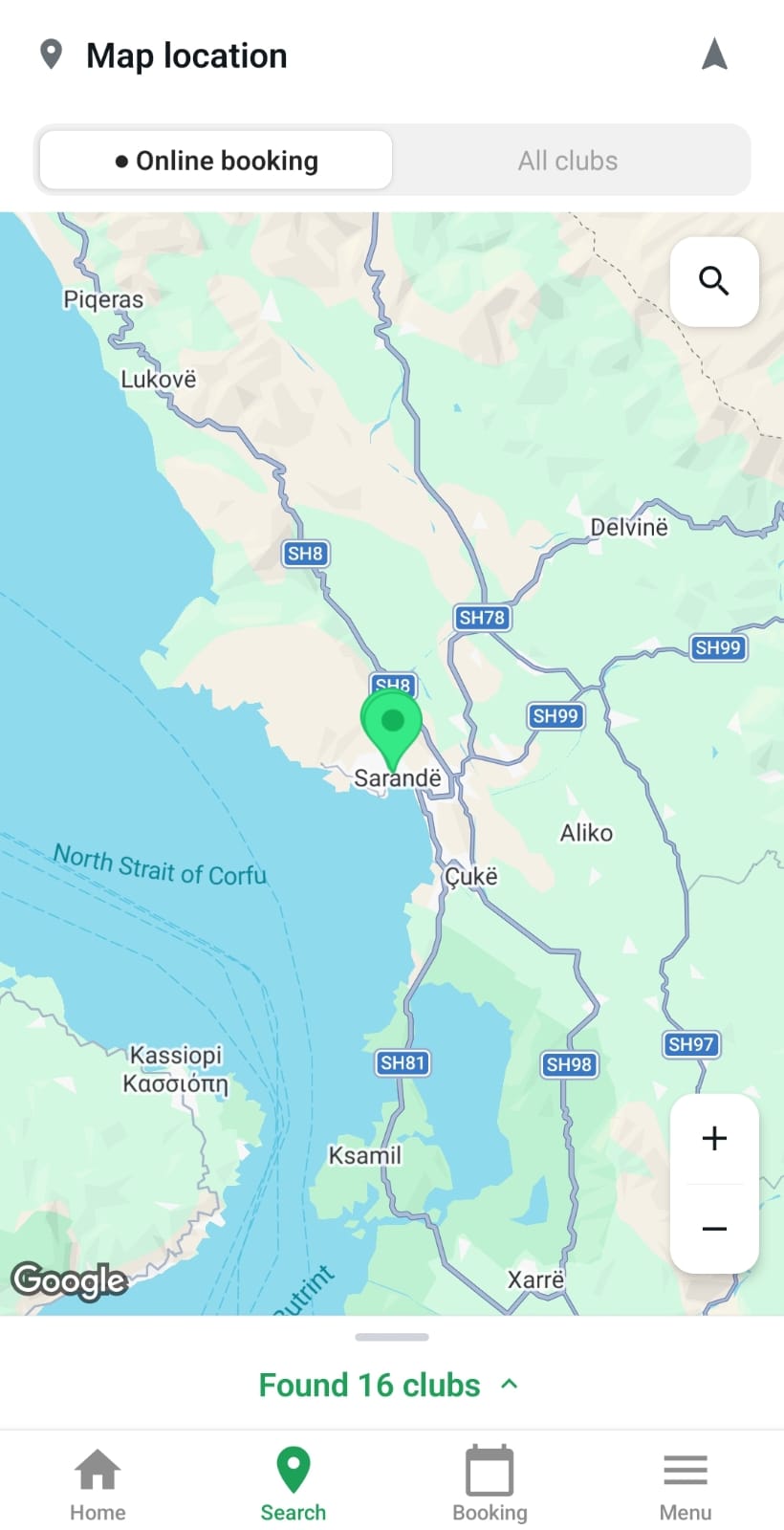
Figure 4
- Alternatively, click “Found Clubs” at the bottom of the map to open a list of available clubs. Select the club you would like to join. (Figure 5)
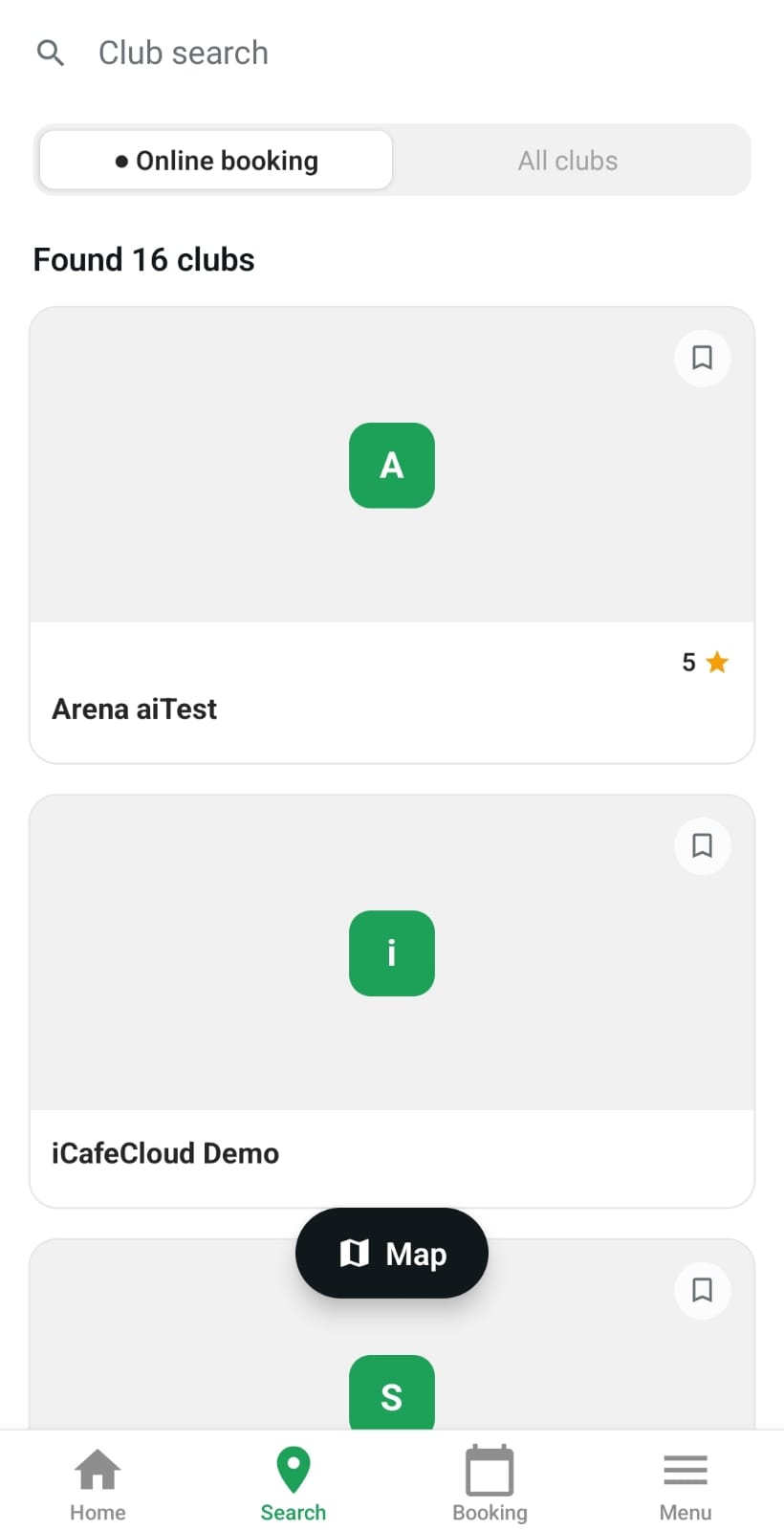
Figure 5
- Check “I agree to the Payment and Refund Policy”, then click “Join” to complete the process. (Figure 6)
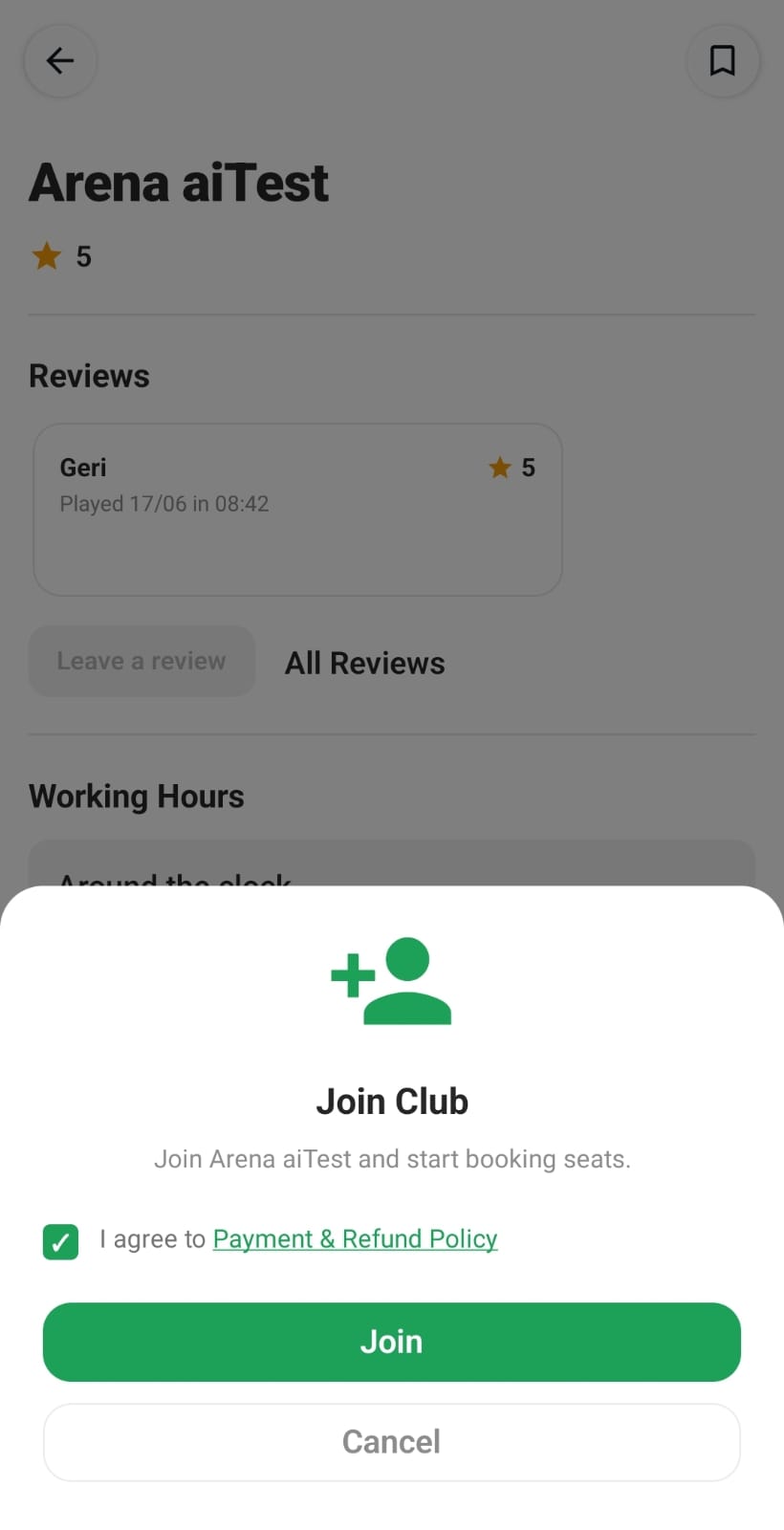
Figure 6
- Next, you can choose to link your account to an existing member with the same email address of the center if you are already registered, or create a new member account with a new email. (Figure 7)
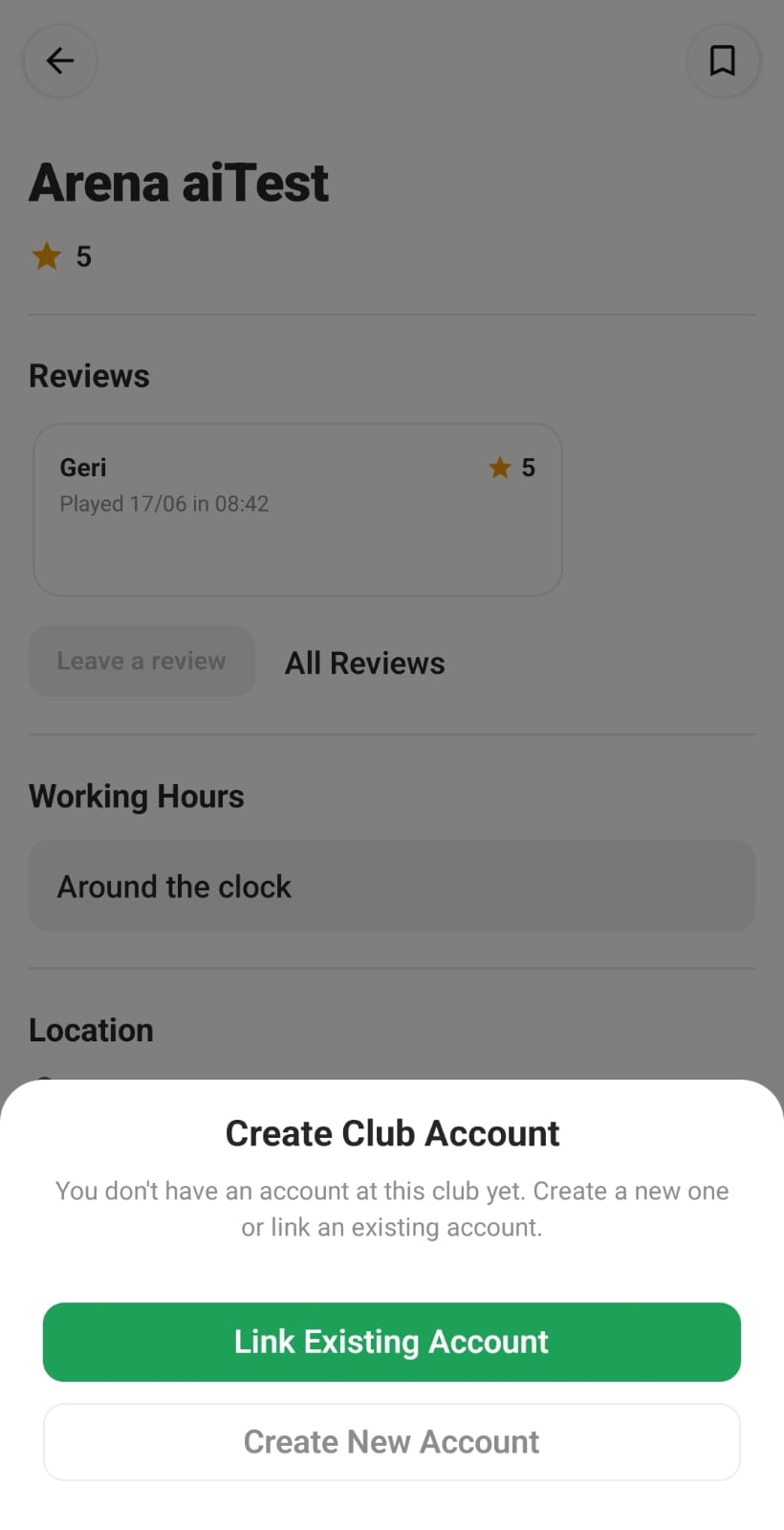
Figure 7
- Finally, log in to your account to access all available options, including your balance, club information, account details, bookings, and more. (Figure 8)
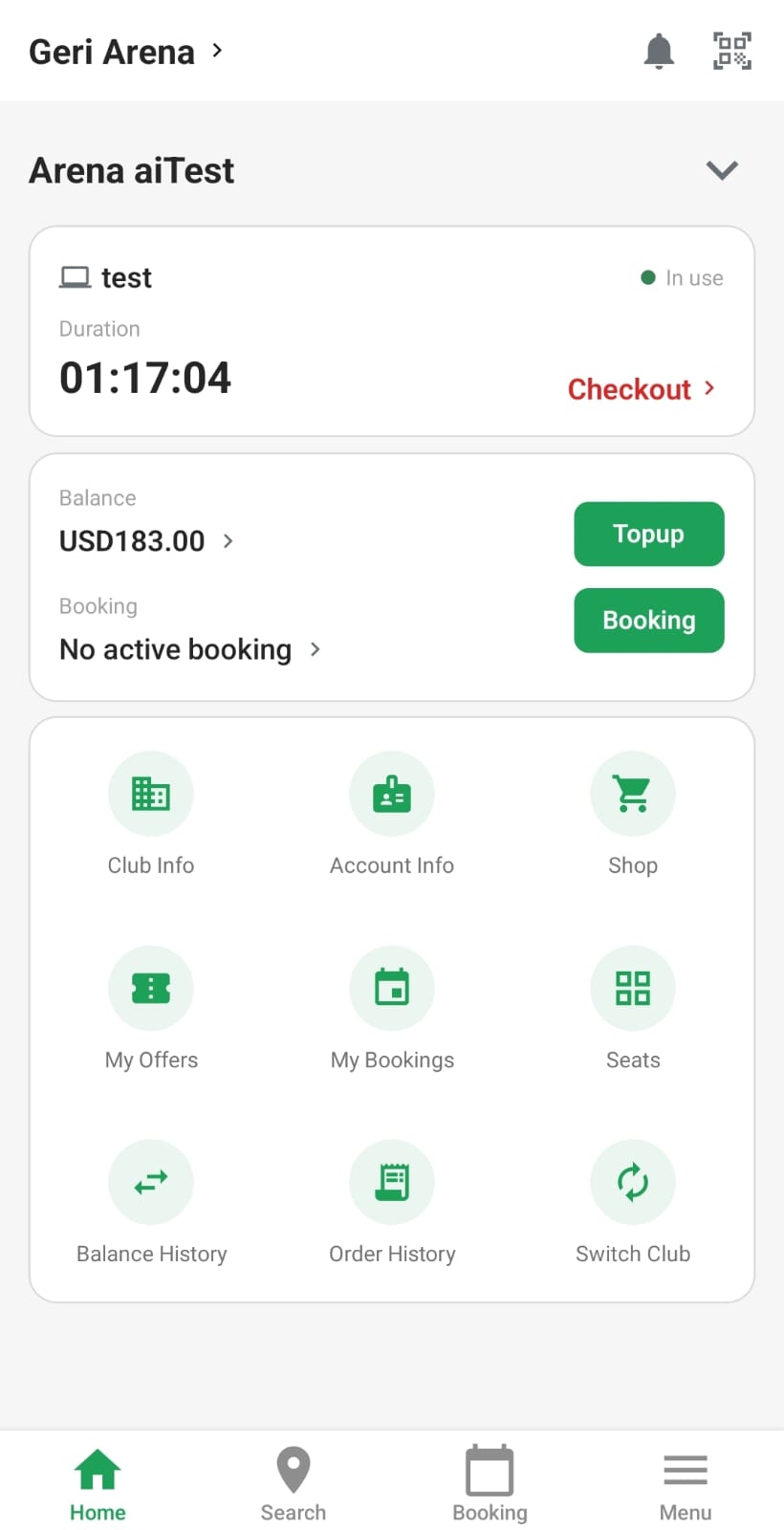
Figure 8
In app management
- Login in the cloud control panel, navigate to profile and click “Bind app account”. (Figure 9 & 10)
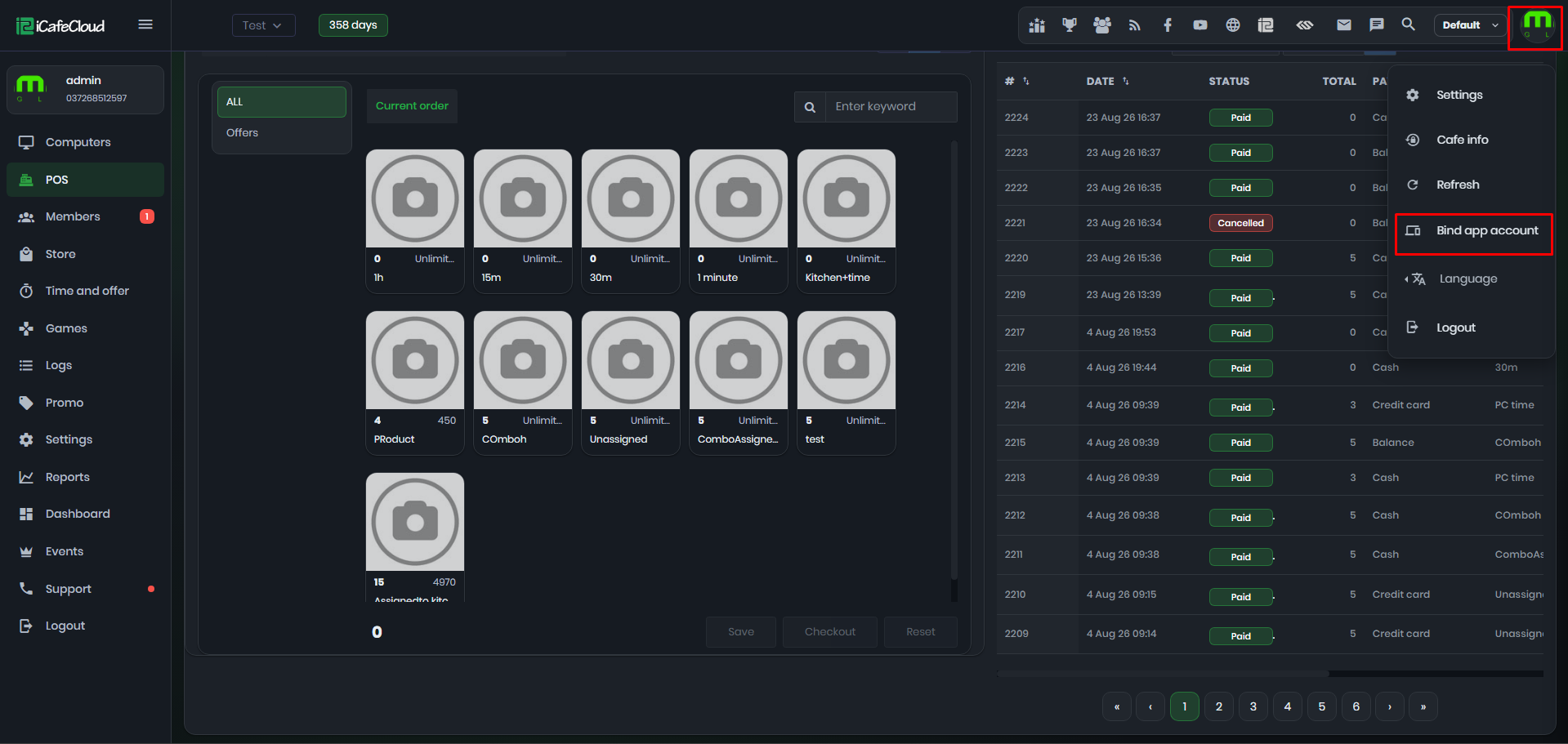
Figure 9
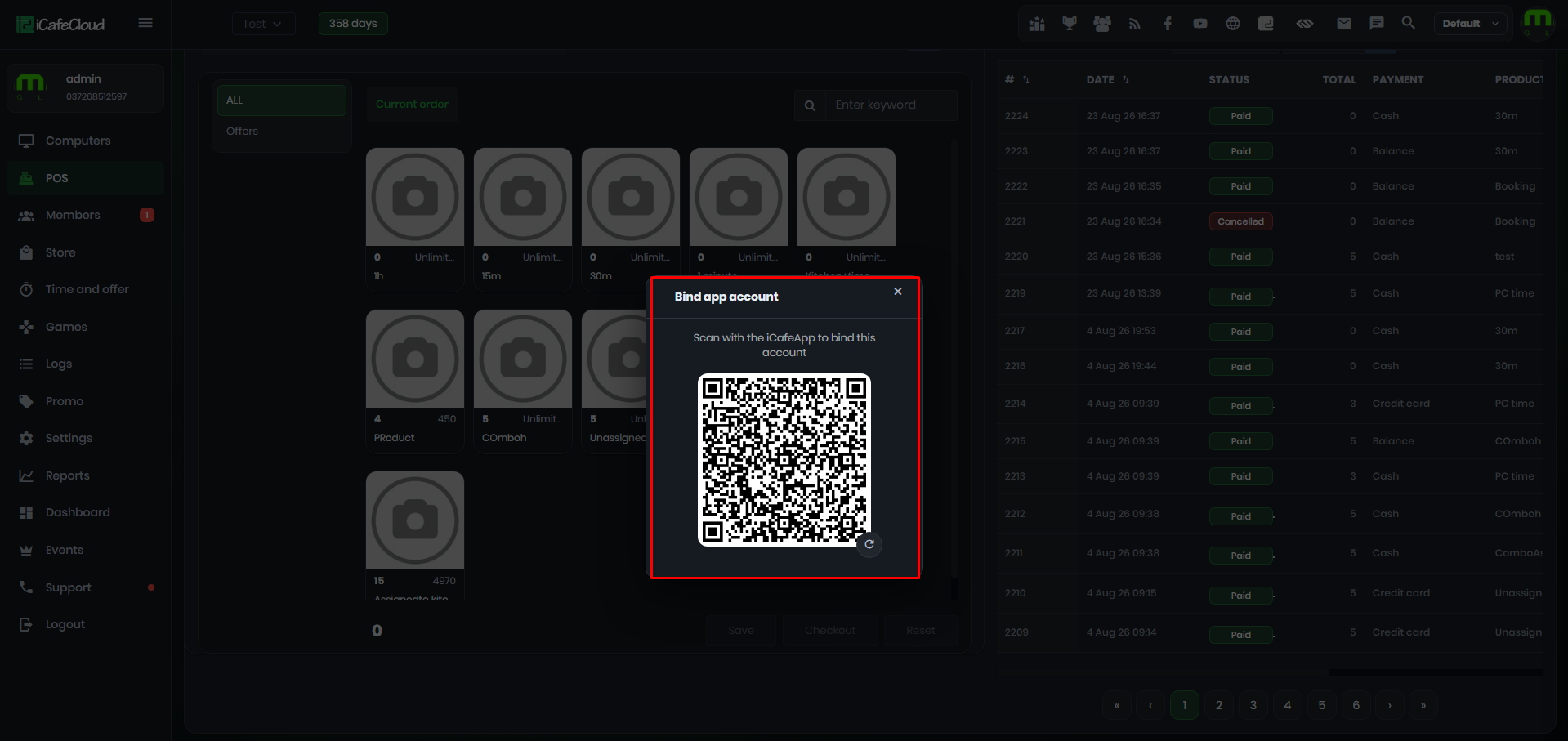
Figure 10
- Open QR scanner within ICafeapp and scan QR on screen. (Figure 11)
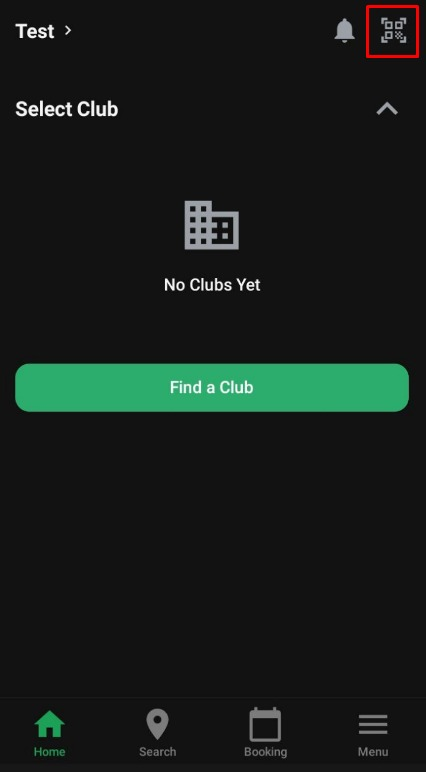
Figure 11
- After scanning, click confirm. (Figure 12)
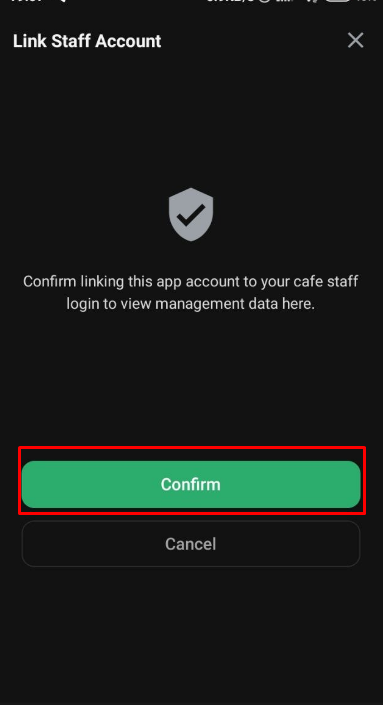
Figure 12
- Once confirmed, you will see the “Management” tab in your app. (Figure 13)
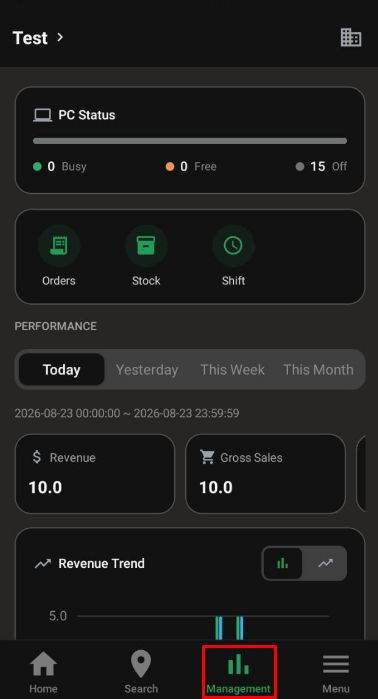
Figure 13
- Within the Management app you can check revenue, orders, stock and shift reports.