

Internet Cafe Promotions and Loyalty
Discounting by hand at the counter costs you money and tells you nothing. iCafeCloud turns the promotions you would run anyway into rules the system applies by itself — and then reports exactly what each one gave away.
Mechanics you can switch on
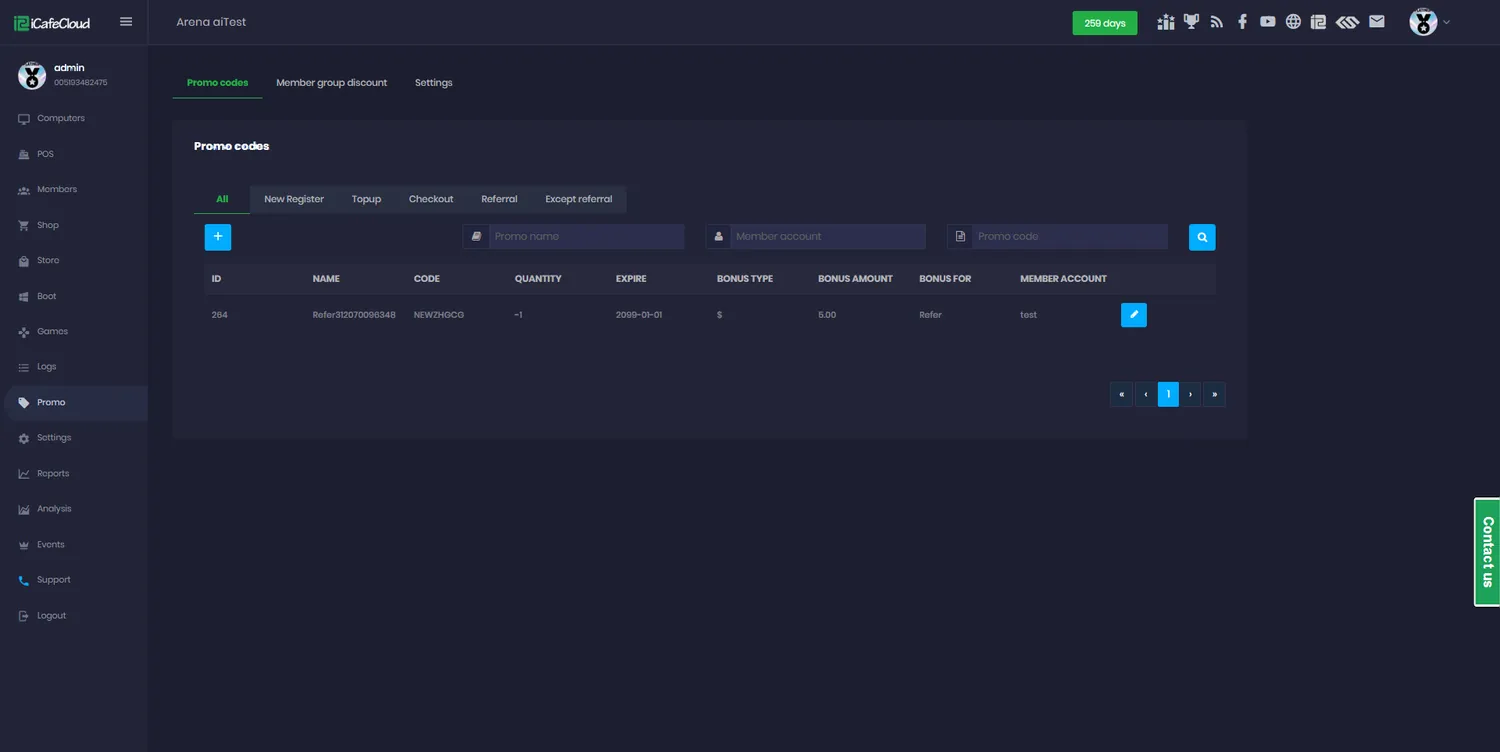
Promo codes
Codes for bonus balance, a discount, or a checkout-only deal on postpaid sessions. Set quantity, expiry and which member groups may use them.
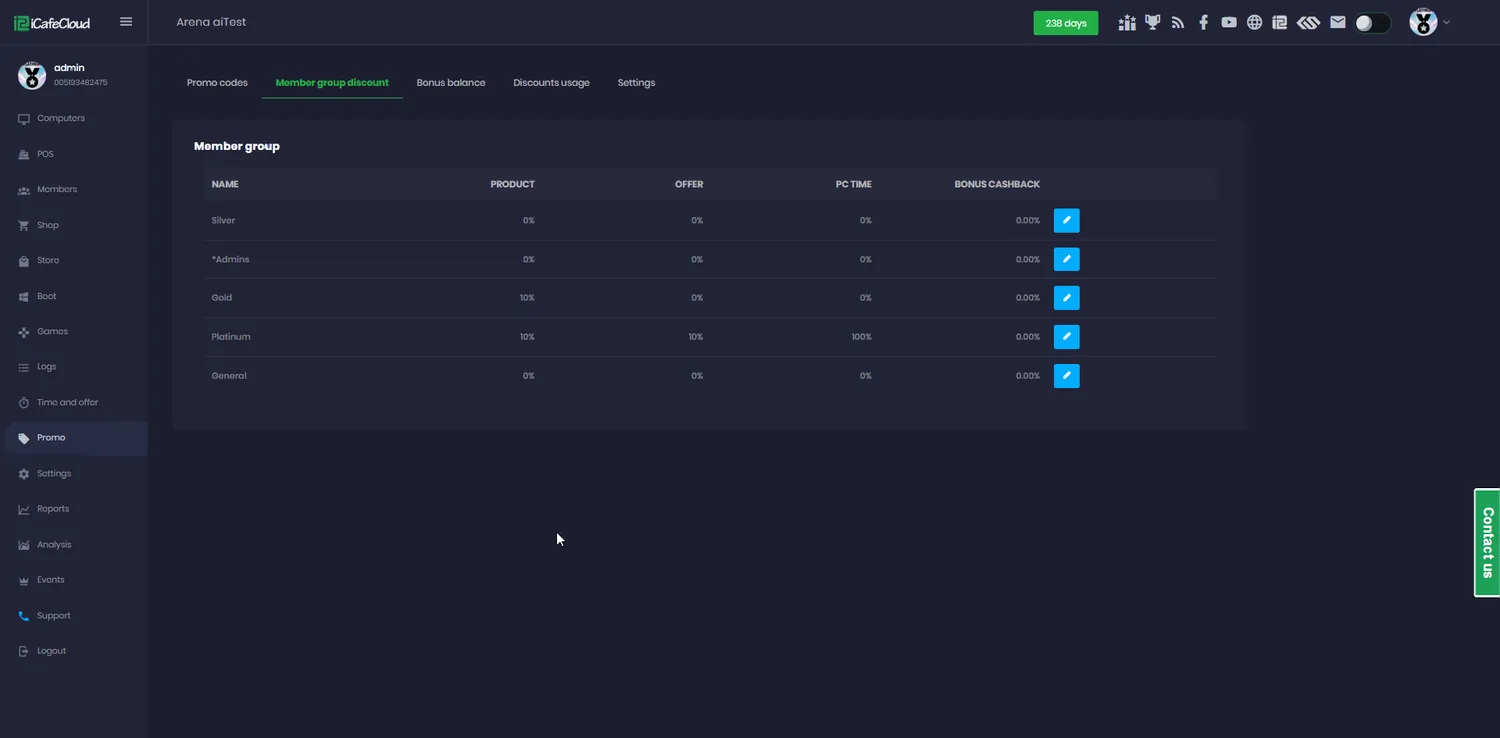
Group discounts
Give a member group a standing discount rate, and choose whether it applies to products, to offers, or to both.
Top-up rewards
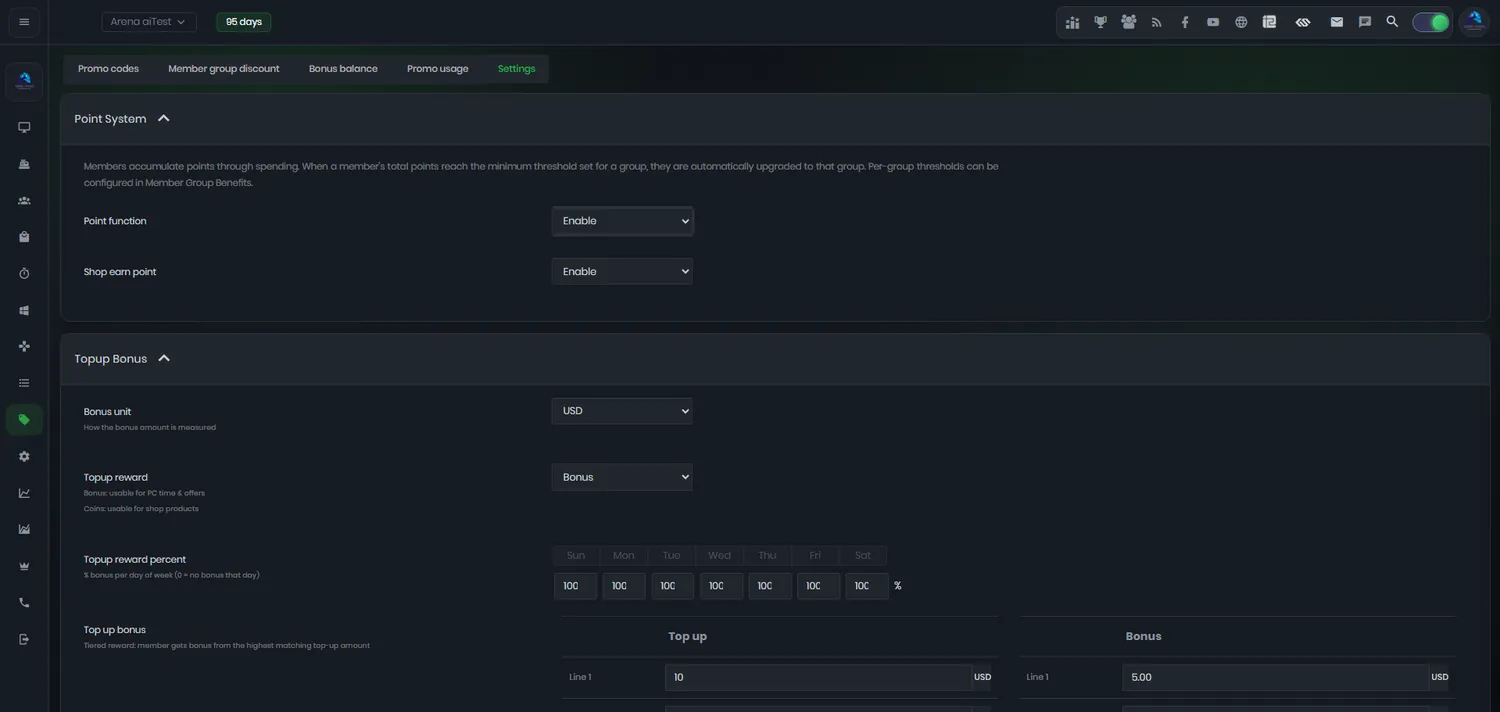
Reward a top-up with bonus time or coins, as a flat amount or a percentage — with a different percentage for each day of the week.
Bonus balance
Bonus is its own wallet. Decide whether it is spent before real balance, how long it lasts, and how much of an offer it is allowed to pay for.
Cashback
Give a percentage back on spend, with a different rate per member group for the tiers you want to reward.
Points
A point for each unit spent on top-ups and shop purchases, redeemable against an upgrade to a better member group.
Shop promotions
Flag products as promoted and they surface on the client interface, where customers will actually see them mid-session.
Lucky spin
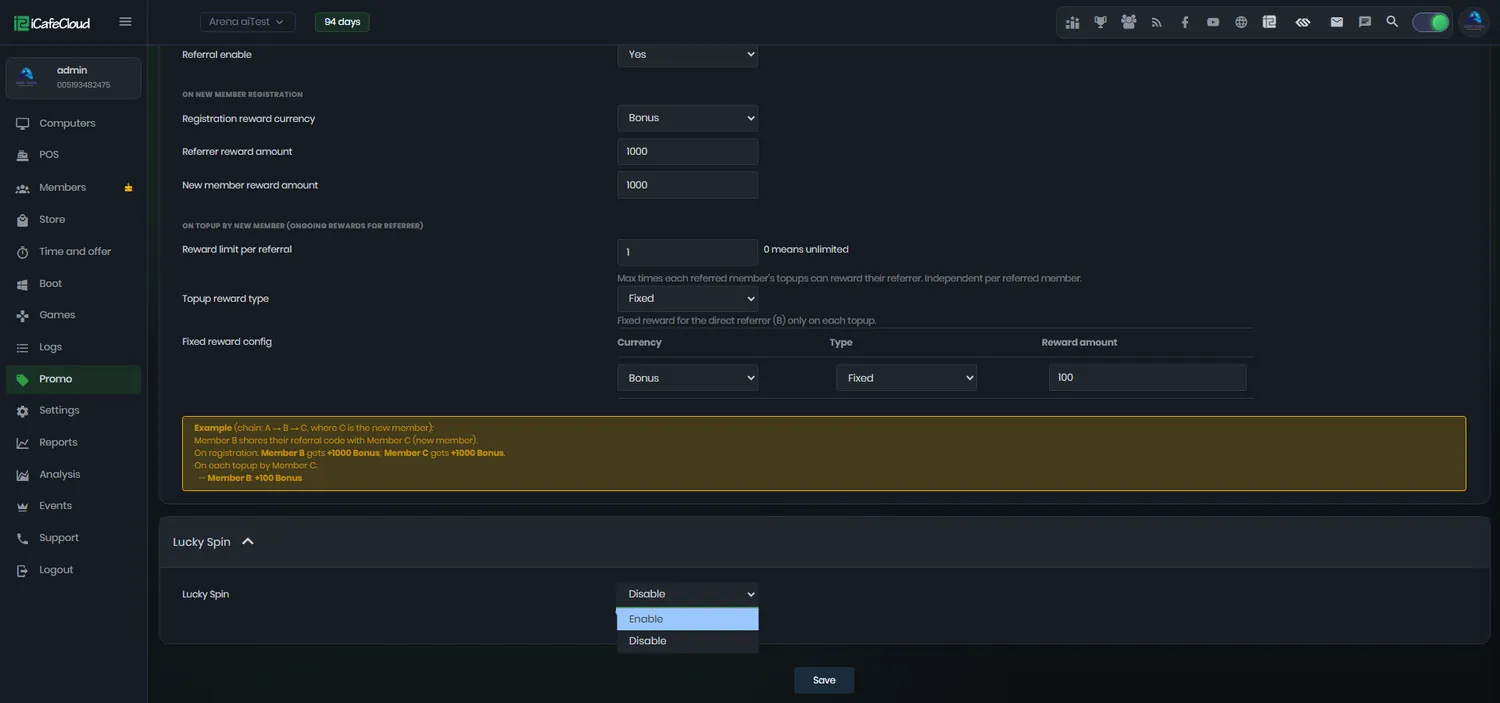
A prize wheel with rewards you configure, for the customers who need one more reason to come in on a Tuesday.
Rewards that fire without anyone remembering to
Top-up rewards and promo rewards run at the same time and can pay out in bonus time or in coins. The top-up reward percentage is configurable per day of the week, so you can push a dead Monday without touching your Saturday margin.
Points accumulate separately: one for each unit of currency spent on top-ups and shop purchases, and they buy an upgrade from one member group to another. Regulars climb a ladder instead of asking your staff for a discount.
What you are actually handing out
Every mechanic pays out in one of a small number of currencies, and each behaves differently at the till. Knowing which is which is most of the work.
Bonus in particular has its own rules: whether it is spent before real balance, when it expires, and what share of an offer it may cover.
- Bonus balance — your money, with expiry and limits
- Bonus time — minutes rather than currency
- Coins — spent on offers and prizes
- Points — redeemed for a member group upgrade
- Discount — taken off at the moment of sale
Discounts that live on the group, not on the cashier
A member group discount is set once and applied everywhere that group buys — no judgement calls at the counter, no regular who gets ten per cent because they know the staff.
You choose whether a group’s rate applies to shop products, to time offers, or to both, so a gold tier can get cheaper hours without also getting cheaper energy drinks.
A reason to come back on a quiet night
Lucky spin gives customers a prize wheel with rewards you define, gated by whatever conditions you set — registration, a minimum top-up, a spend threshold.
And when you want to know whether any of it worked, the promo page keeps the receipts: bonus balance operations and discount usage are logged per code, with amounts, so you can price the promotion rather than guess at it.
Setting up a promotion
- 01
Choose the mechanic
A code, a group discount, a top-up reward, cashback, points, a shop promotion or a spin.
- 02
Set the rules
Amount or percentage, which member groups, which days, how long bonus lasts, and whether it may buy an offer.
- 03
Switch it on
The system applies it at the counter, at the client and in the portal without anyone having to remember it.
- 04
Check what it cost
Bonus balance and discount usage logs show exactly how much each promotion gave away, per code.
Documentation
Promo codes, bonuses, rewards and loyalty settings in the wiki.
Common questions
Can I limit how a promo code is used?
Yes. Quantity, expiry date, bonus amount, discount rate and the member groups allowed to use it are all set per code, and a code can be deleted automatically once it has been used.
What is the difference between balance and bonus?
Balance is money the customer paid you. Bonus is what you gave them. You decide which gets spent first, how long bonus survives before it expires, and what share of an offer it is allowed to cover.
Can rewards be different on different days?
Yes. Top-up reward percent is configured per day of the week, so you can be generous on the quiet afternoons without giving anything away at the weekend.
Do members get points and bonus at the same time?
They can. Promo rewards and top-up rewards run simultaneously, and points accrue separately on top-ups and shop purchases.
What are points actually good for?
Upgrading a member from one group to a better one at a lower price. It lets you move loyal customers up a tier without discounting cash.
How do I know whether a promotion worked?
Bonus balance and discount usage logs list every operation with its amount, and the offers and products reports show what was actually sold during the period.
The rest of the platform
- BillingPrepaid, postpaid, member and offer sessions, priced by PC group, member tier and hour of the day.
- Game LibraryOne catalogue across every PC: Steam, Epic, Riot, Uplay, VKPlay, Windows Store and your own local titles.
- Game UpdatePatches land on the server image, not on your customers. Update once, serve every machine.
- License SharingA pool of centre-owned accounts that lends a licence to whoever is playing, then takes it back.
- ReportingIncome, top-ups, offers, products, games and members — by day, by shift, side by side.
- BookingCustomers reserve a seat from the portal or their phone; the machine is held and released for them.
- MembershipAccounts, groups, balances, bonuses and a self-service portal your regulars actually use.
Run loyalty as a rule, not a favour
Start a free trial, set up one promotion, and watch the logs tell you what it cost.