

Game License Sharing for Internet Cafes
Buying a copy of every paid title for every machine is how a gaming centre goes broke. A license pool holds a handful of accounts your centre owns and lends one out for the length of a session, then takes it back for the next player.
How the pool works
One pool, many seats
Add the accounts your centre owns to a pool. When a customer launches the title, the system assigns them a free license for that session.
Released automatically
Finish the game or end the session and the license goes back into the pool. Nobody has to remember to log out of anything.
Pools per game type
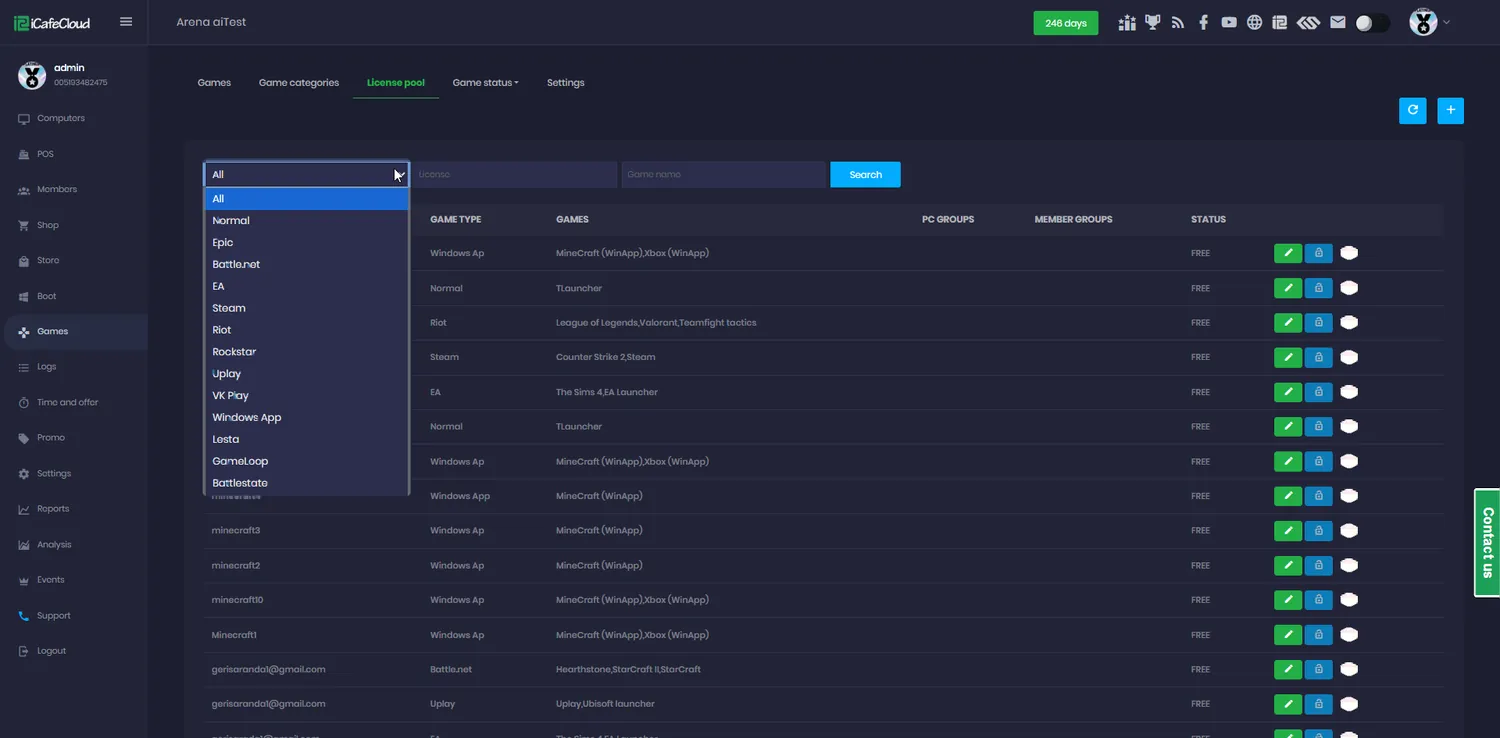
Licenses are grouped by game type, so Steam, Epic and ordinary launcher accounts each sit in the pool that matches them.
Automatic sign-in
The launcher signs in with the pooled account by itself. The customer clicks play and the game opens.
Or their own account
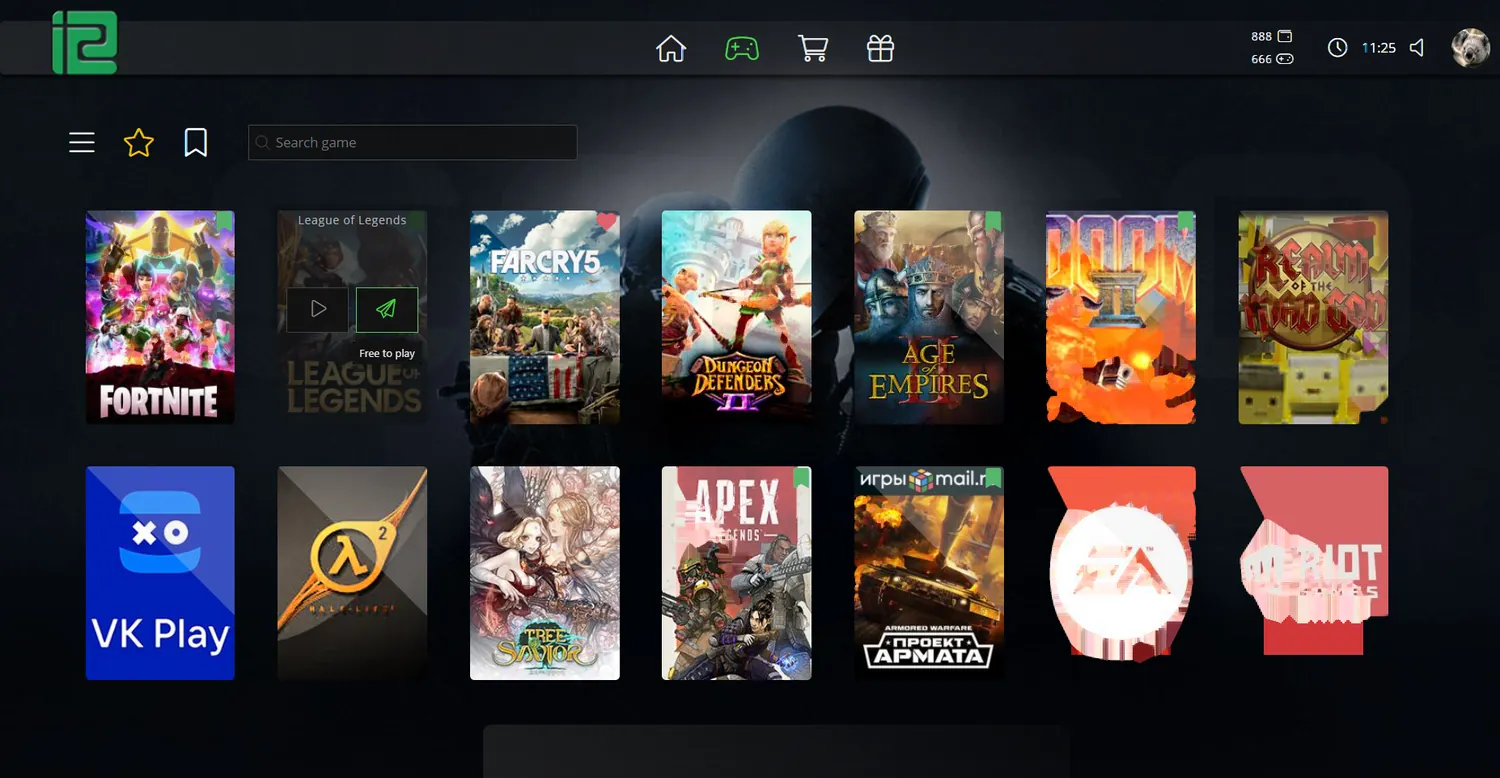
Each title shows two buttons on the client: play with my account, or play with the centre’s. The customer chooses, and their own progress stays theirs.
Steam Guard and 2FA handled
Documented steps for turning off the security prompts that would otherwise stop an automated login in its tracks.
License logs
Every request, shortage and release is recorded. When a customer says the game would not start, you can see whether the pool was simply empty.
Shared across sub-centres
Run several branches under one main licence and the pool can be shared between them instead of being bought twice.
The pool itself
A pool is a list of accounts, grouped by game type, each with the PC groups and member groups allowed to draw from it. Within the pool you can assign one license to one game, or let several titles share the same account.
Status is visible per license: free, in use, or locked. That is what turns "we think we have enough copies" into a number you can look at on a Friday night.
What the customer actually does
From the floor this is two clicks. The customer hovers a title on iCafeMenu, sees that the centre has an account for it, and plays.
Everything else — finding a free license, locking it to this session, signing the launcher in, releasing it afterwards — happens behind the menu.
- Hover the game on the client menu
- Choose the centre account instead of their own
- The launcher signs in automatically
- They play for the length of their session
- The license returns to the pool at checkout
Launchers that sign themselves in
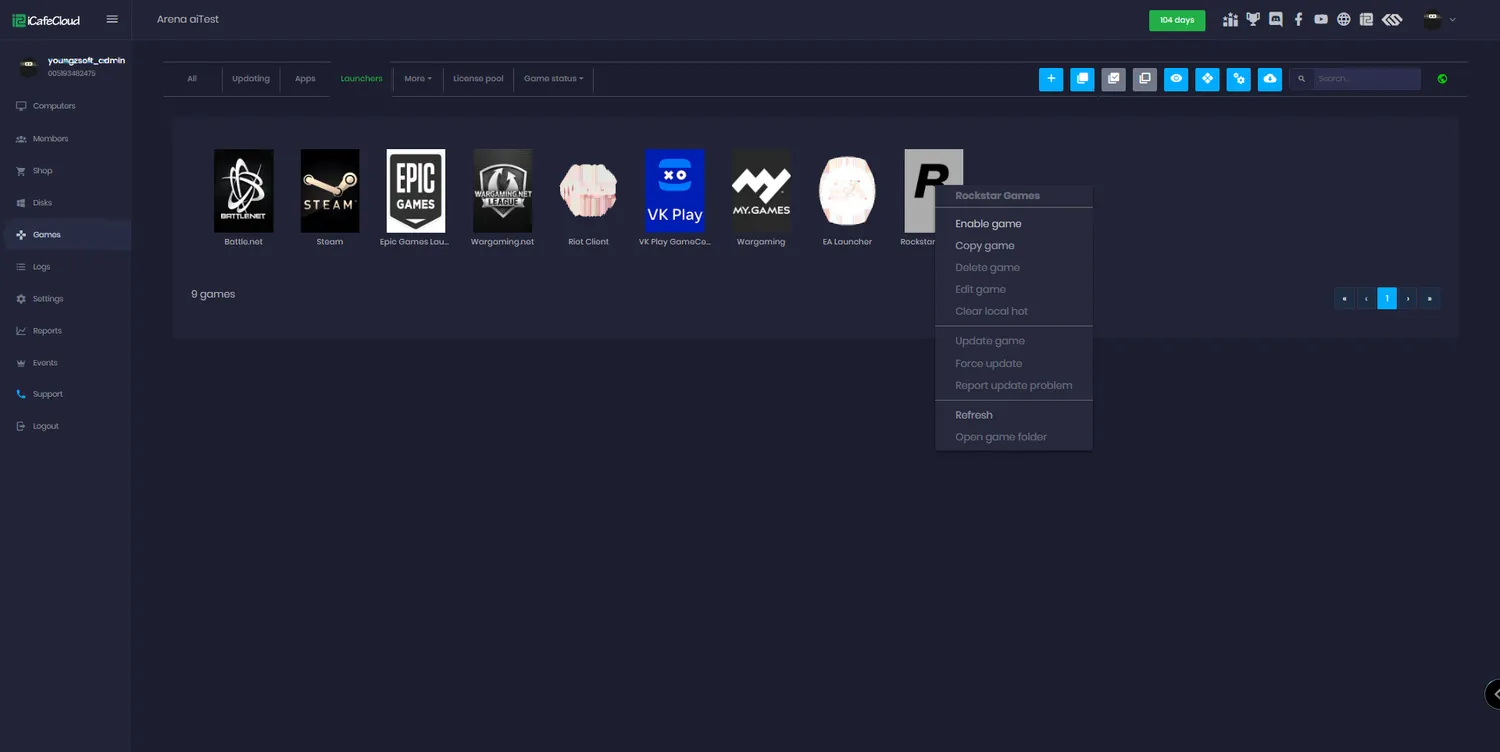
Auto login works through the launcher entries preset in iCafeCloud, where paths and posters are already configured. Using those entries is what makes the pool function — a hand-rolled shortcut will not do.
It is the same mechanism venues use to run Steam in cafe mode: the centre’s account opens the launcher, the customer plays, and nobody types a password at the counter.
When a license was taken, and by whom
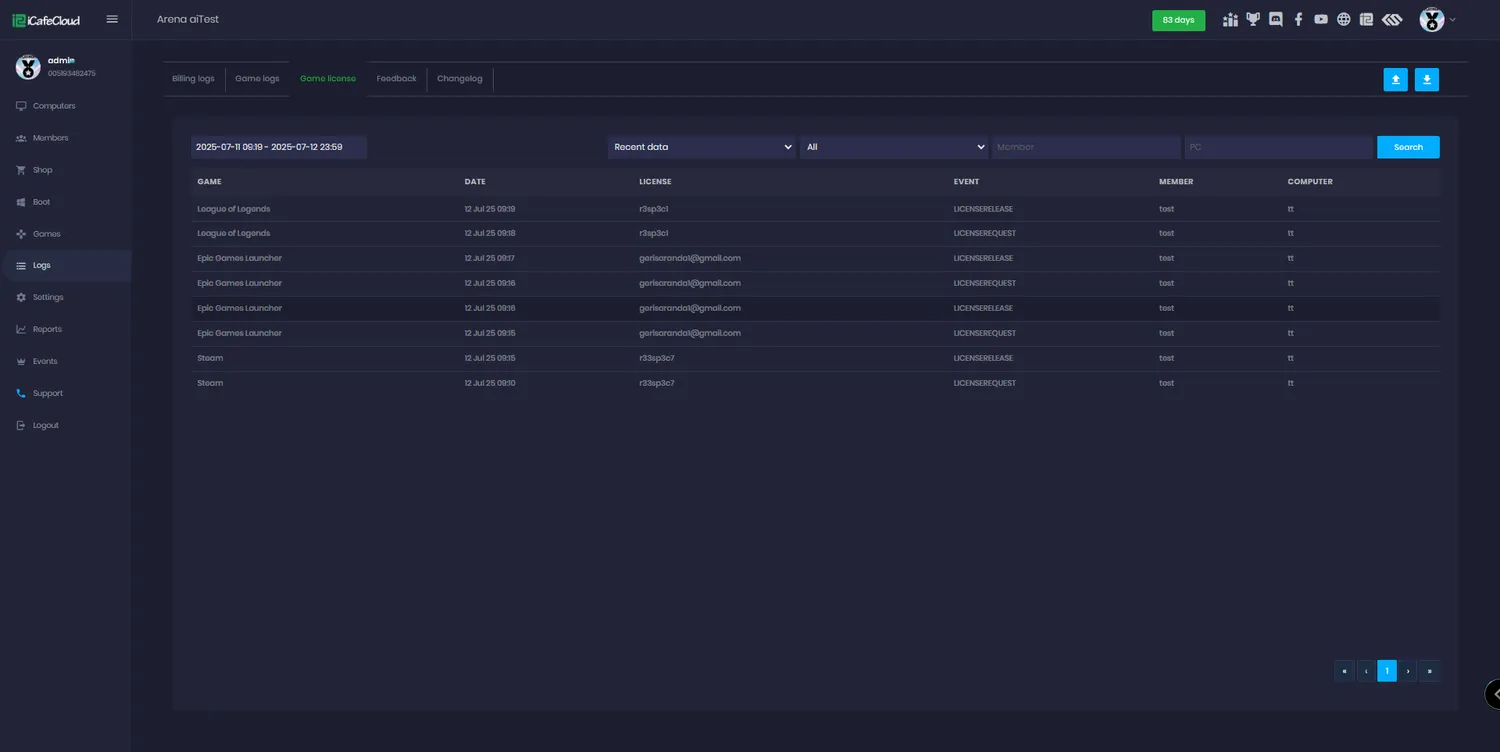
Game license logs record each event by name: a license request, a shortage when no free account was available, a successful release, and a failed one.
Read over a week that becomes a buying decision. If shortages cluster on the title everyone wants at nine on Saturday, you know exactly how many more accounts to buy — and that you do not need one per PC.
How a license gets handed out
- 01
You add the accounts
Put the game accounts your centre owns into a pool, grouped by game type and scoped to PC groups.
- 02
A customer picks the game
On the client they choose to play with the centre’s account rather than their own.
- 03
The pool assigns one
A free license is locked to that session and the launcher signs in with it automatically.
- 04
It comes back
When the session ends or the game closes, the license is released and the next player can have it.
Documentation
Setting up, sharing and troubleshooting license pools.
Common questions
How does license sharing actually work?
The pool holds game accounts your centre owns. It lends one account to one player at a time for the length of their session — exactly as if a member of staff handed them the login — and takes it back when the session ends.
What happens if every license is in use?
The client reports a license shortage and the event is written to the game license logs. Reading those logs over a busy week tells you how many more accounts you actually need.
Do customers have to use the pool?
No. Each title offers two buttons on the client: play with their own account, or with the centre’s. Anyone who wants their own progress and friends list simply uses their own.
Which launchers support automatic login?
The launcher entries preset in iCafeCloud’s Launchers list, including Steam. Their paths and posters are already configured, and the pool only works with those entries — not with a shortcut you made yourself.
Can local games go in a pool?
No. Local games are given different IDs at each centre, and those IDs are not recognised elsewhere, so they cannot be shared. Use catalogue titles for pooling.
Can several branches share one pool?
Yes. Sub-centres under a main licence can be granted access to the main centre’s pool, so a group of venues buys one set of accounts rather than one per site.
The rest of the platform
- BillingPrepaid, postpaid, member and offer sessions, priced by PC group, member tier and hour of the day.
- Game LibraryOne catalogue across every PC: Steam, Epic, Riot, Uplay, VKPlay, Windows Store and your own local titles.
- Game UpdatePatches land on the server image, not on your customers. Update once, serve every machine.
- ReportingIncome, top-ups, offers, products, games and members — by day, by shift, side by side.
- BookingCustomers reserve a seat from the portal or their phone; the machine is held and released for them.
- MembershipAccounts, groups, balances, bonuses and a self-service portal your regulars actually use.
- PromotionPromo codes, top-up rewards, points, bonus rules and a lucky spin — all running by themselves.
Buy a few copies, not one per PC
Start a free trial, put your existing game accounts into a pool, and see how far they actually go.