

The following explains how to configure bonus cashback in settings
- Go in Promo page - Settings and change bonus cashback enable to Yes and Bonus cashback default percentage change to preferable value in % (Figure 1)
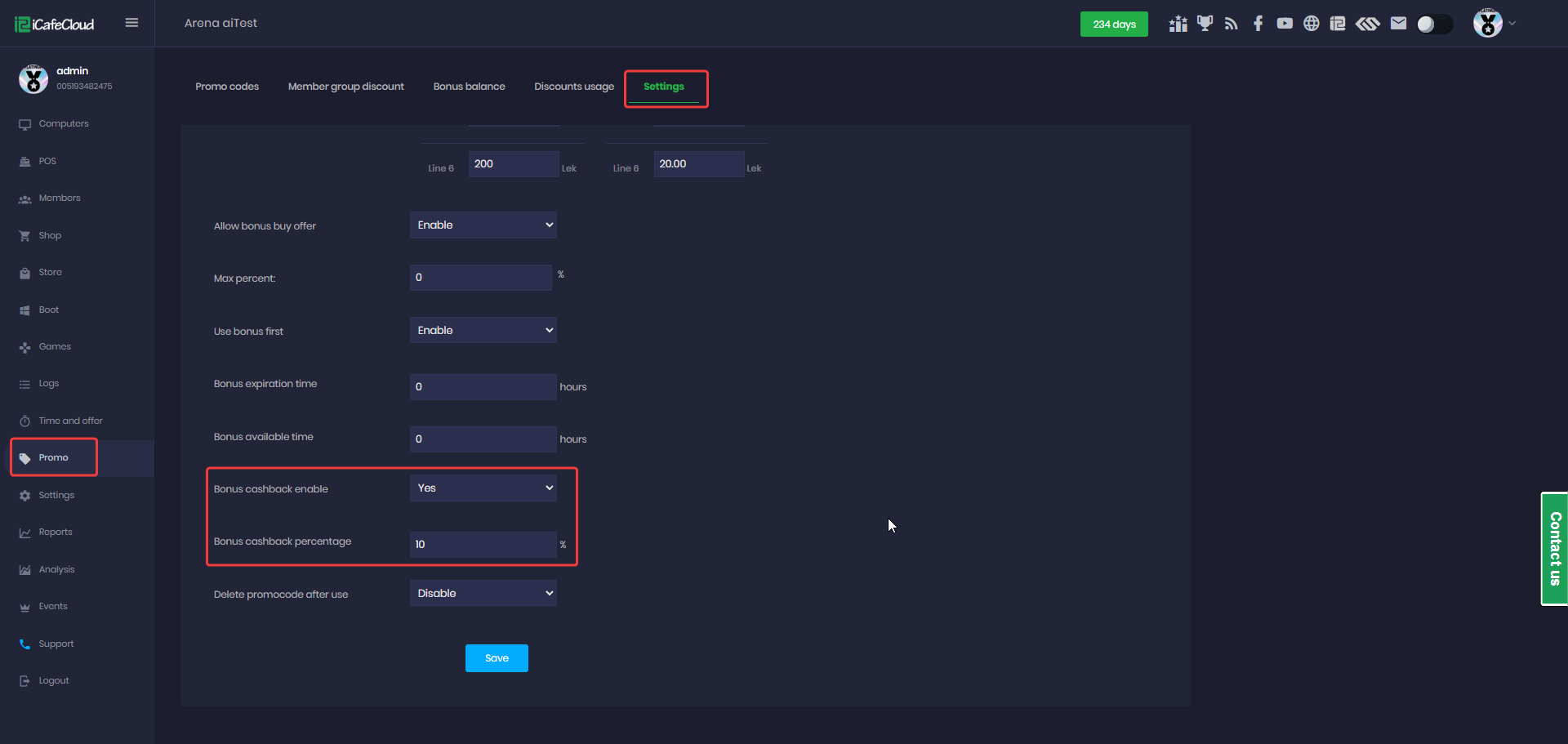
Figure 1
- Configure members group for specific cashback percentages (set 0 for no cashback).(Figure 2)
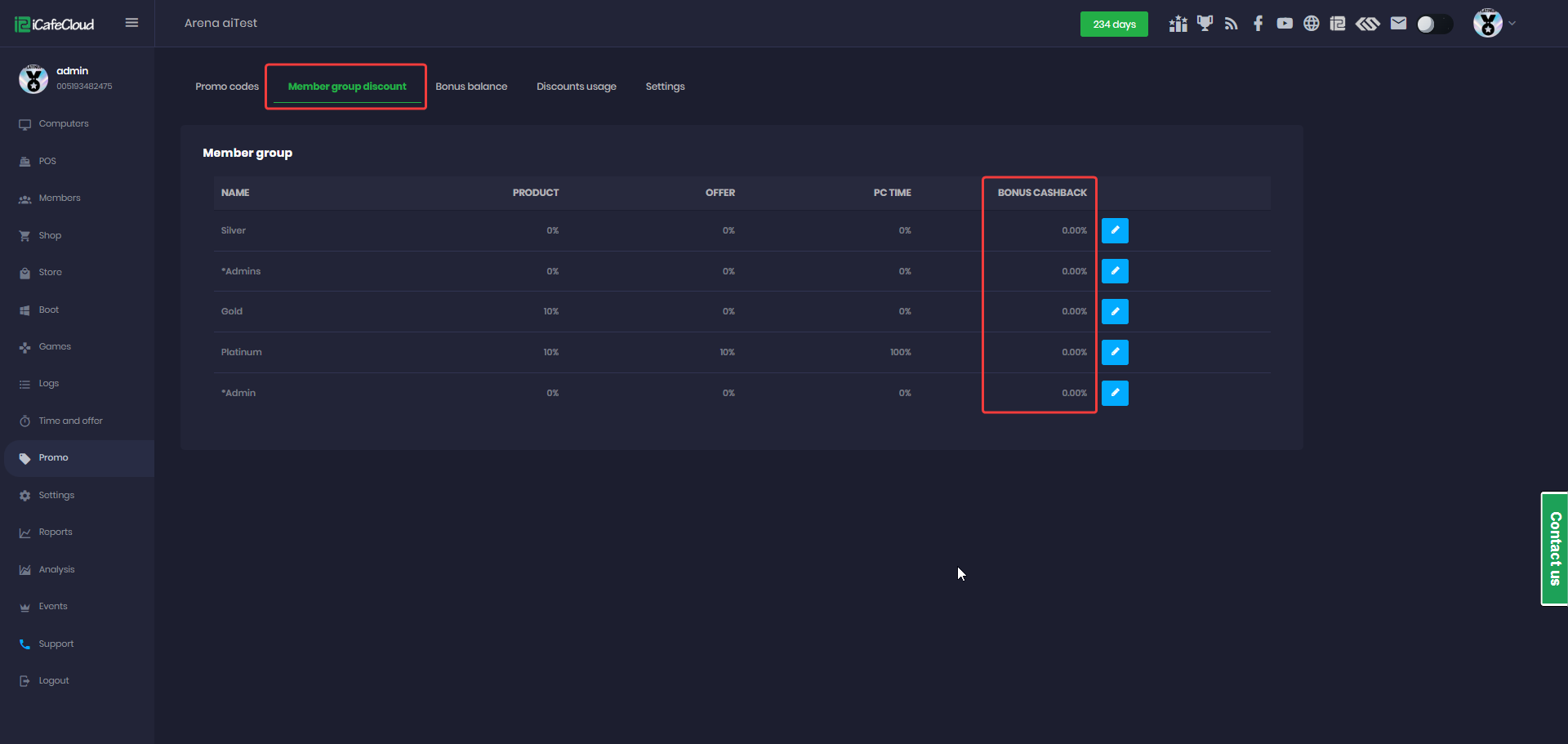
Figure 2
- If cashback is set to 10%, every purchase will return 10% of the price as a bonus.
For example, if the price is $100, then $10 will be added as a bonus. - You can view cashback details in the logs.(Figure 3)
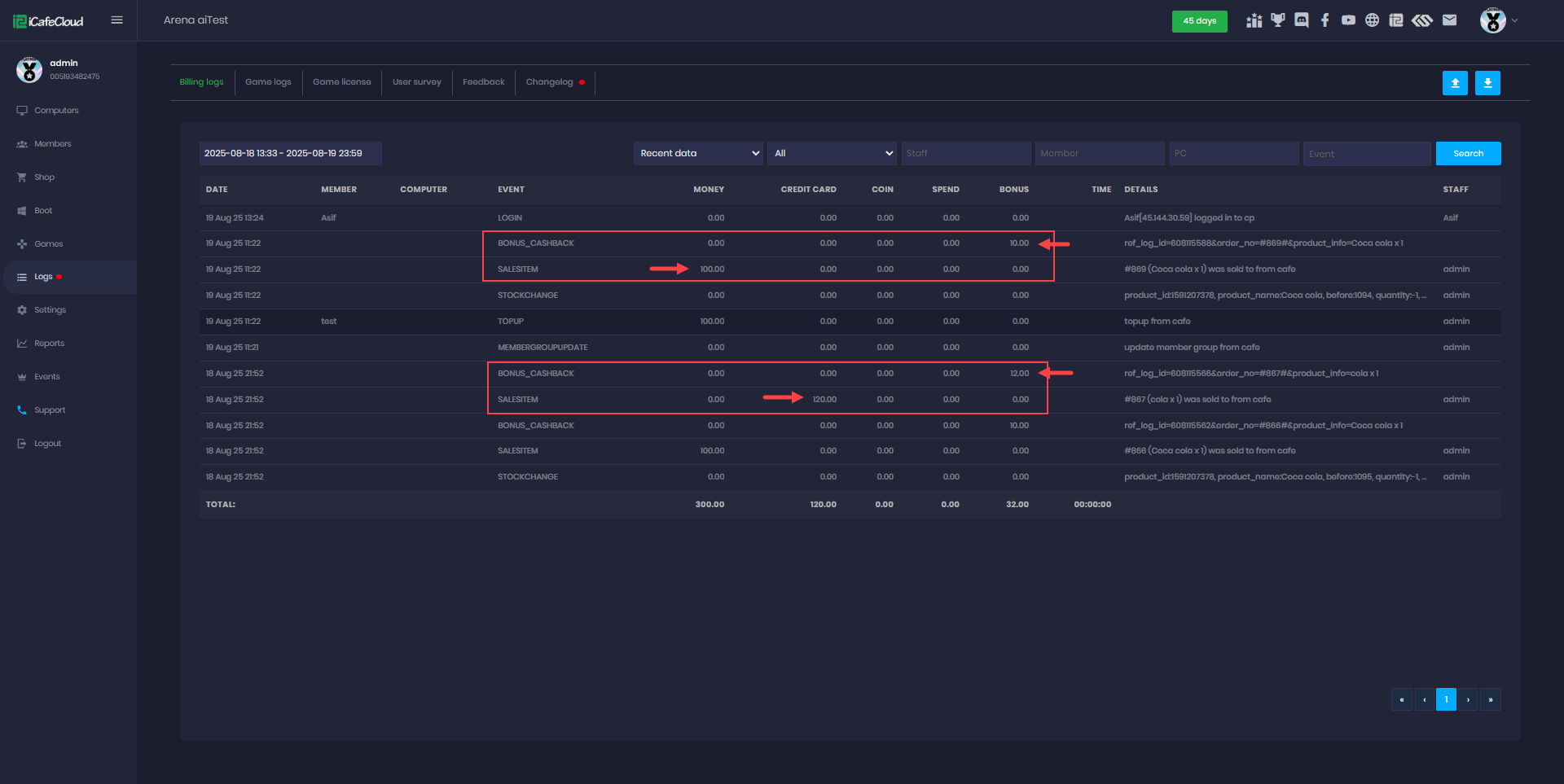
Figure 3
- Cashback Rules:
Cashback is given when paying with cash, balance, or card.
No double rewards: if you use cash/card to top up balance, no cashback is given.
Cashback is added only when you spend (make a purchase).
If an order is refunded, partially refunded, or deleted, the related cashback becomes 0.
Cashback expiration and availability follow the same rules as the existing bonus system.