

Note : if you’re selling coins , it will create an order with the price. if you’re buying coins, it will create an order with cost but in negative amount .
The trade information will be shown in different places , including :
- Logs page (Figure 4 / Figure 5 )
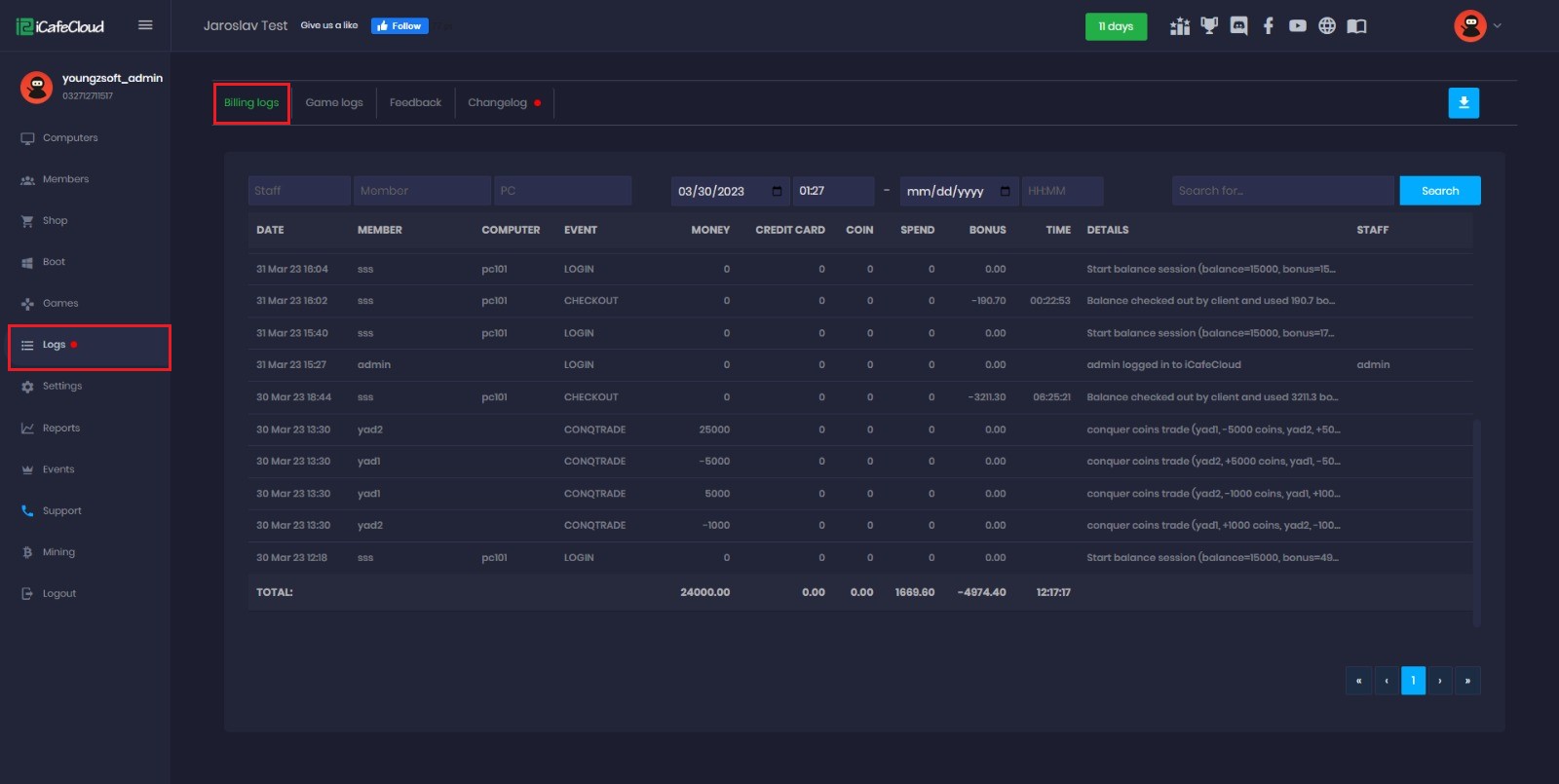
Figure 4
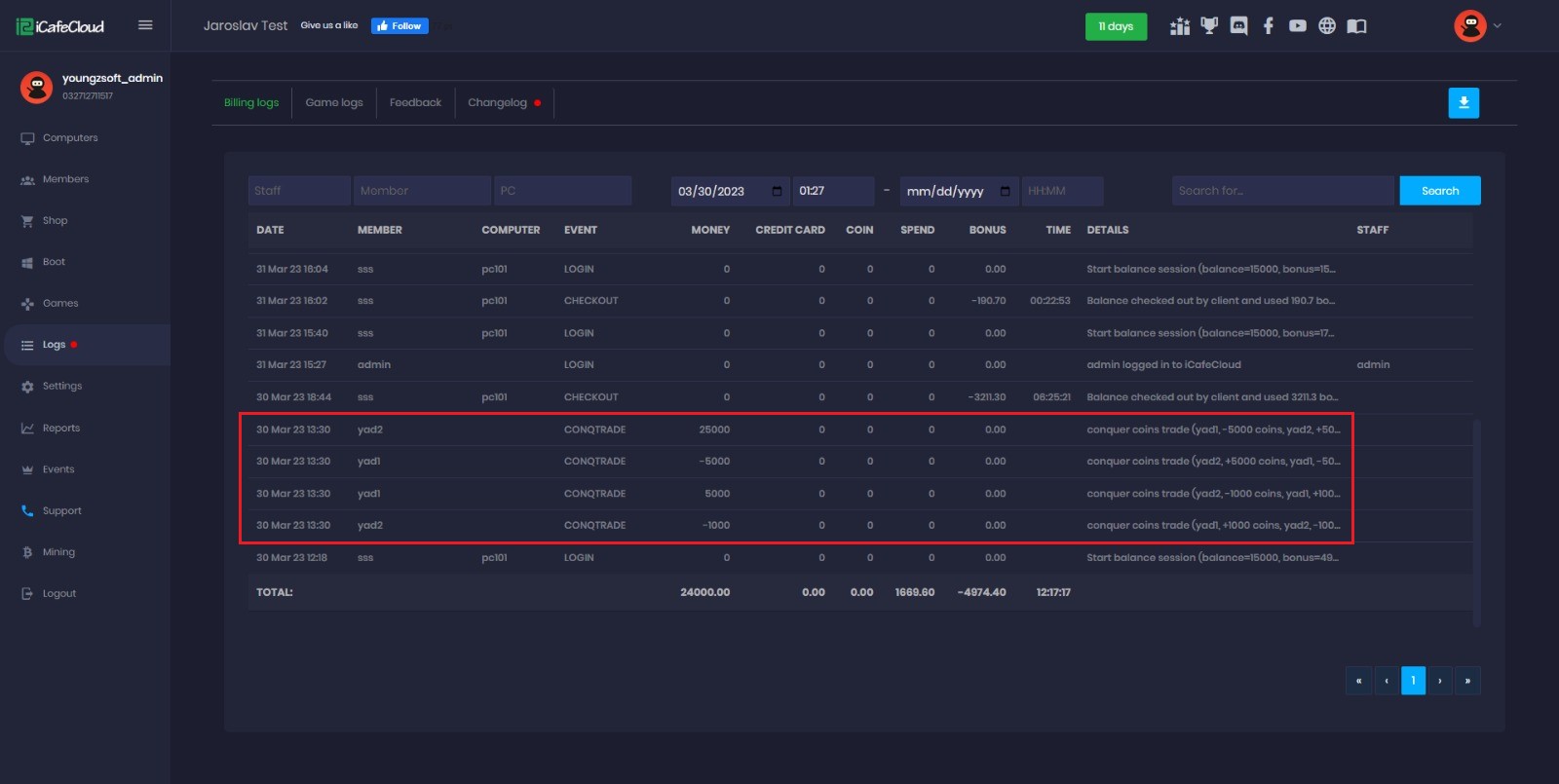
Figure 5
- Shop page - transaction history (Figure 6 )
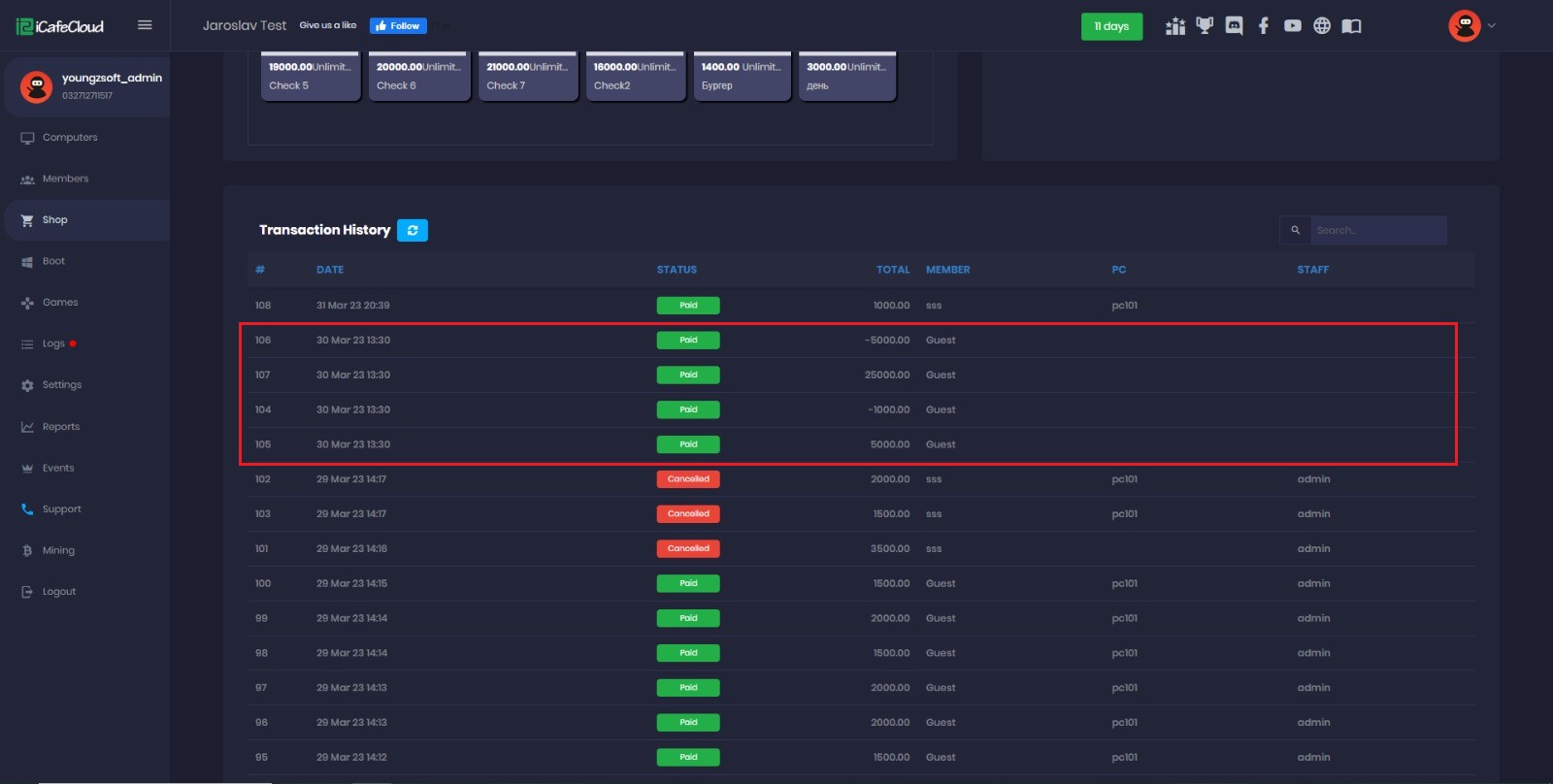
Figure 6
You can click on each transaction to check all the information about the transaction (Figure 7)
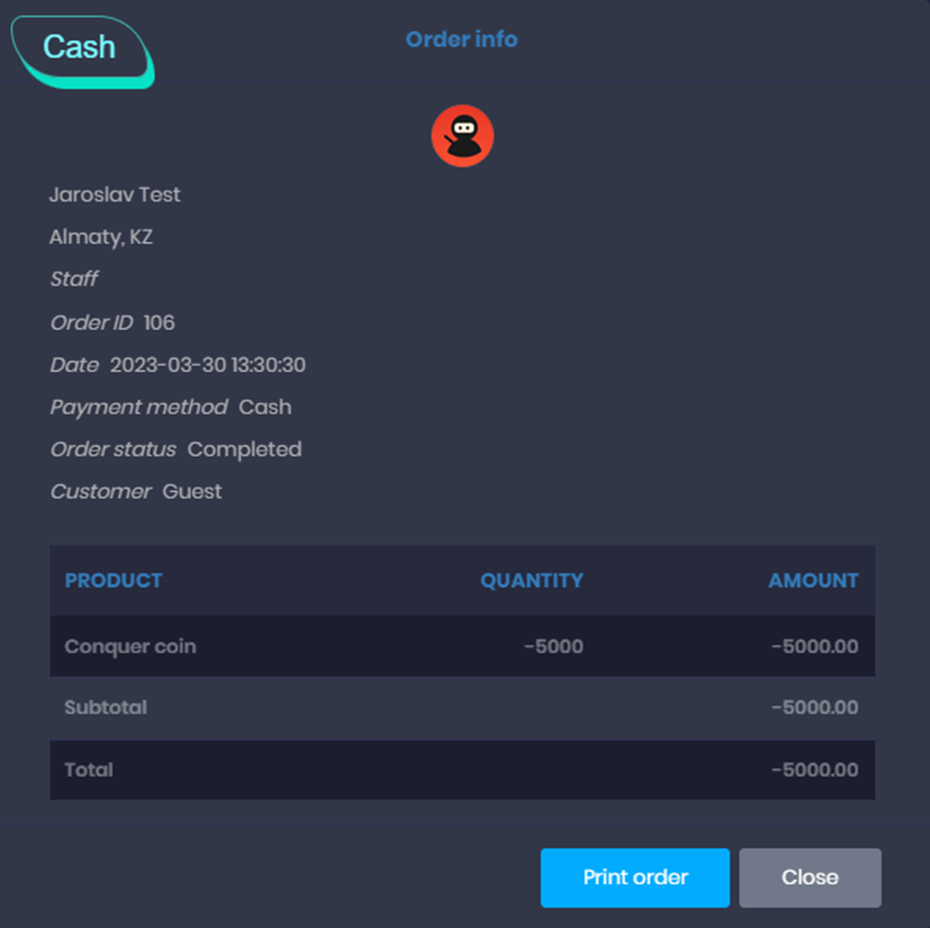
Figure 7
- Reports page- products : will show information about the conquer coin item that was added before to product and used in the trade . (Figure 8)
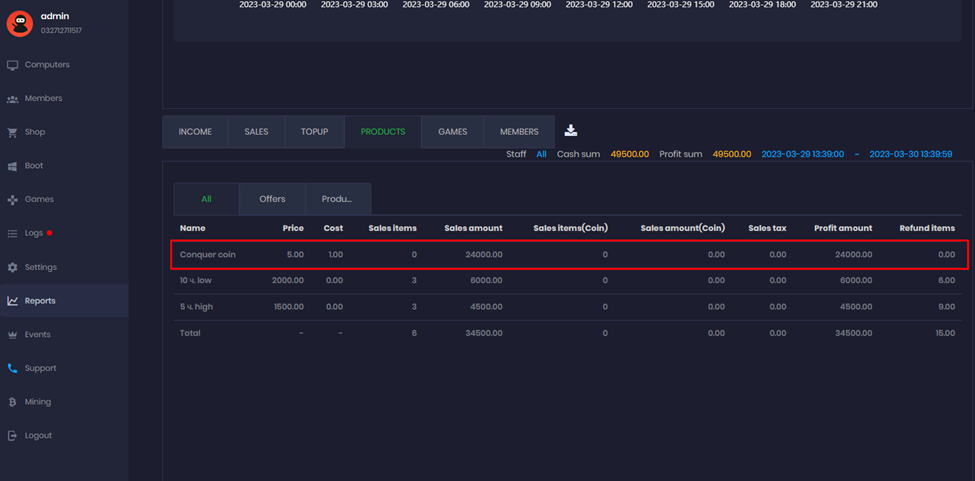
Figure 8