

The following explains how to use order notes from client and portal. This feature helps customers communicate additional instructions or important information to staff during the ordering process.
- Customers can now add notes or remarks to their product orders directly from the client and portal application.(Figure 1)
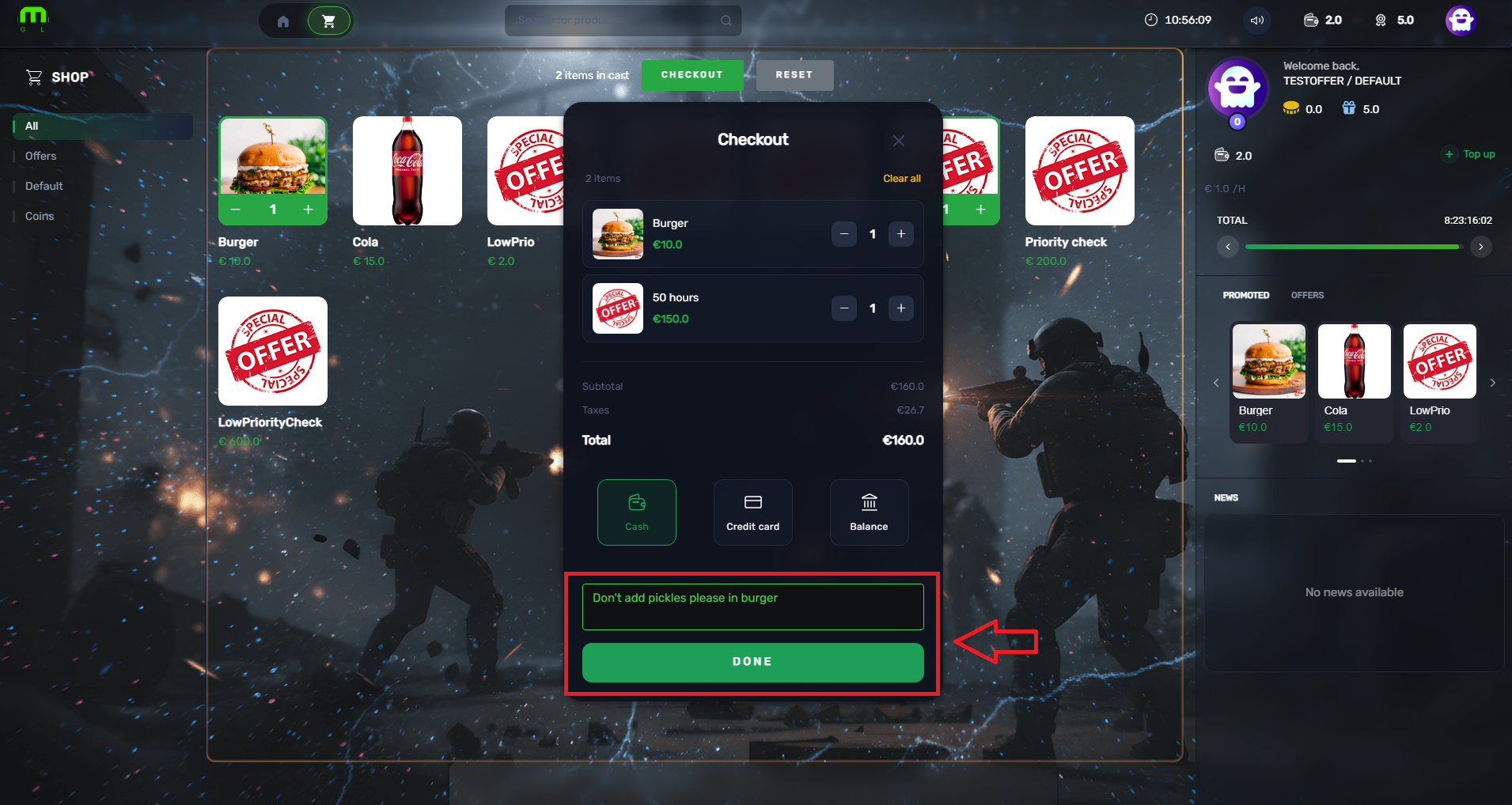
Figure 1
- Here is the same example shown on the member portal page.(Figure 2)
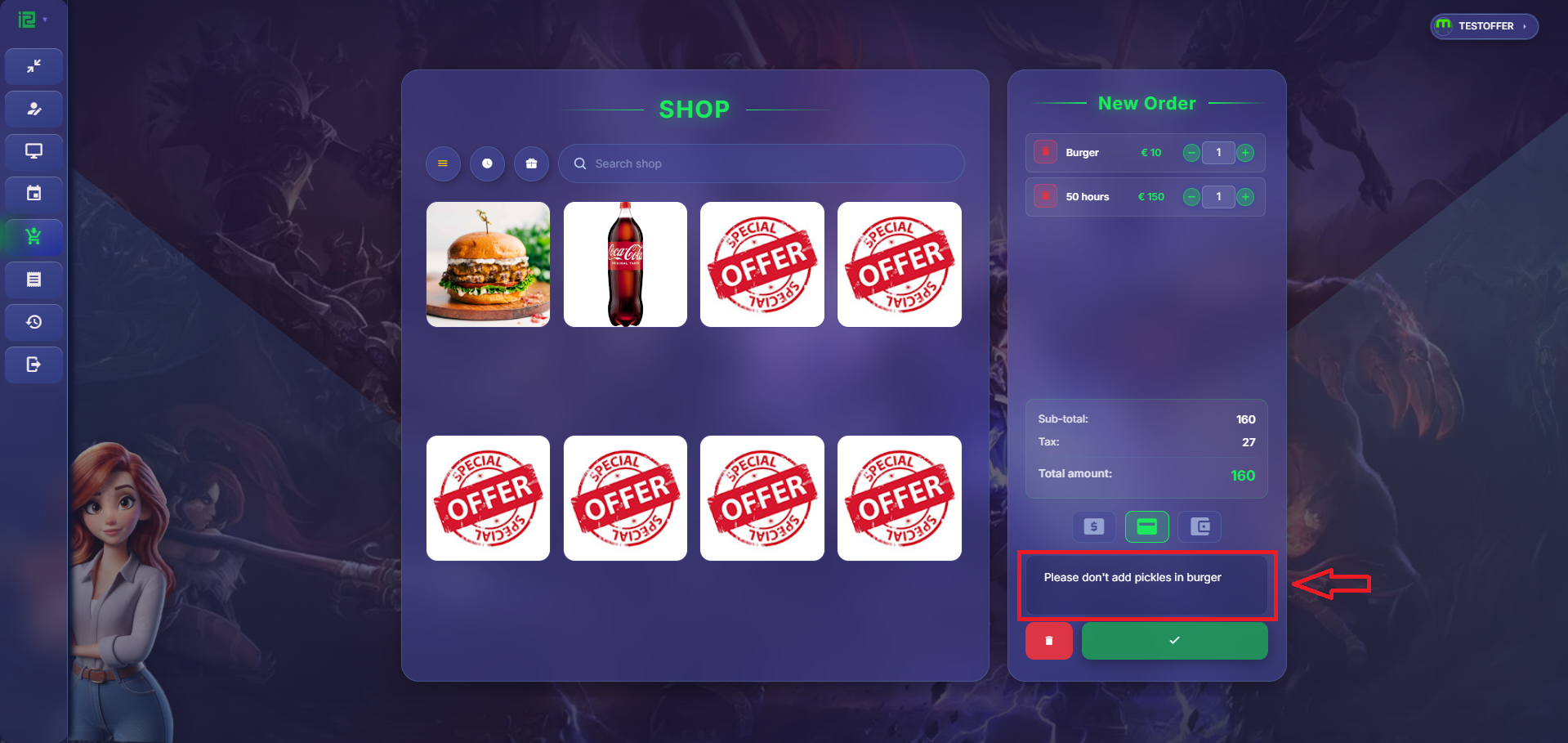
Figure 2
- The staff members can see the product order notes in POS.(Figure 3)
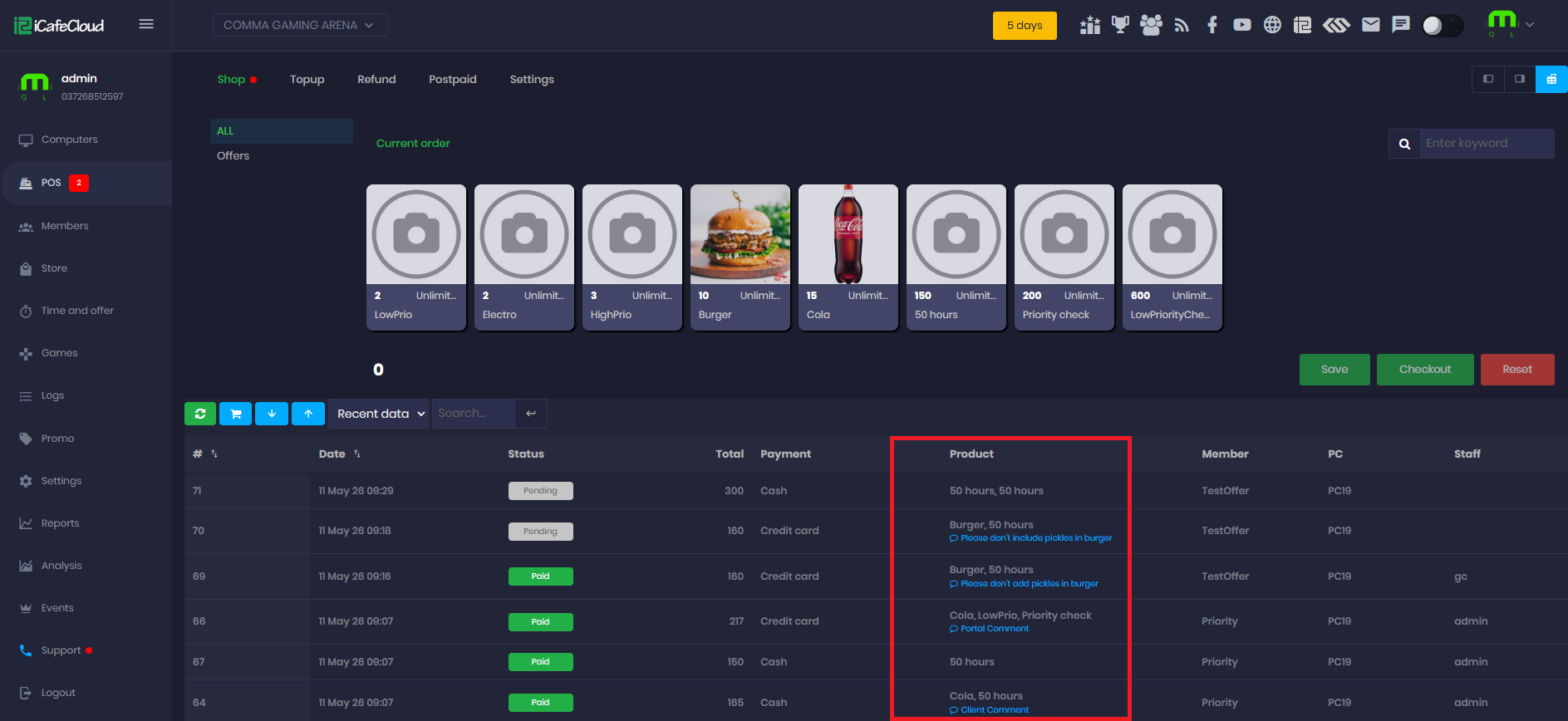
Figure 3
- Notes can only be added when the selected offer contains a product order. If the offer contains only a time offer, the Notes tab will not be displayed and notes cannot be added.