

The following explains how to view the user list for a specific offer. This allows you to search for an offer and display all users who have purchased it.
- Navigate to Time & Offer - Offer, then click the ‘Check’ button to access the offer user list. (Figure 1).
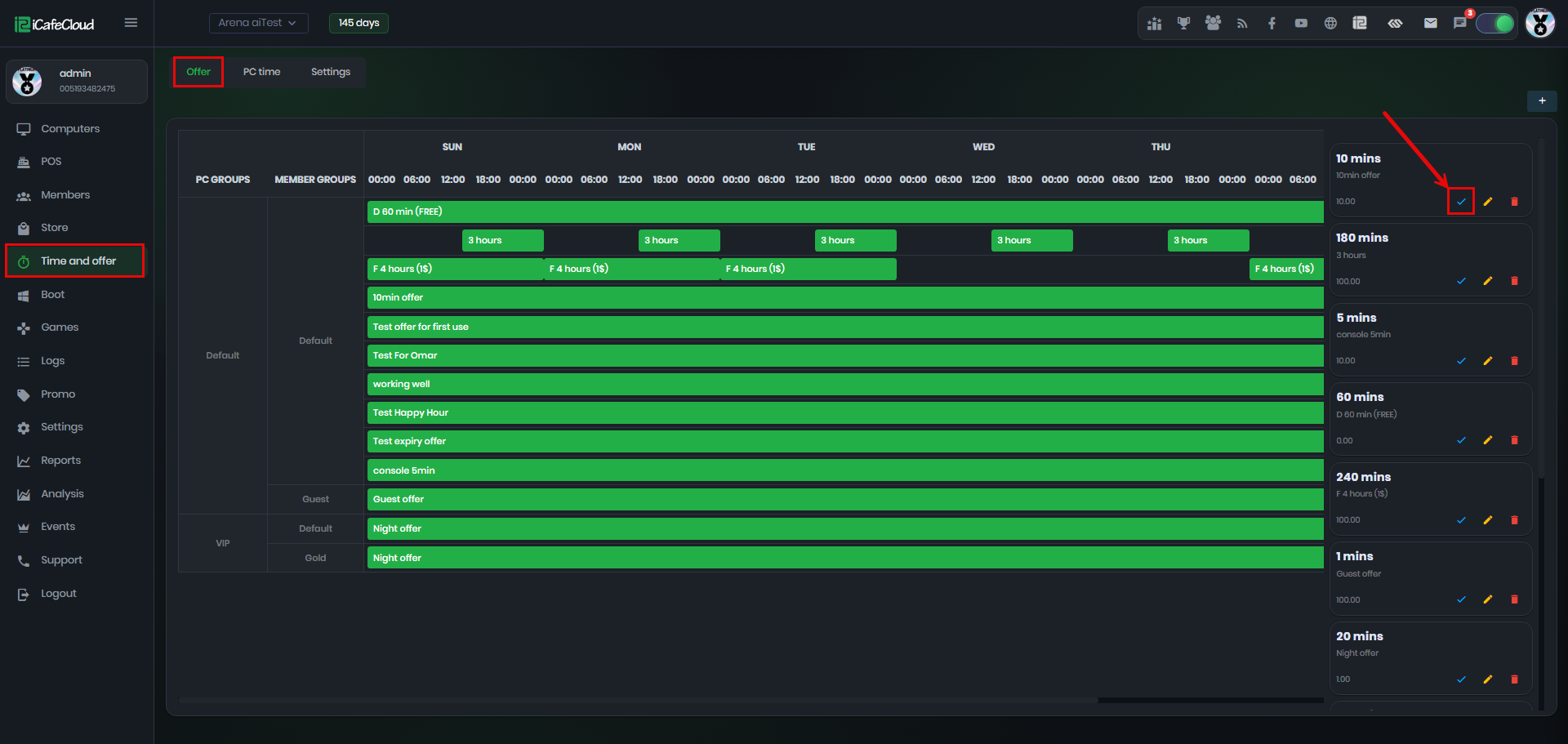
Figure 1
- Next, the Offer Users list will be displayed, showing the account details, remaining time in minutes, order time, first usage time, and a delete button (Figure 2).
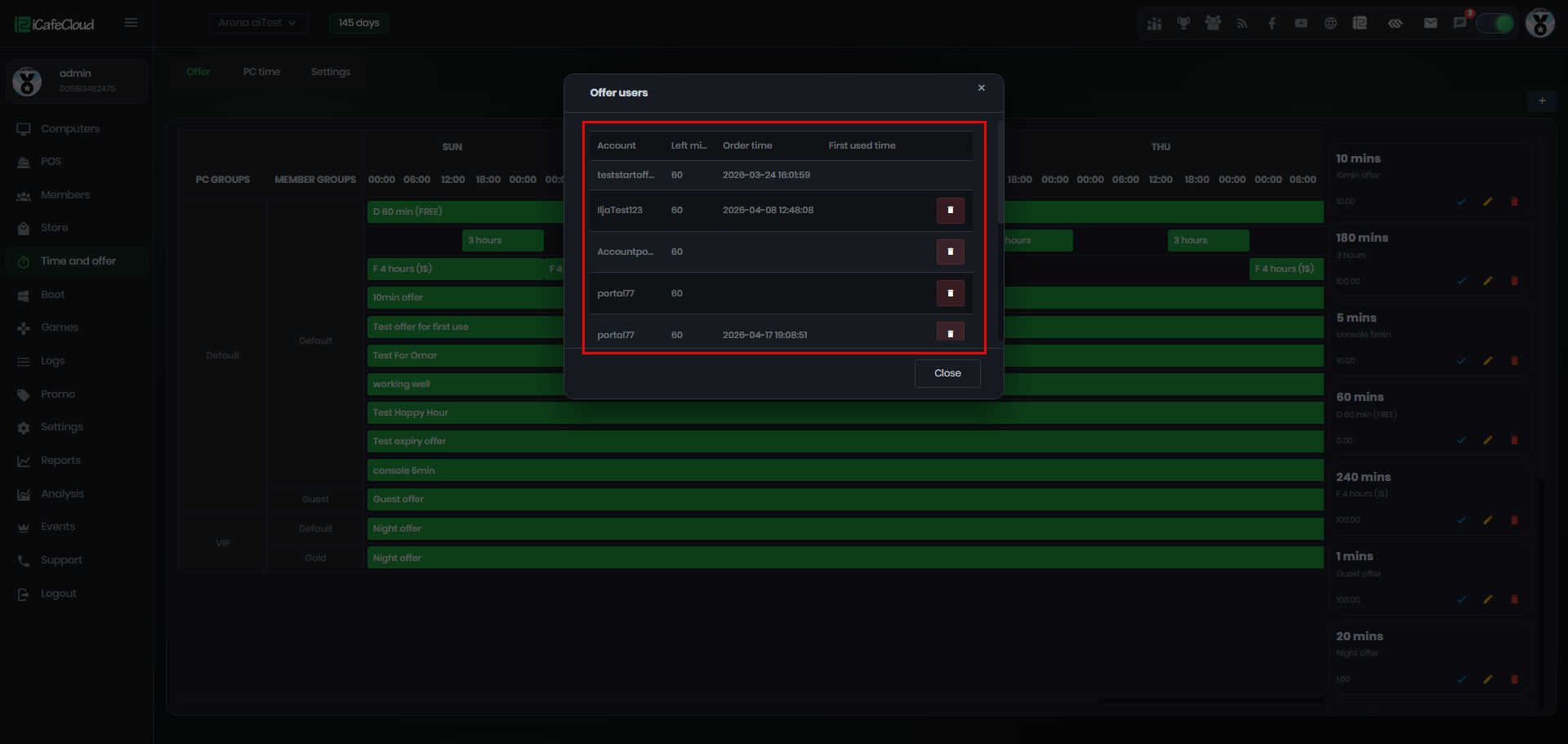
Figure 2