

The following explains how to configure the promo settings to automatically delete a promo code after it has been used.
- Navigate to the Promo page, open Settings, and enable Delete promo code after use. (Figure 1)
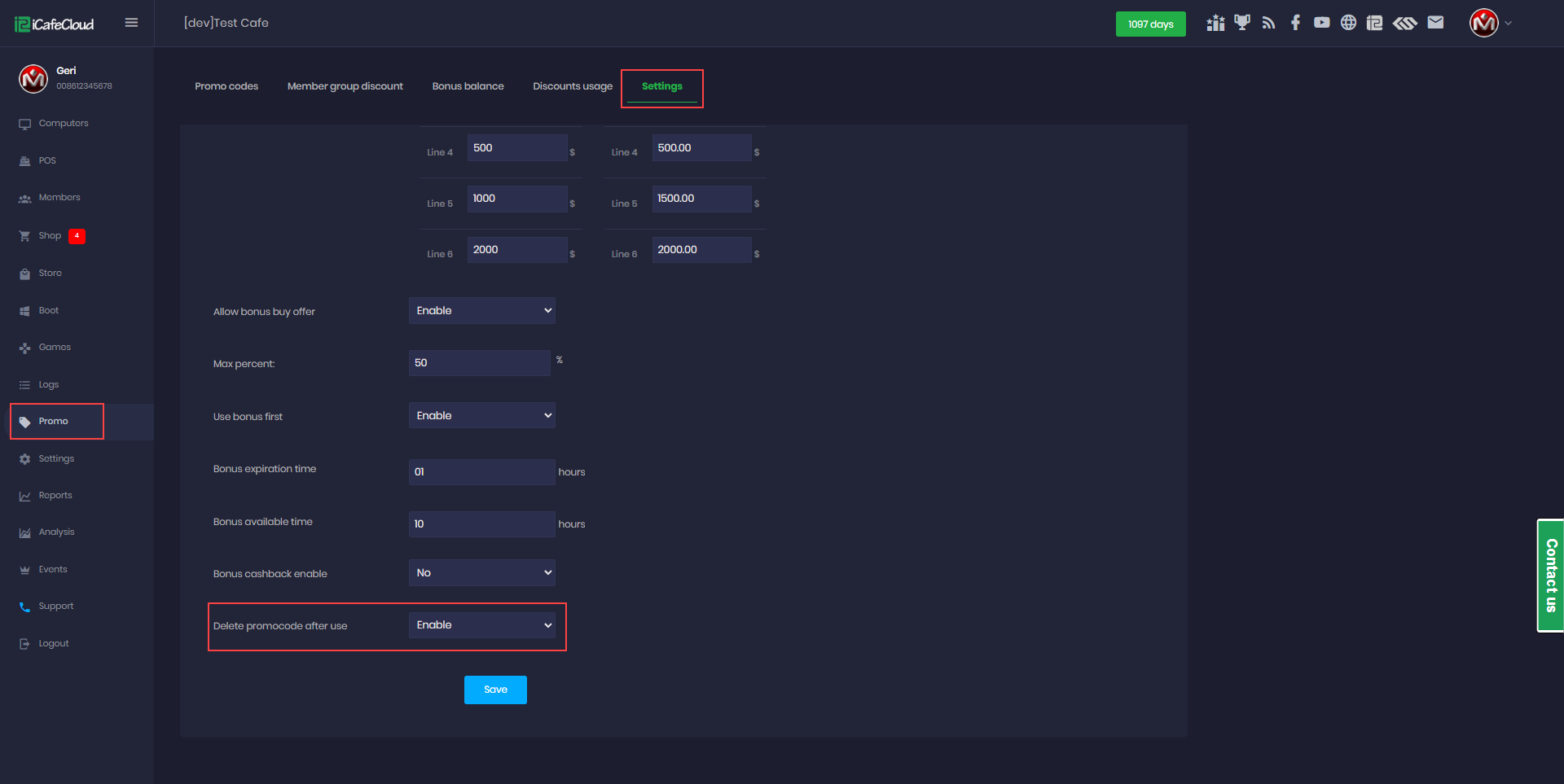
Figure 1
- The promo code will be deleted based on the configured quantity. For example, if the quantity is set to 5, the promo code will be automatically deleted after the fifth use. (Figure 2)
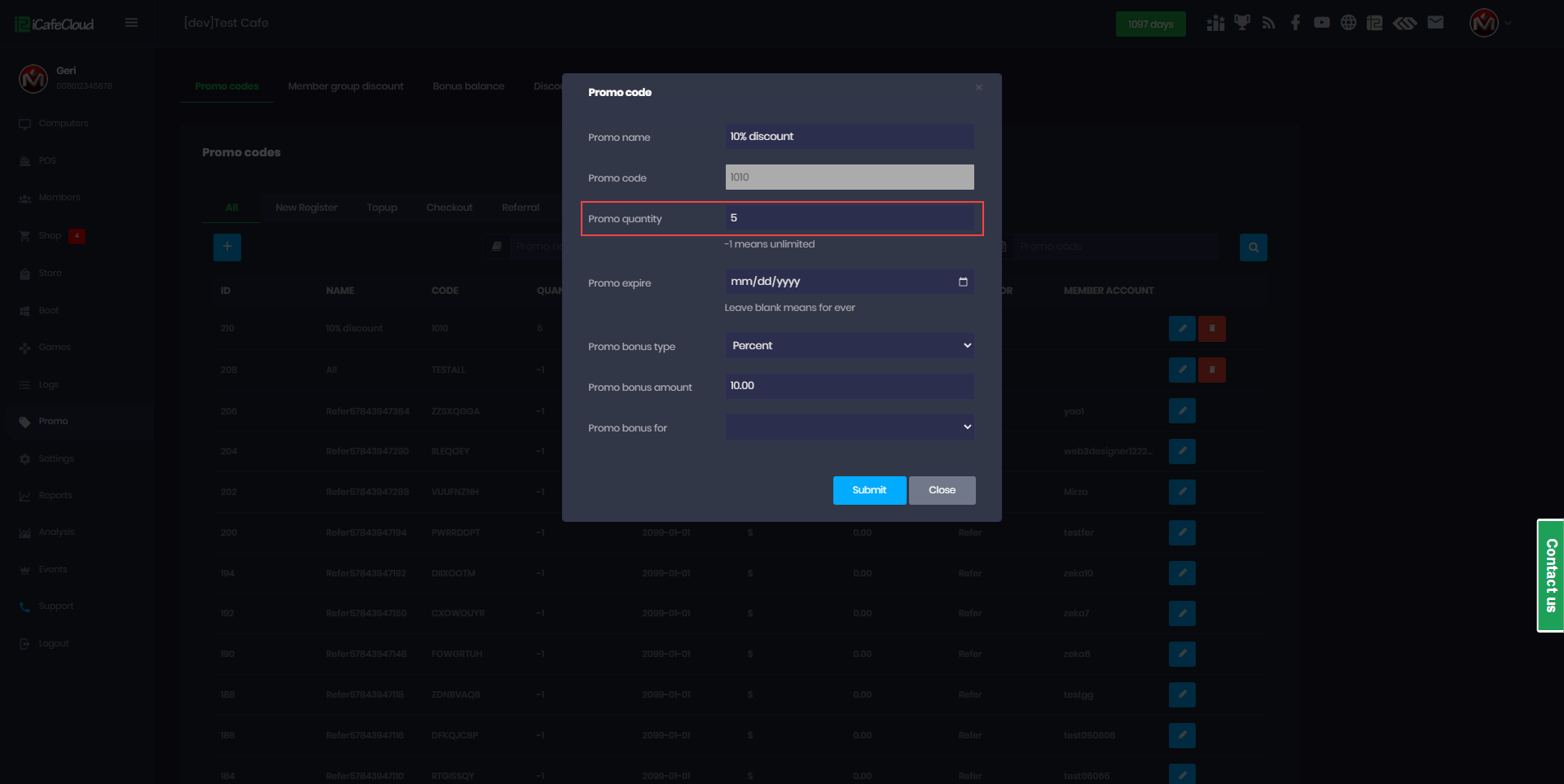
Figure 2
- After deletion, the promo code will no longer be displayed in the list. (Figure 3)
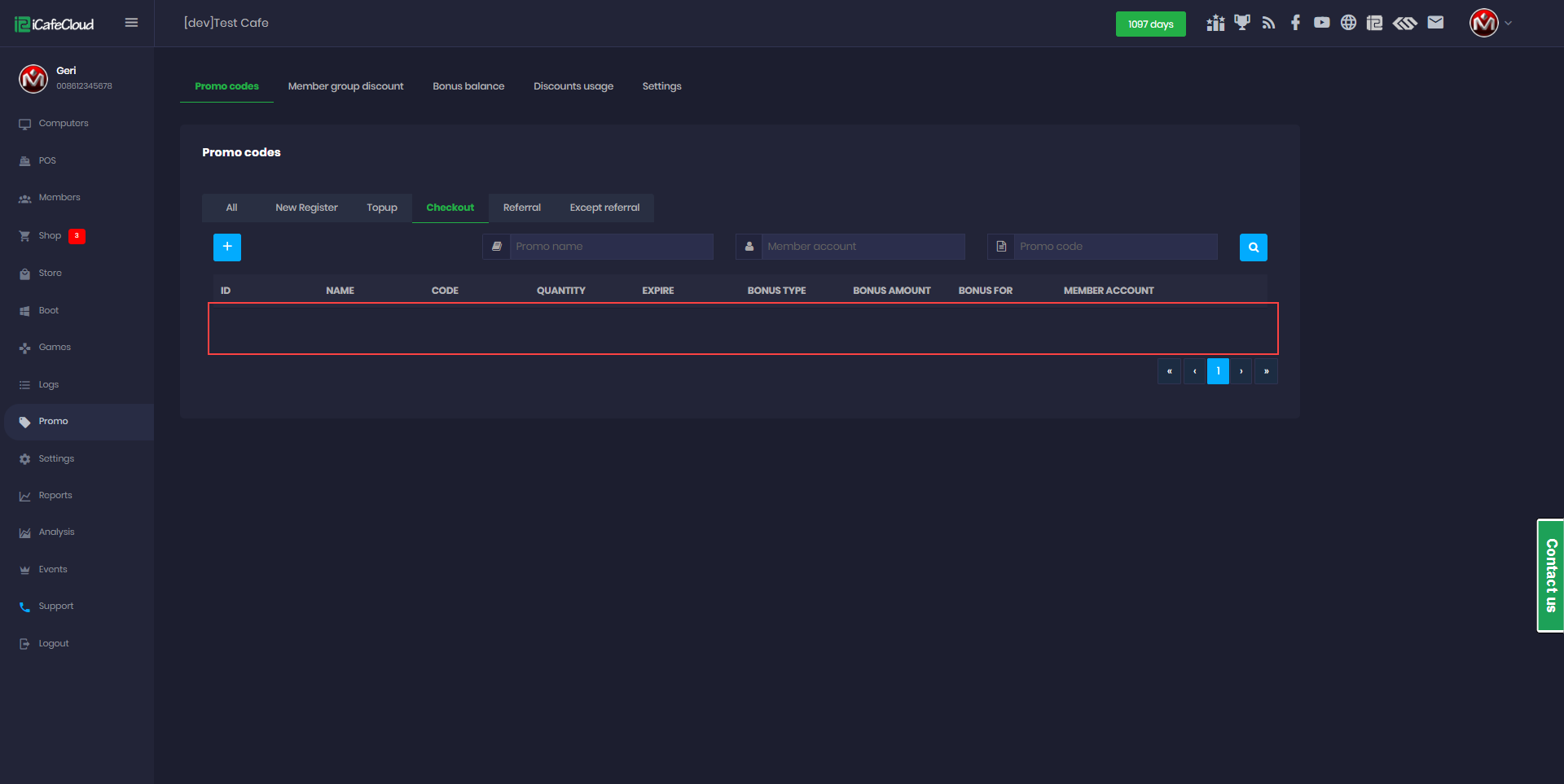
Figure 3