

The following explains how to check the Bonus Balance logs that were added through promo codes.
- Navigate to the Promo page, go to Bonus Balance, and review all the listed operations. (Figure 1)
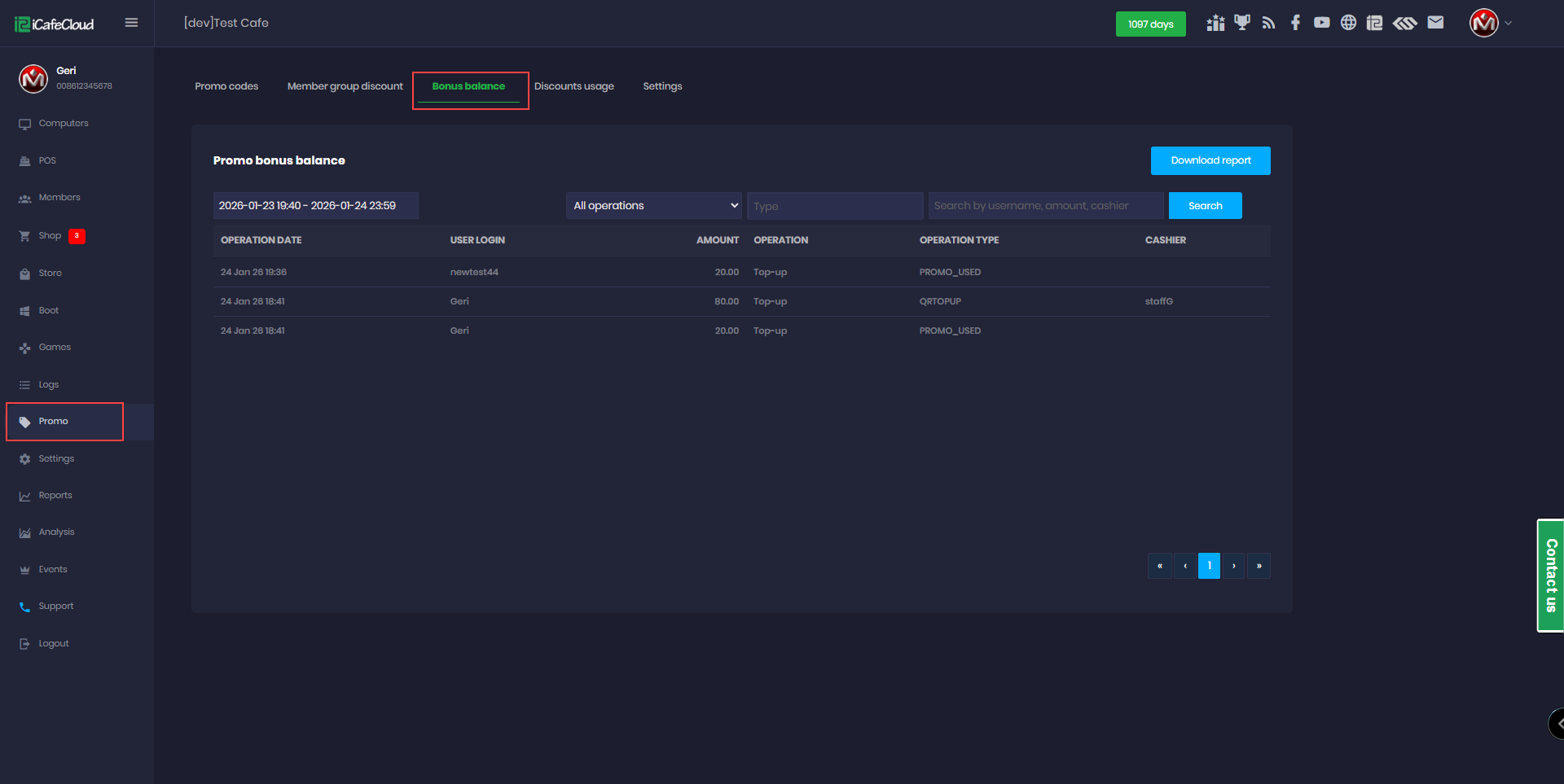
Figure 1
- You can choose to display operations by date or operation type, and search by amount, username, or cashier. Click Search to view the selected details. (Figure 2)
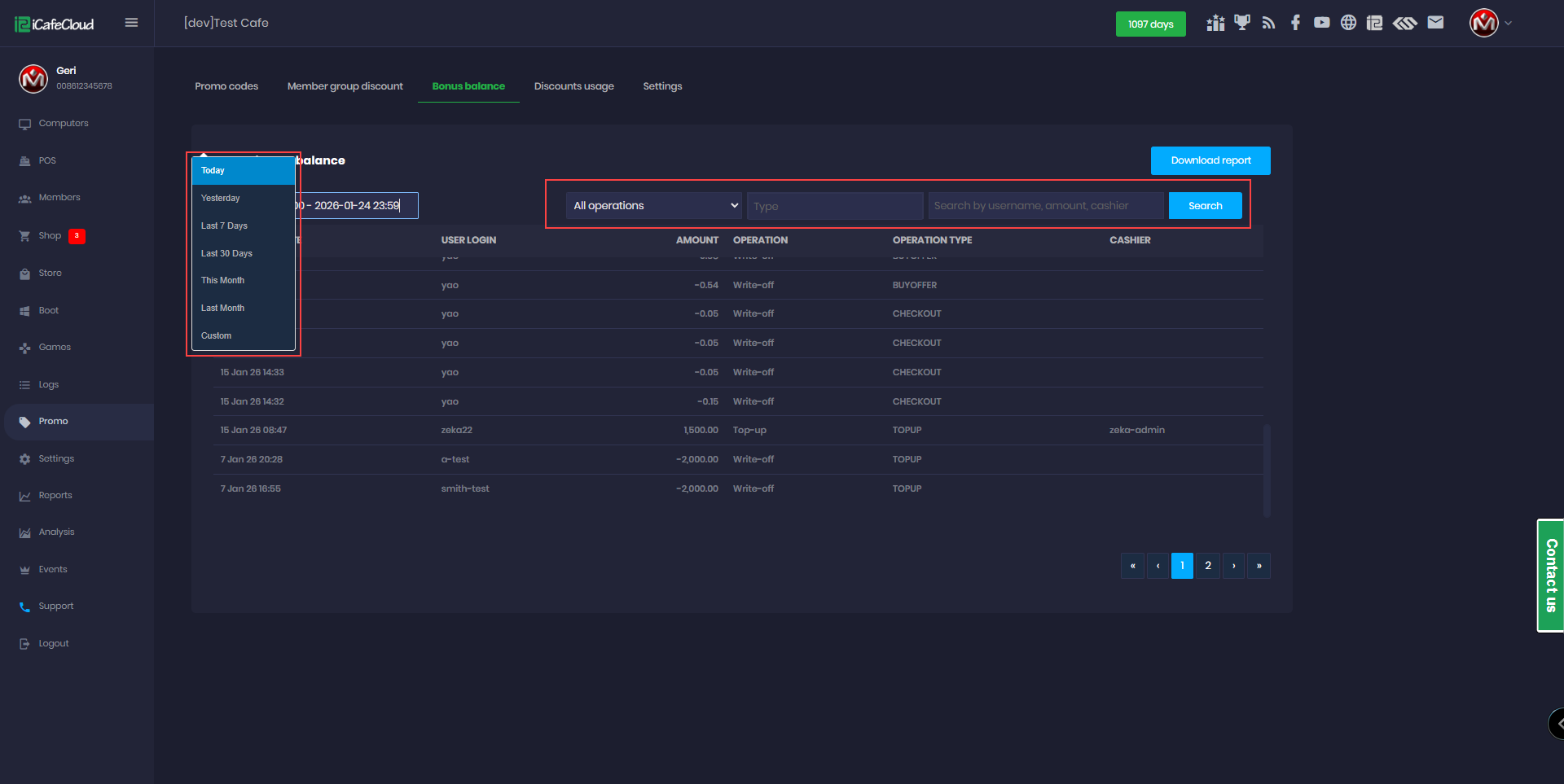
Figure 2
- You can download all the information to a local CSV file by clicking Download Report. (Figure 3)
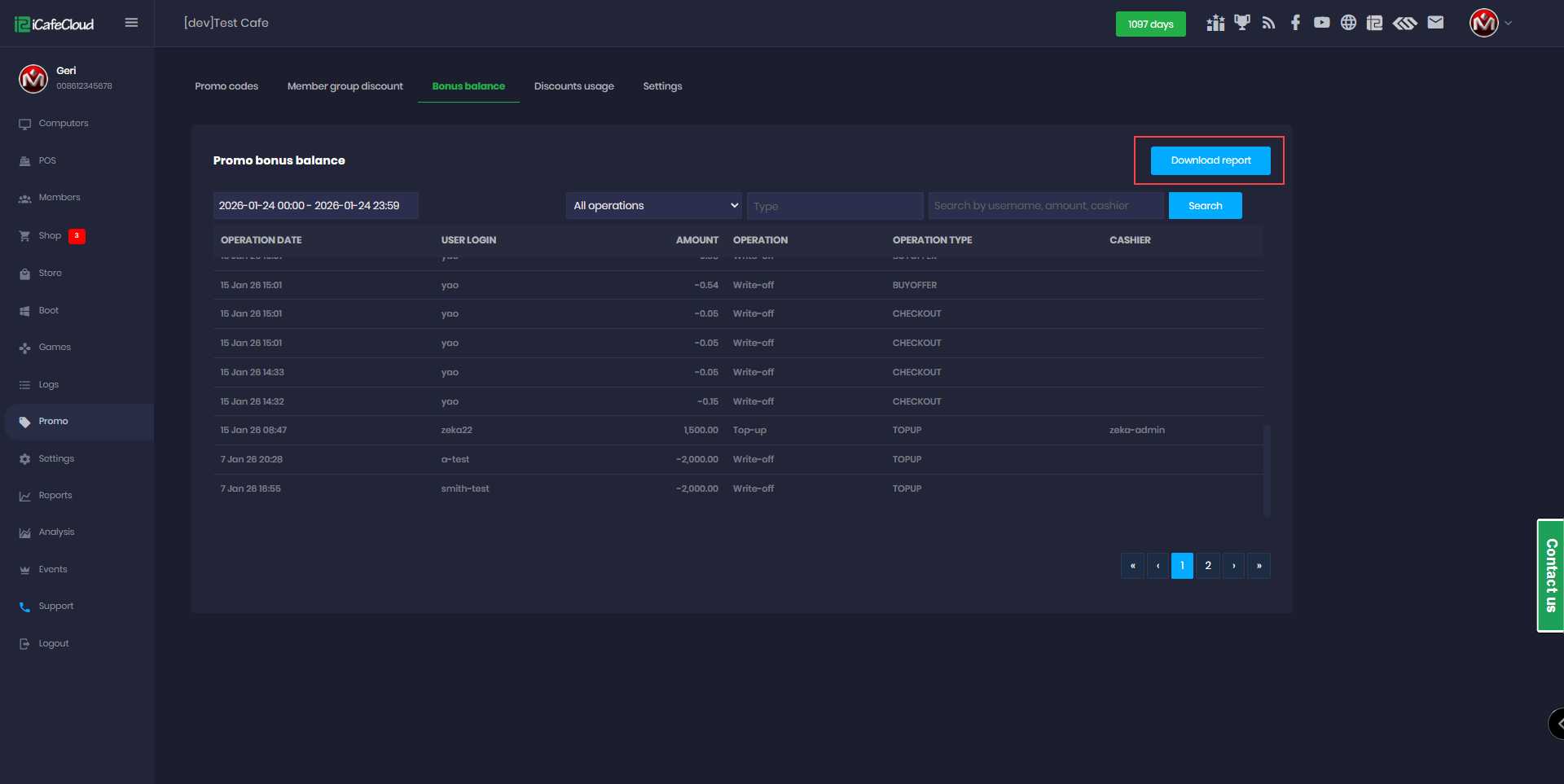
Figure 3