

The following explains how to edit and specify which PC groups are allowed to play each game.
- In the Installed Games list, right-click the game and select Edit Game. (Figure 1).
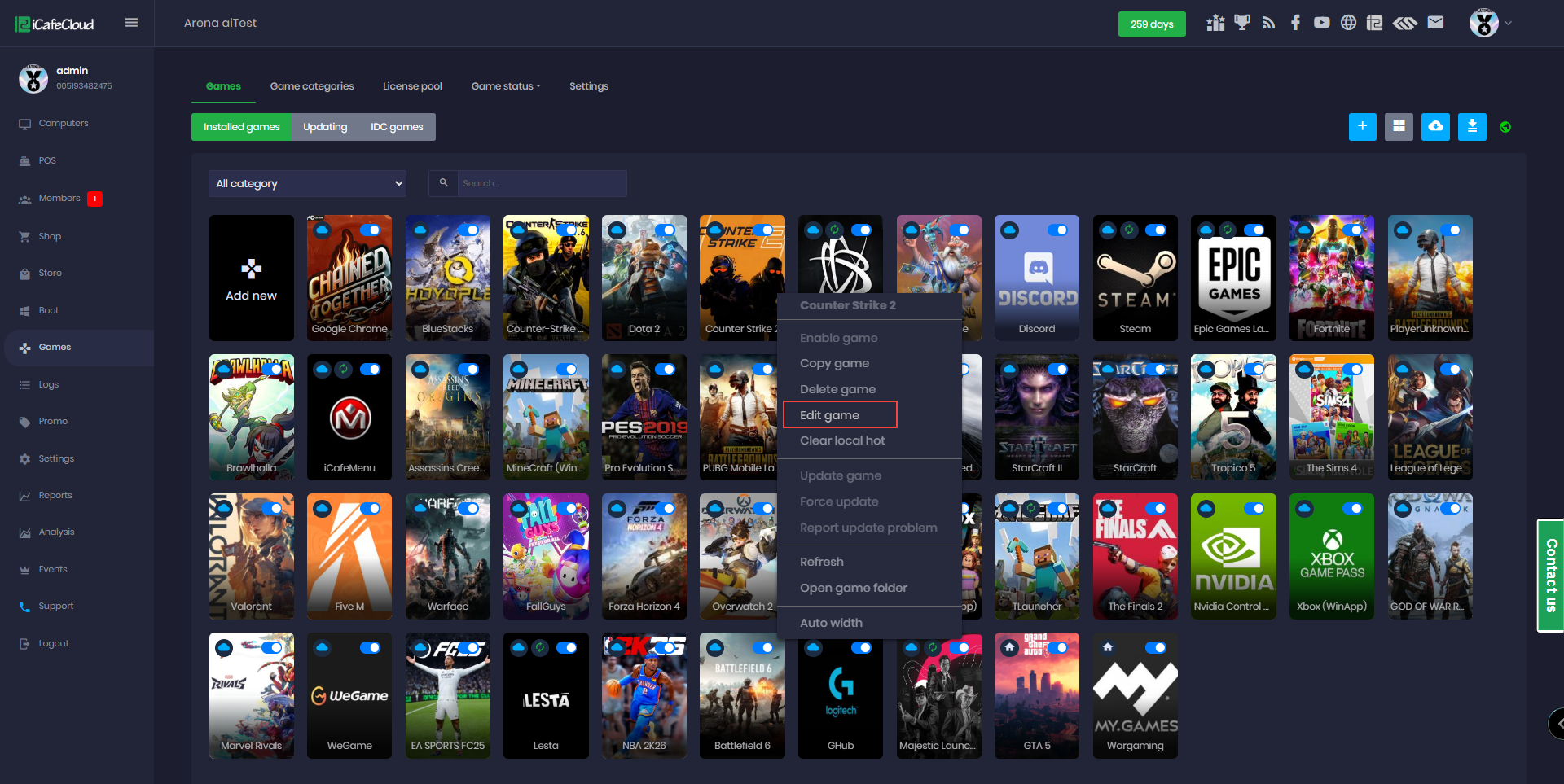
Figure 1
- Select the desired PC groups and click Save. By default, the game is available for all PC groups.(Figure 2)
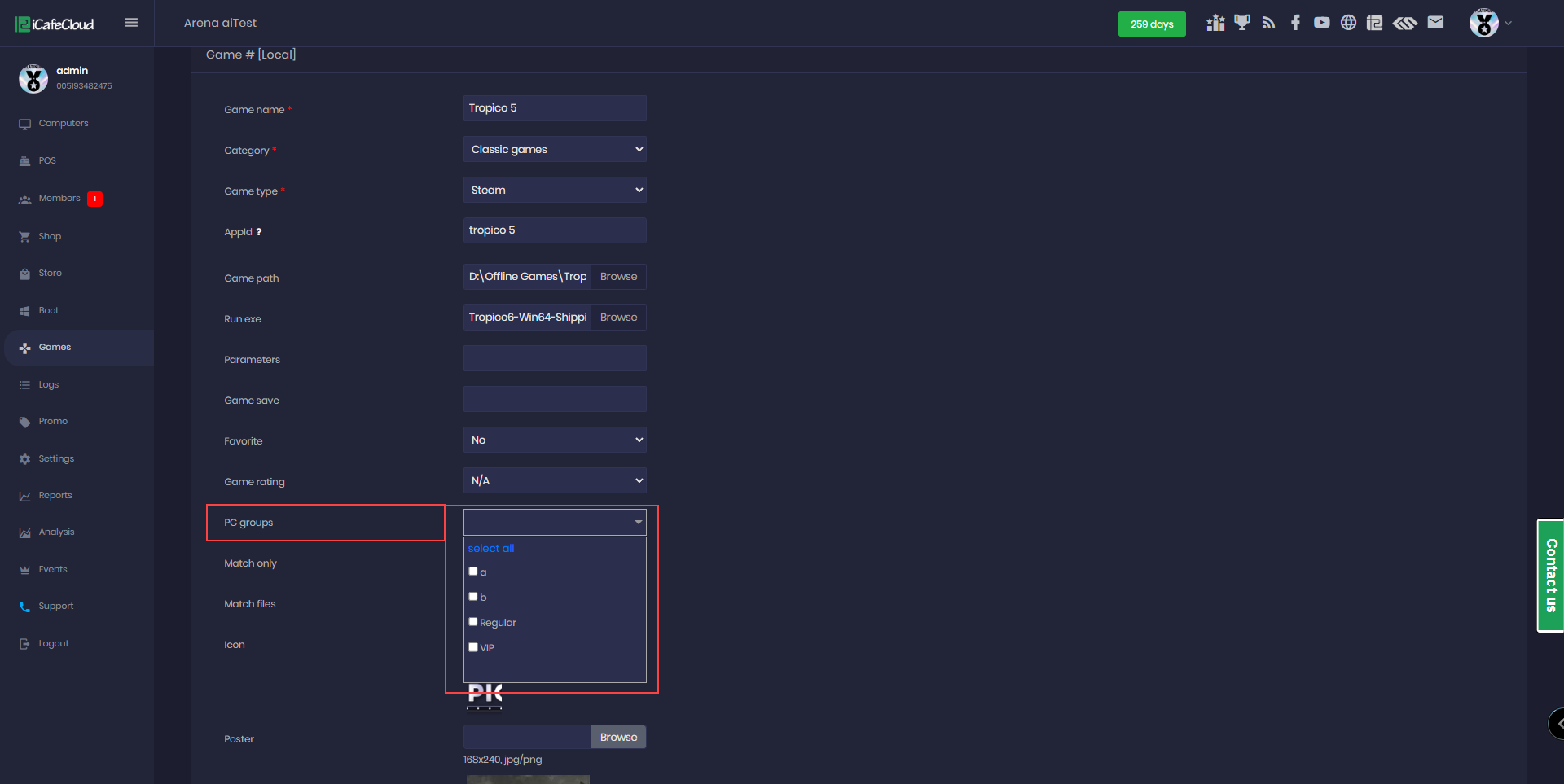
Figure 2