

The following explains how to switch between games in the iCafeMenu interface, or how to close games and applications when using full-screen mode where the Windows taskbar or Task Manager is not accessible.
- If Task Manager is disabled or full-screen mode is in use, applications and games can be terminated from the iCafeMenu taskbar on the client side, or from the web panel on the server side. (Figure 1)
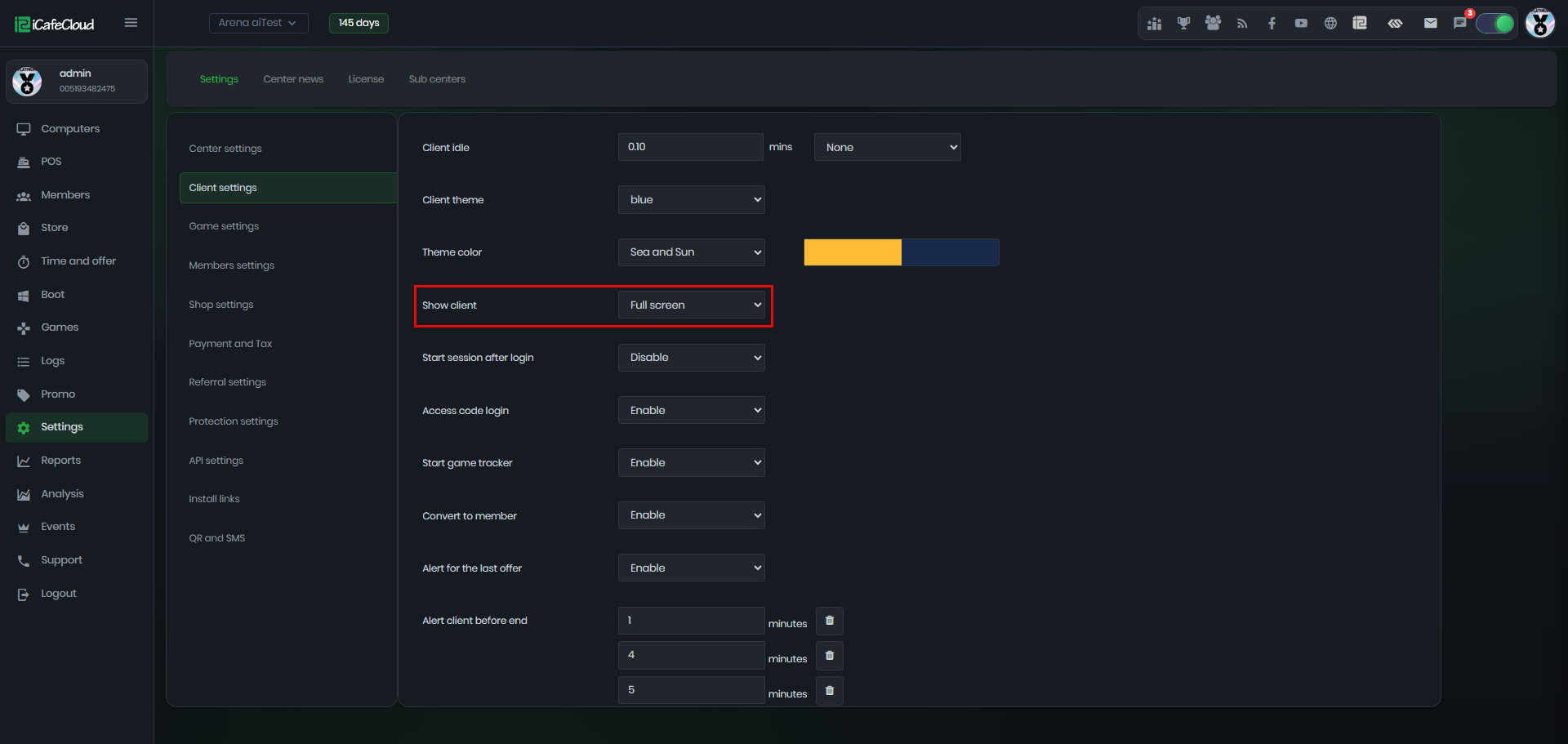
Figure 1
- When a user launches a game through iCafeMenu, the game icon will appear in the bottom taskbar of the client interface ( Figure 2).
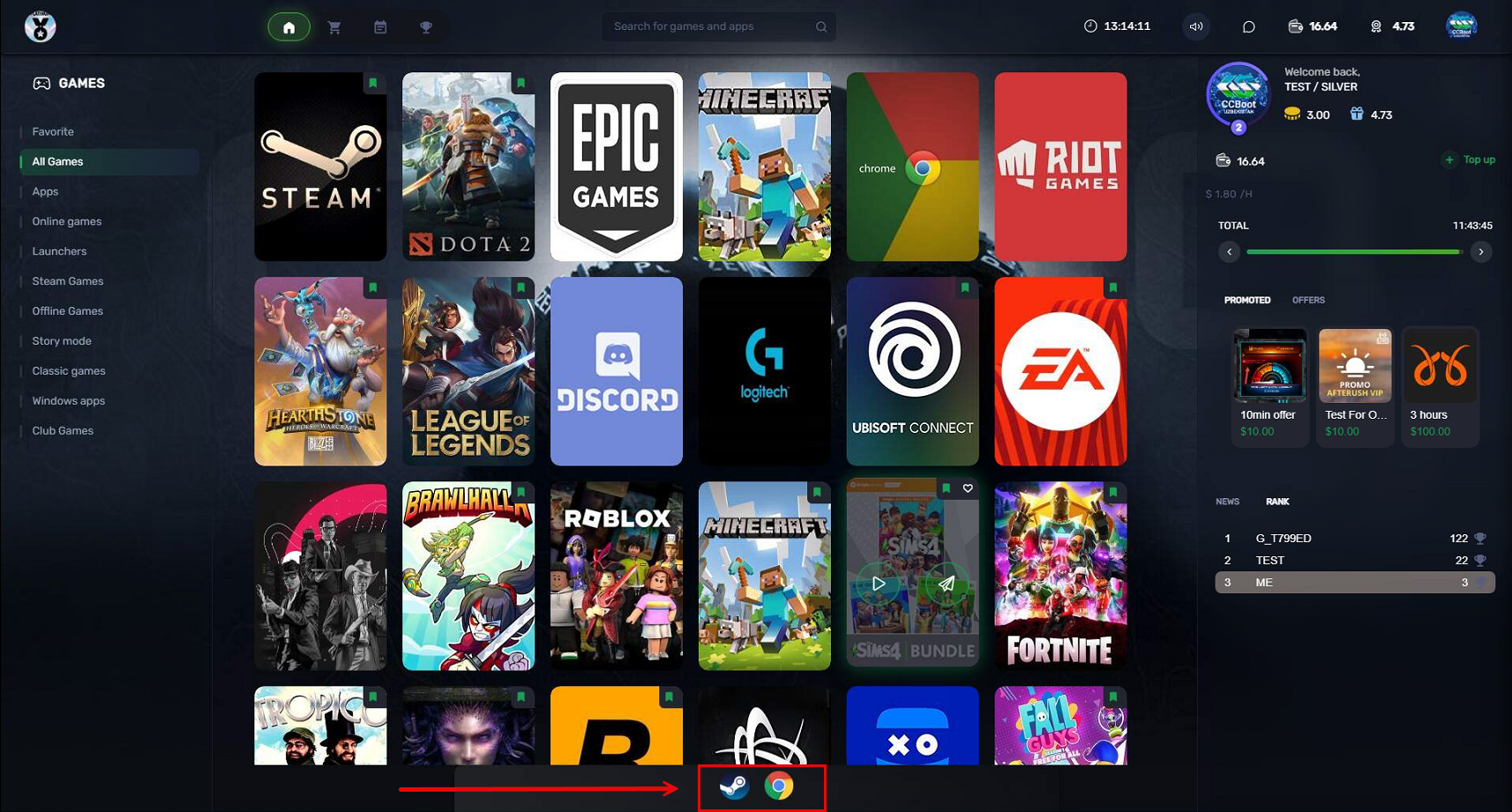
Figure 2
- Clicking the icon will display a menu with two options. One of them is ‘Switch to’, which allows you to open the game or application from the tray and display it on the screen, or minimize it if it is already open. (Figure 3).
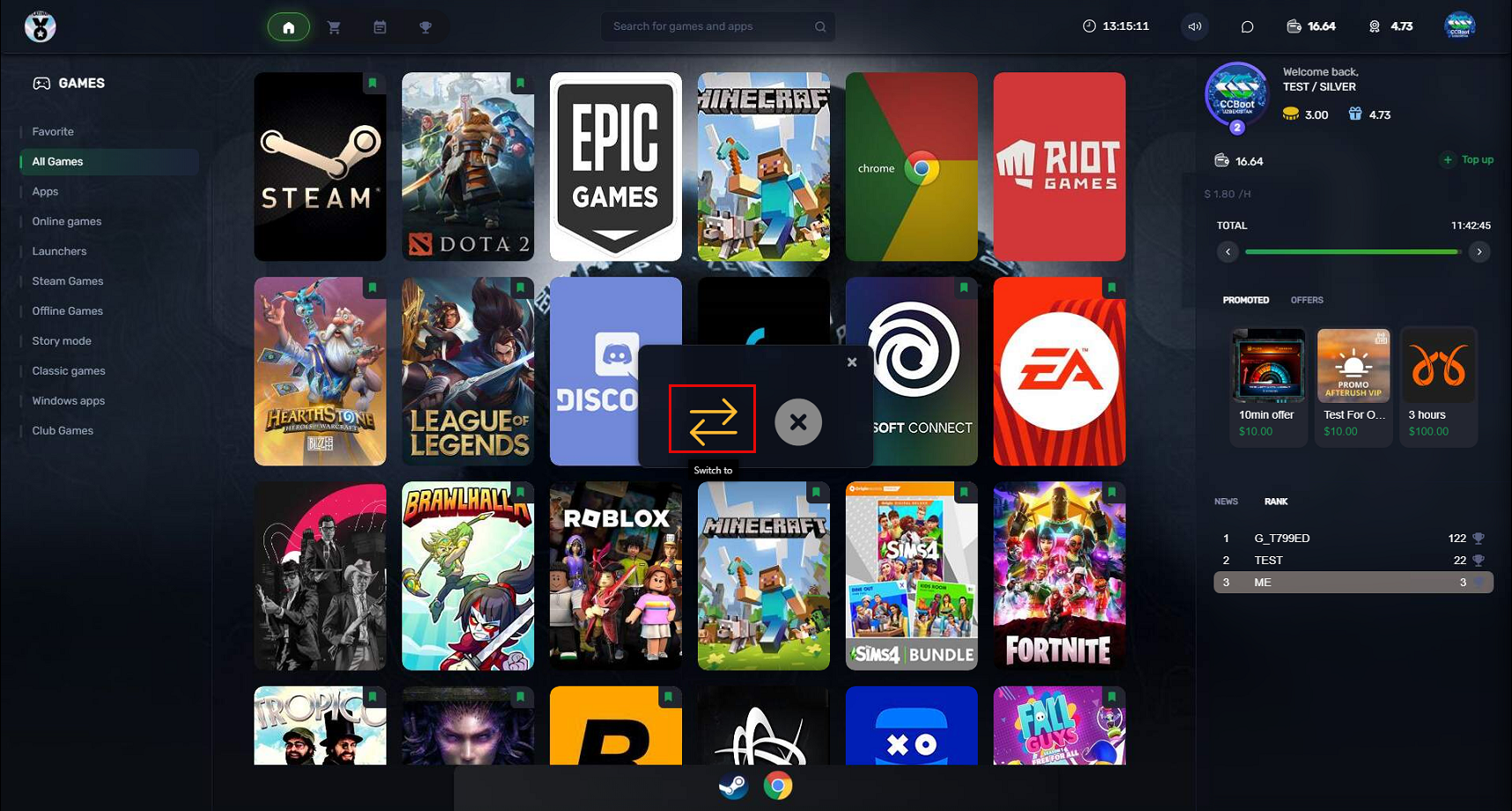
Figure 3
- The other option is ‘Terminate’, which allows you to close the game or application. (Figure 4)
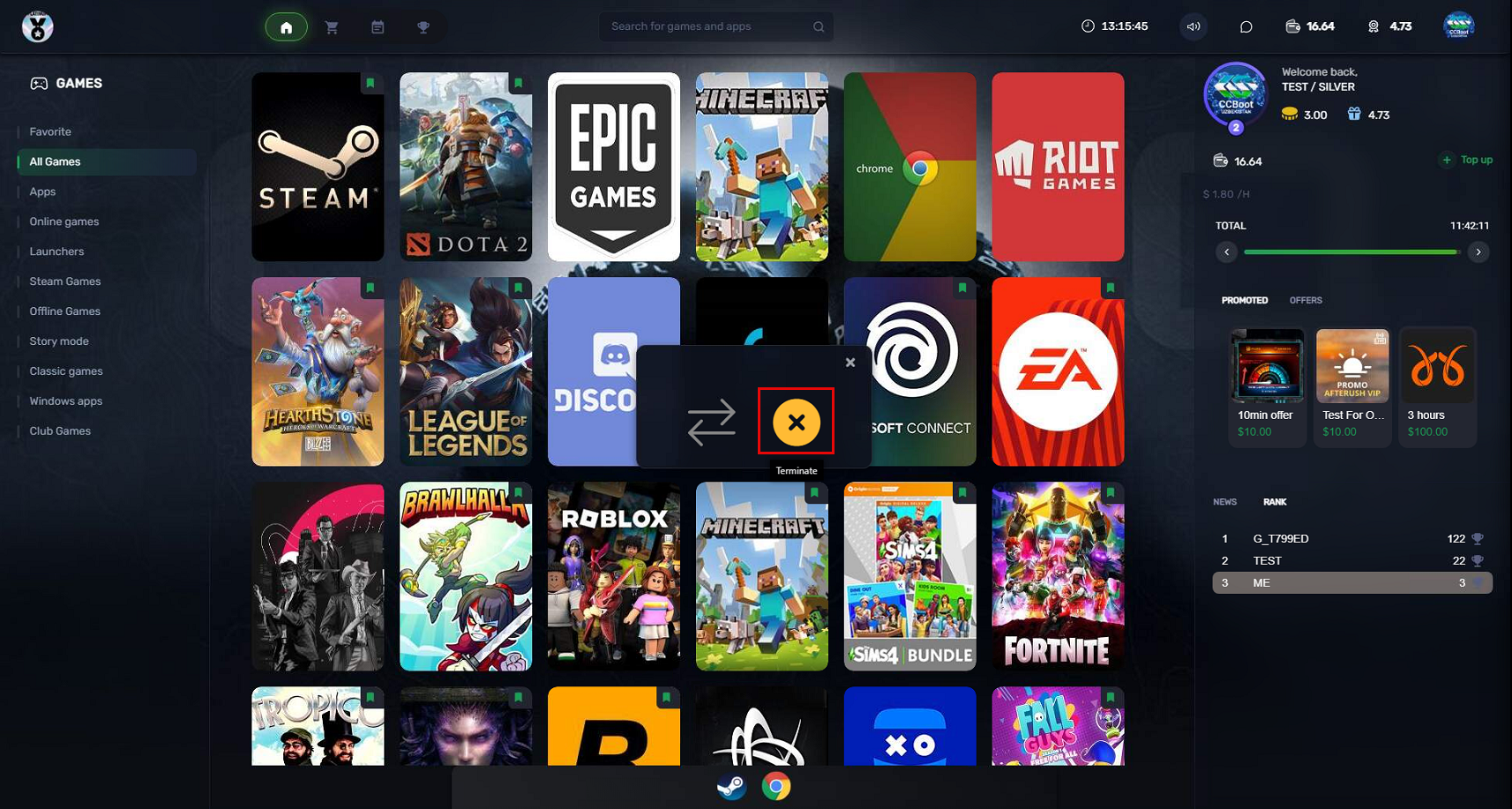
Figure 4