

The following explains how to run specific games using a Windows user account instead of Administrator privileges, which are used by default in iCafeMenu.
- By default iCafeCloud on the client side runs all games with admin privileges, but some games or applications require to run without admin privileges.
- Navigate to Games, select the game you want to modify (for example, FiveM), and in the Parameter field enter -runasuser (see Figure 1).
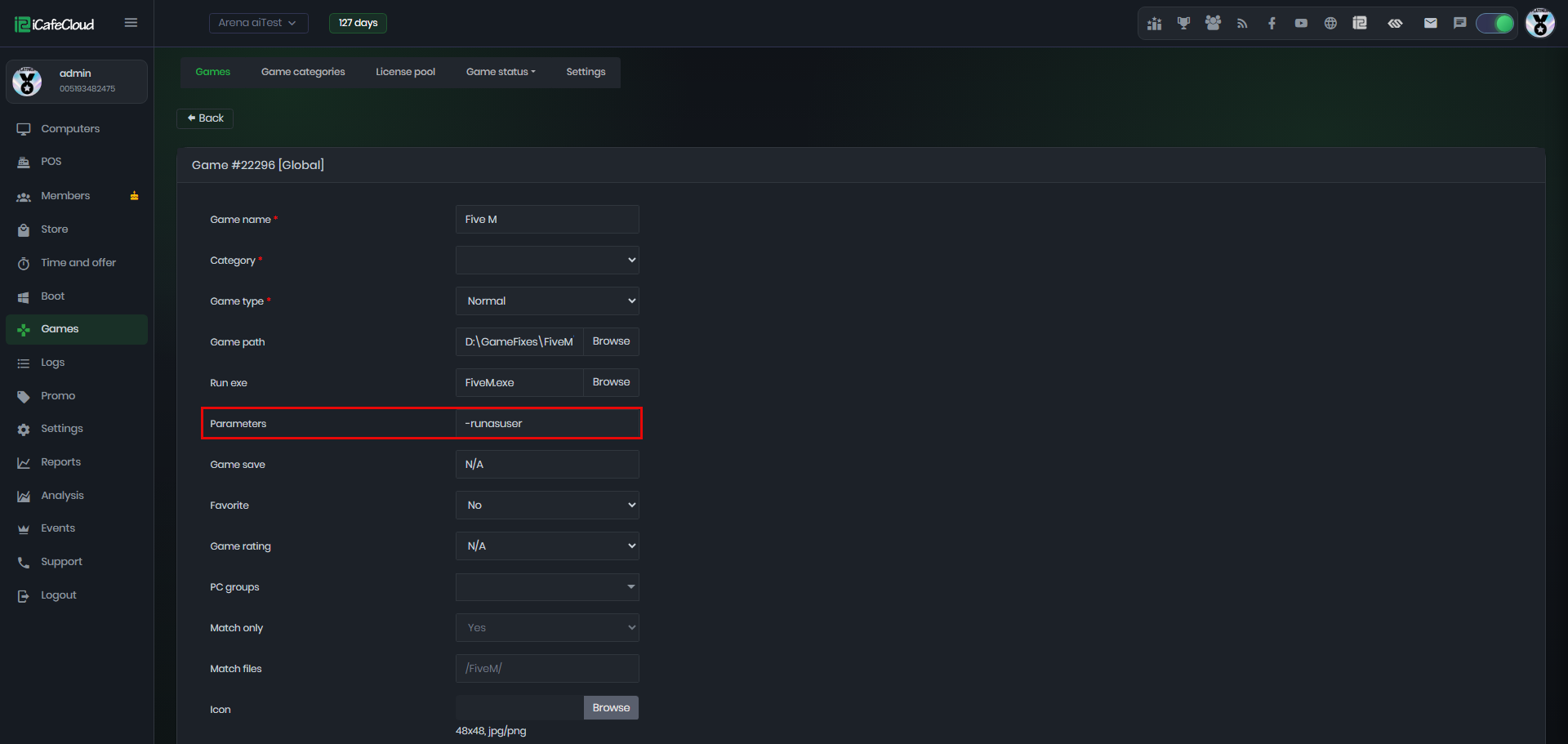
Figure 1
- Reboot the client PC and run the game again. This time, the game should open successfully.