

The following explains how to remove stock that can no longer be sold.
- Navigate to Warehouse and click the Write off tab (Figure 1).
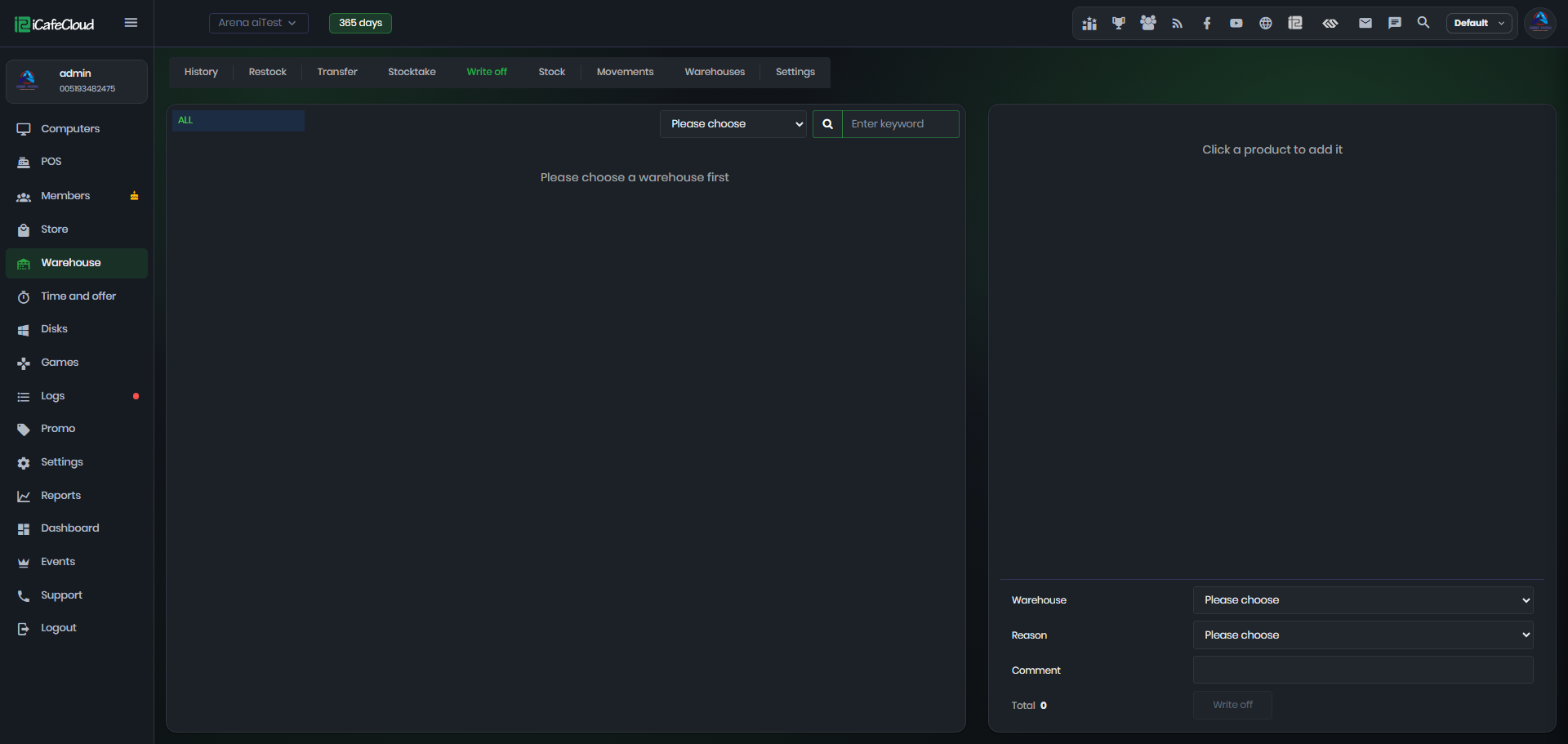
Figure 1
- Select the warehouse at the top, then click each product to write off. In the list, check the Stock column and set the Qty with − and +, or type it. Click × to remove a line.
- At the bottom, choose the Reason: Broken, Expired, Damaged, Technical write-off or Other (Figure 2).
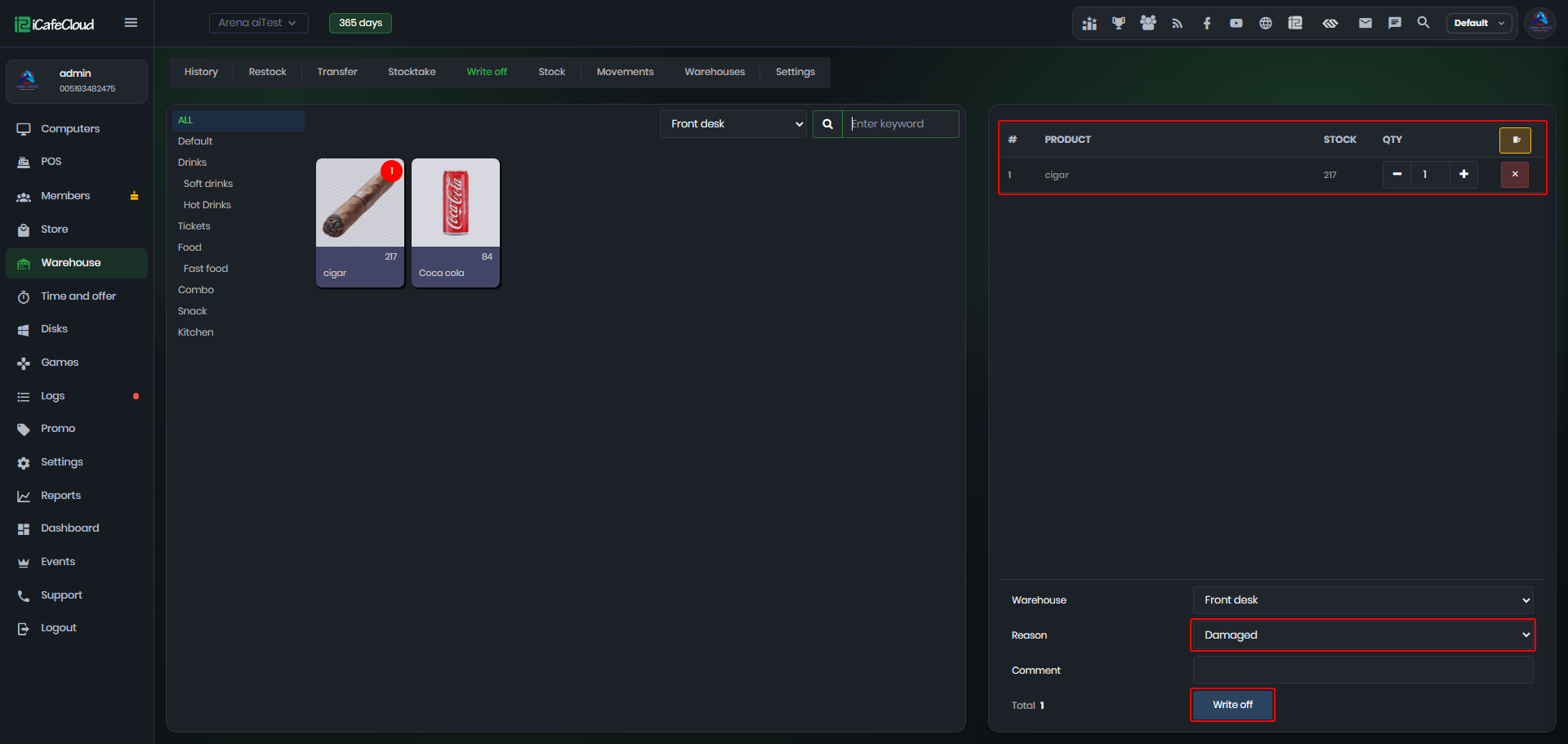
Figure 2
- Write a Comment if needed, check the Total and click Write off.