

The following explains how to check and manage stock at the start and end of a shift, ensuring that the next shift employee can verify stock accuracy before the previous staff member closes their shift.
- When starting a shift, before accepting it, you can view the starting cash and the stock levels of all available products.
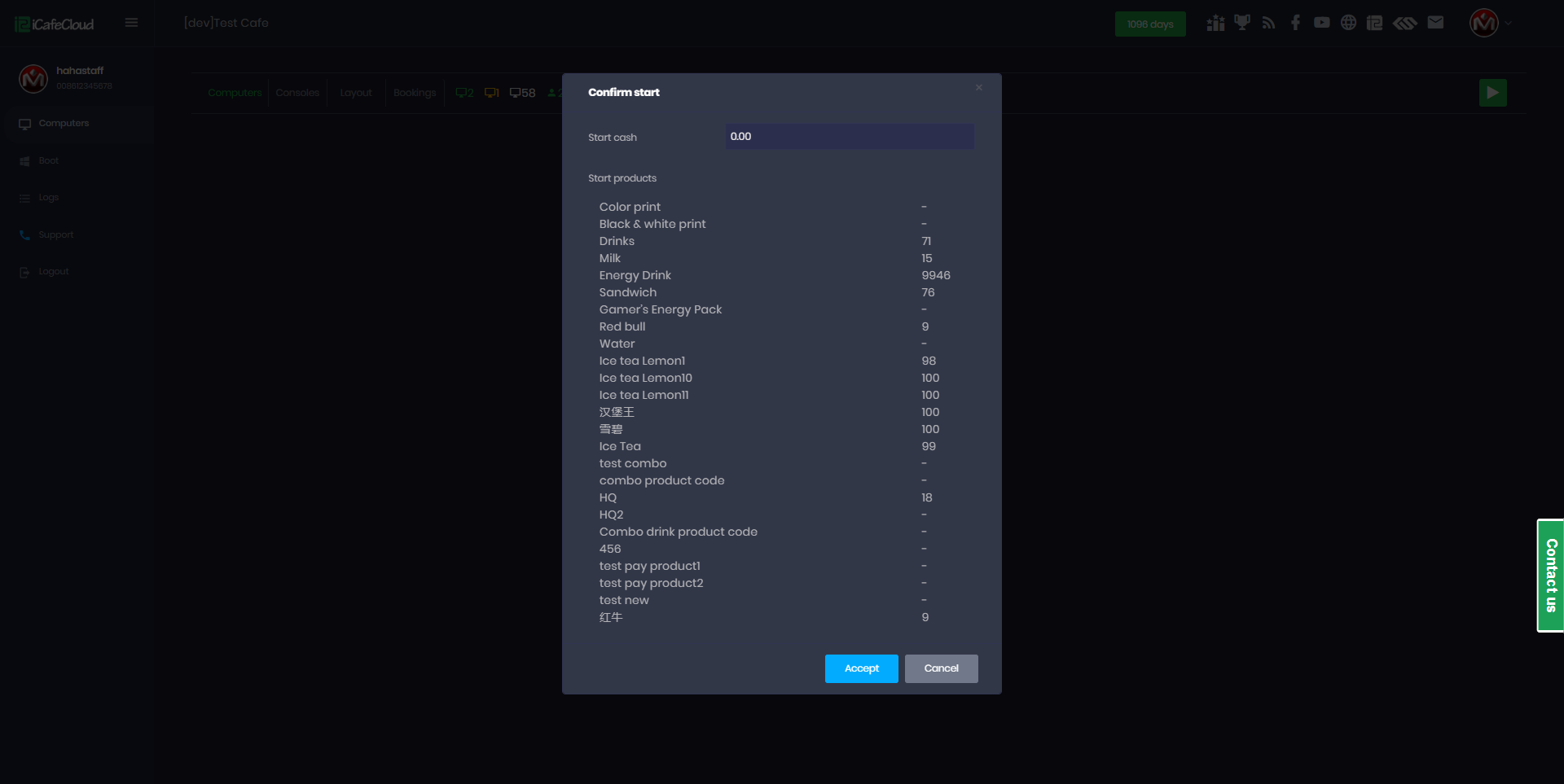
Figure 1
- On the active shift products will be purchased and stock will change (Figure 2)
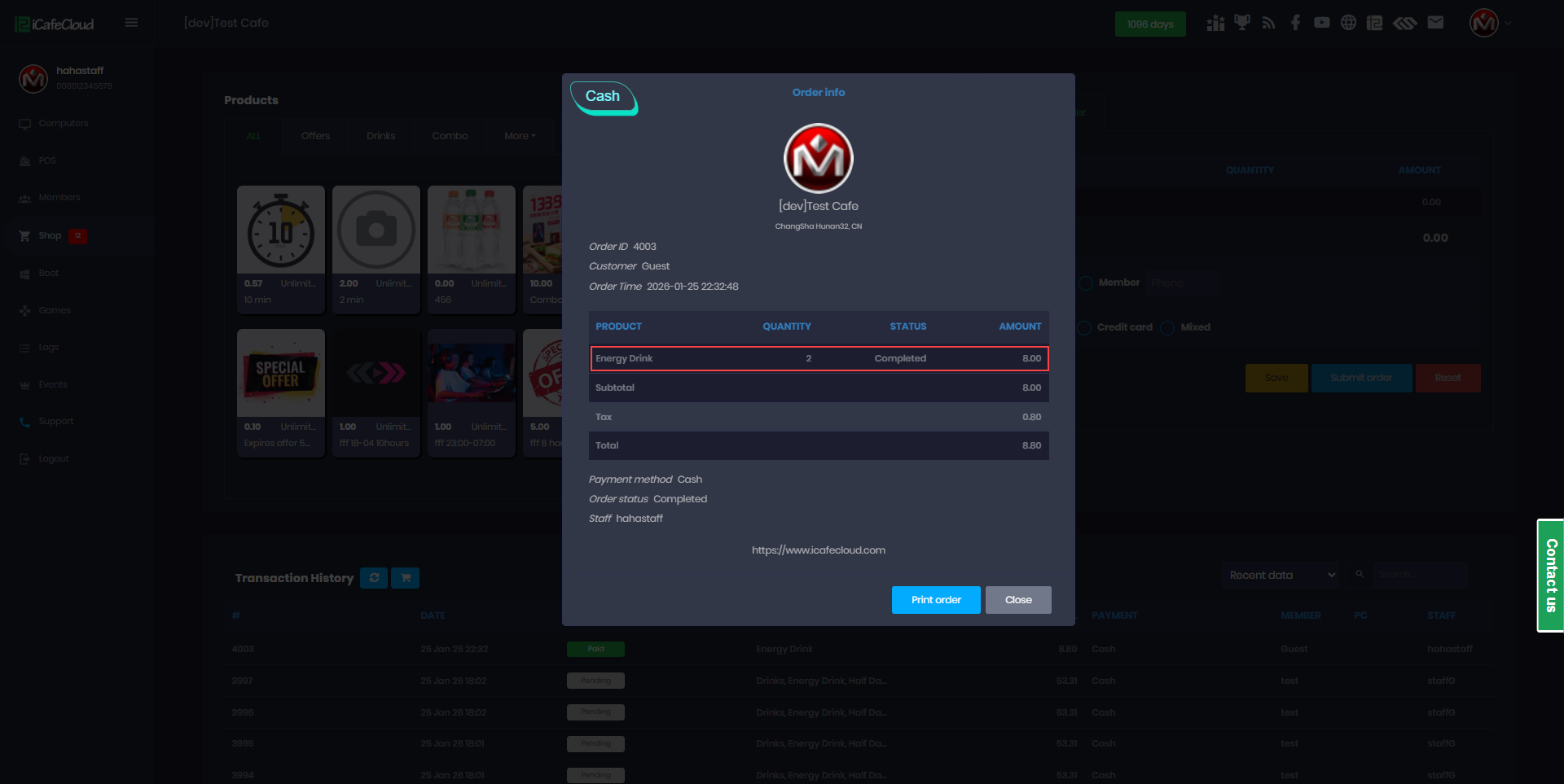
Figure 2
- Once the shift ends, click End Shift and the Stock Management Report will be displayed, showing the changes made during the active shift, including the ending cash amount, any stock differences, and the sign staff option. (Figure 3)
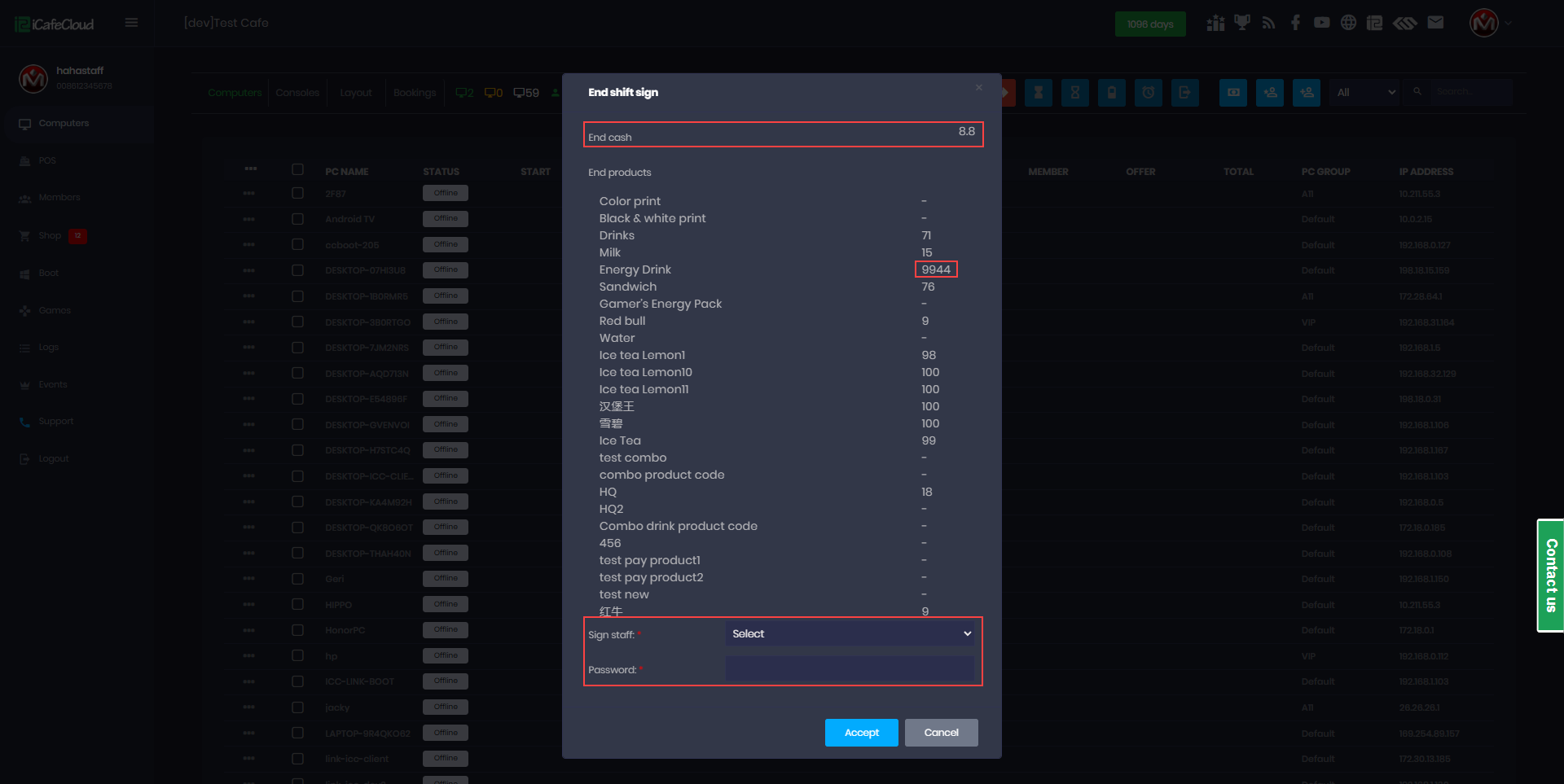
Figure 3
- At Sign Staff, the next shift employee must use their own staff credentials to confirm that the stock report is correct, the same staff member cannot sign their own shift report. (Figure 4)
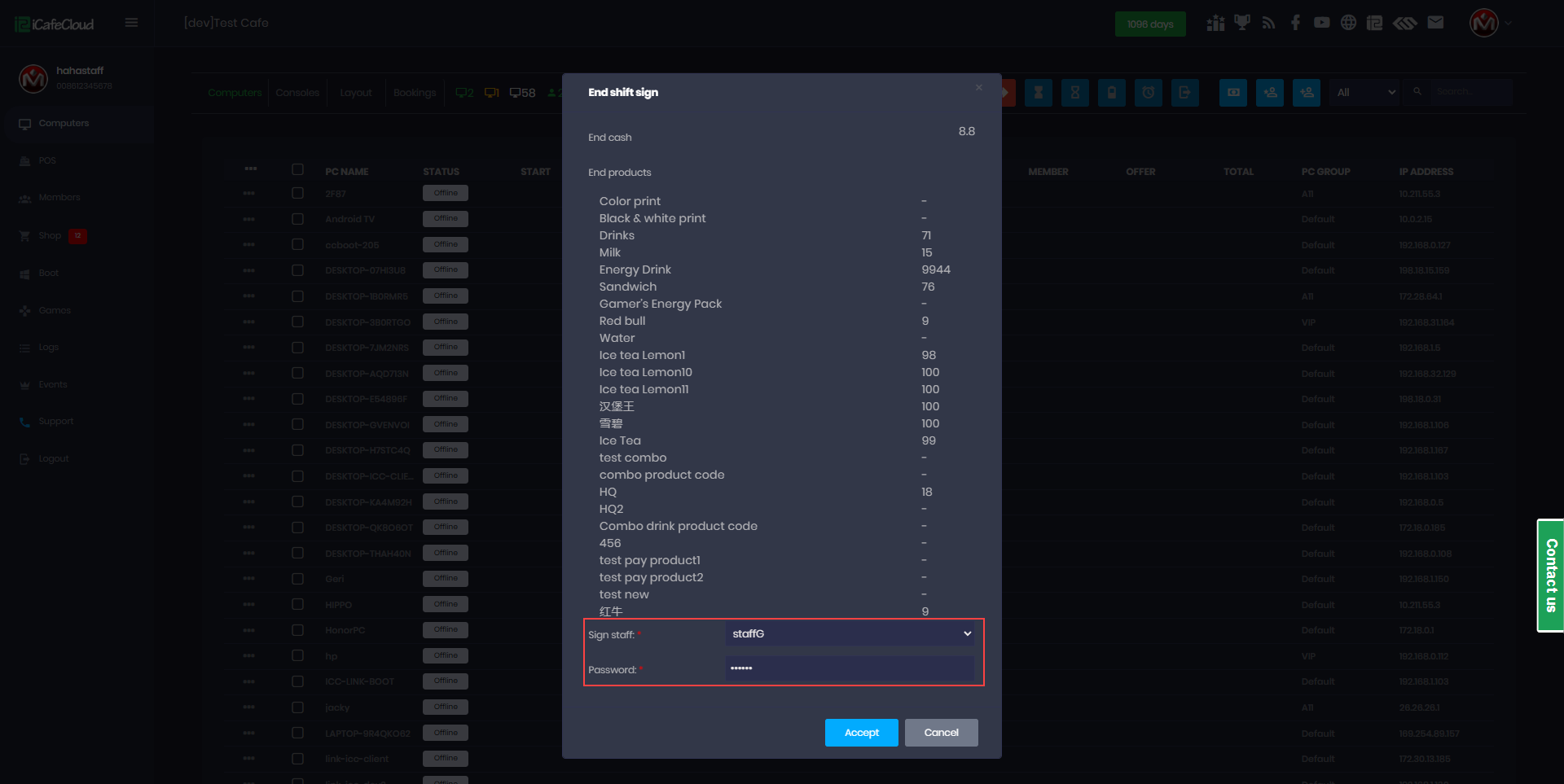
Figure 4
- Once the next shift staff accepts and signs the report, the shift report details and the products purchased will be displayed. (Figure 5)
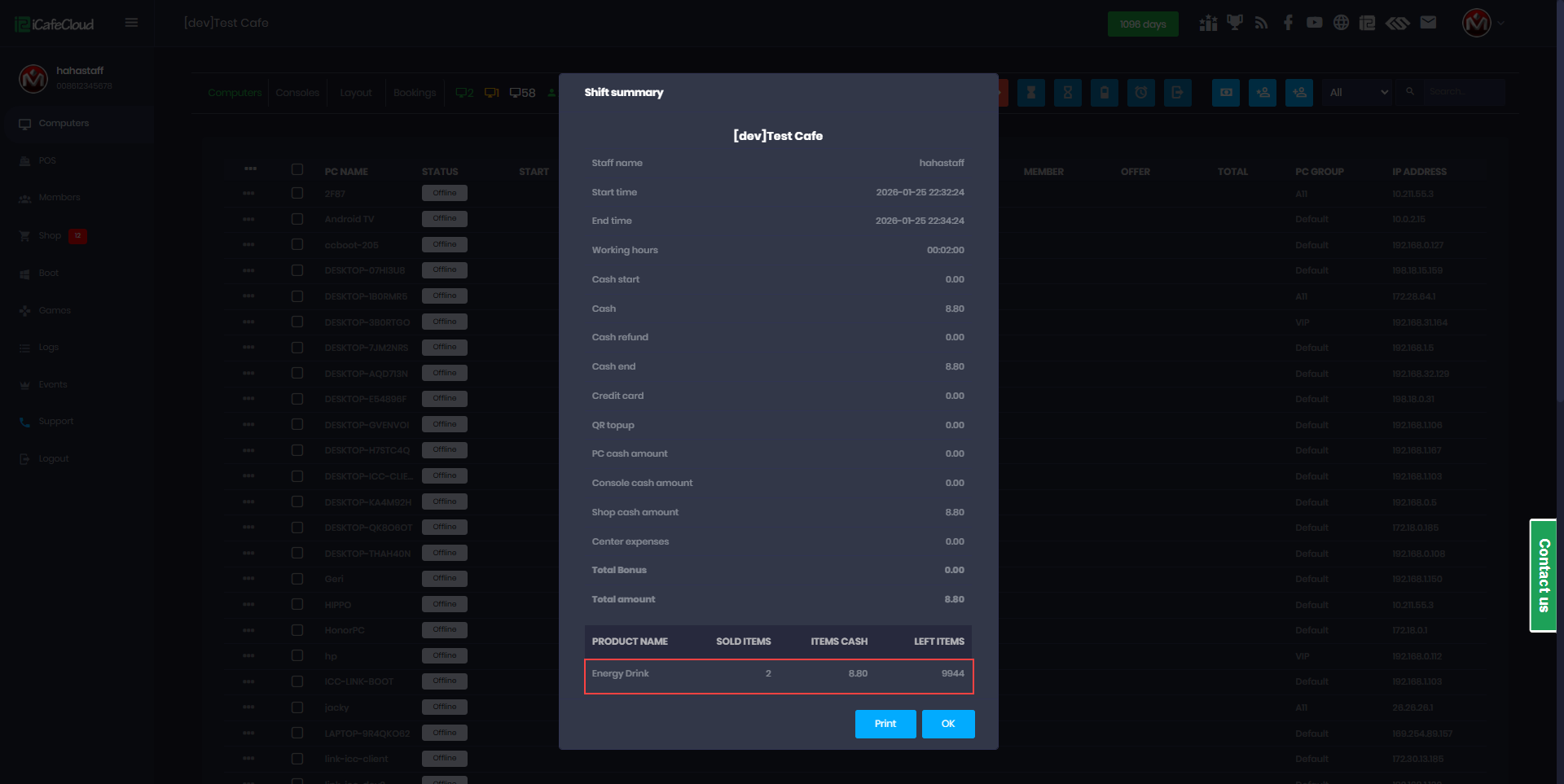
Figure 5