

The following section explains how to write off product stock in order to adjust or correct stock levels.
- Go to Store → Products, locate the desired product, and click Write Off to adjust or remove its quantity from stock.(Figure 1)
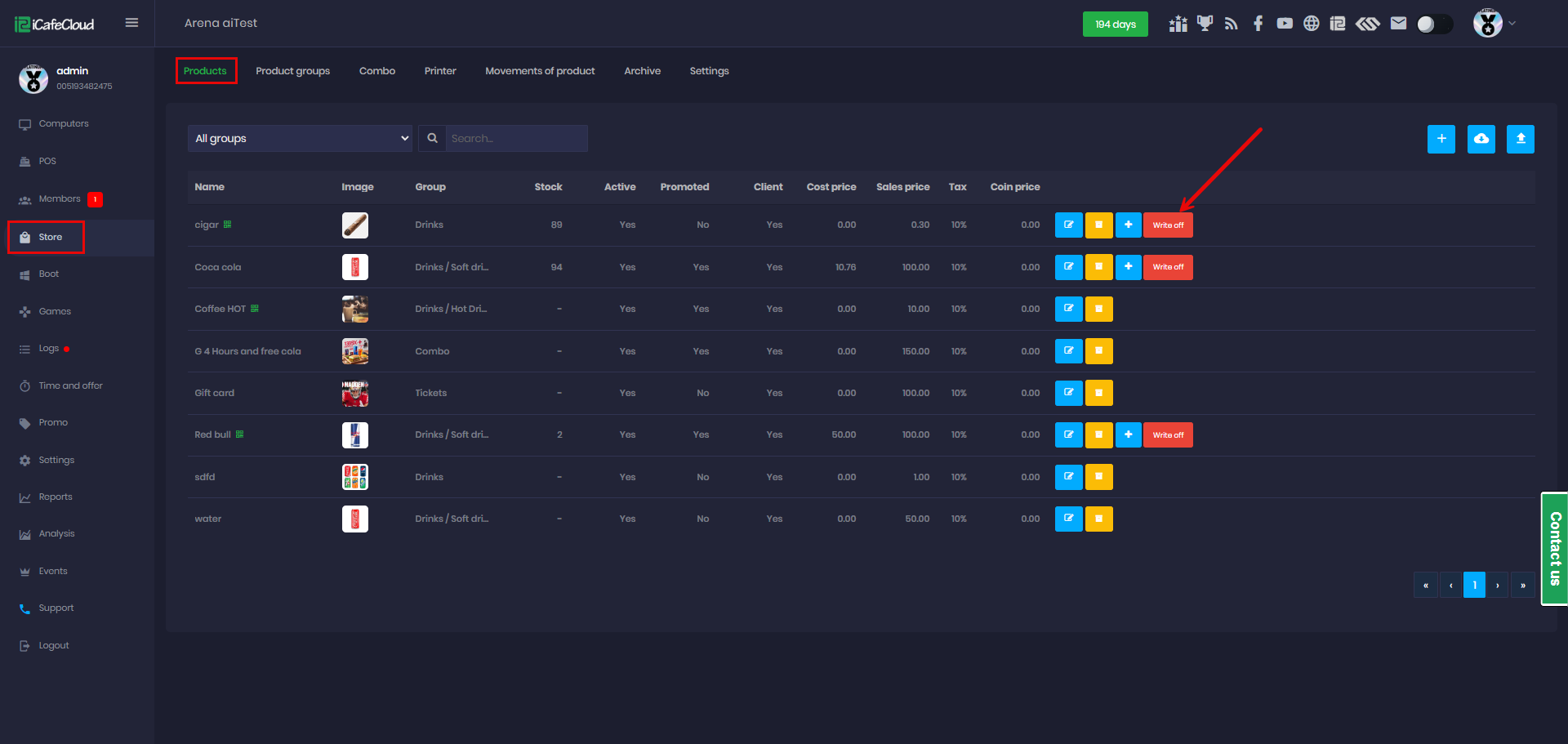
Figure 1
- Input the quantity to be written off and add a comment, as it is required to proceed with submission. (Figure 2)
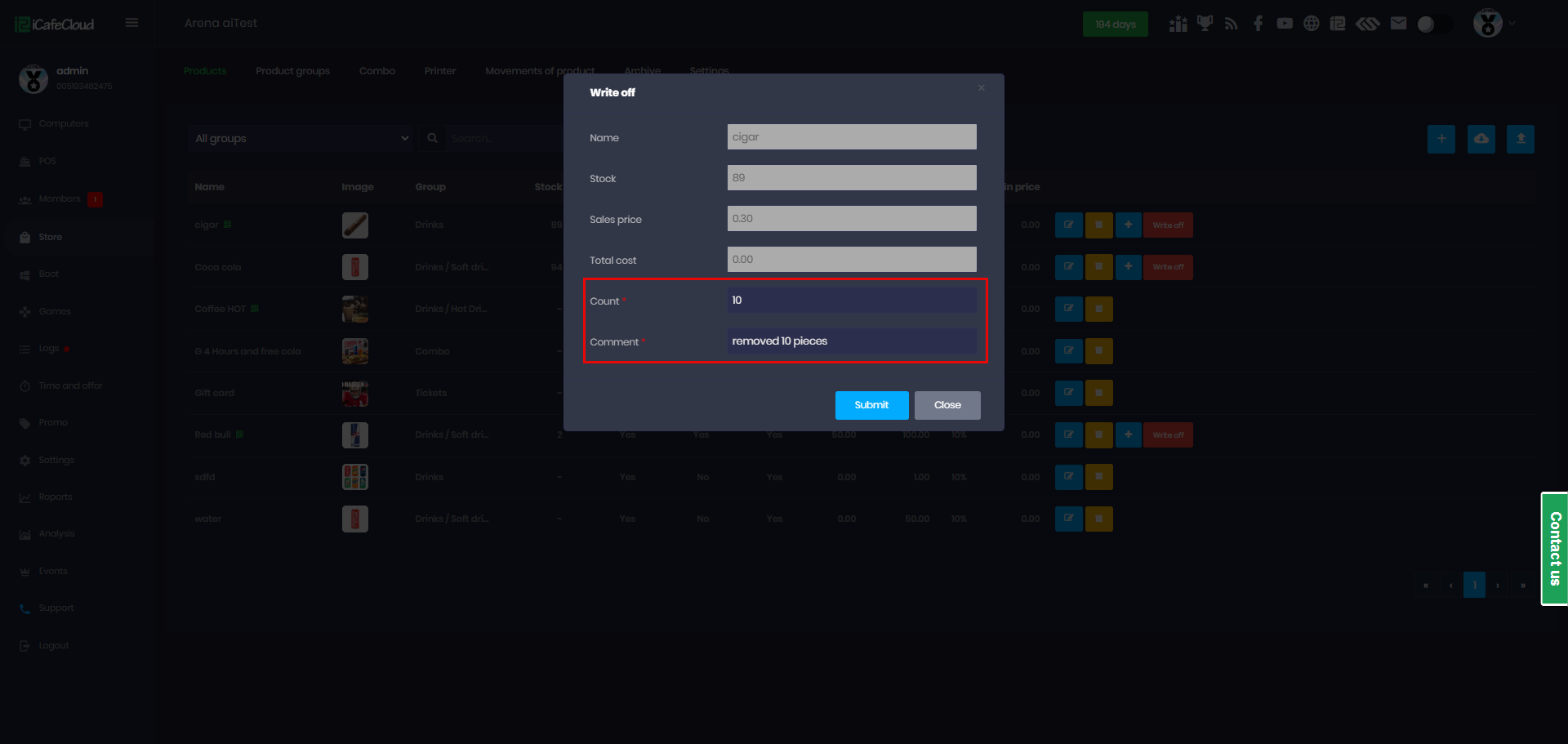
Figure 2
- Negative inventory is prohibited. Ensure that the write-off quantity does not exceed the available stock level. (Figure 3)
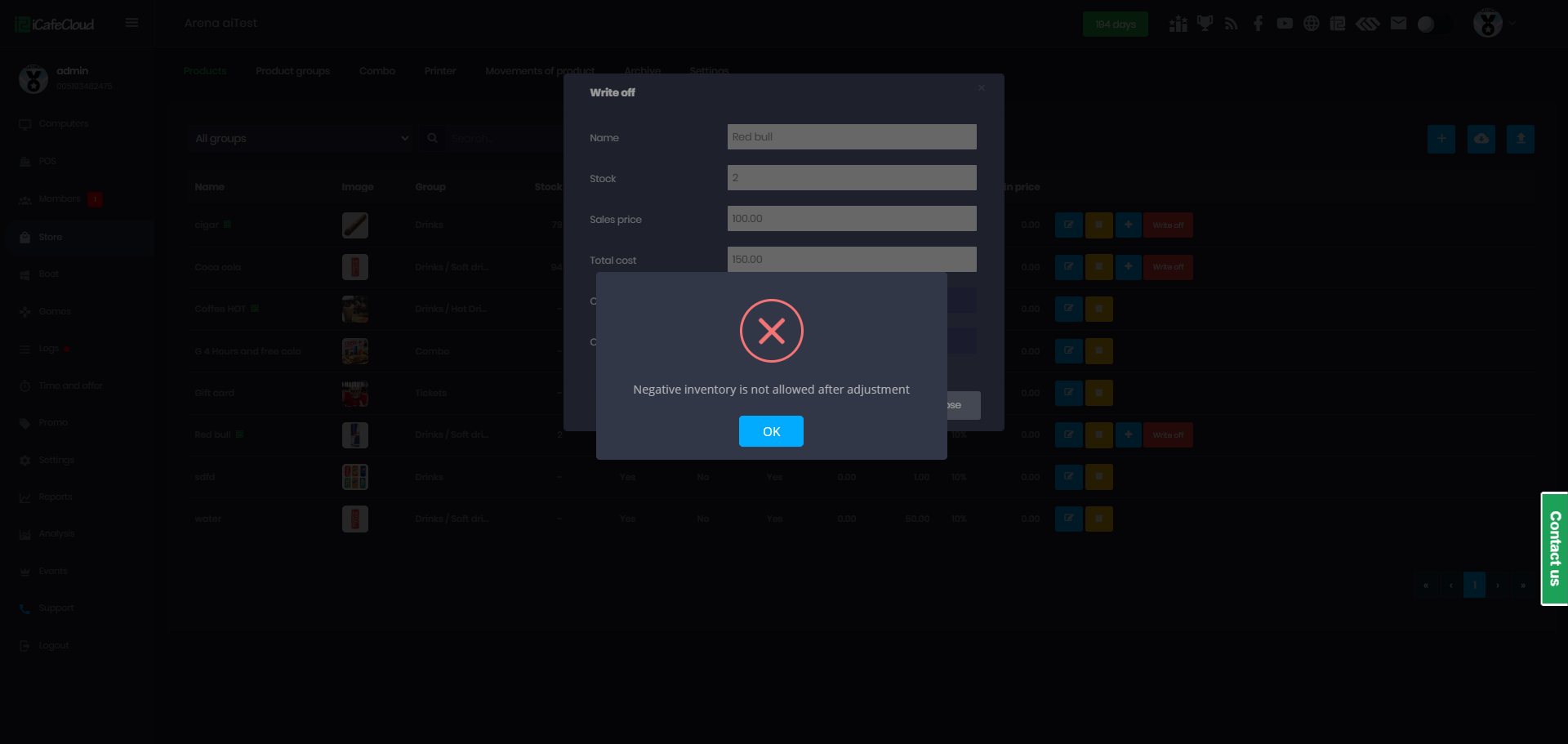
Figure 3
- Employee accounts cannot perform stock write-offs, even if they have full permissions.