The following explains how to archive products on the Store page and how to restore them for use.
- Navigate to Store → Products, where each product has a yellow Move to Archive icon (Figure 1).
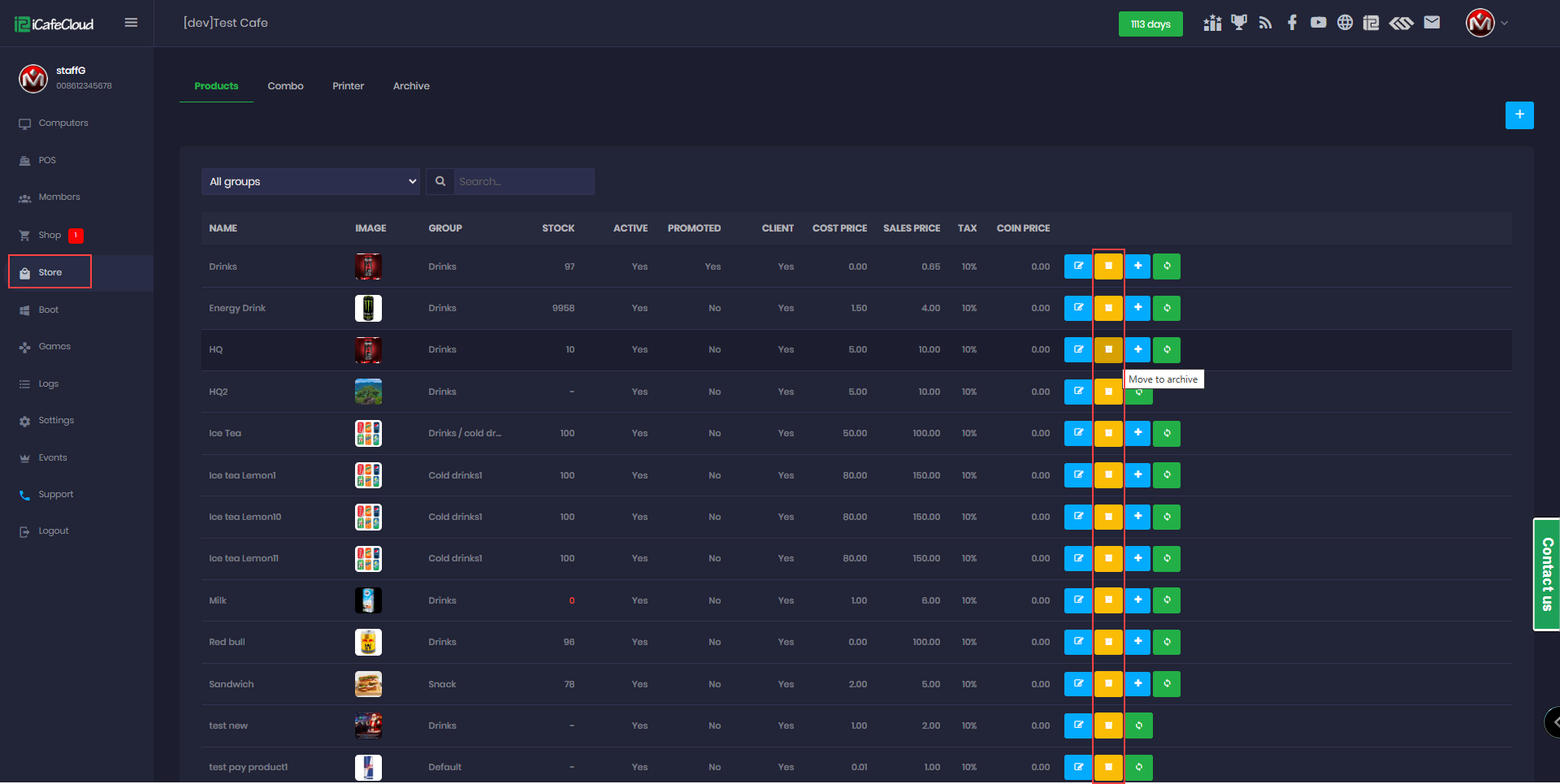
Figure 1
- Select the product and click Move to Archive. A confirmation message will appear; click Confirm to archive the product (Figure 2).
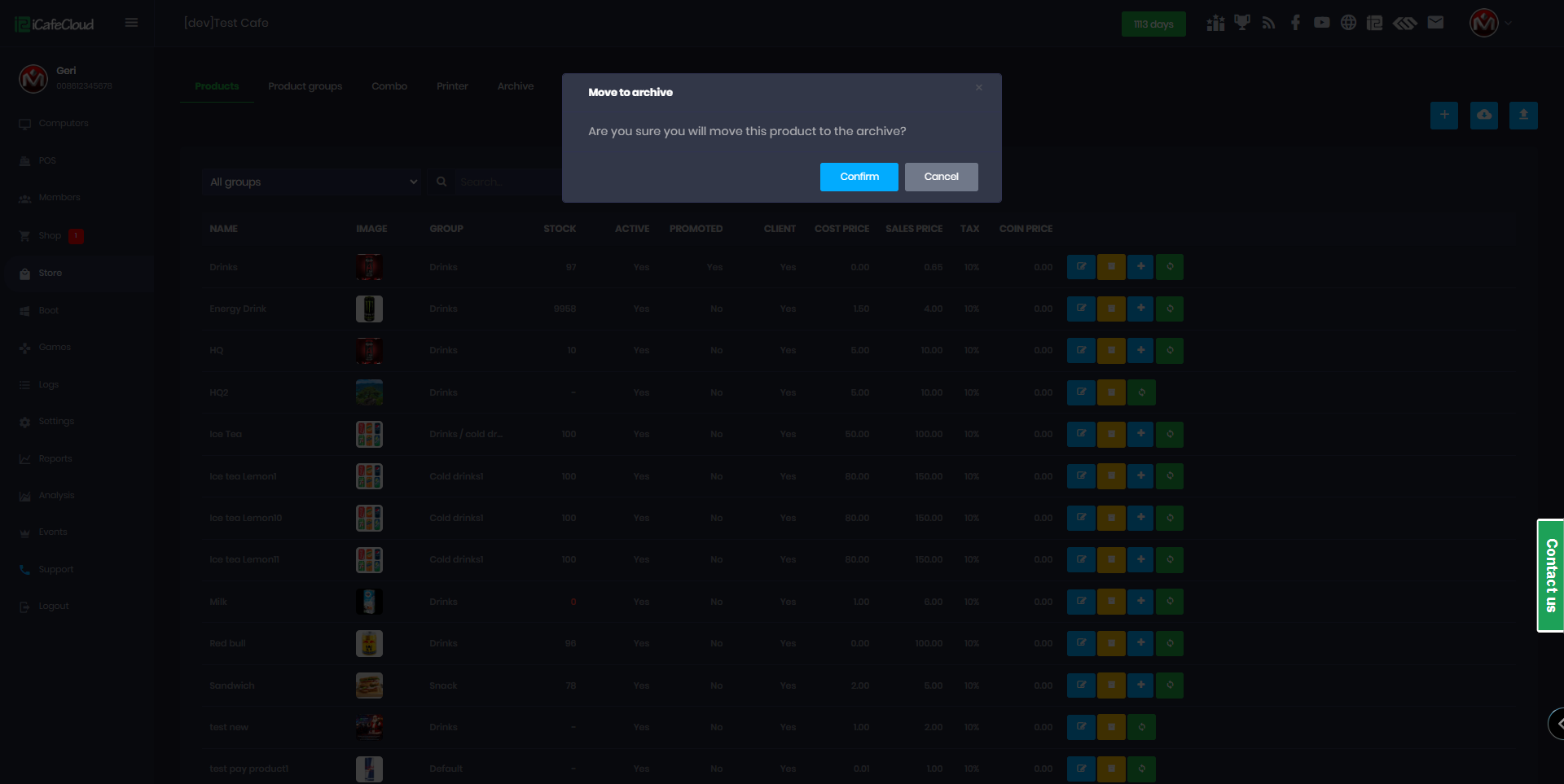
Figure 2
- In the Archive section, you can find all archived products listed there (Figure 3).
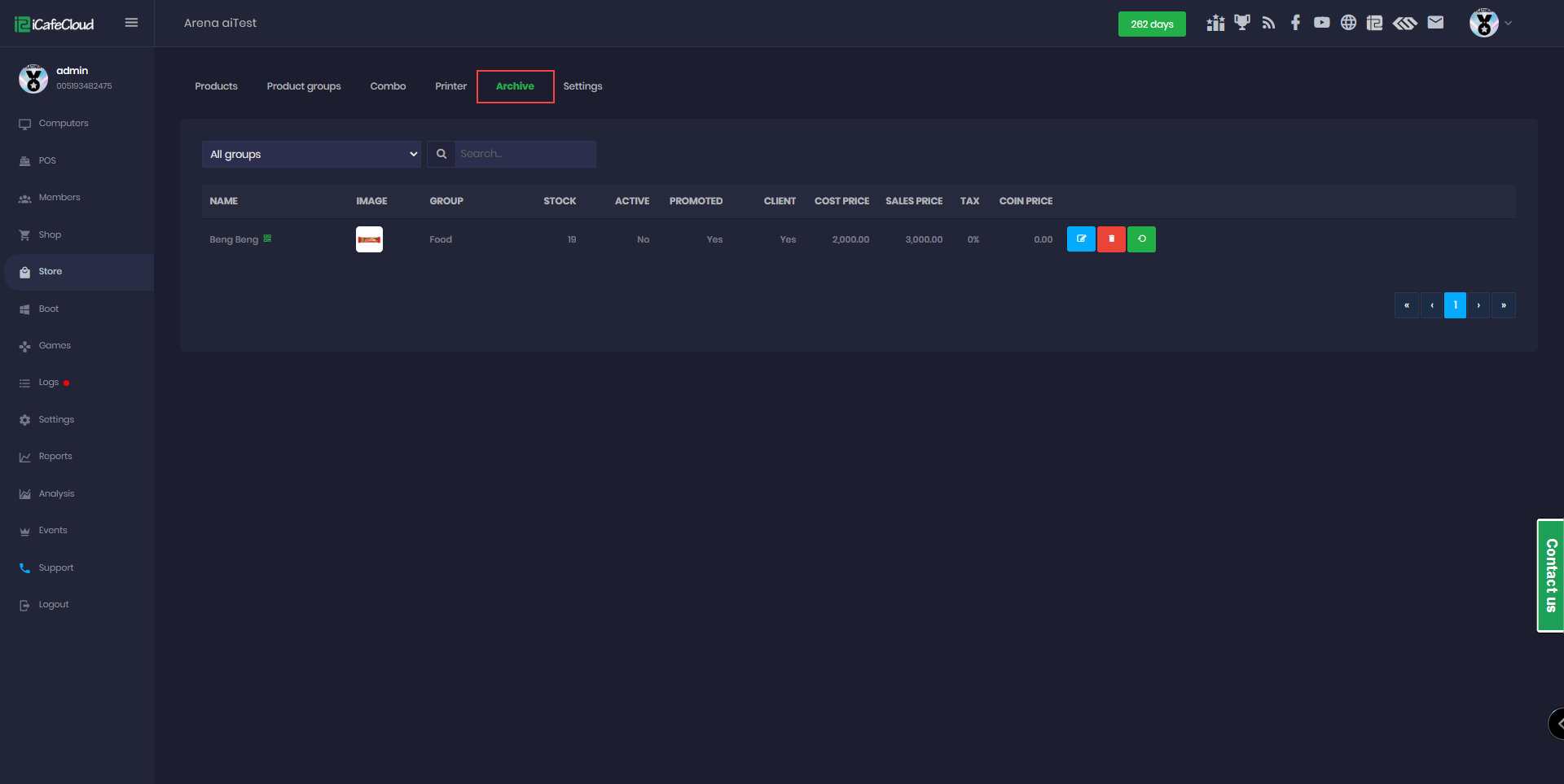
Figure 3
- You can edit , delete or restore products from archive
- If you want to move items from the archive back to Products, click Restore. The product’s stock and settings are preserved and will not be reset (Figure 4).
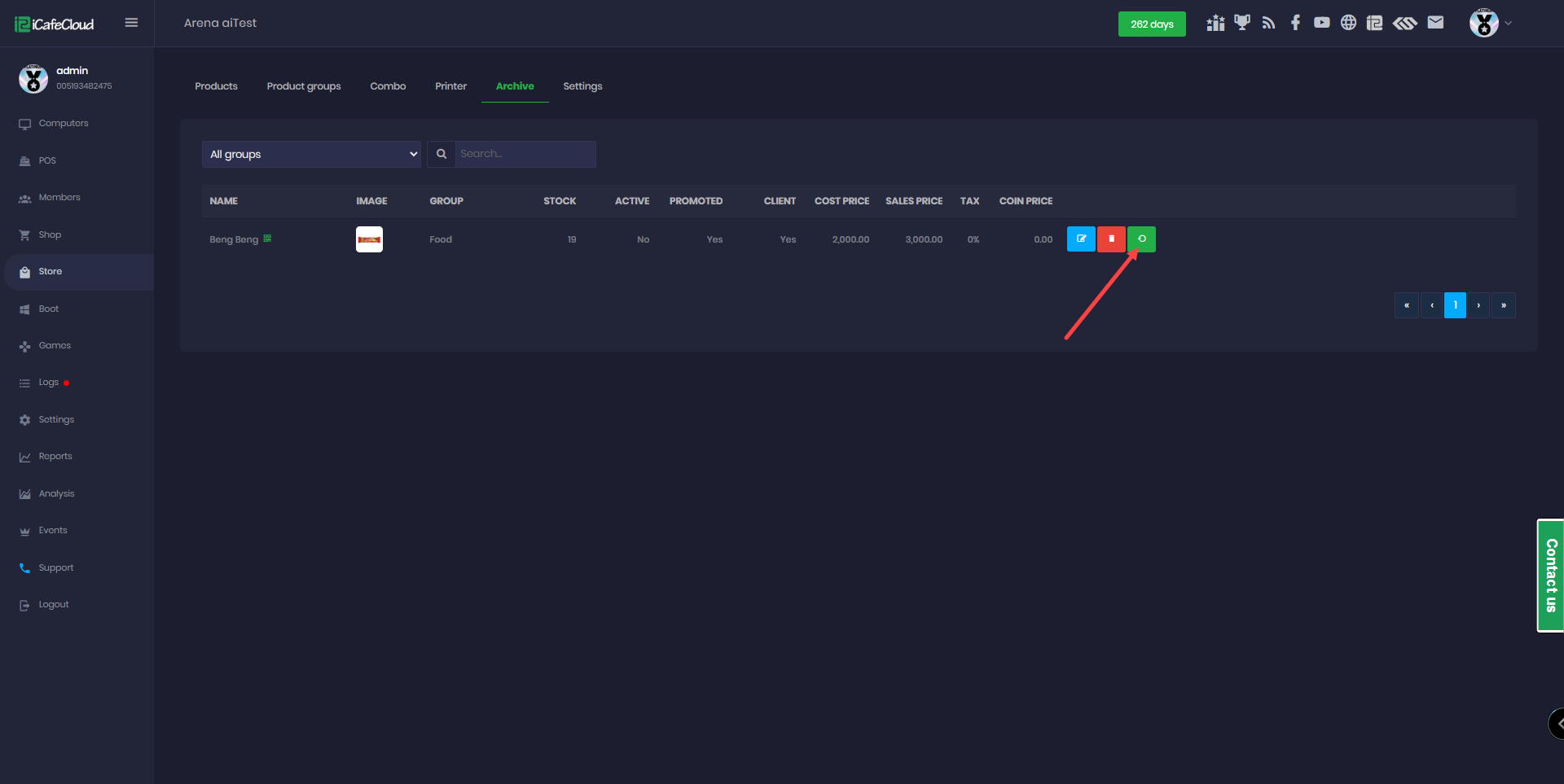
Figure 4
- Products can be archived only if they are not part of any active order. If a product is included in an active order, it cannot be archived and a notification message will be displayed. (Figure 5)
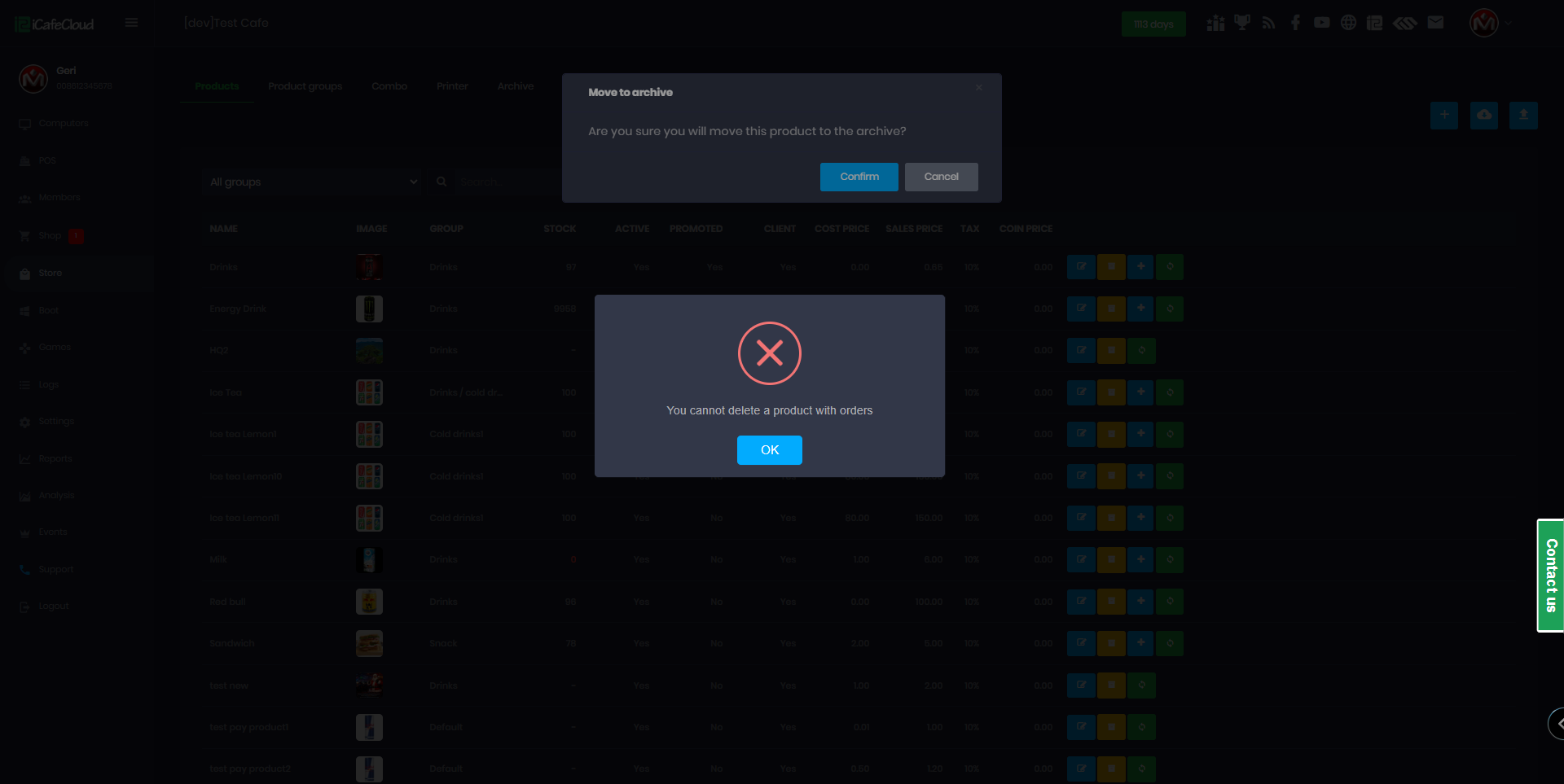
Figure 5