The following explains how to add a product that is restricted to adult purchases, such as alcohol, energy drinks, or similar items.
- Follow the instructions on how to add product.
- This feature functions based on the member account's date of birth.
- By default, all sessions except those logged in as members are considered under 18, so adult products cannot be accessed.
- On the Product page, you’ll find the “Adult Only” option with two choices: Yes or No. Selecting Yes means the product is restricted to adults only, while No makes it available to everyone (Figure 1).
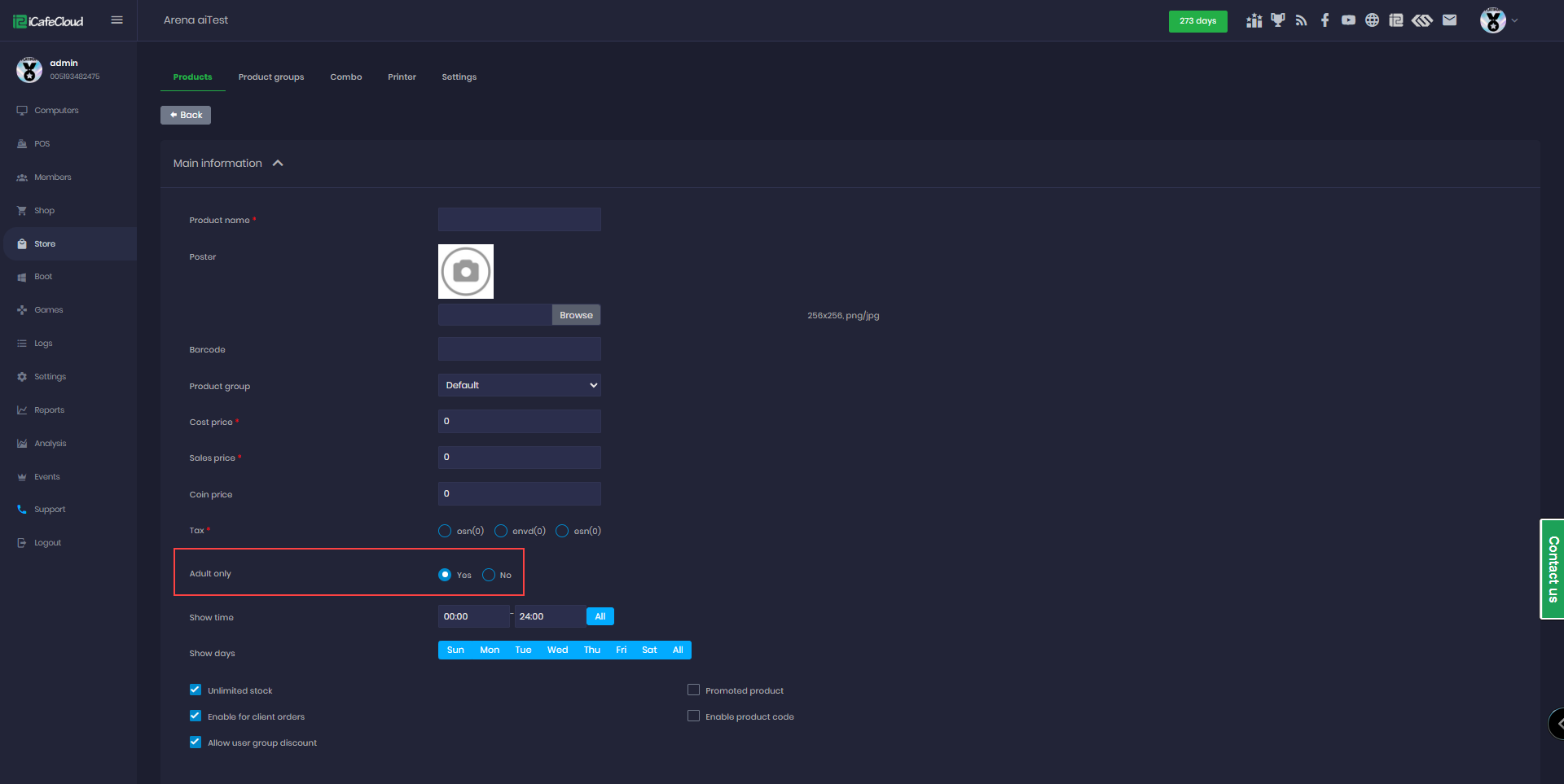
Figure 1
- In the Shop section, products with the Adult Only feature enabled will display an icon with the number 18, indicating that the product is for adults only. (Figure 2)
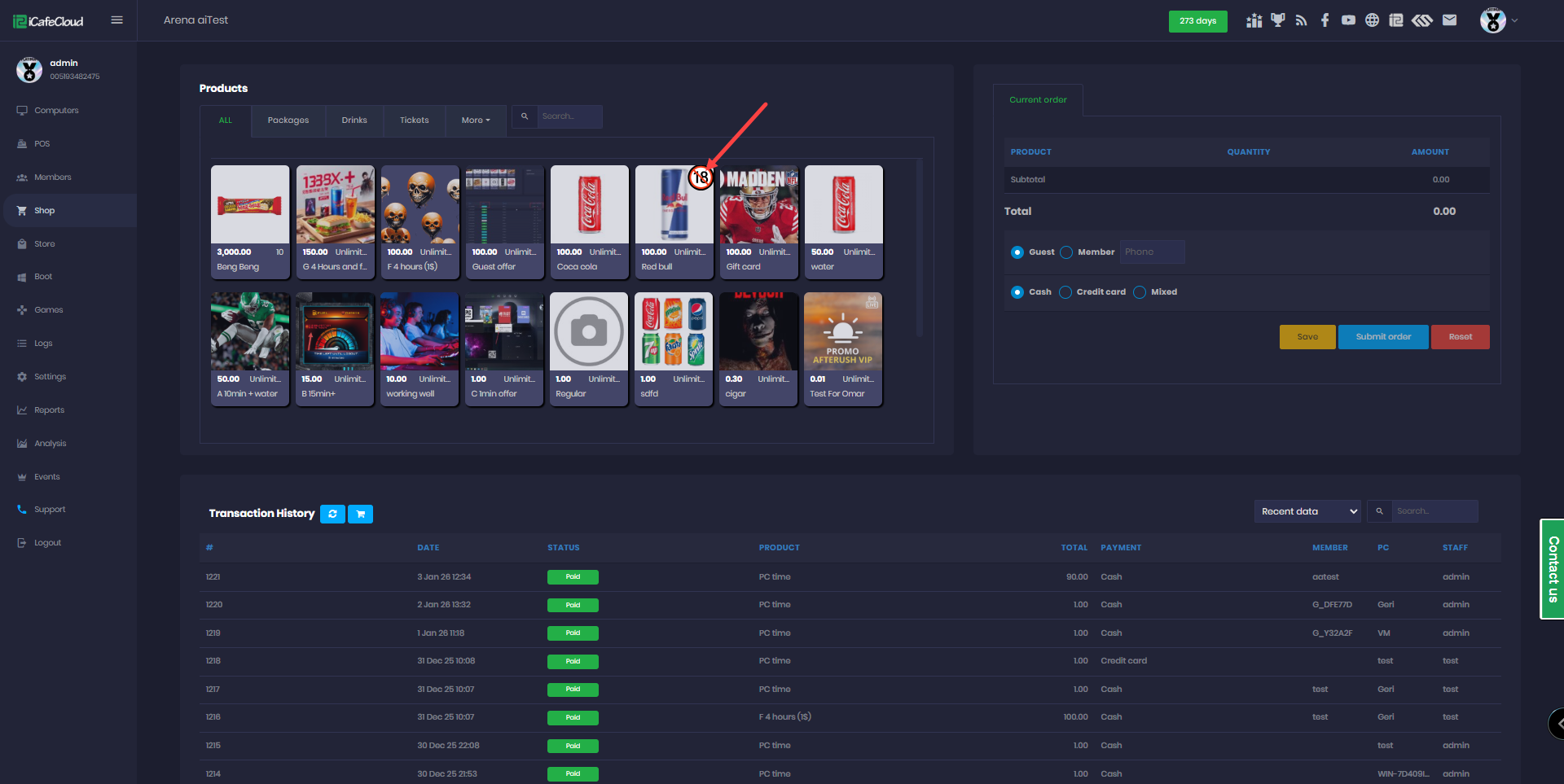
Figure 2
- On the Portal, adult product are also visible, but they cannot be clicked or purchased.(Figure 3)
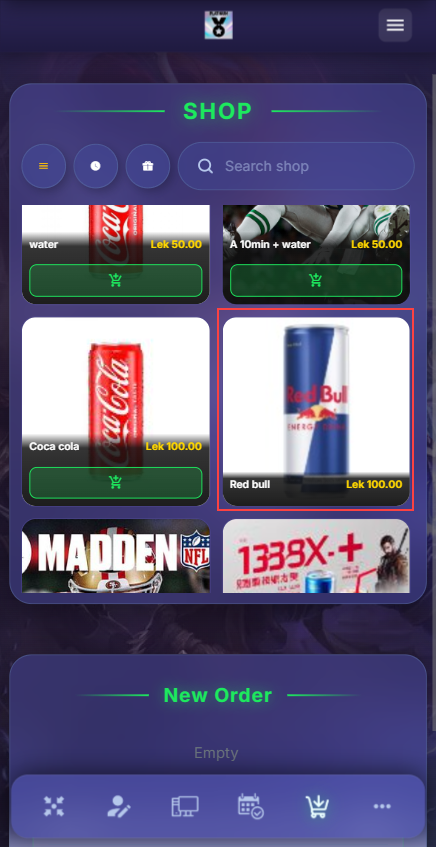
Figure 3
- On the client side, products marked with the 18+ icon are visible, but they cannot be clicked or purchased. (Figure 4)
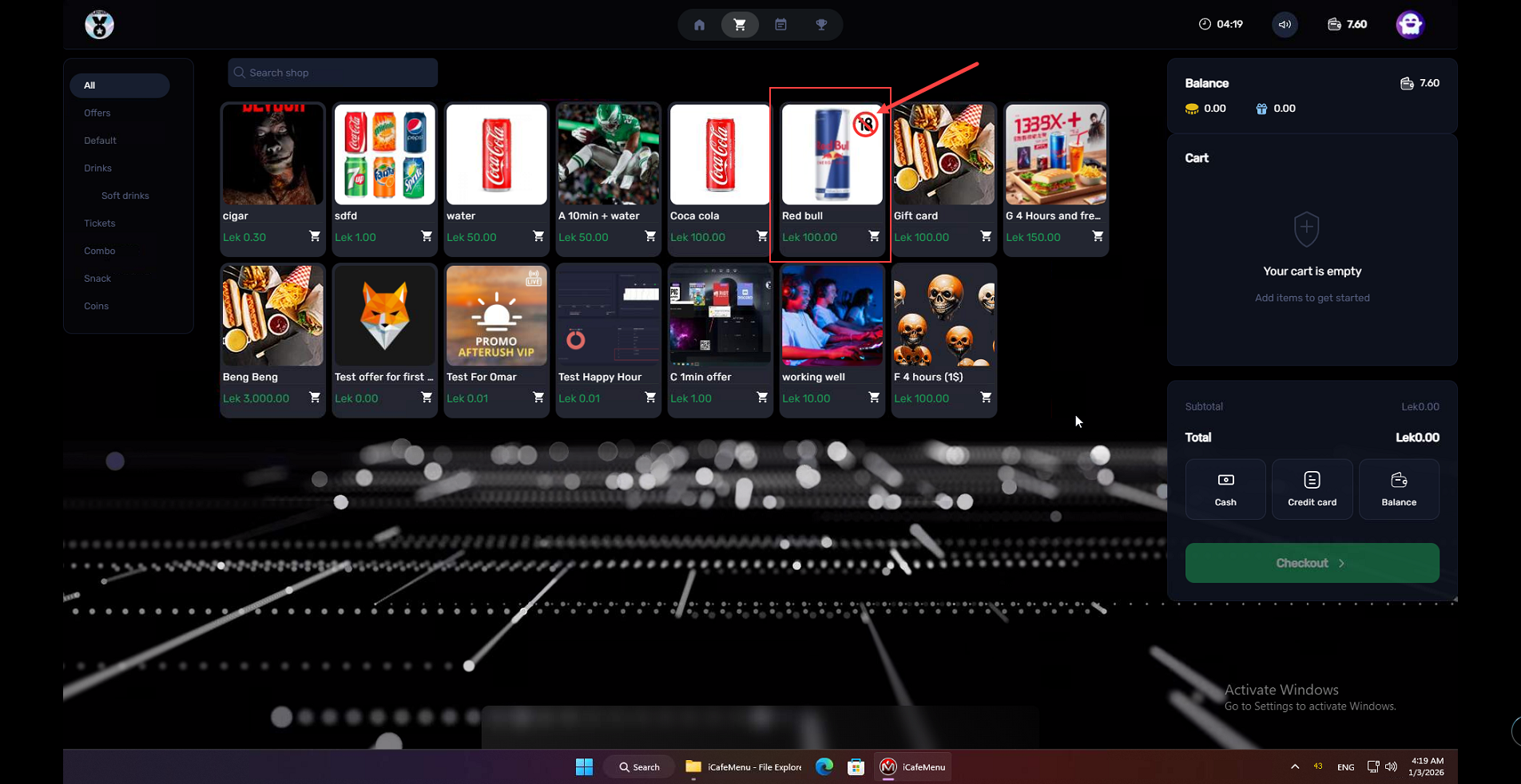
Figure 4