

The following explains how to check product movements, including actions such as restock, write-off, sales, purchases, and refunds related to product items.
- Navigate to store - movements of products (Figure 1)
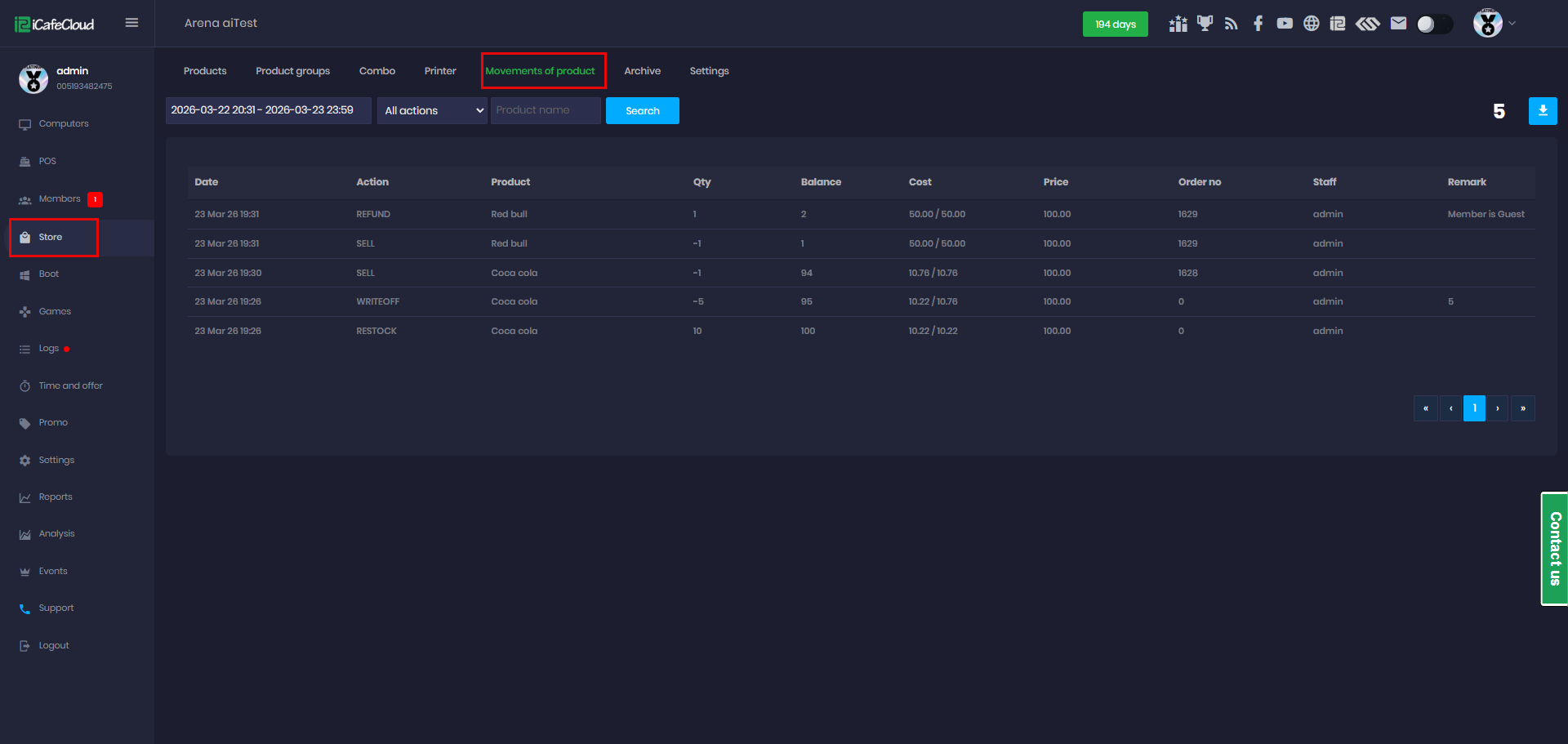
Figure 1
- Select the date range, then choose the desired action type (All action, Sell, Restock, Refund, Write-Off, INIT ), and click Search (Figure 2).
- INIT = this is where your stock count begins
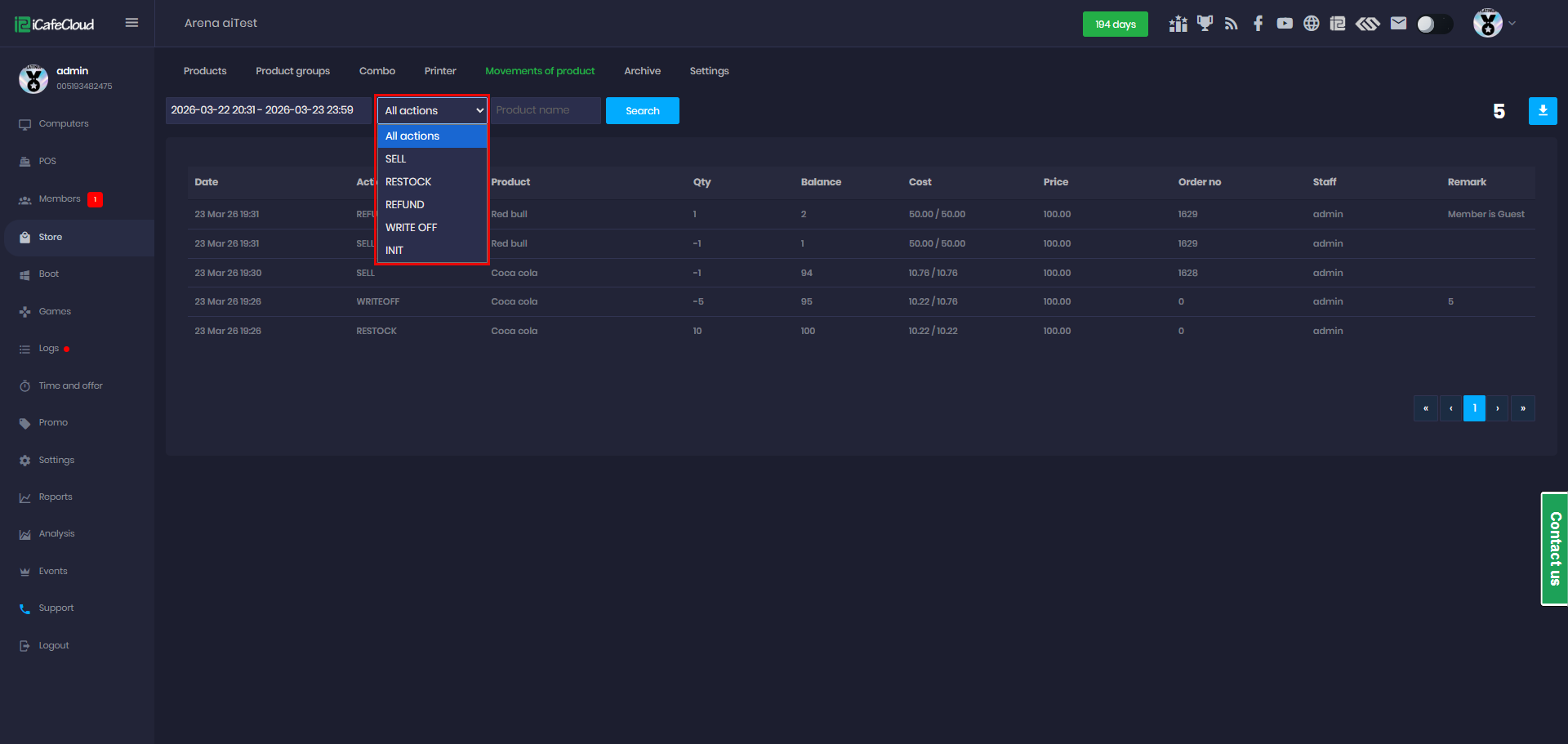
Figure 2
- In the list, you can review the following details:
Date, Action, Product, Quantity (Qty), Balance, Cost, Price, Order No., Staff, and Remark. (Figure 3)
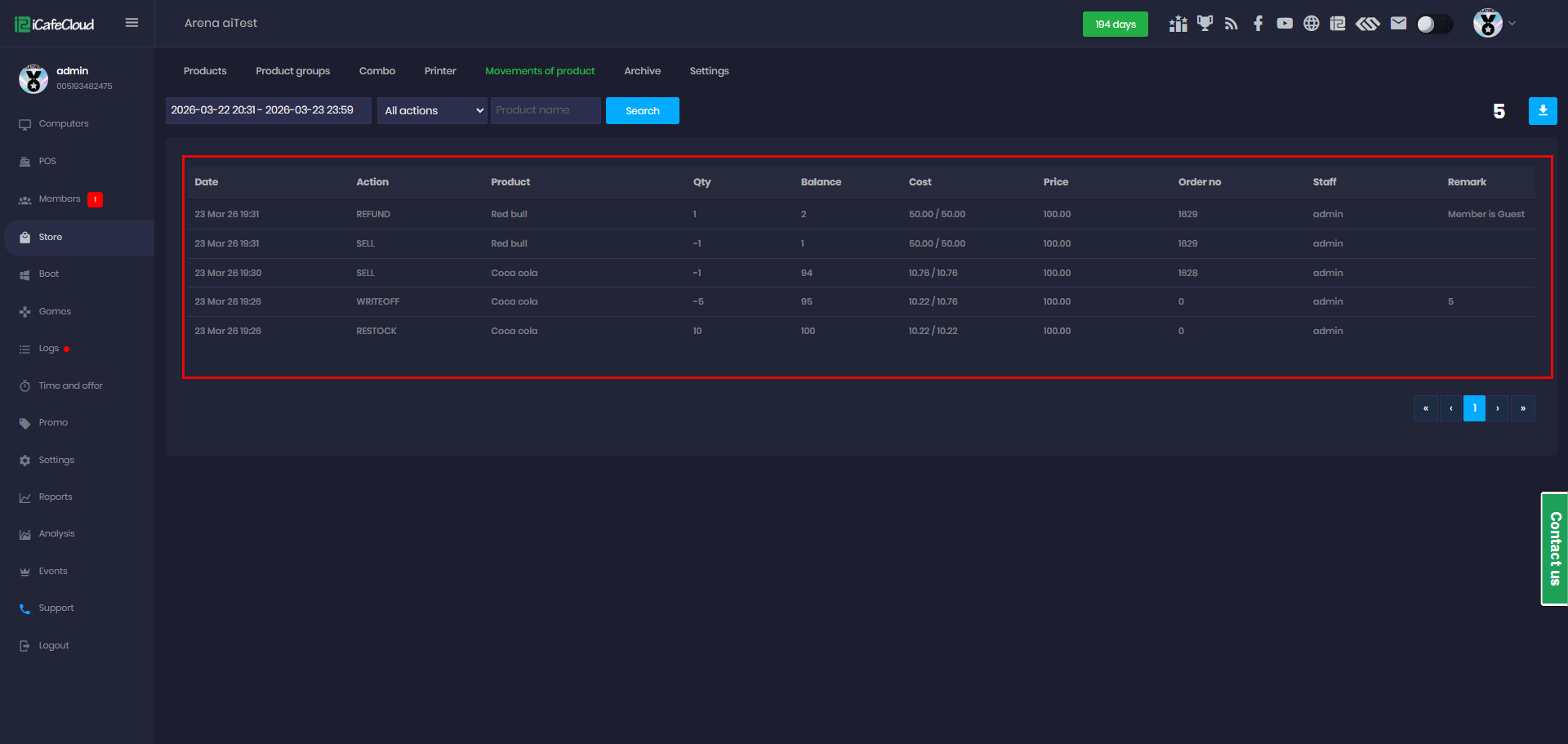
Figure 3
- The list can be exported and downloaded as a CSV file. (Figure 4)
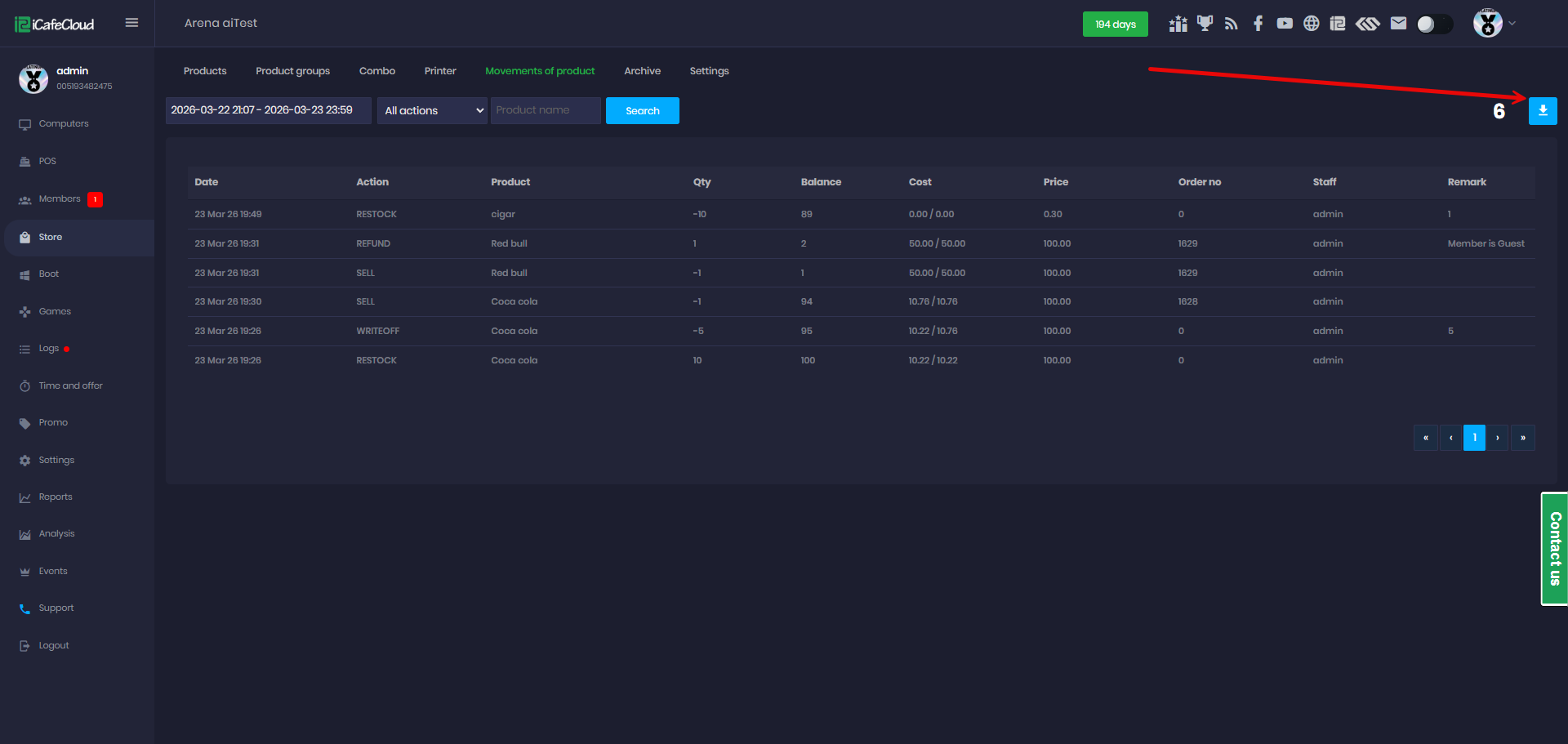
Figure 4
- The exported CSV file contains all stock change records, allowing you to track actions like Sell, Restock, Refund, and Write-Off for each product. (Figure 5)
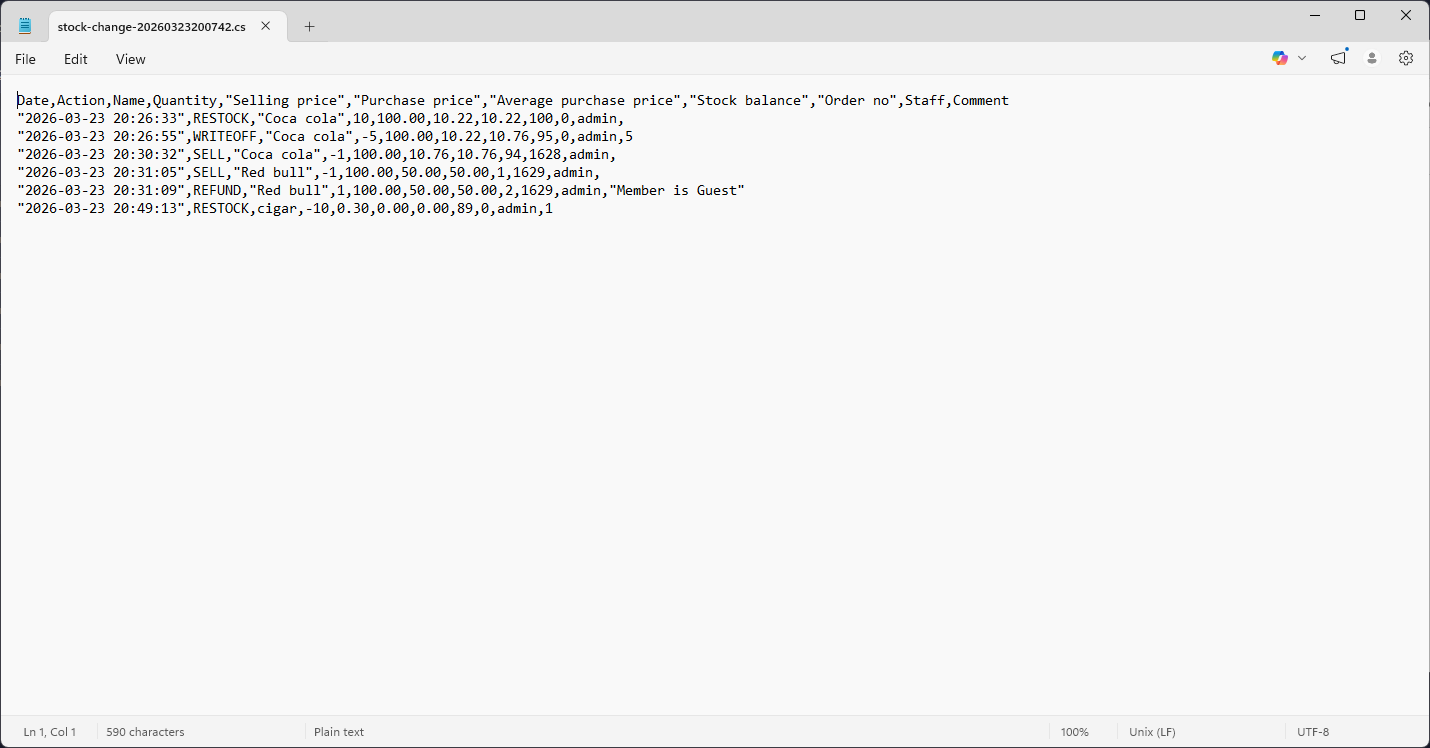
Figure 5
- On the 10th of each month, the system will automatically upload the product stock data to Google Drive.