

The following explains how to start Admin Mode on a client PC. When enabled, the iCafeMenu interface will be terminated and the PC will display the desktop directly, allowing changes to be made on the client.
- Only admin accounts can use Admin Mode.
- Right click the pc, hover on the “Manage” option and click the “Admin mode” (Figure 1).
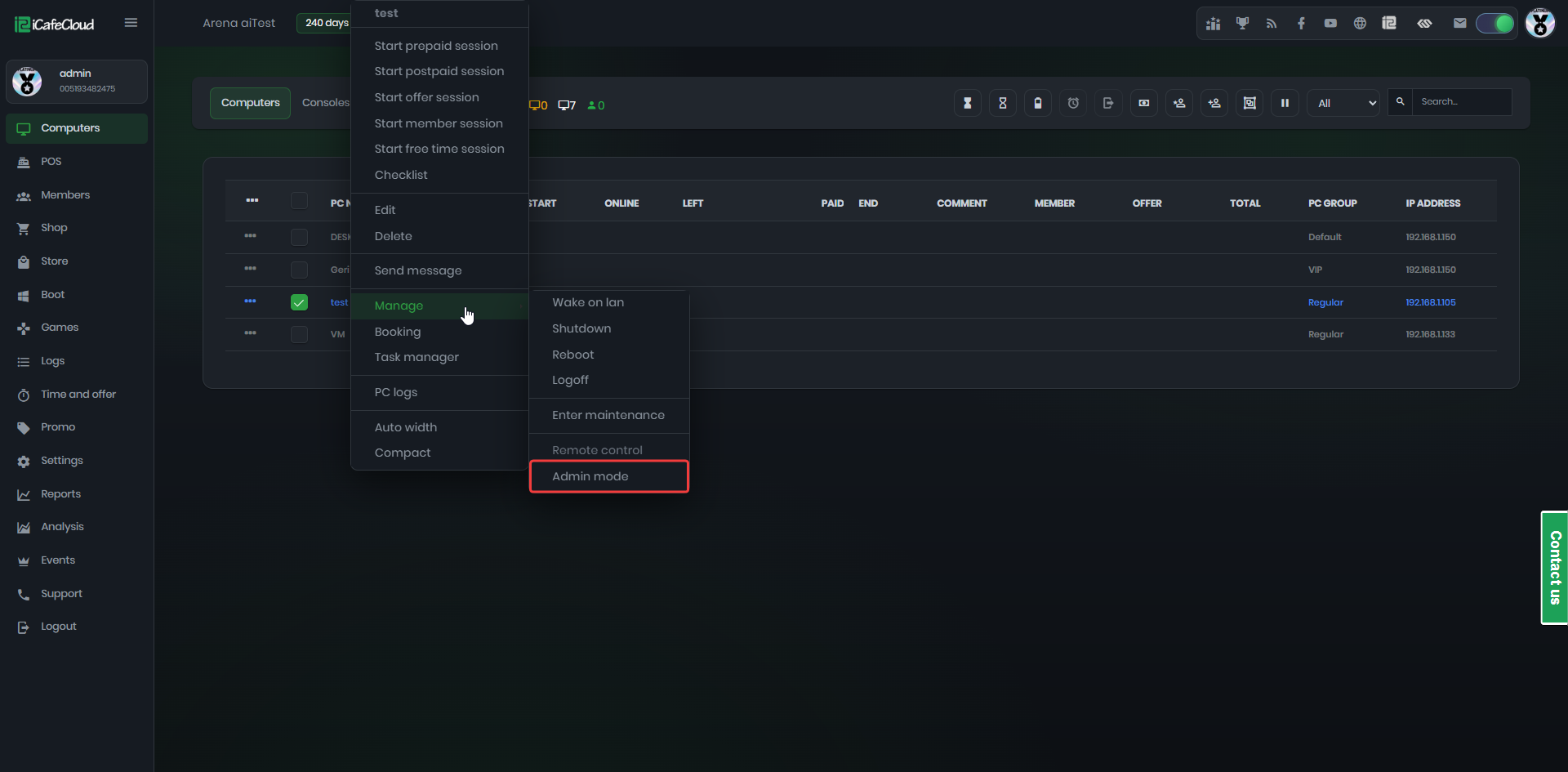
Figure 1
- Continue with the “Yes” button in the warning message (Figure 2).
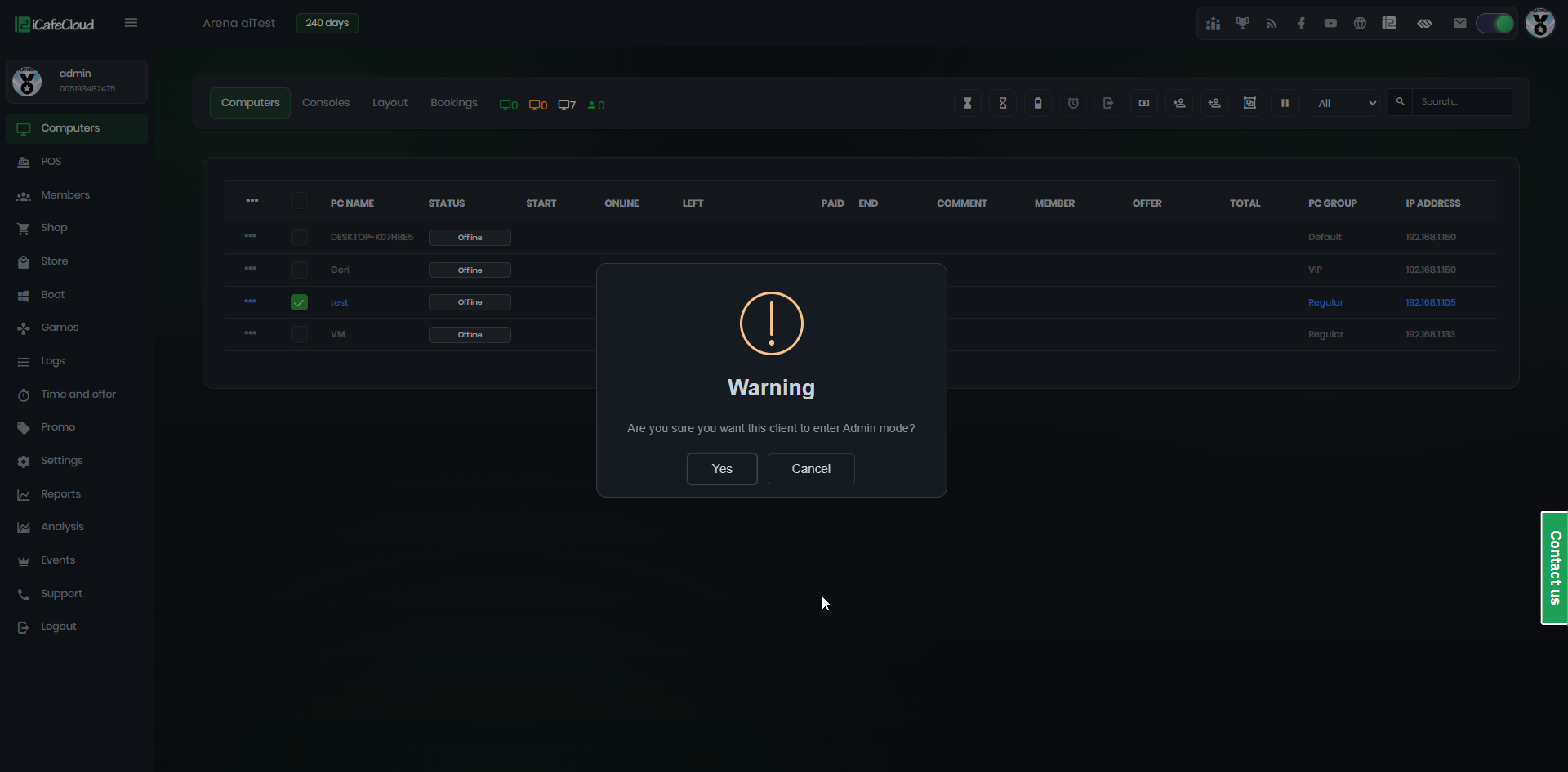
Figure 2
- On the client side, iCafeMenu will be terminated and the PC will display the desktop.
- If you want to run iCafeMenu again before rebooting the client PC, locate icafemenu.exe in the game disk (for example, E:\Apps\iCafeMenu) and run it manually.