

The following explains the meaning of the status icons and top menu indicators, including PC states such as online, standby, disconnected, and offline.
- On the Computer page, four icons display the status of all PCs in the list
Green PC icon: Number of PCs currently in use
Orange PC icon: Number of PCs in standby
White PC icon: Number of PCs that are offline
Green user icon: Number of PCs being used by members
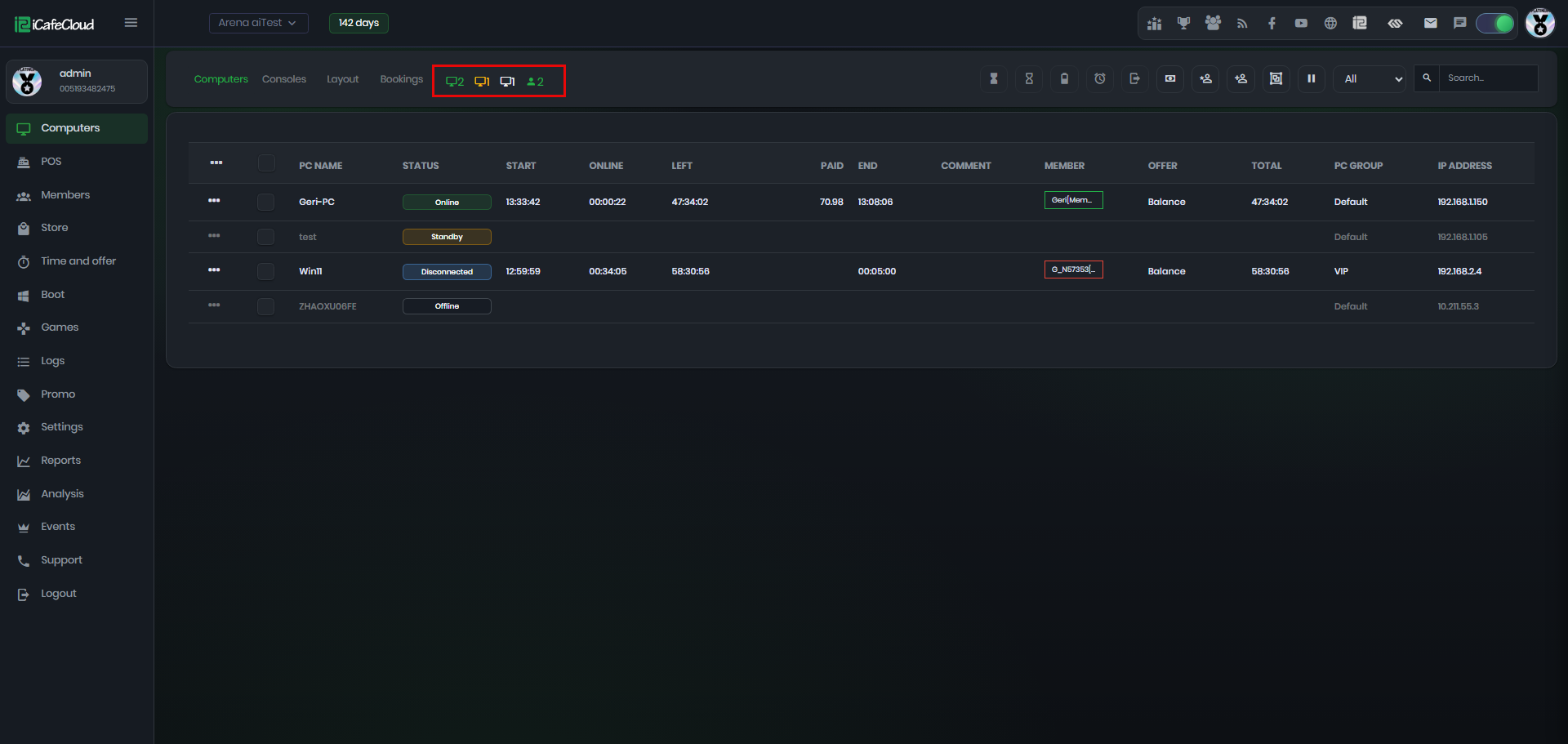
Figure 1
- In addition to showing total PC status, these icons also work as group selectors. Clicking an icon automatically selects all PCs in that status (e.g. Green = Online, Orange = Standby). (Figure 2)
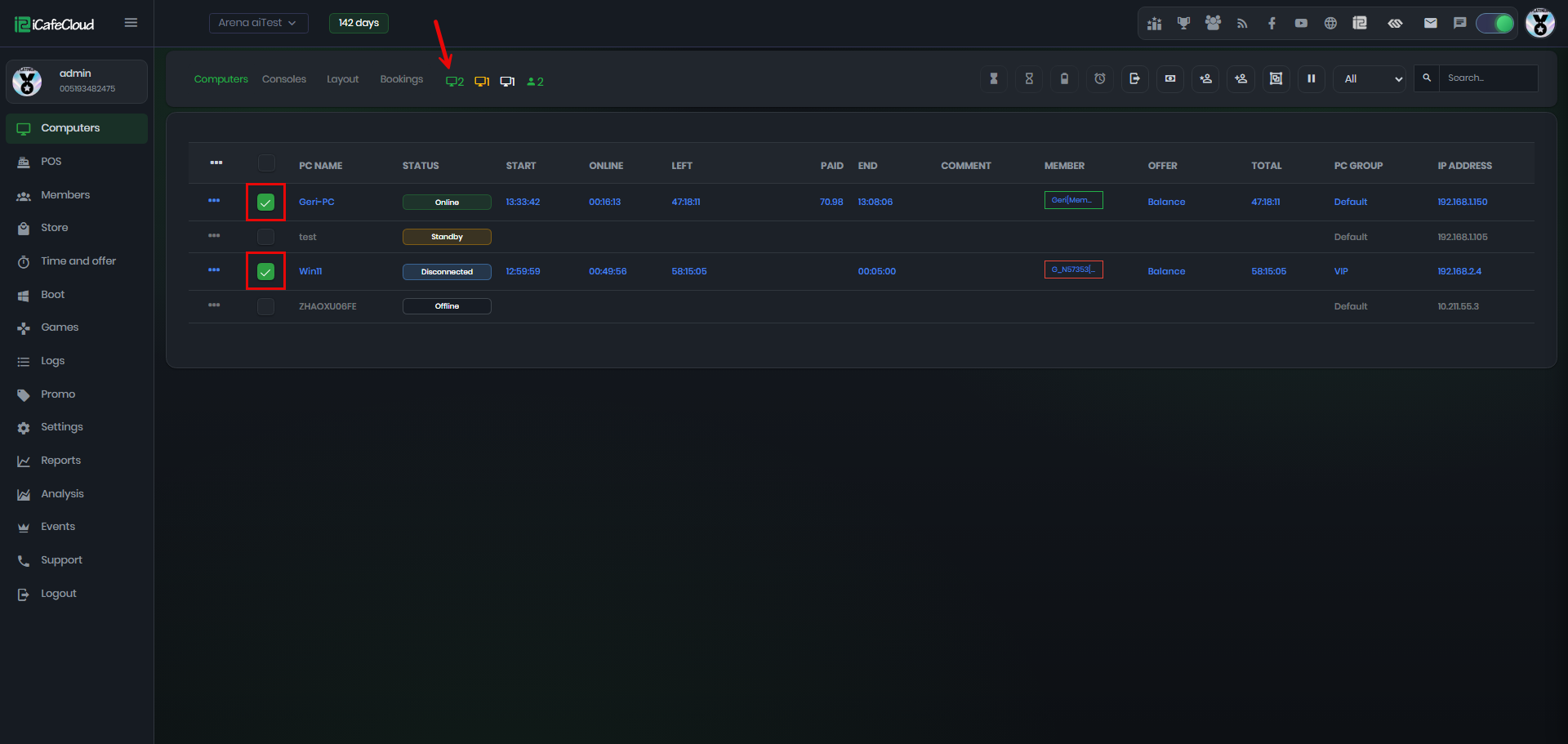
Figure 2
- This helps with batch actions for example, selecting all Standby PCs and then applying actions like reboot.(Figure 3)
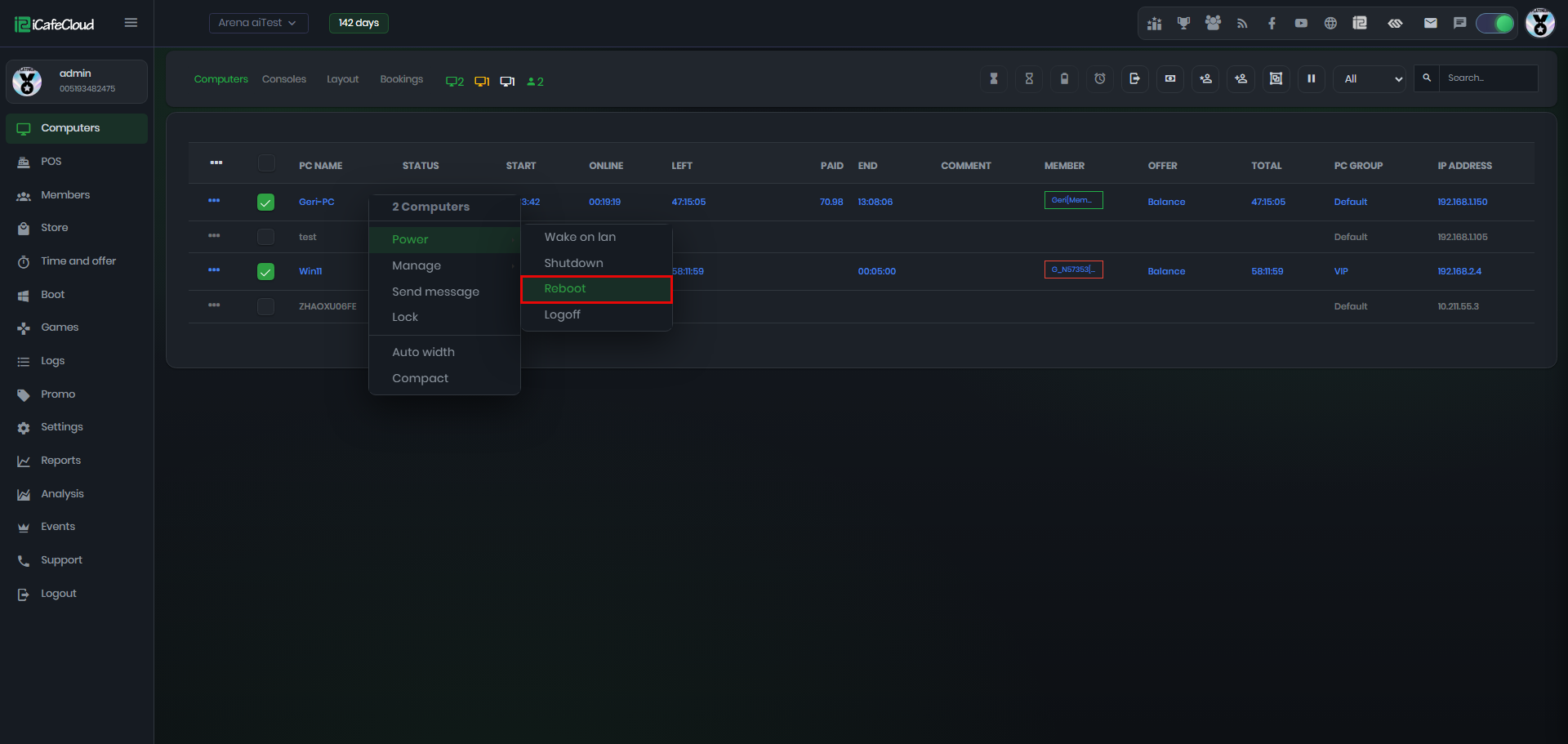
Figure 3
- PC status uses color indicators: Green = Online, Orange = Standby, Grey = Offline, Blue = Disconnected.
- ‘Disconnected’ means the client PC (WSS) has not yet established a connection with the Cloud server. This usually happens due to an internet connection issue.(Figure 4)
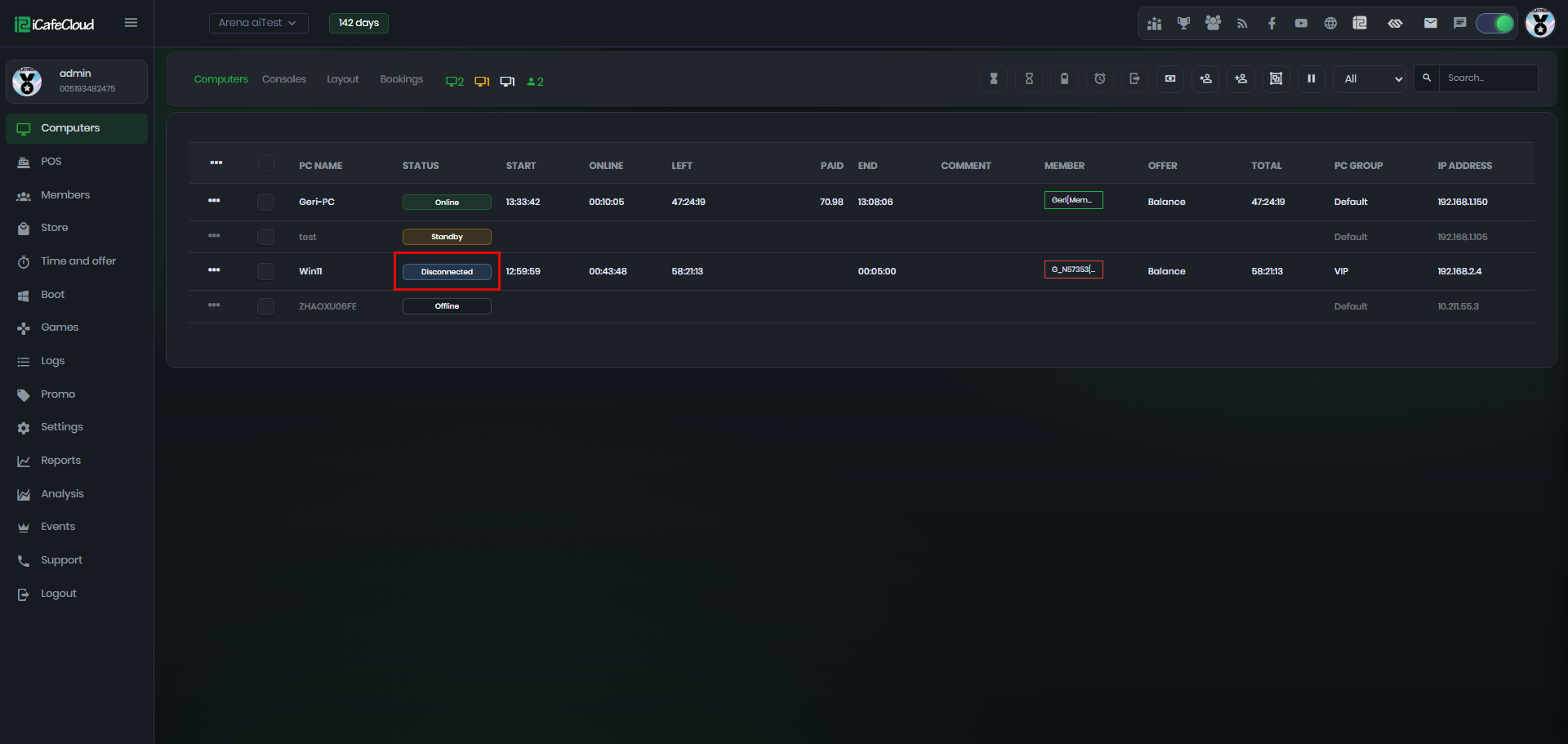
Figure 4
- If the PC status blinks red, it means the session has ended but the PC has not been properly shut down or checked out. This requires manual action to close or reset the PC. (Figure 5)
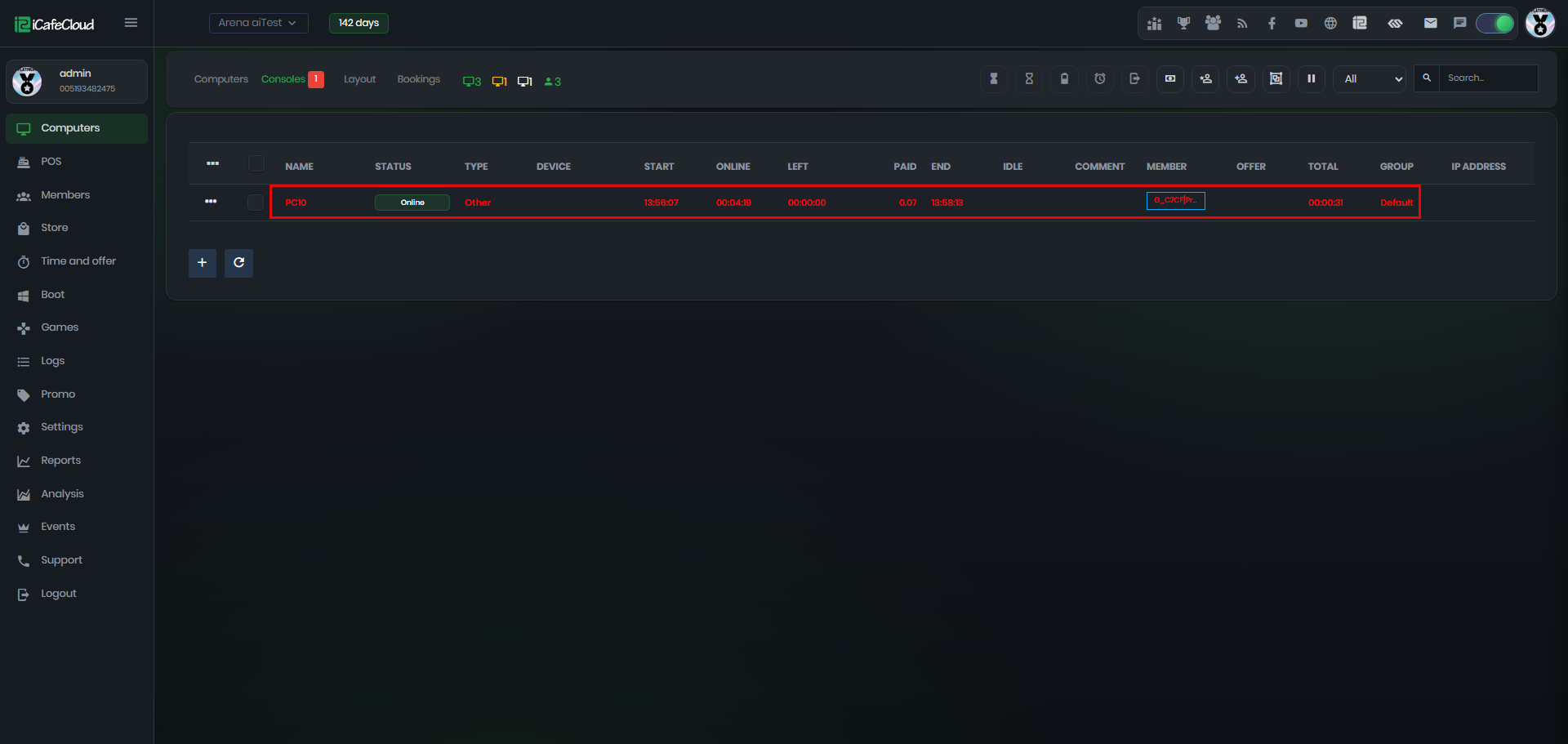
Figure 5