

The following explains how clients can select and switch between available offers on the client side. This enables users to choose the offer that best suits their preferences and the specific time they wish.
- On the client side, you will notice an icon displayed next to the available time. (Figure 1)
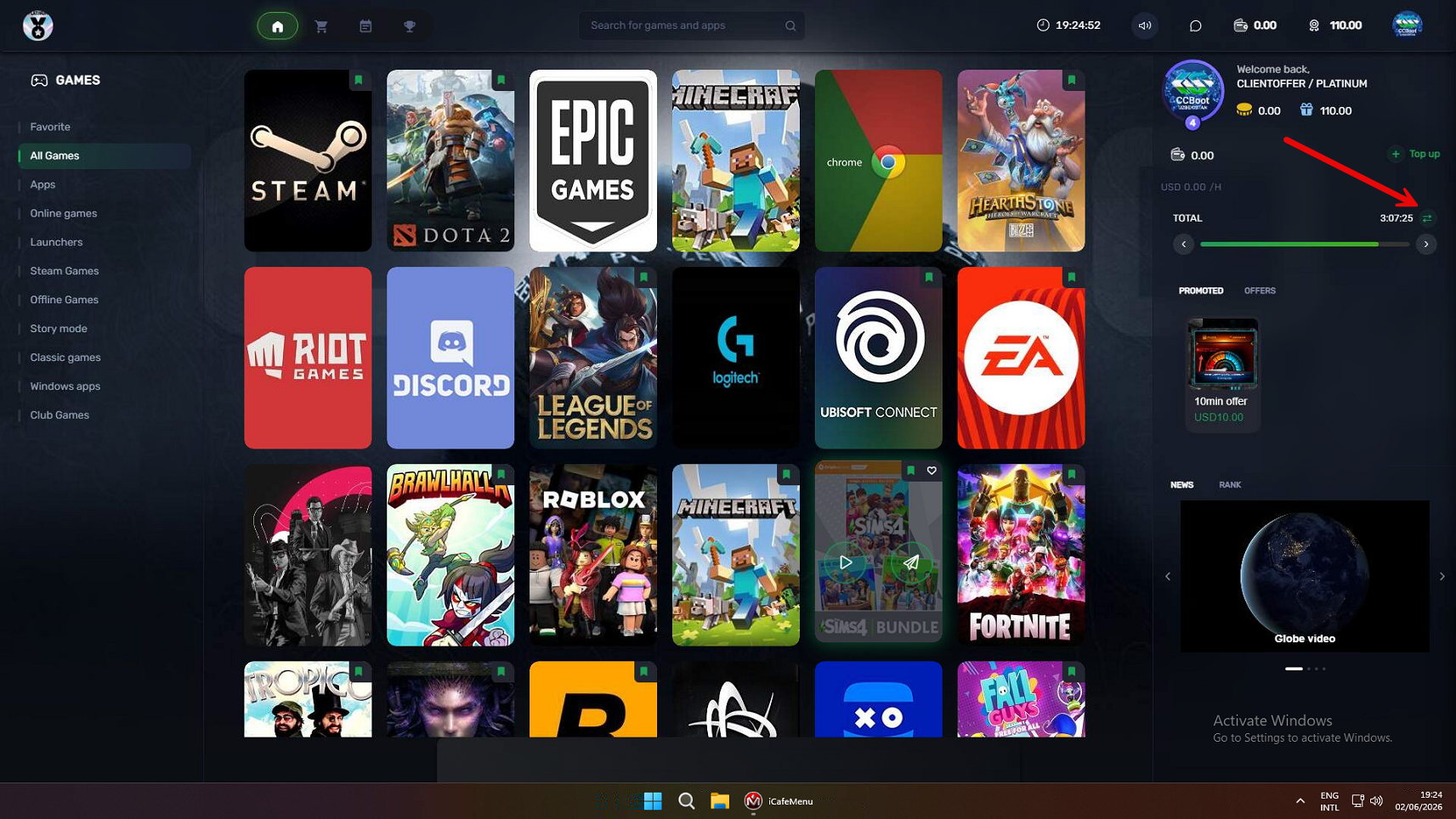
Figure 1
- Click the icon to open a menu showing all available offers. The currently active offer will be marked as Active. Selecting a different offer will switch the session from the currently used offer to the newly selected one. (Figure 2)
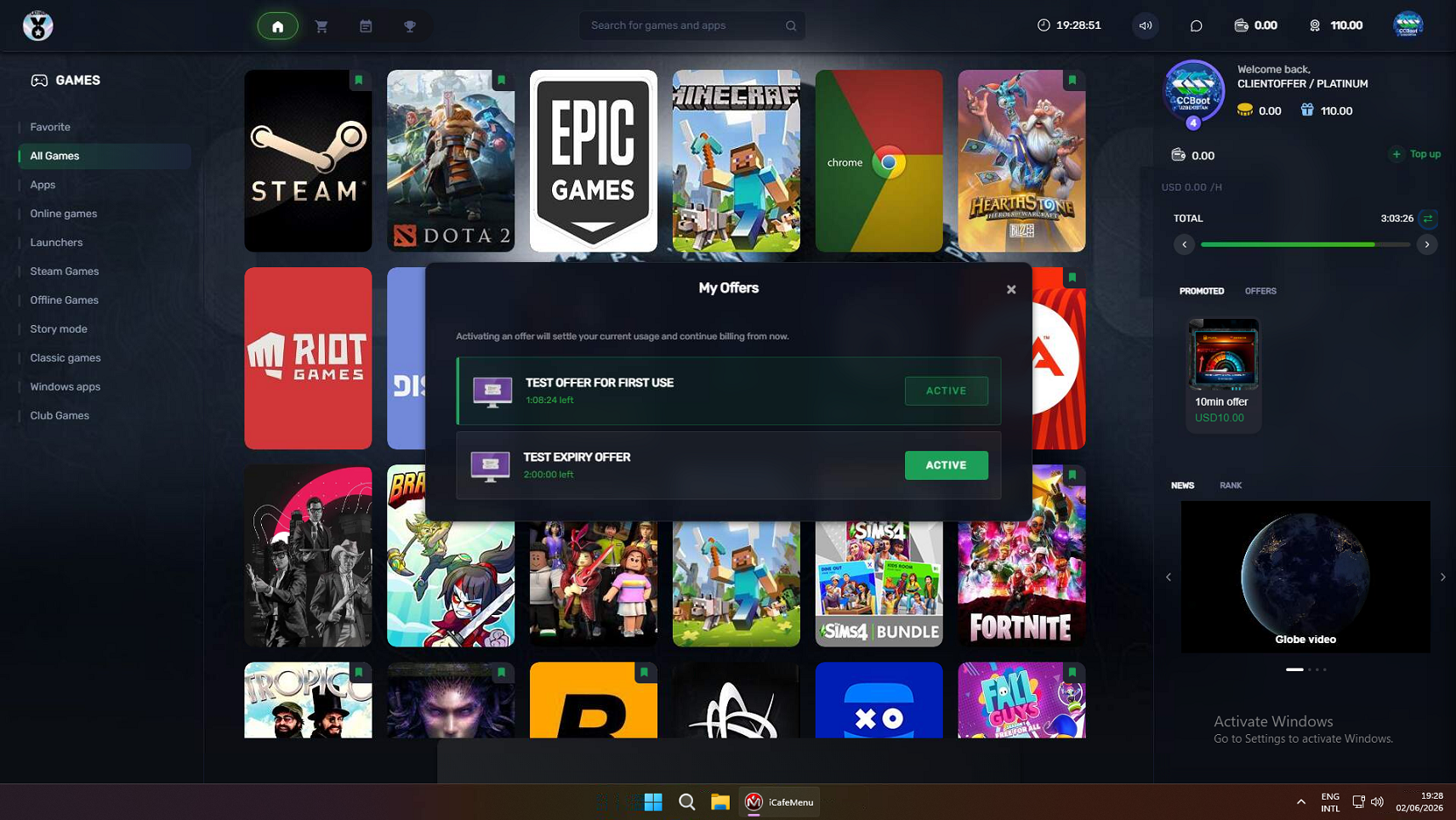
Figure 2
- Before the offer is changed, a confirmation message will be displayed asking whether you want to proceed with the offer change. Click Confirm to apply the new offer. (Figure 3)
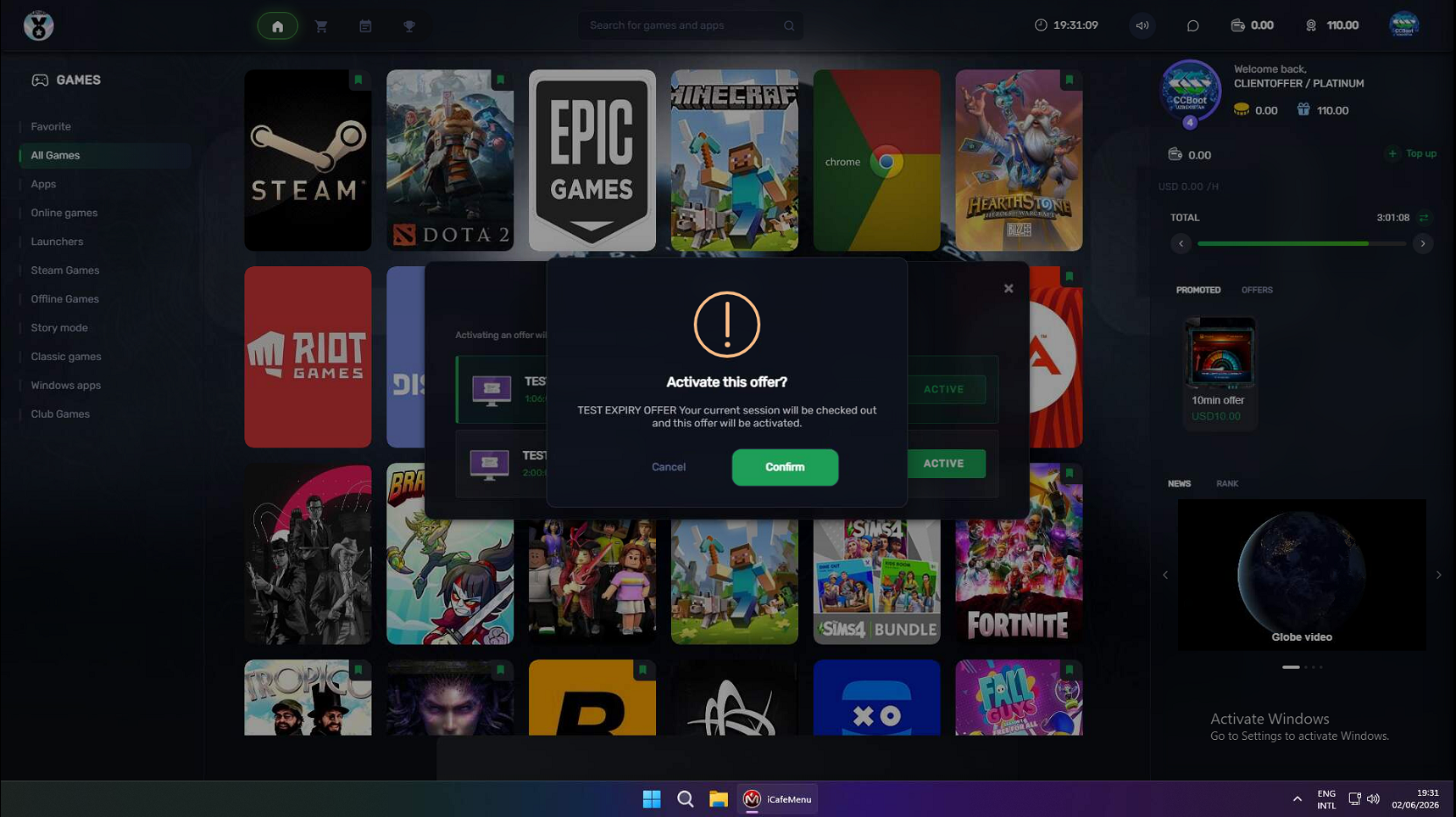
Figure 3
- A success notification will be displayed confirming that the offer change has been completed successfully. (Figure 4)
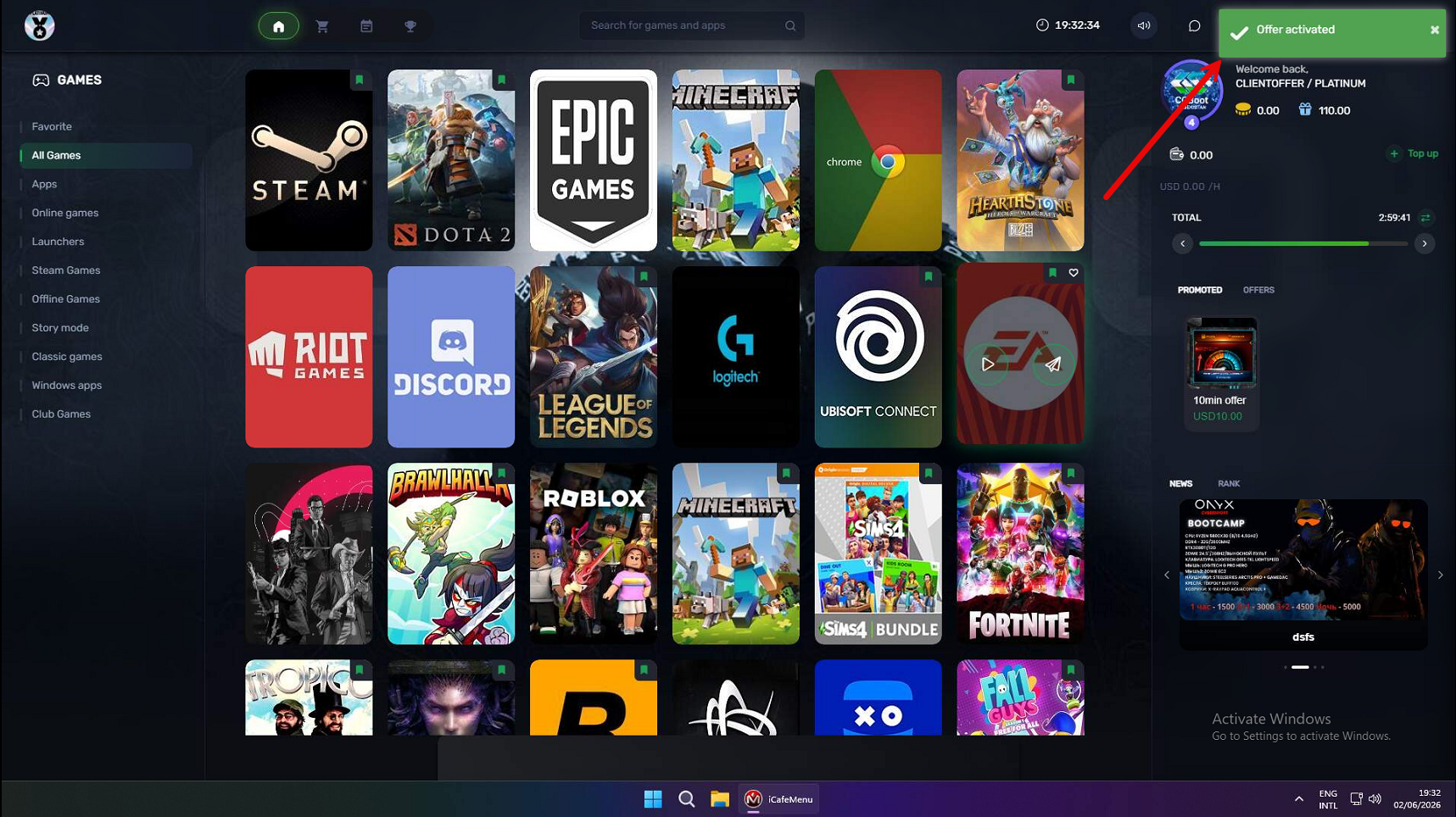
Figure 4