The following explains how to enable refunds for a brief period even after the offer has been used.
- Go to Time and Offer → Settings, and set a value (in minutes) for “Allow refund offer used within”.
- This allows the admin to specify a time window during which an offer remains refundable after it has been used.(Figure 1).
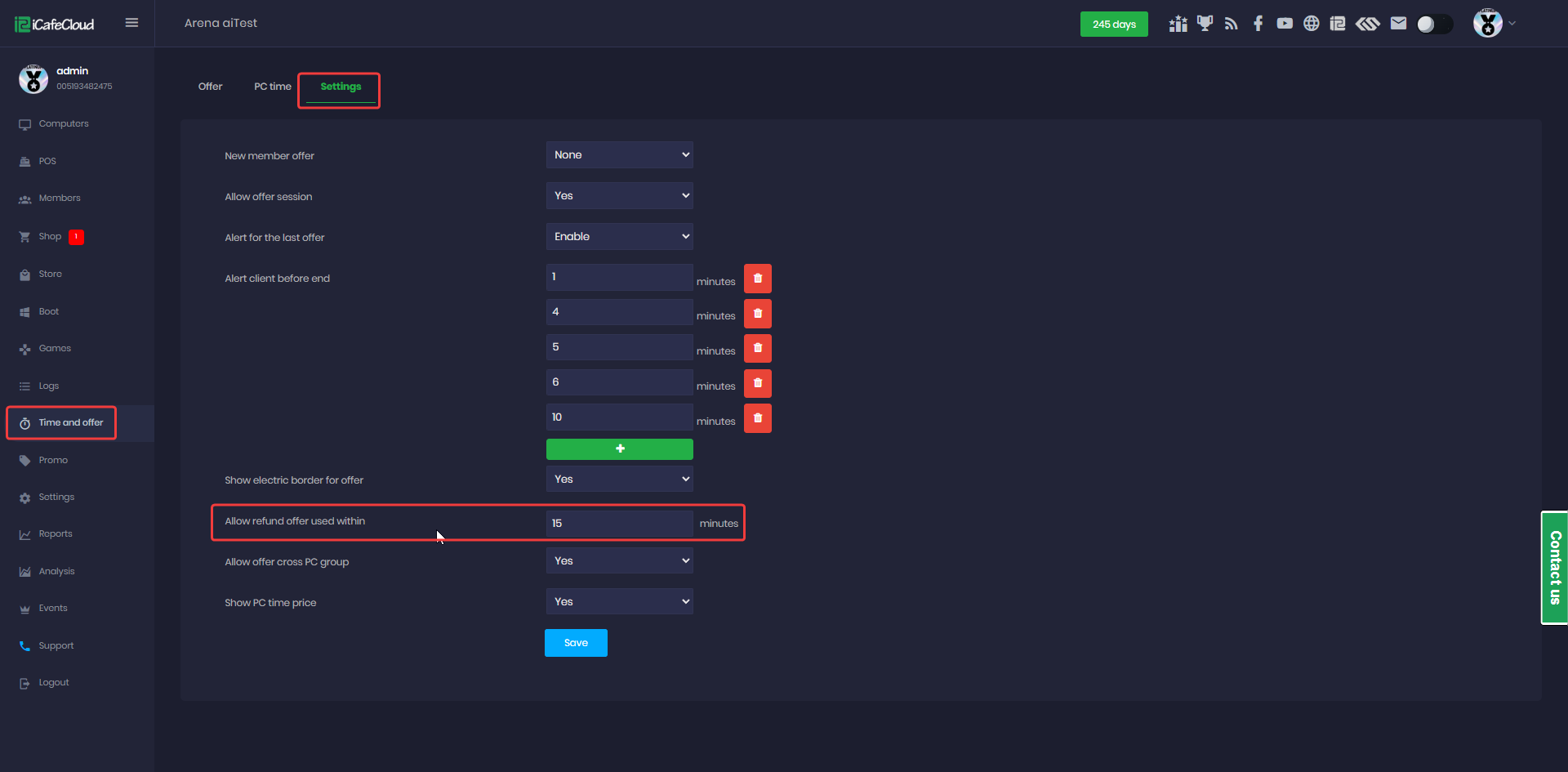
Figure 1
- After setting the value to 15 minutes the offer cannot be refunded any longer if the client uses it for more than 15 minutes.