

The following explains how to enable or disable “Show PC Time Price”, which controls the display of the hourly rate in the client interface when customers start a session.
- Go to Time and offer → Settings and set Show Hourly Rate to Yes (Figure 1).
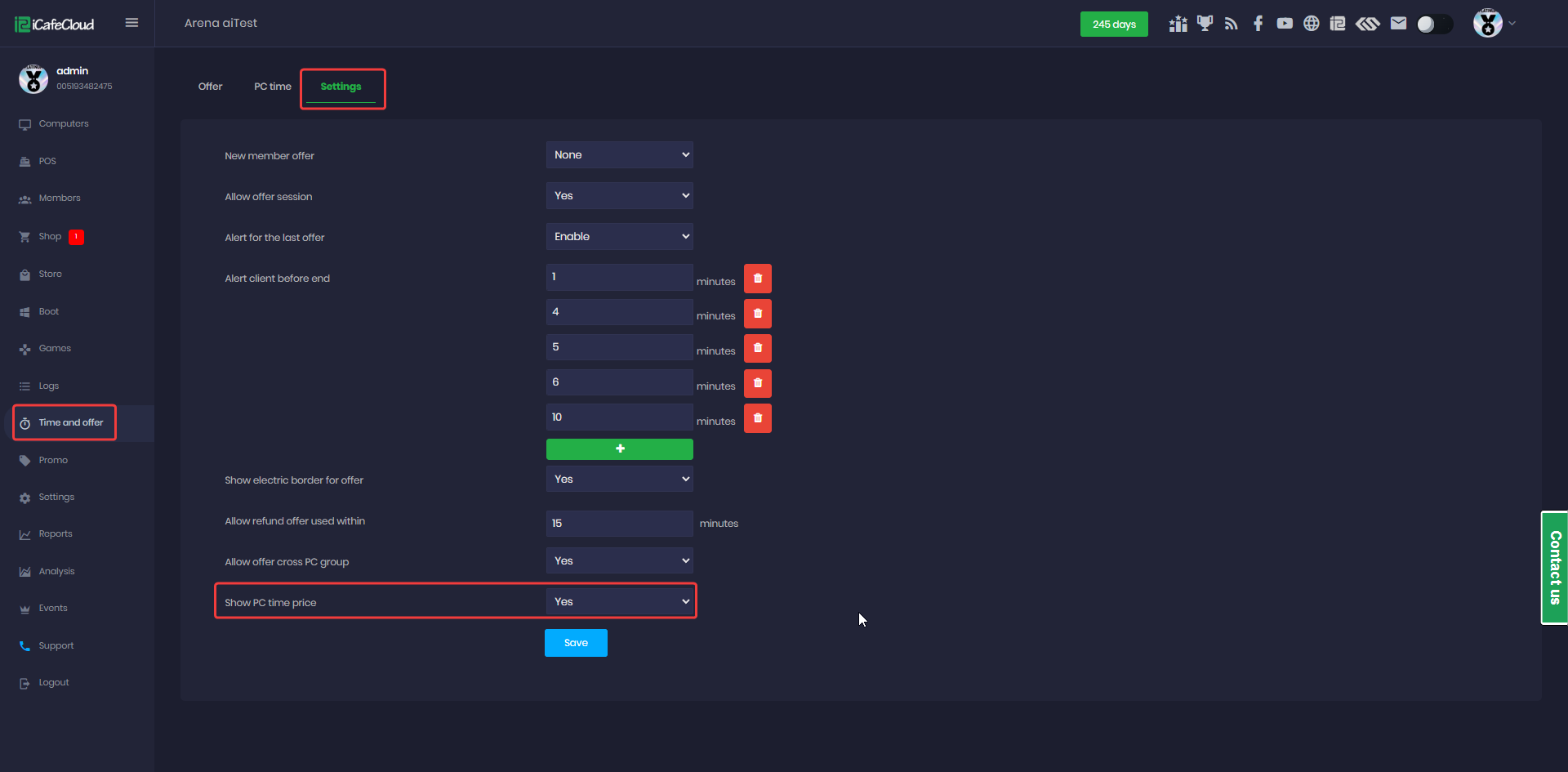
Figure 1
- On the client interface, the currency icon and the hourly price will be displayed in numeric format followed by /H. (Figure 2)
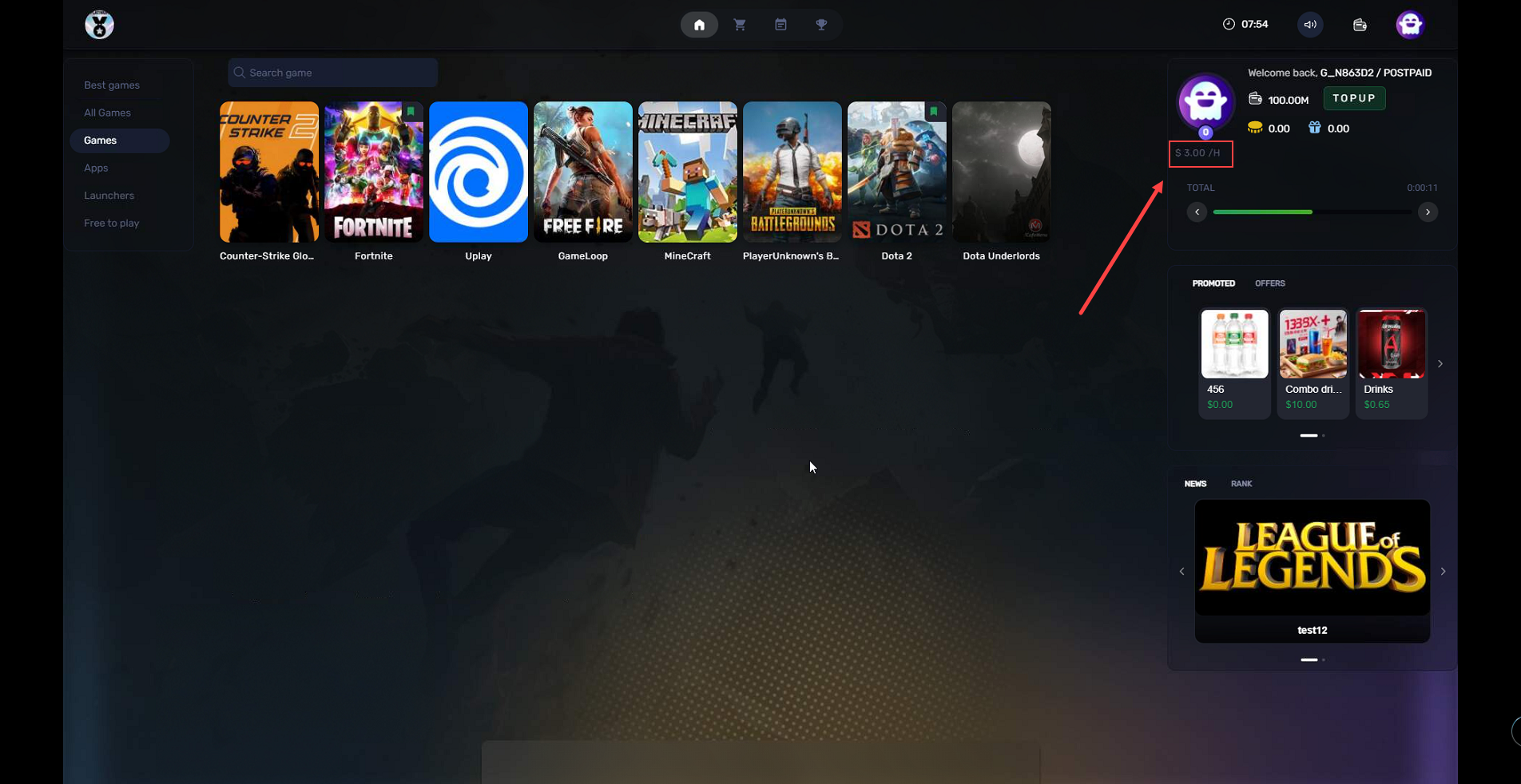
Figure 2
- By disabling this function, the hourly price will no longer be displayed on the client side.