The following explains how to hide “Start Offer Session” from appearing in the Computer Panel when selecting PCs to start sessions.
- To disable the option for offer sessions to be started from the Computer panel.
- Navigate to Time and offer - Settings - Allow offer sessions change to “NO”. (Figure 1)
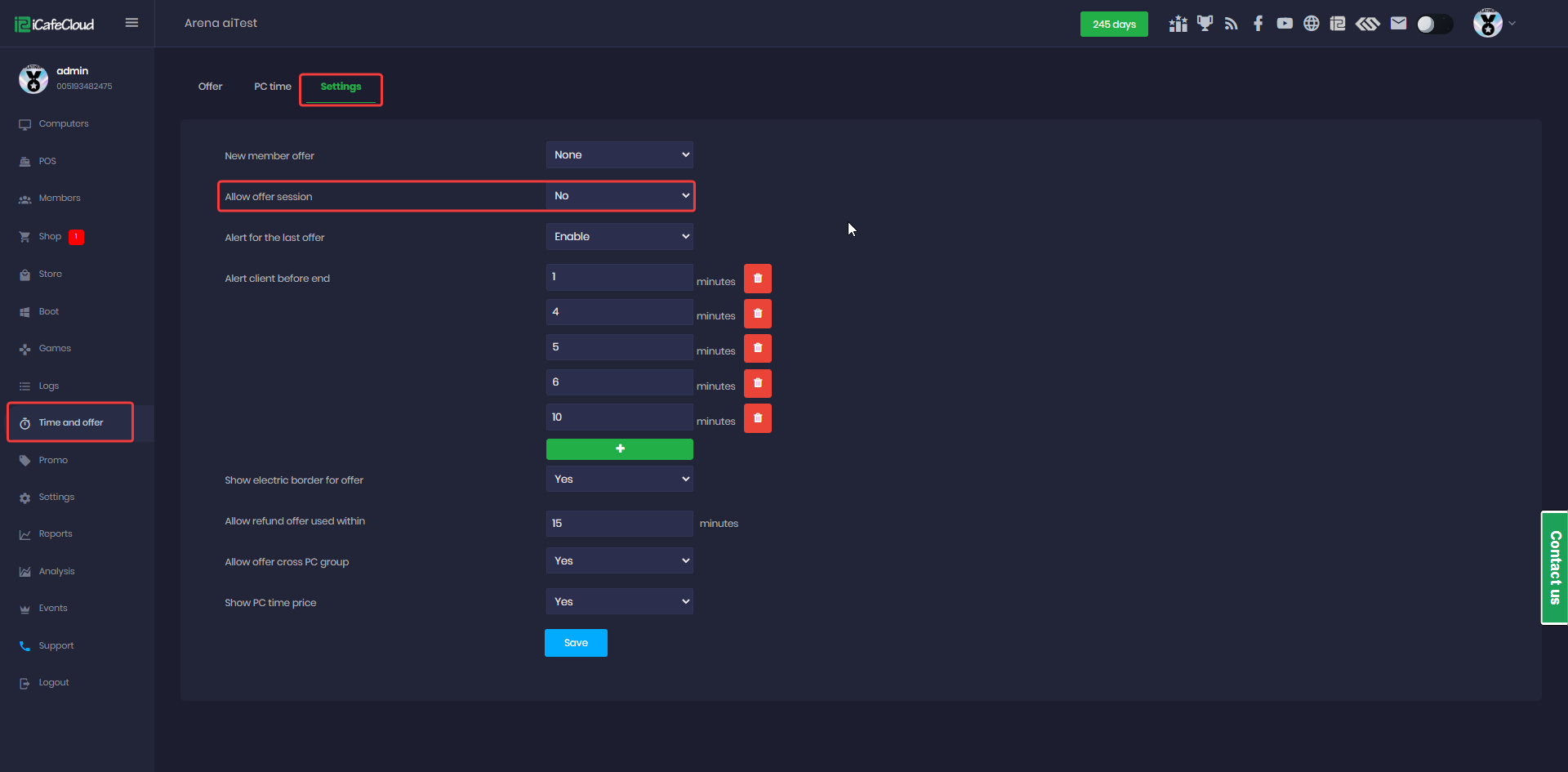
Figure 1
- The feature will be removed from the Computer panel and will be unavailable to both admins and employees. (Figure 2)
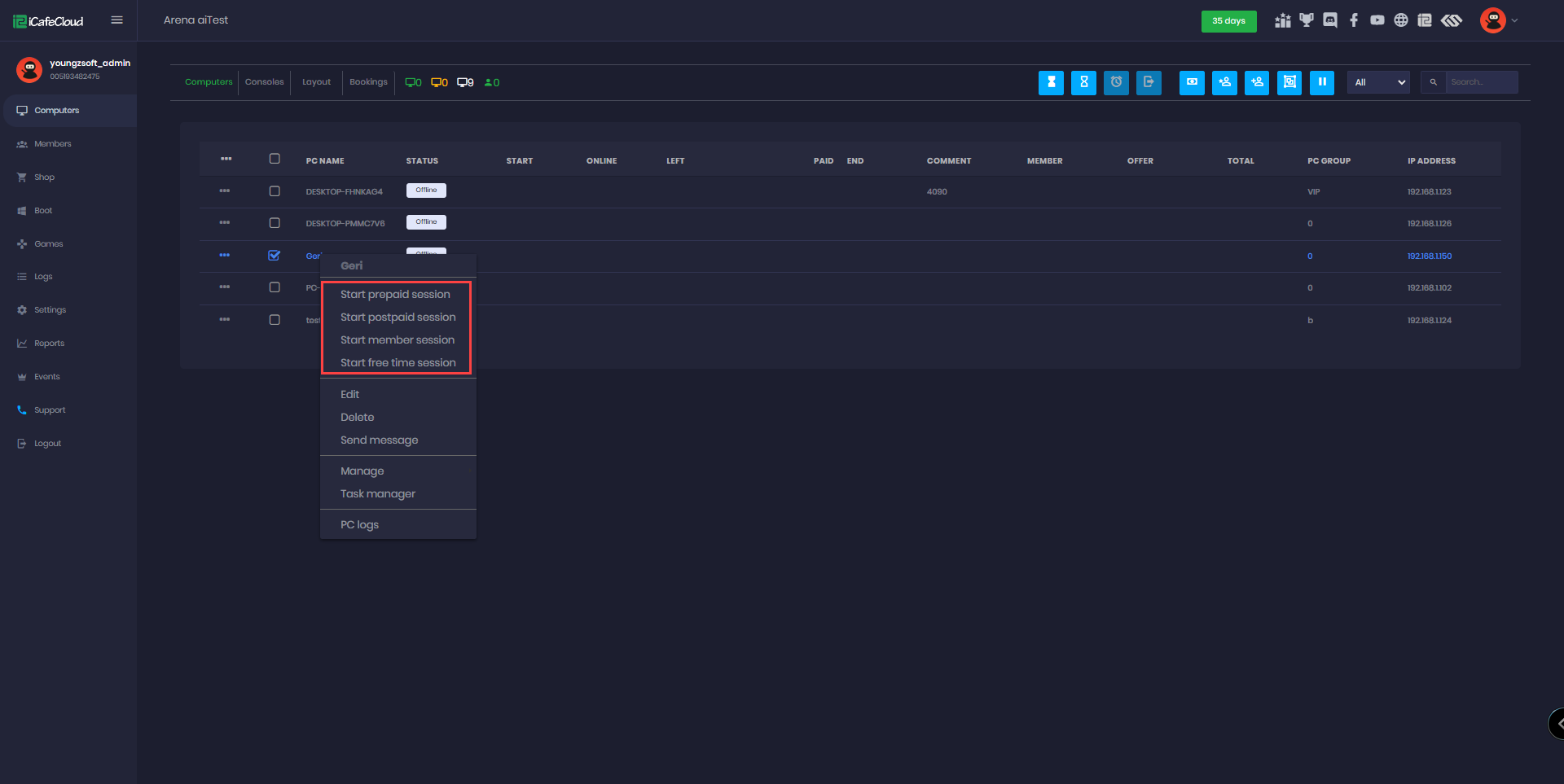
Figure 2