

The following explains how to configure an expiration date for offers and how to check which offers have expired.
- Go to Time & Offers → Offer, then select the correct date in the ‘Valid Date’ option. (Figure 1)
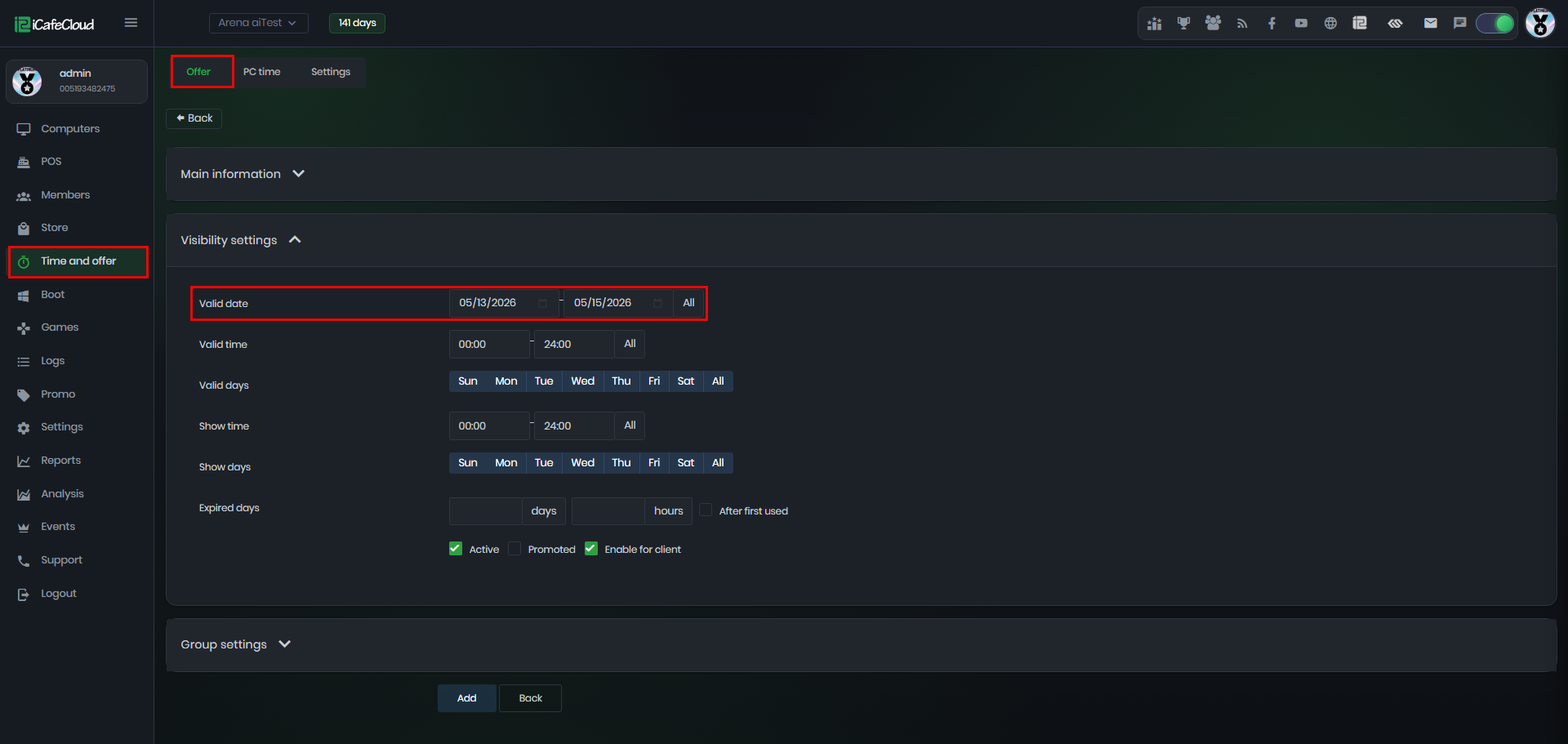
Figure 1
- On the Member page, click ‘Available Offers’. If an offer has passed its valid date, it will be highlighted in yellow and the ‘Expired’ status will display as ‘Yes’. (Figure 2)
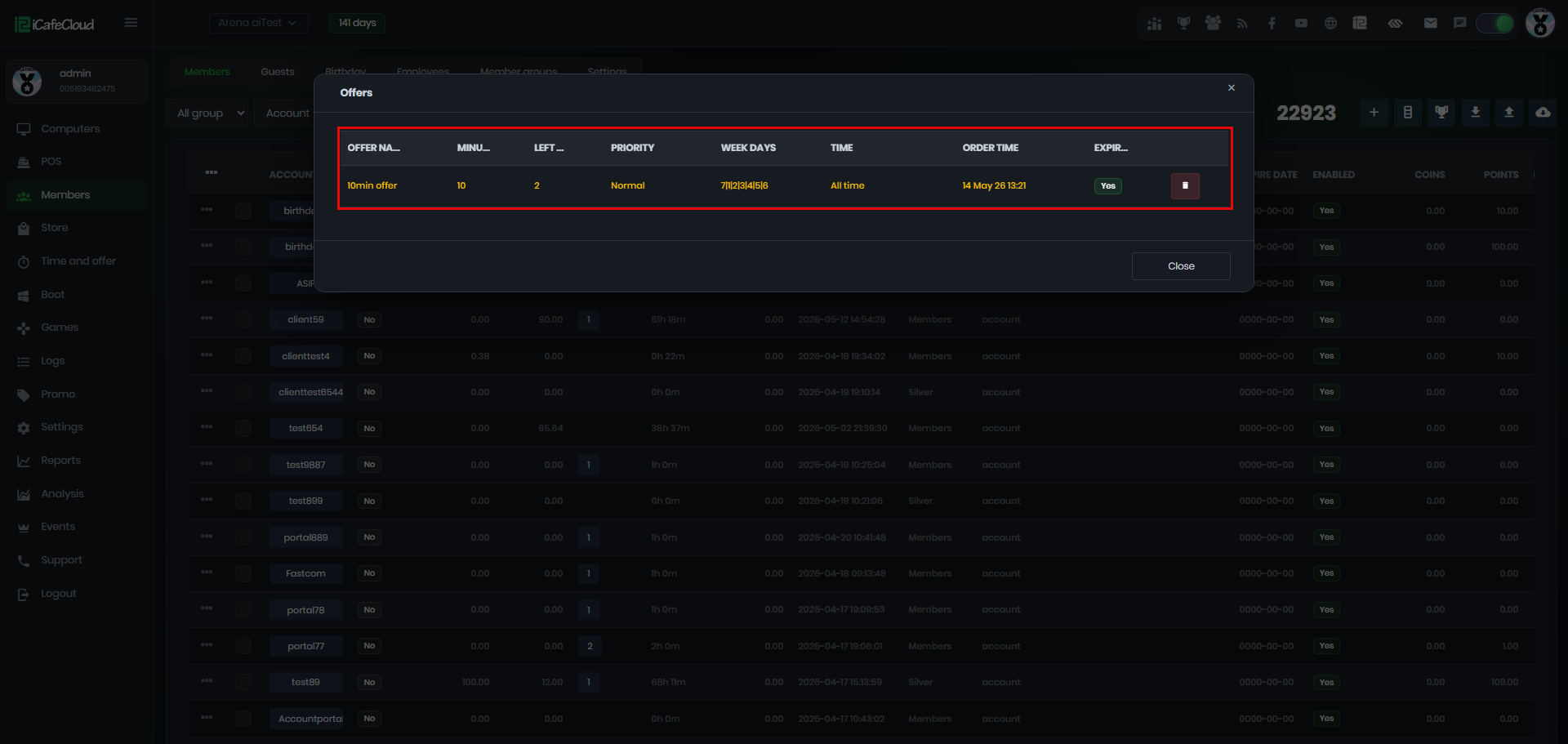
Figure 2
- Once an offer expires, customers can no longer use it. The offer must be used before the expiration date.