

The following explains how to force all newly created member accounts to purchase a specific offer as a welcome offer.
- To require all new member accounts to purchase a specific offer, enable the "New Member Offer" option. This setting can be found under "Account" in the Members - Settings section. (Figure 1)
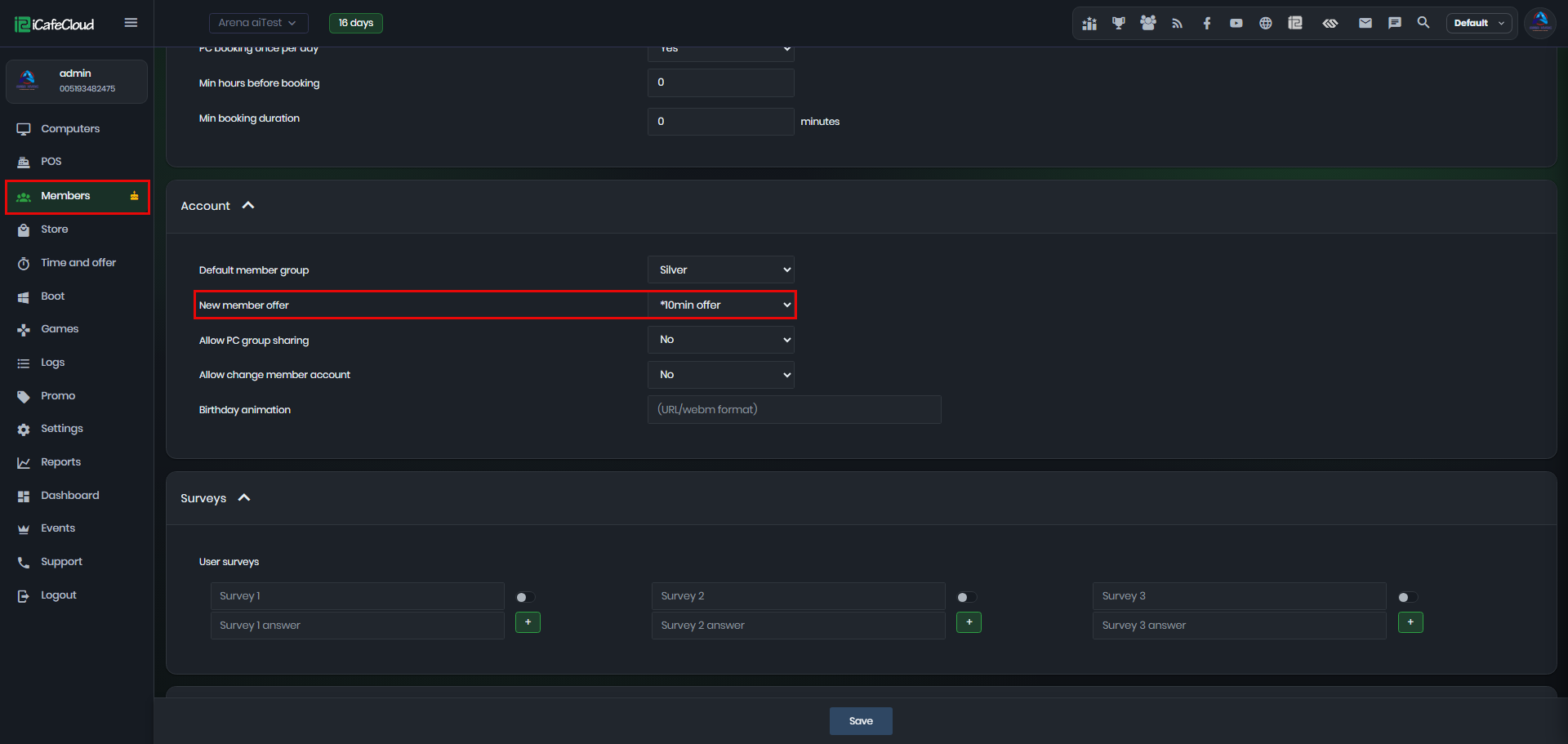
Figure 1
- Select the offer you want new members to purchase for the first time from the drop-down list, which displays all available offers.(Figure 2)
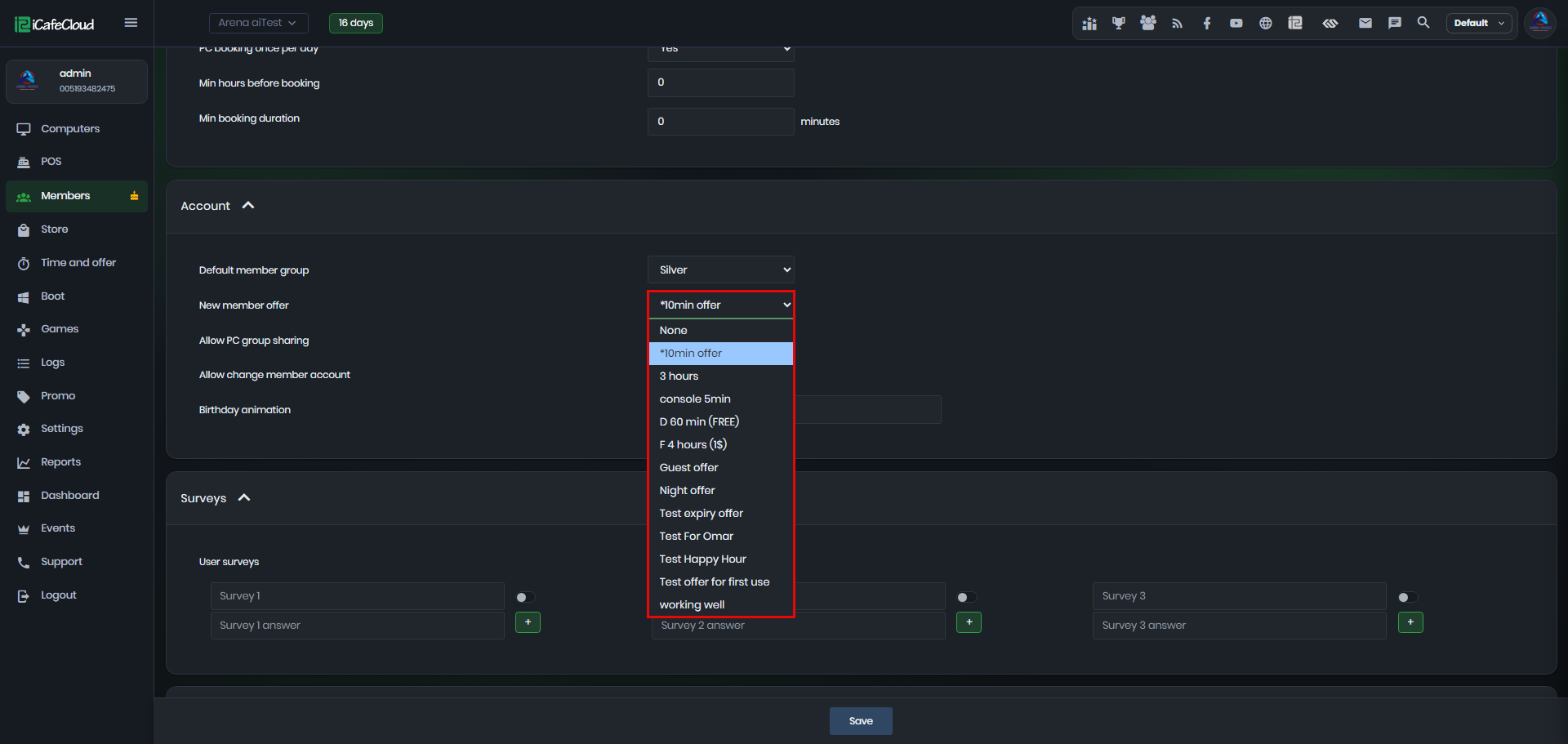
Figure 2
- Once selected click Save.
- When you go to the Members page and create a new account, you will see the offer name, price, payment options, tax, and paid amount.
- Once all the required information has been entered, the payment will be completed and the new member account will be created.(Figure 3)
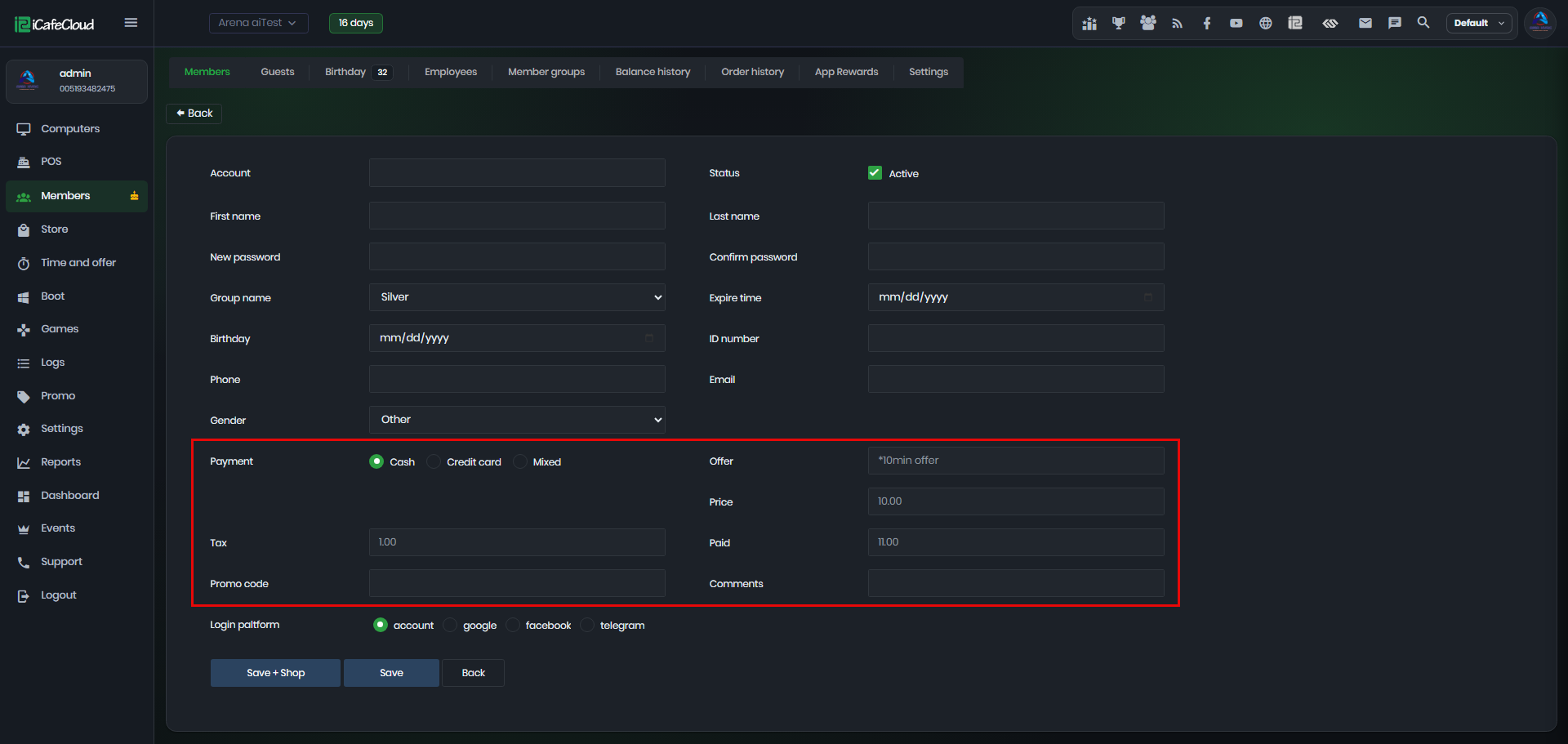
Figure 3
- The new member will be displayed in the Members list along with their purchased offer. (Figure 4)
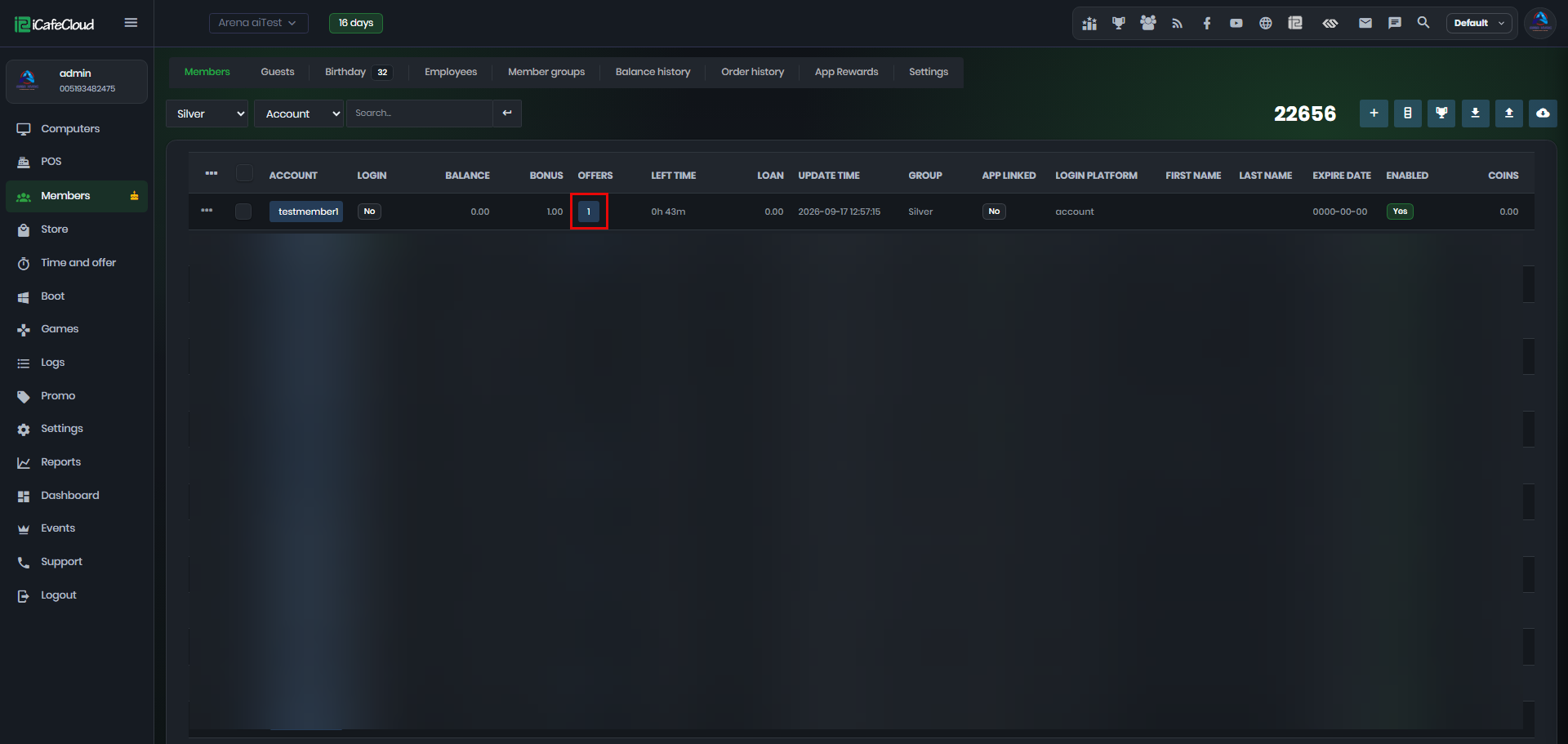
Figure 4
- When the client clicks “Register,” a QR code will be displayed to complete the payment. The screen will first show the offer being purchased, followed by the amount to be paid. (Figure 5)
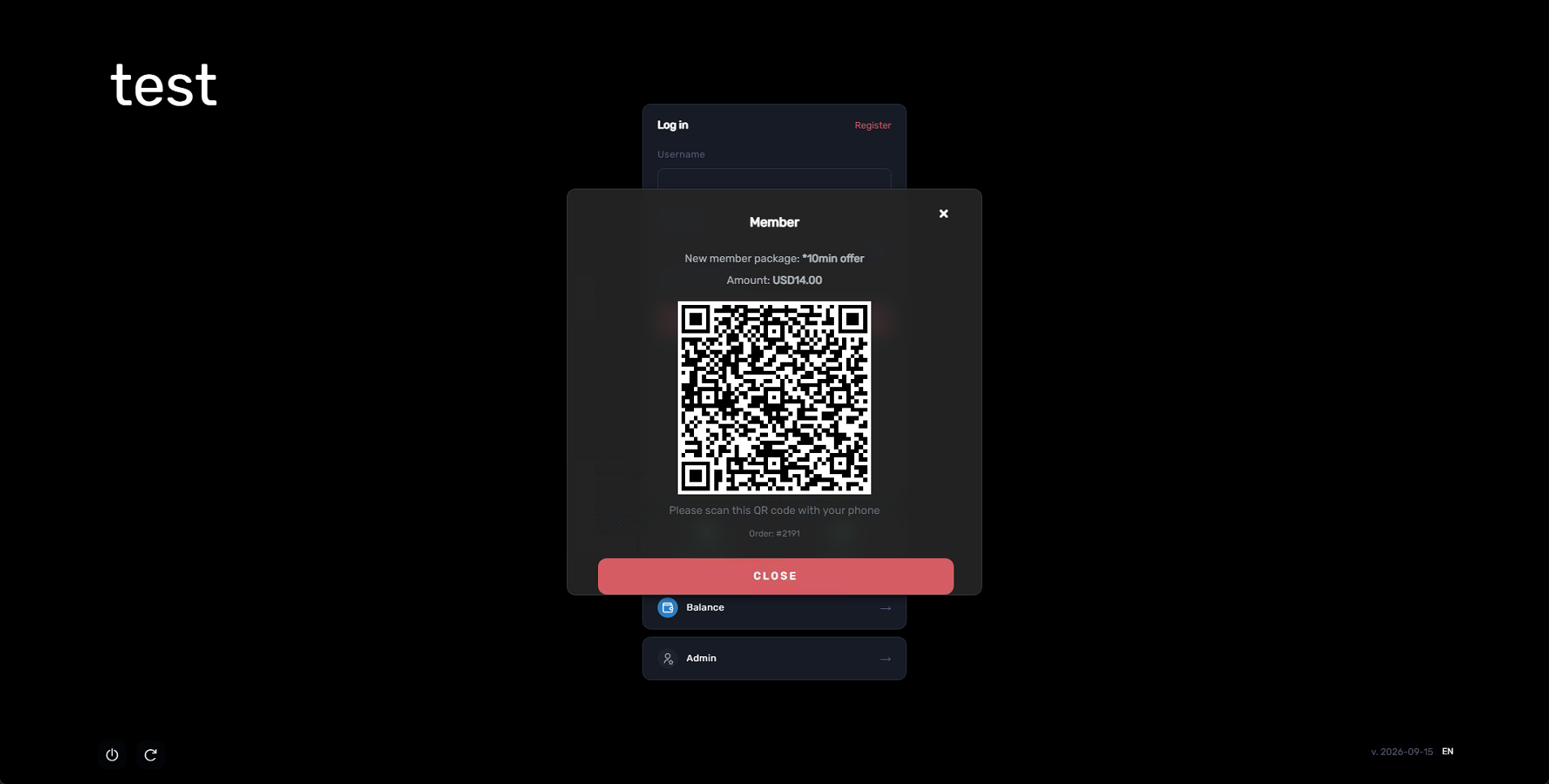
Figure 5
- Once the payment is successfully completed, the registration fields will be displayed, along with a “Purchase Successful” message at the top of the screen. (Figure 6)
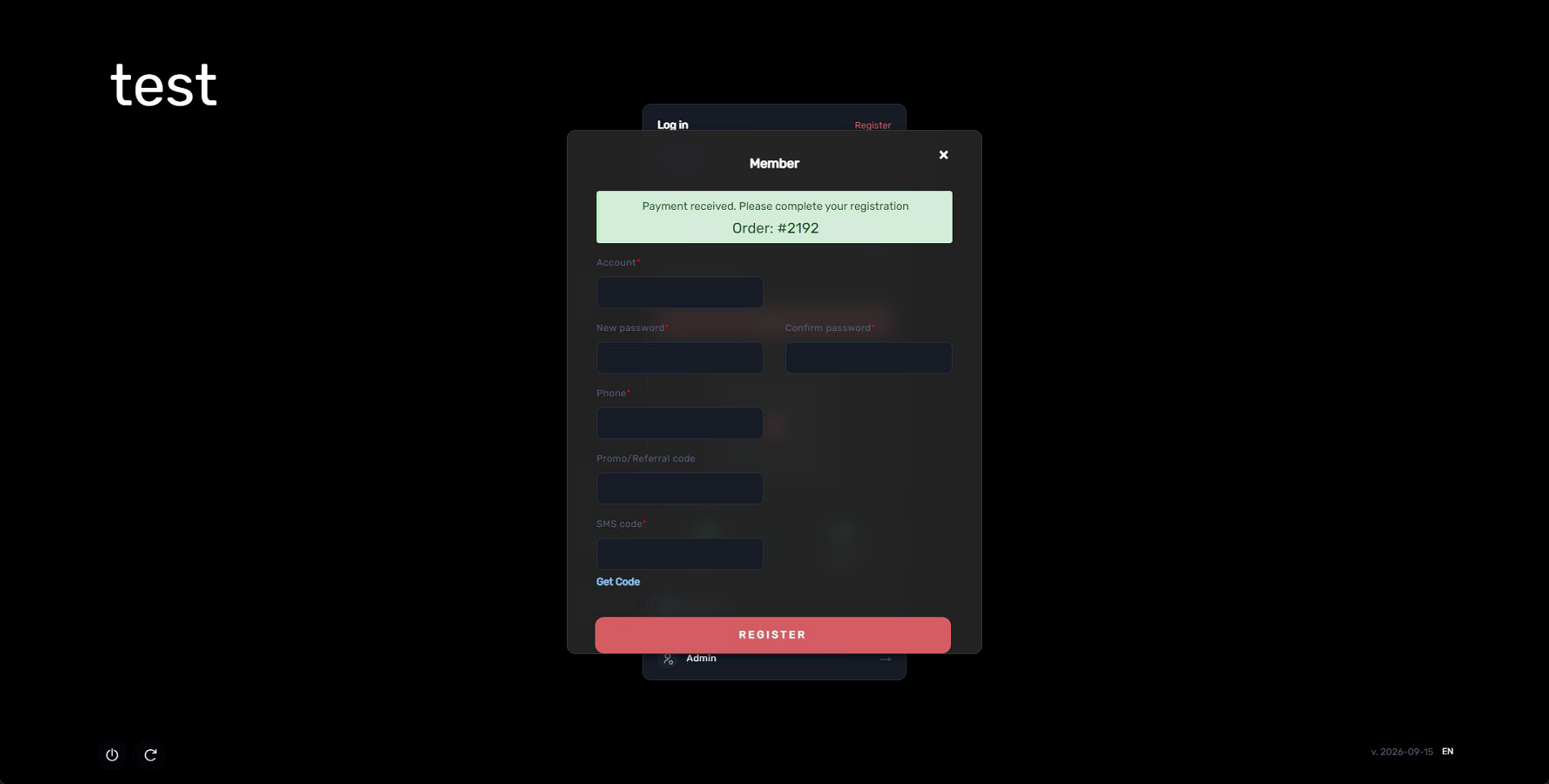
Figure 6
- Once the registration is completed, the session will start automatically, using the time included in the purchased offer. (Figure 7)
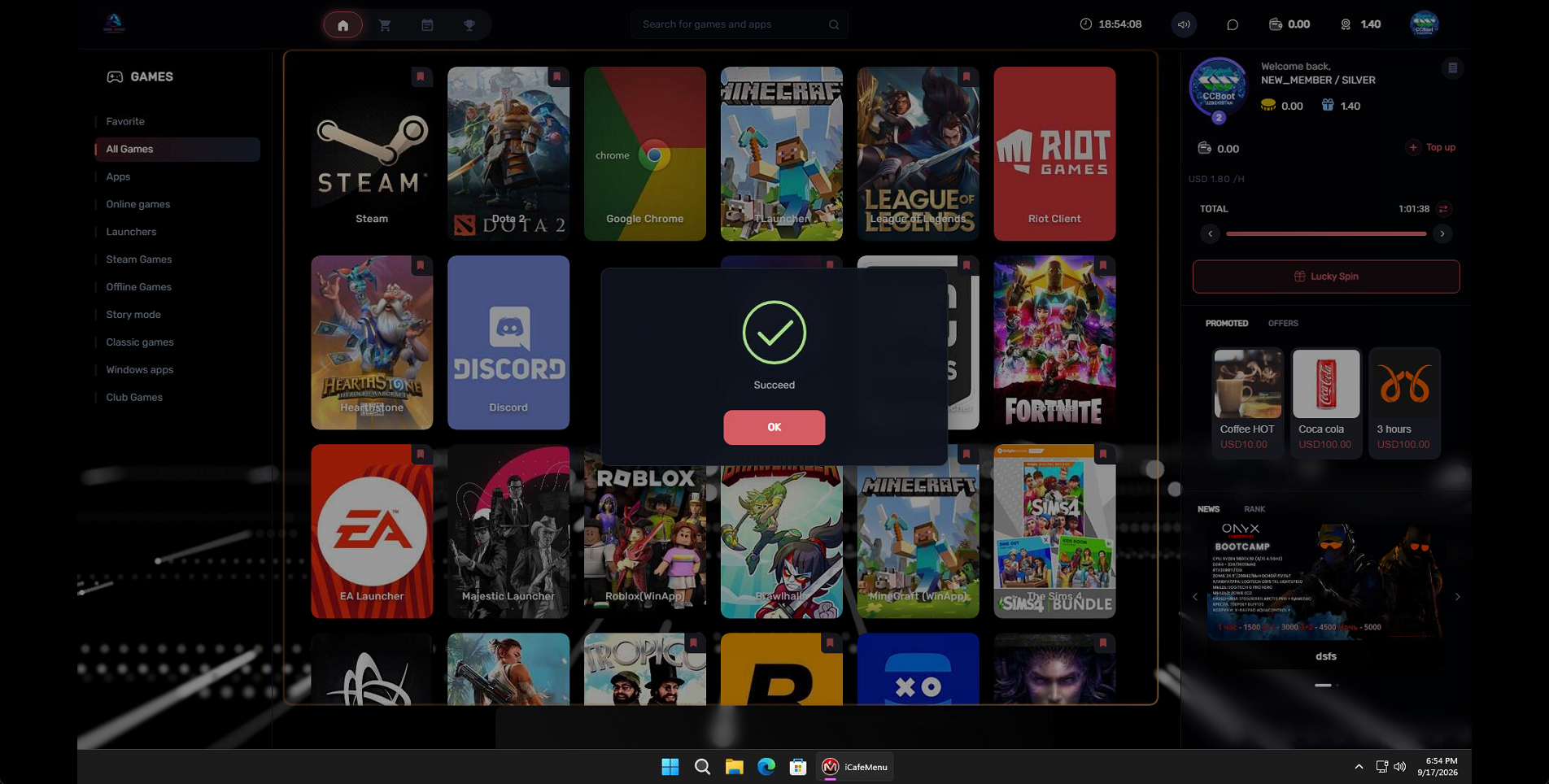
Figure 7
- The Portal registration follows the same flow as the client-side registration, starting with a QR code payment request. (Figure 8)
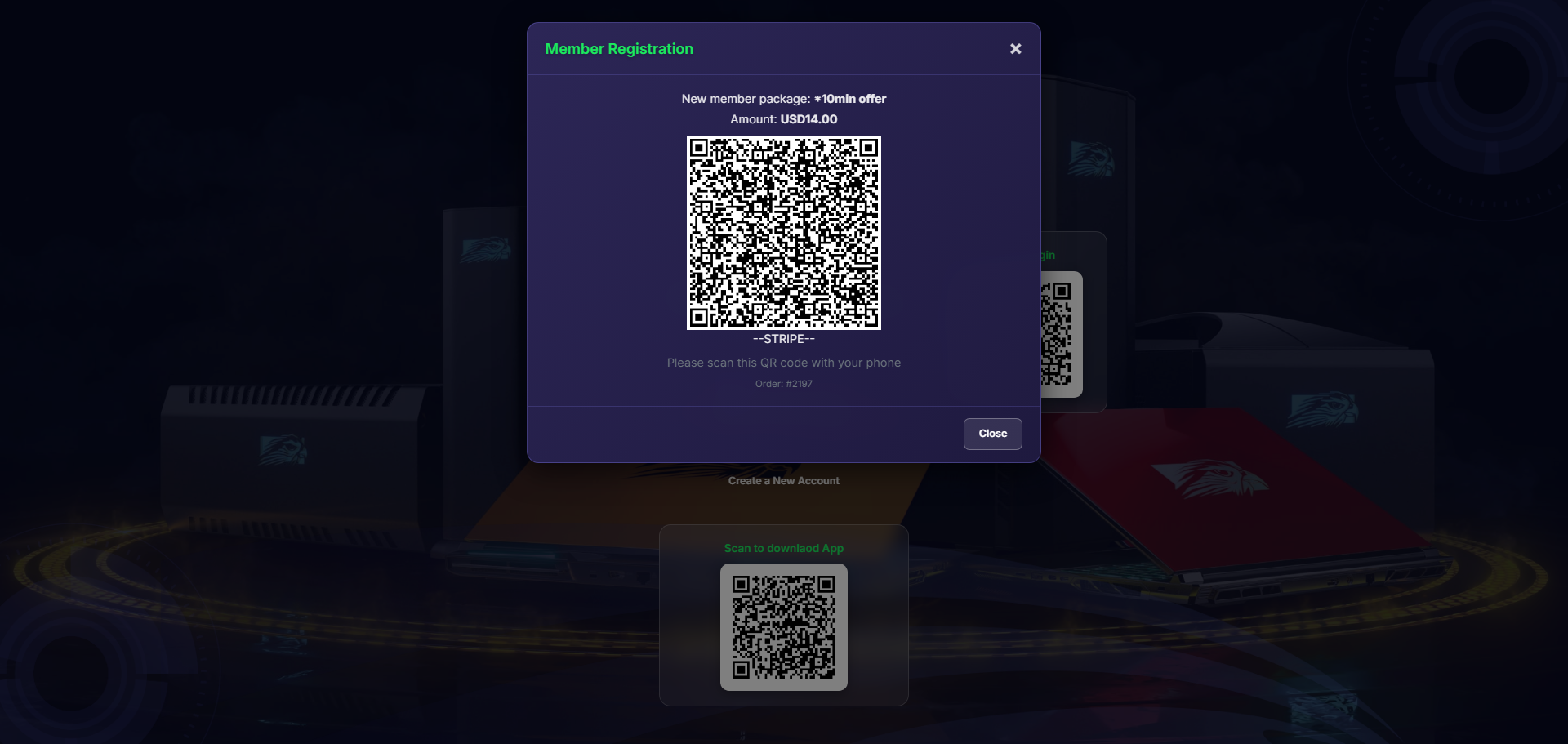
Figure 8
- then continuing with the registration account setup. (Figure 9)
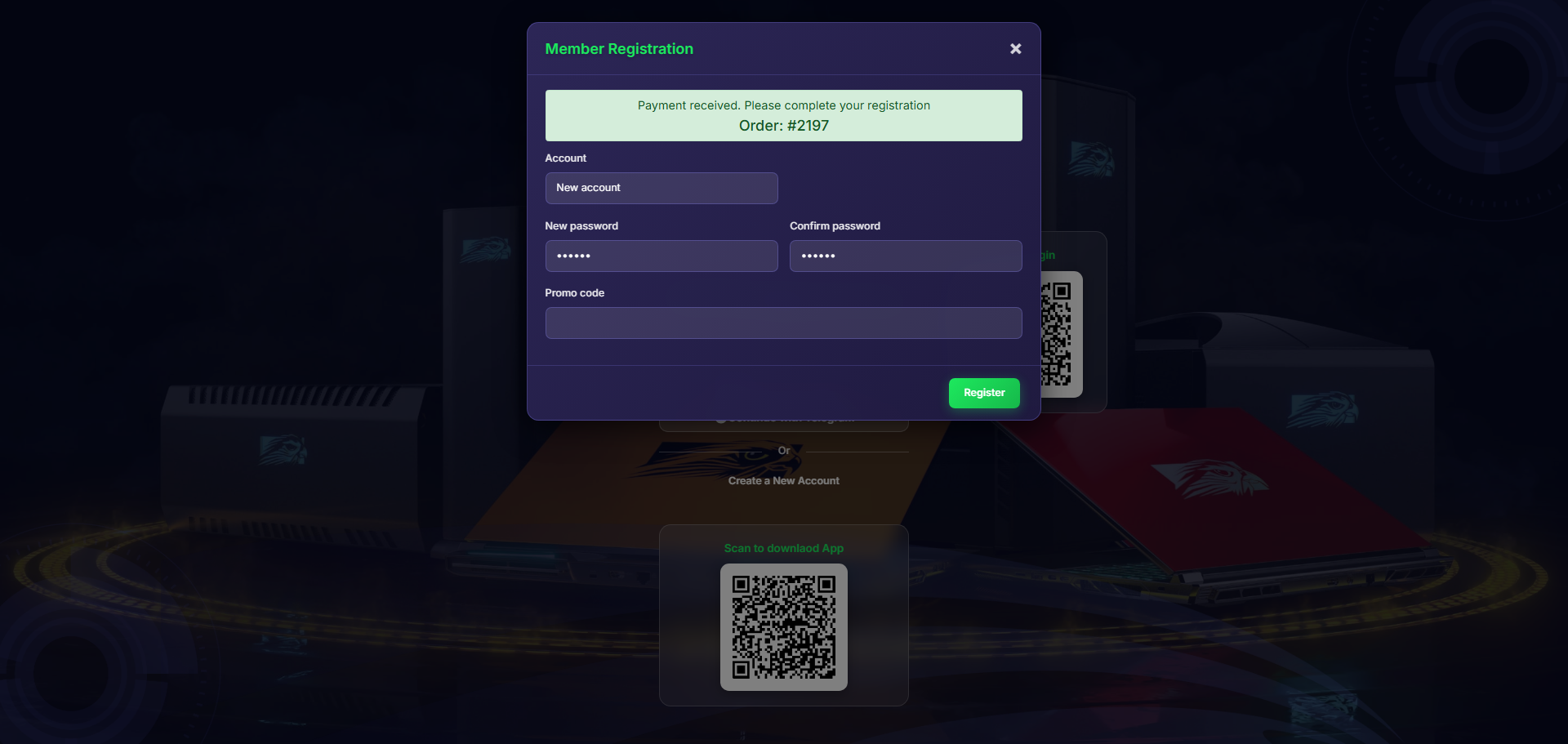
Figure 9
- If the offer is free, it will be automatically added to the newly created account.