

The following explains how to create staff accounts, assign roles (Admin, Manager, and Staff), and configure their permissions.
- Navigate to Members → Employees and click ‘Add Staff’(Figure 1)
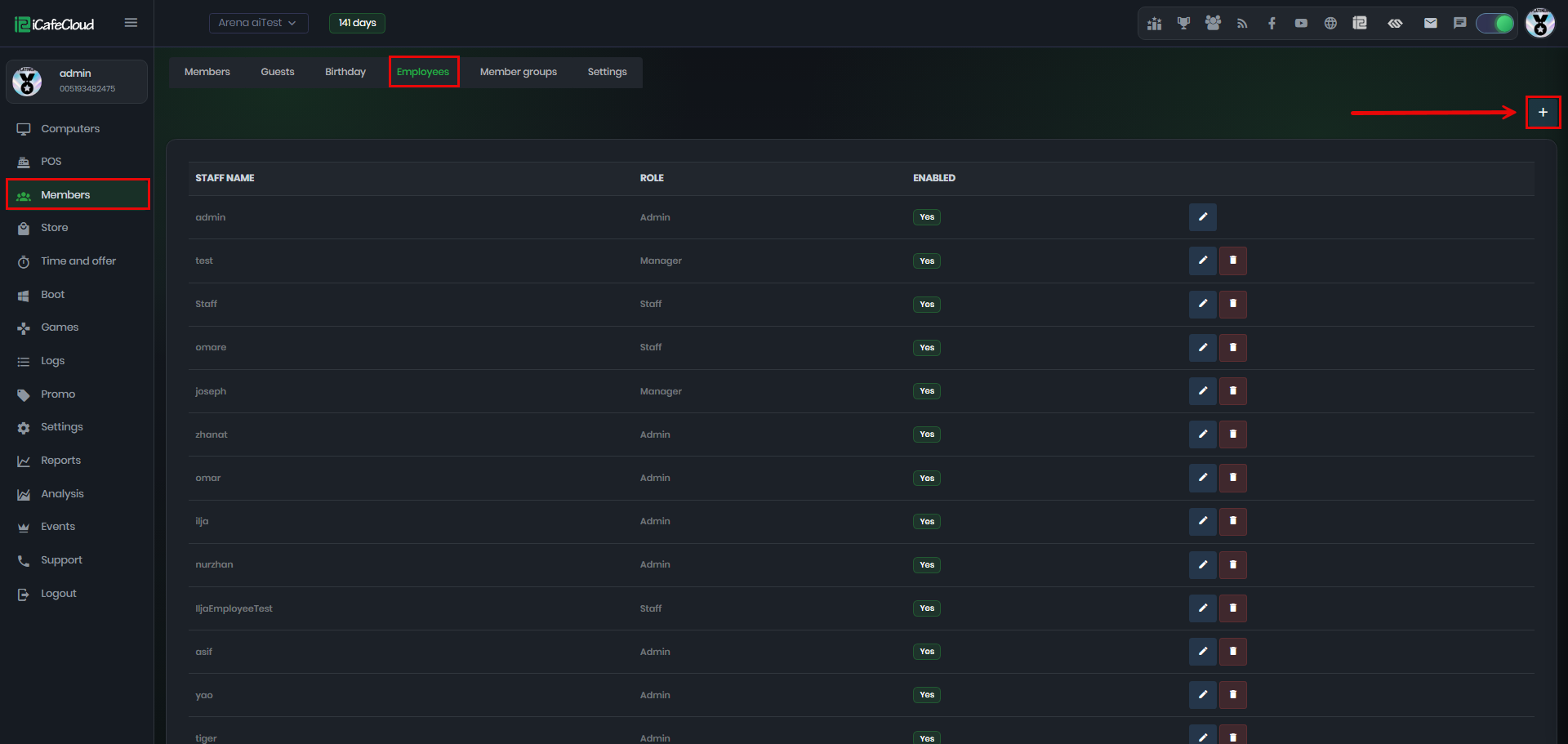
Figure 1
- Fill in the required fields such as Staff Name, Password, Staff Role, Status, and Employee Access permissions. (Figure 2)
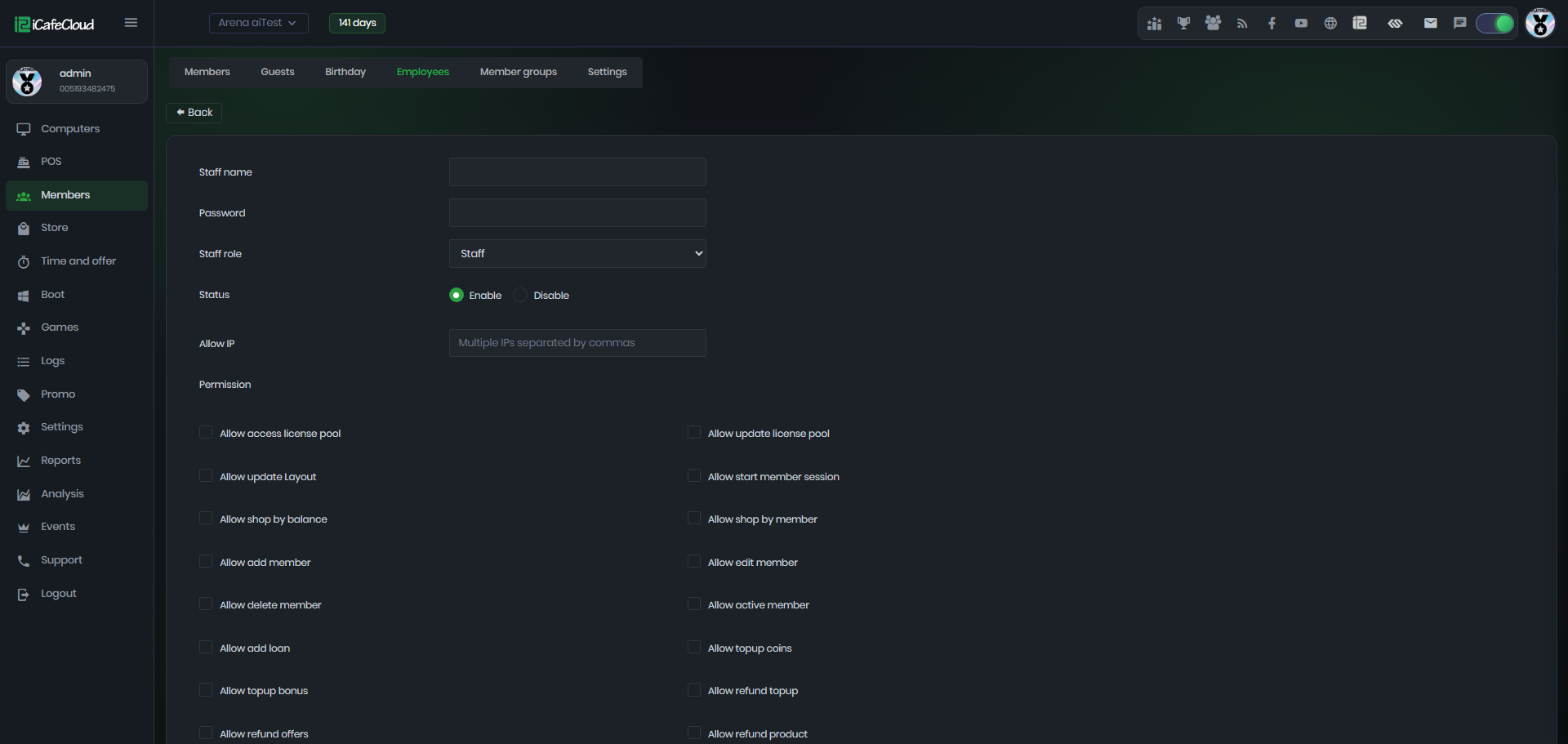
Figure 2
- There are three available roles: Admin, Manager, and Staff. (Figure 3)
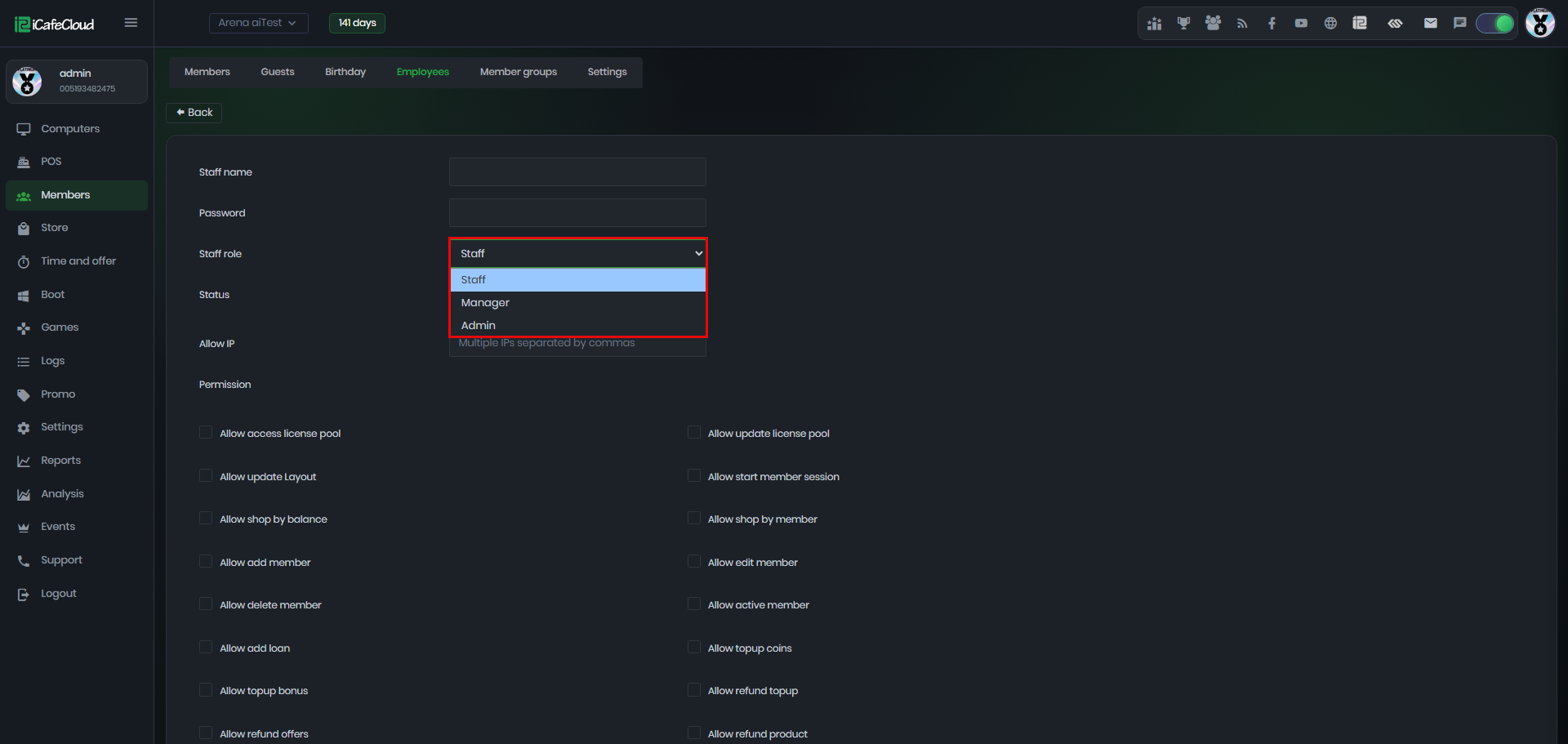
Figure 3
- Admin accounts have full access to all features and functions in iCafeCloud.
- Manager accounts have limited access to certain features and functions.
- Add IP restriction to improve security by allowing access only from approved IP addresses.
- Finally, click ‘Save’ to create the new staff account.