

The following explains how to view a member’s balance history and review all related transaction details.
- Navigate to the Members page and click Balance History. (Figure 1)
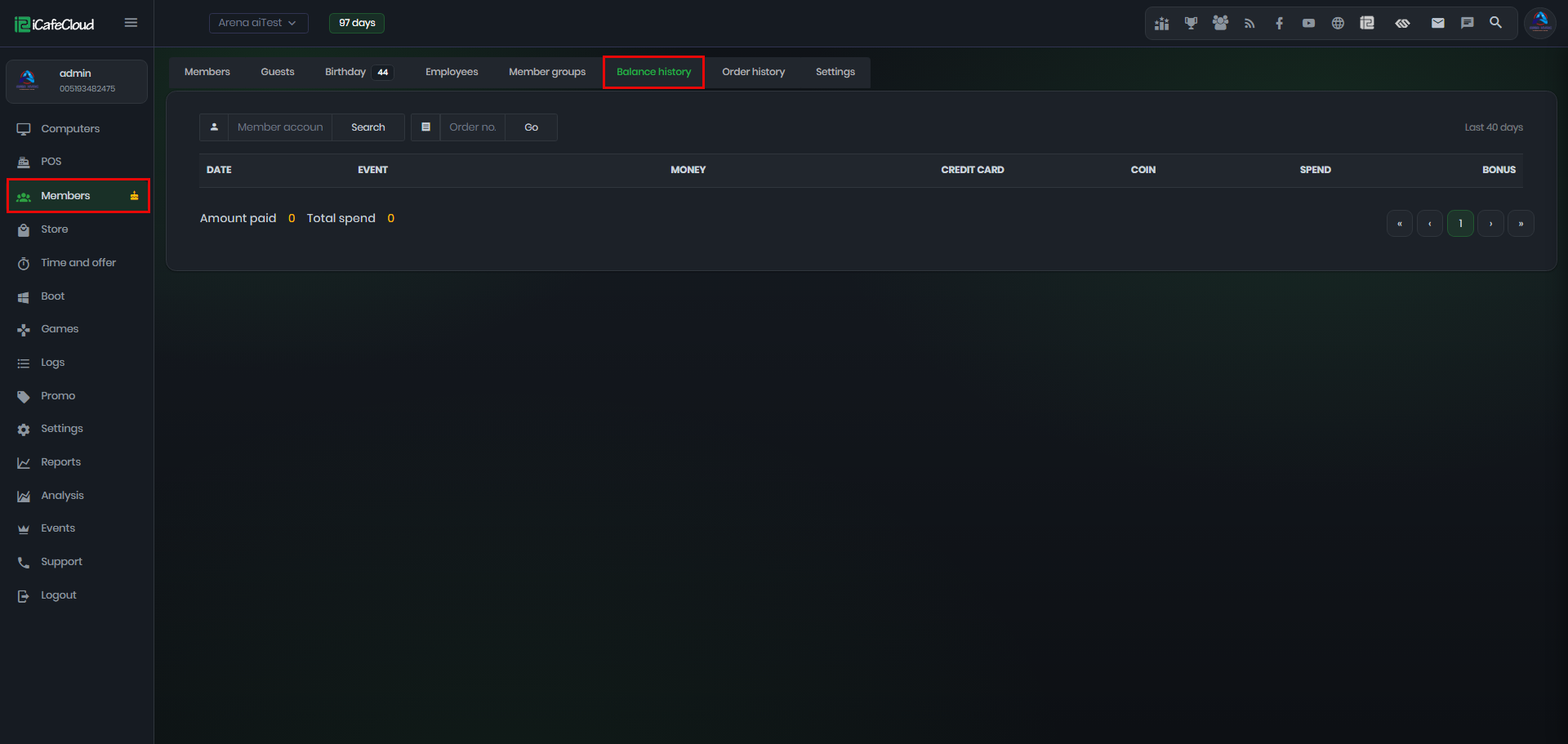
Figure 1
- Type the account name you want to search, then click the Search button. The results will display the balance history details, including date, event, money, credit card, coins, spend, and bonus. (Figure 2)
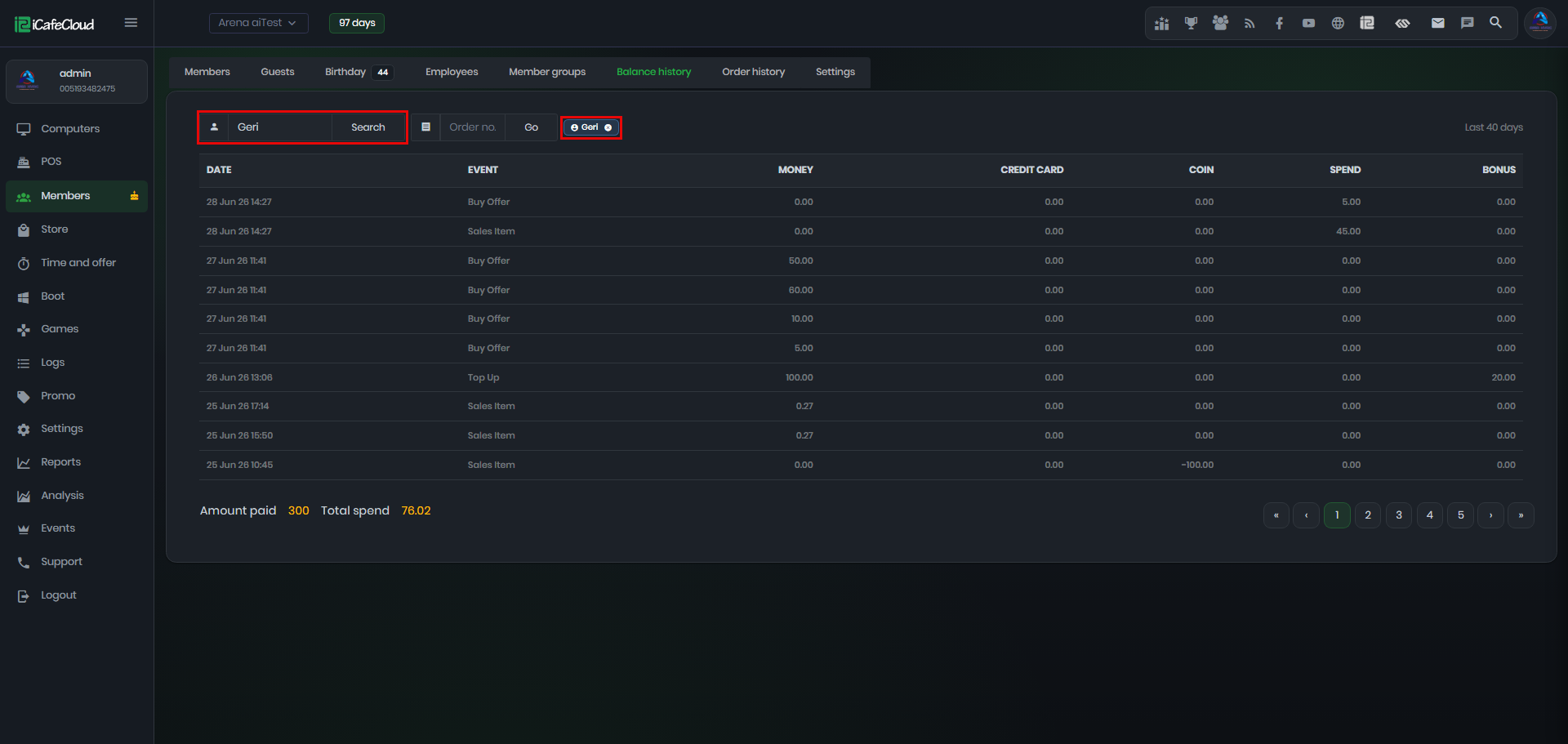
Figure 2
- It also displays the total amount and total spend over the last 40 days. (Figure 3)
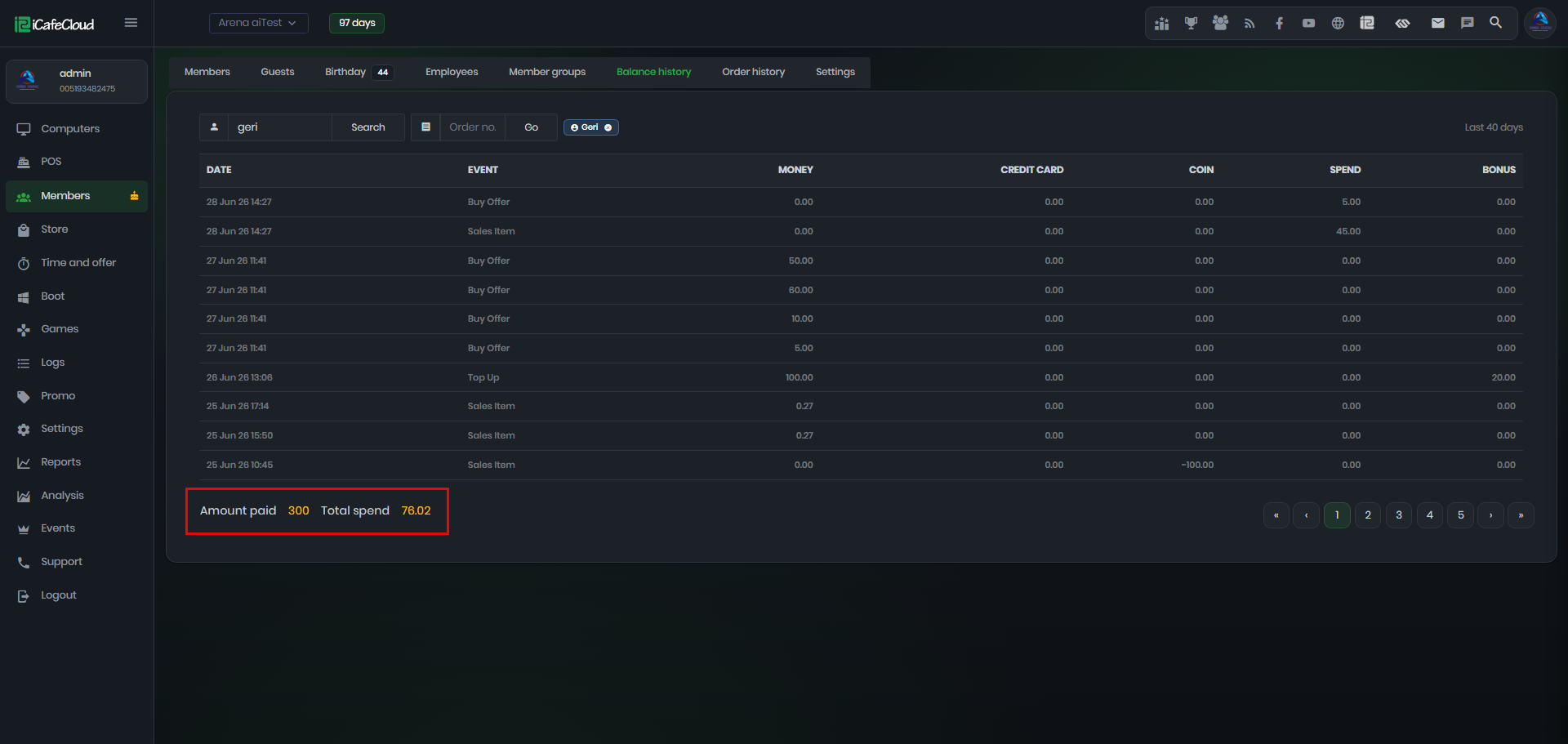
Figure 3