

The following explains how to disable earning game coins or participating in events for specific members, in cases where you want to restrict them due to cheating or other violations.
- Navigate to the Members page, select the desired member account, and click ‘Edit. (Figure 1)
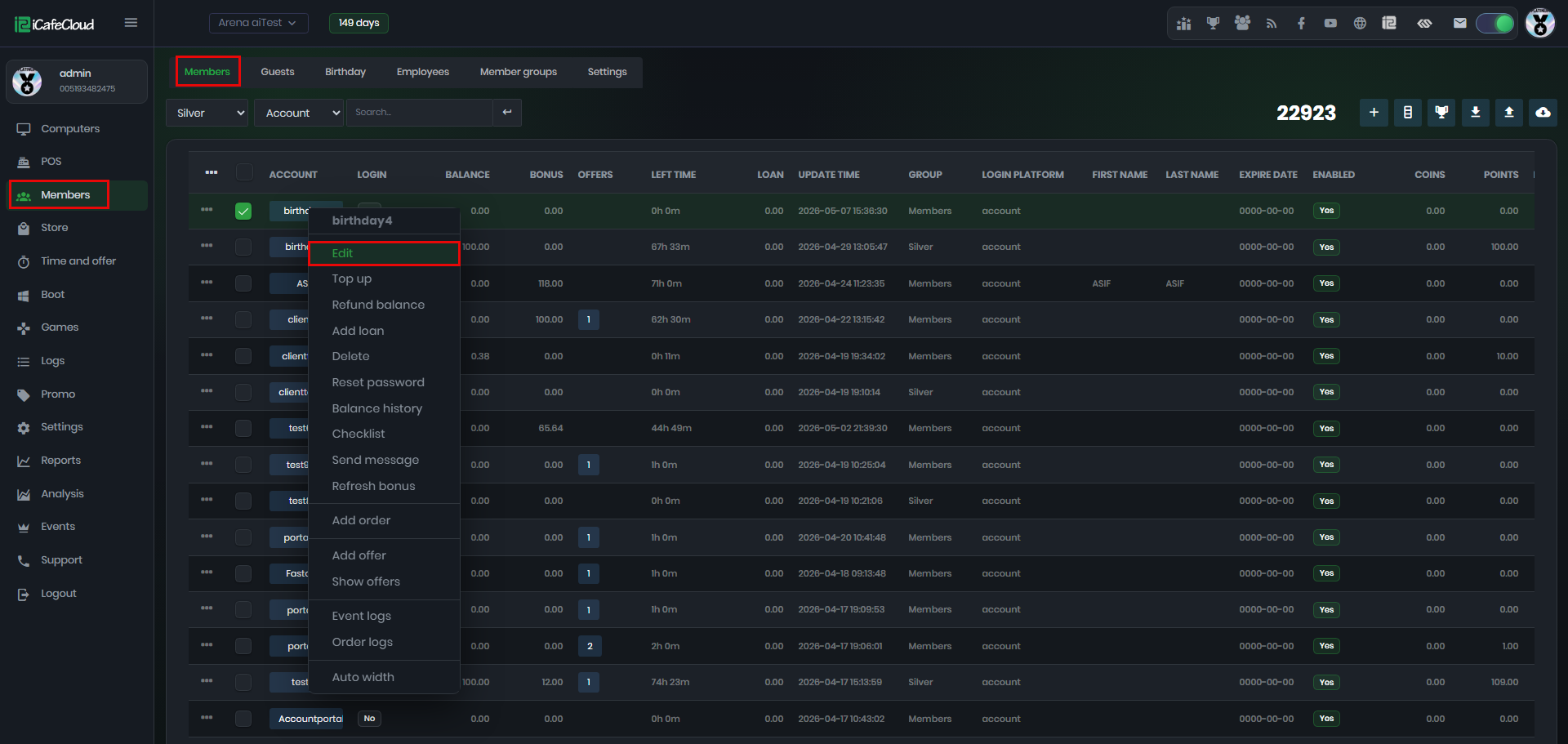
Figure 1
- On the next page, you will notice that ‘Game Coin Earnings’ is enabled by default. Disable this option.(Figure 2)
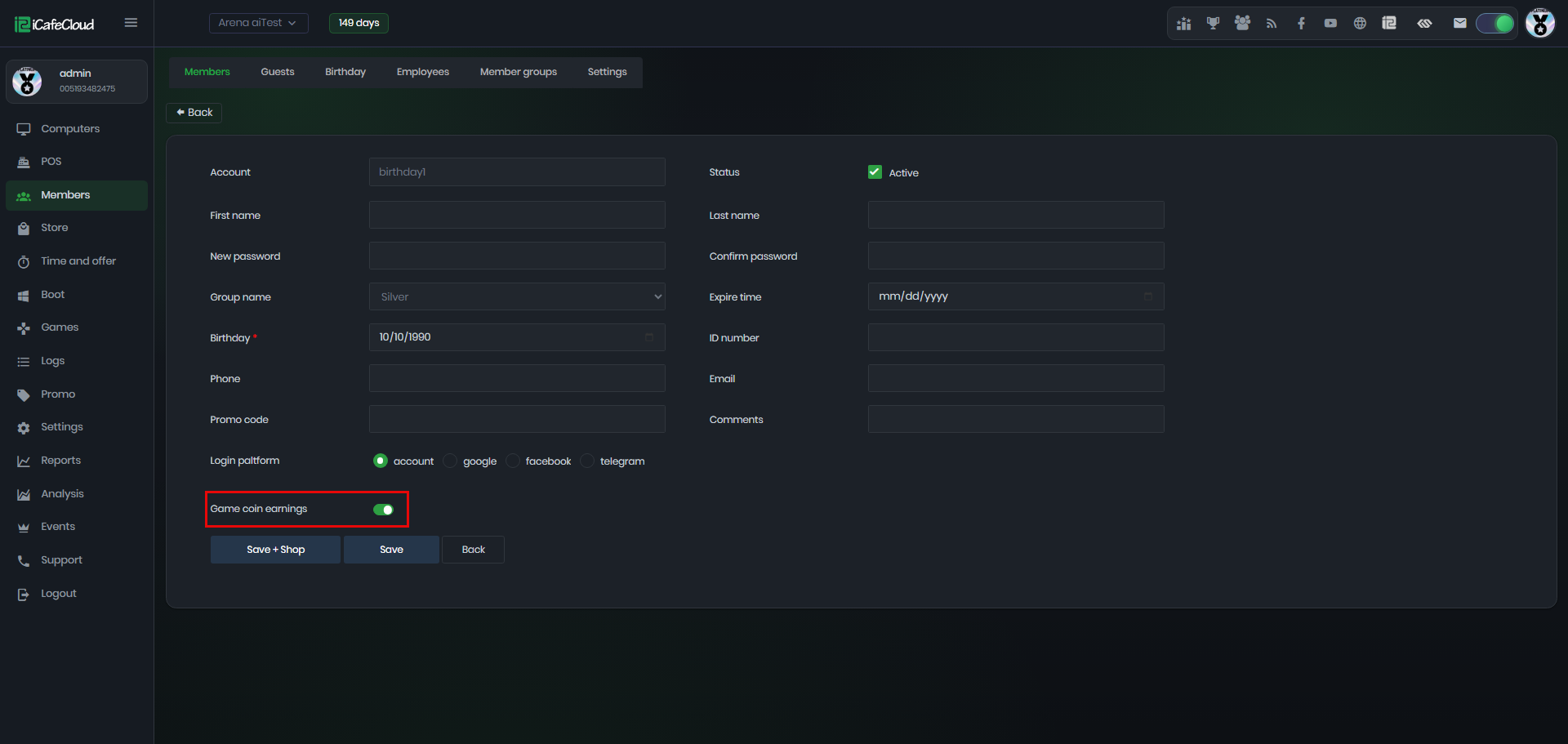
Figure 2
- Once disabled, add a reason explaining why this account was disabled. (Figure 3)
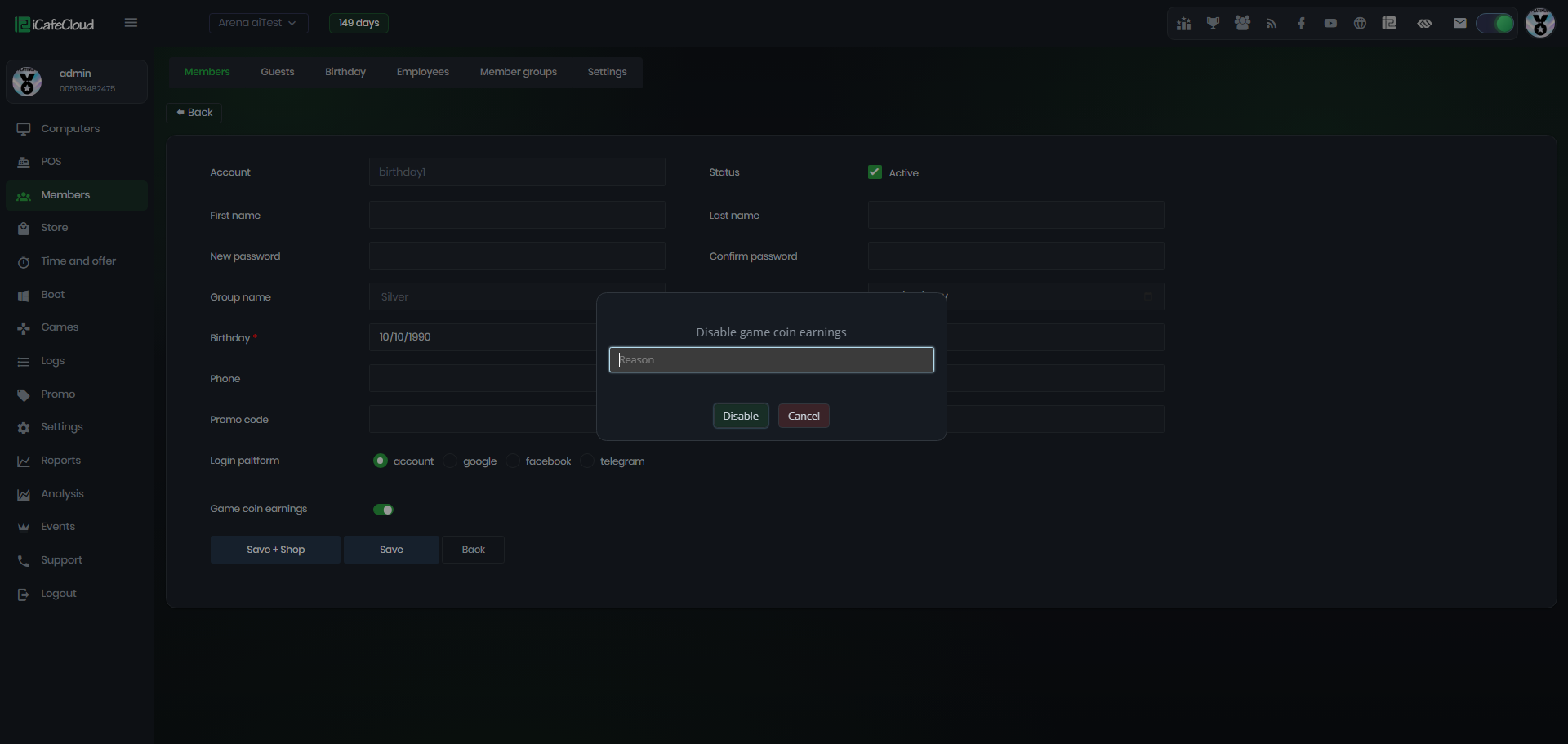
Figure 3
- Once you select the member, you can view the date it was disabled, who disabled it, and the reason for the action. (Figure 4)
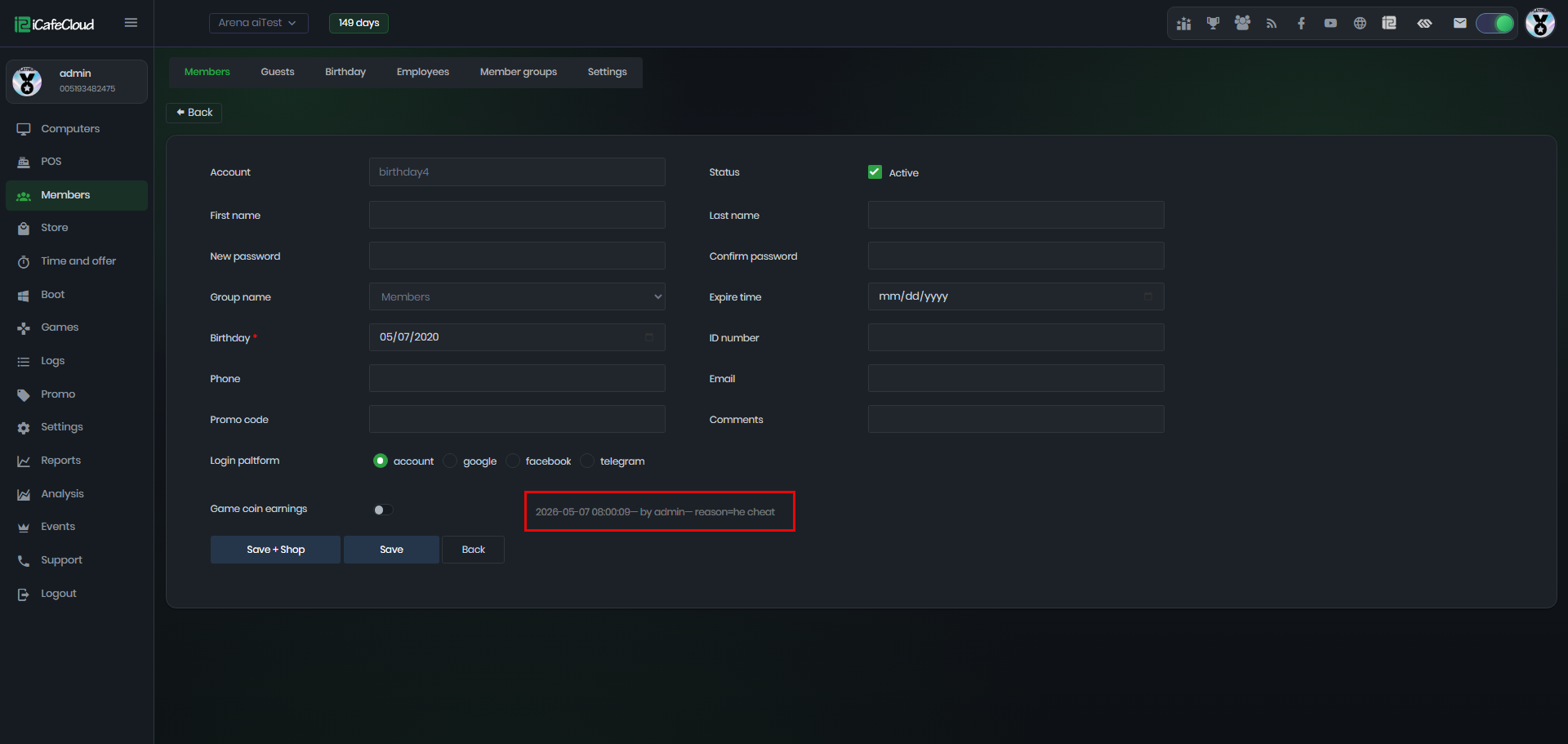
Figure 4
- On the client side, if a disabled member attempts to join an event, an error message will be displayed.(Figure 5)
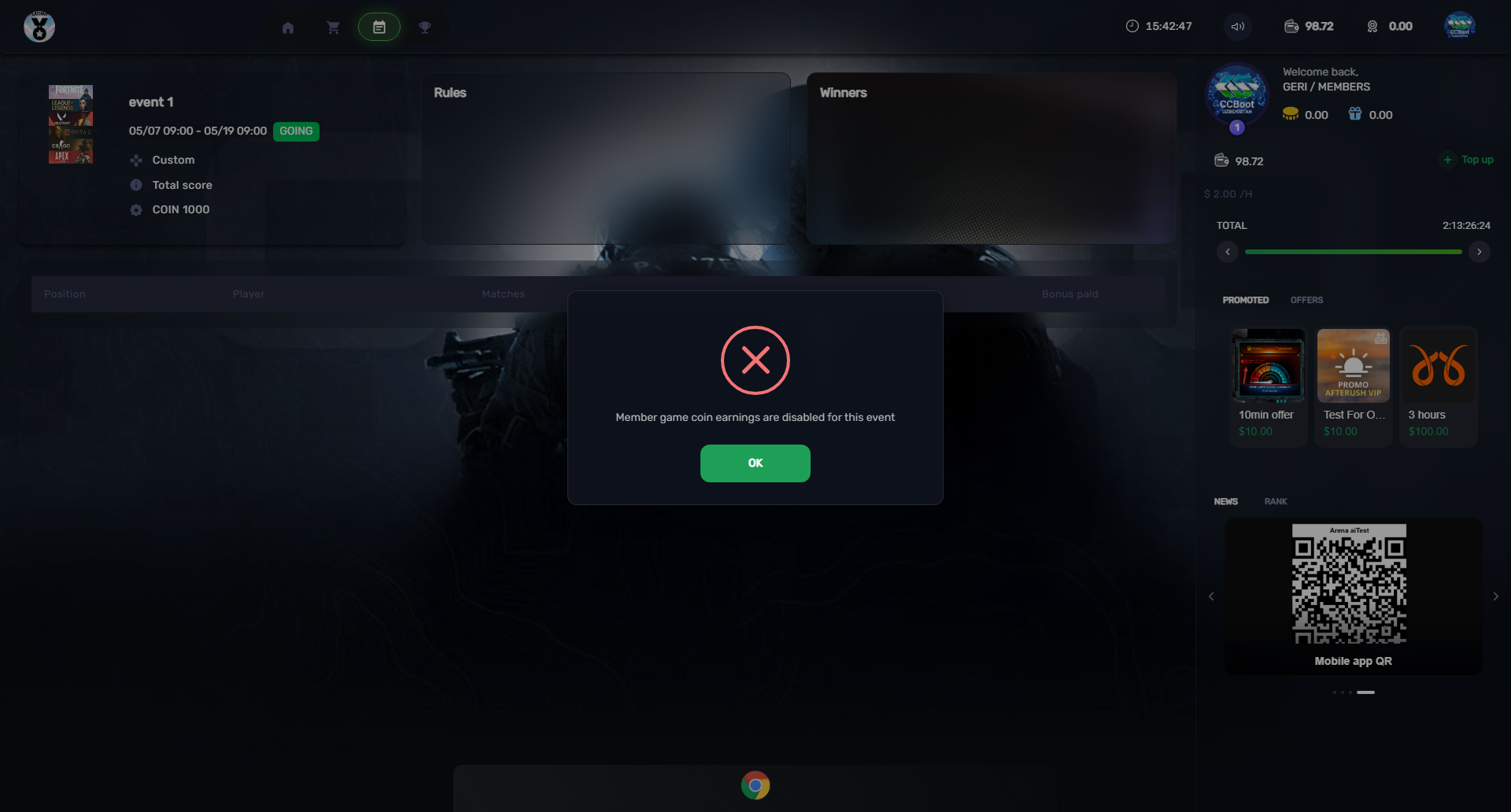
Figure 5