

The following explains how to create a Manager account and its permissions. Managers have admin-like access for daily tasks but cannot access the Settings page.
- Navigate to Members → Employees and click Add Staff.(Figure 1)
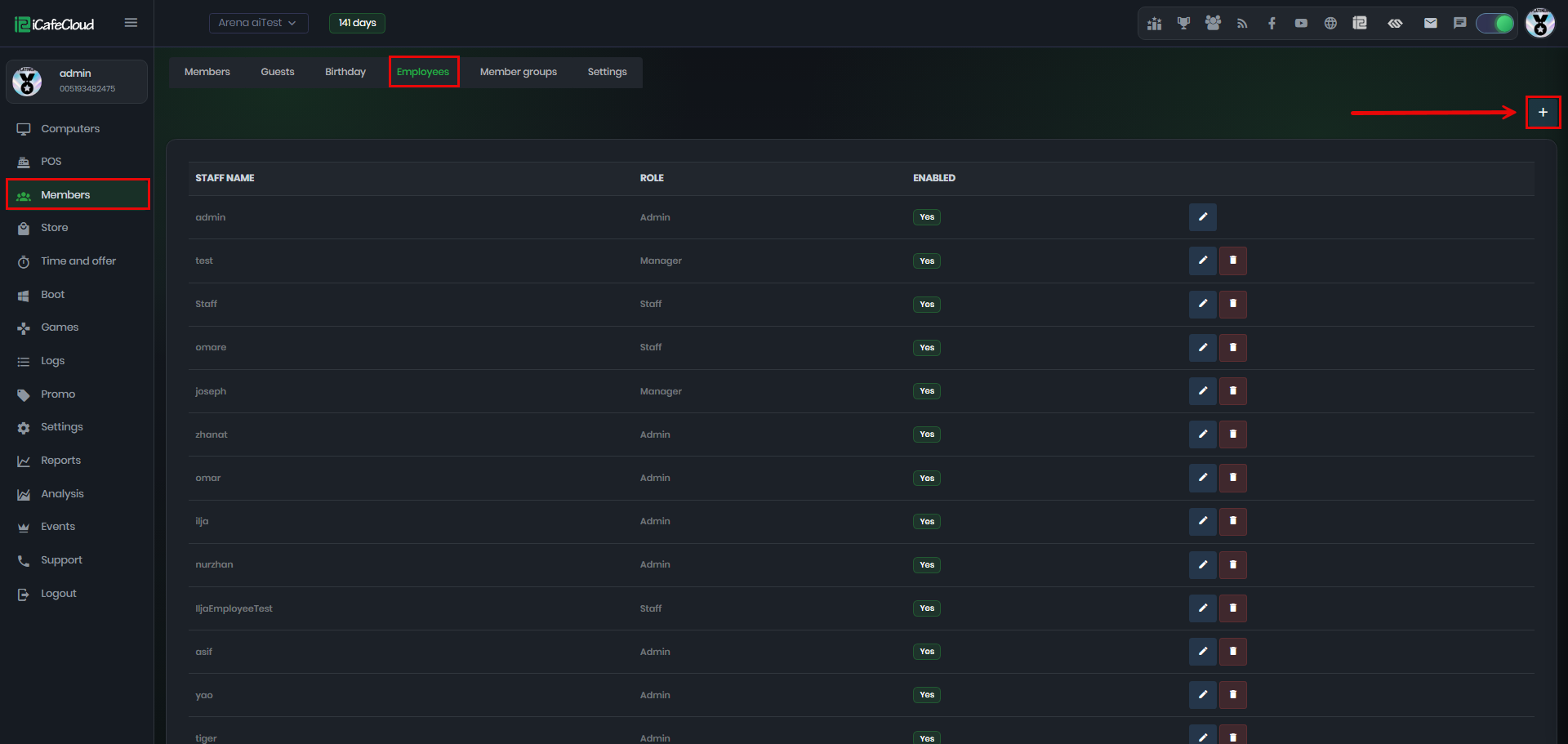
Figure 1
- Enter the name and password, select the role as ‘Manager’, then click ‘Save’.(Figure 2).
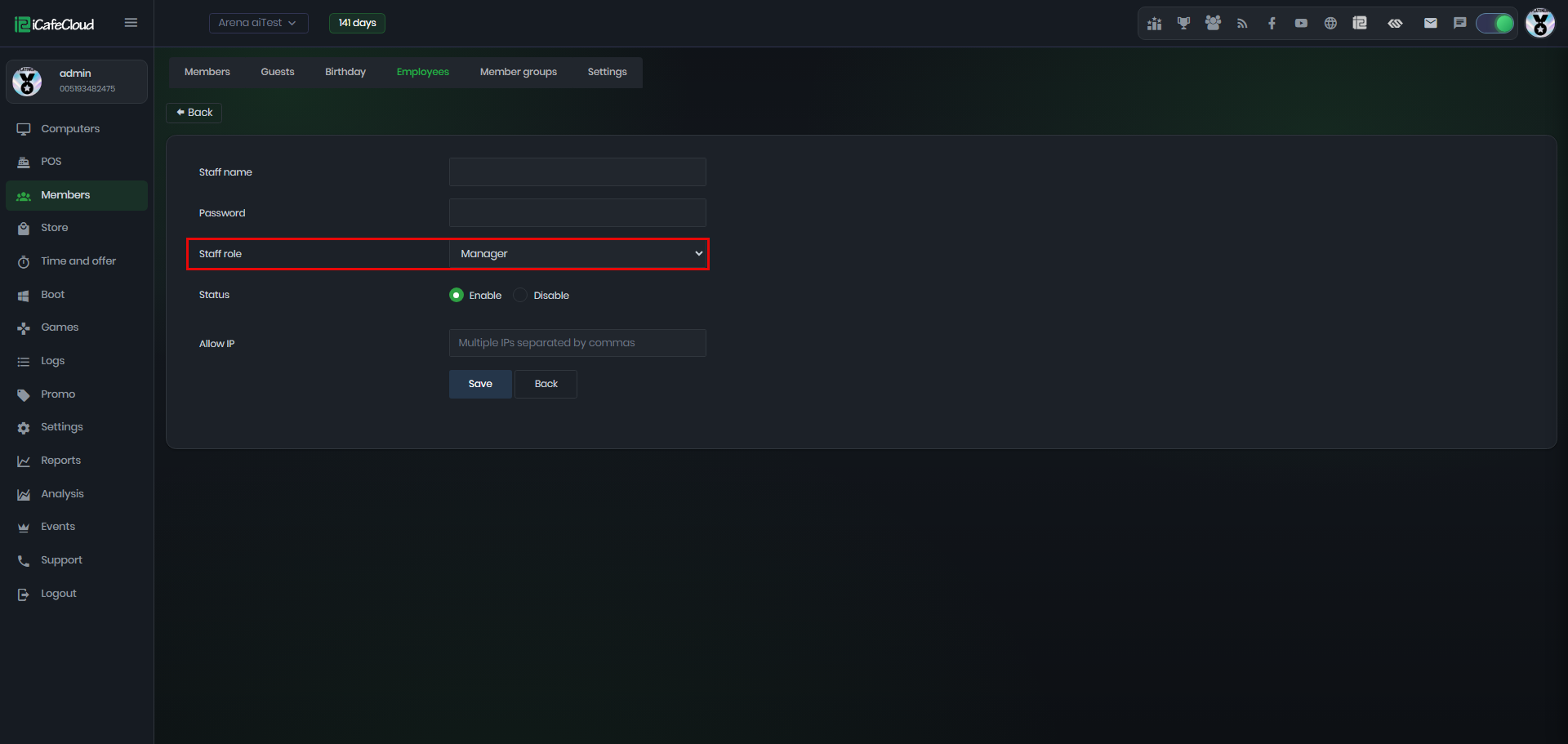
Figure 2
- Manager cannot use their password to log in to the client to exit iCafeMenu.
- Manager cannot create PC groups in the Computers page or use the Pause function.
- Manager cannot create member groups in the Members page.
- Manager have access to Boot → Computers only, where they can add, edit, and delete PCs, and perform actions such as shutdown, reboot, logoff, or remote control of client PCs.
- Manager can also enable Super Client.
- Manager does not have access to game categories, game settings, or customer feedback in the Logs page. Manager only has access to Product and Center News in the Settings page, while Admin has full access to all settings.
- Manager can still start Admin Mode when required.
- In the Settings page, Manager accounts only have access to Center News.(Figure 3).
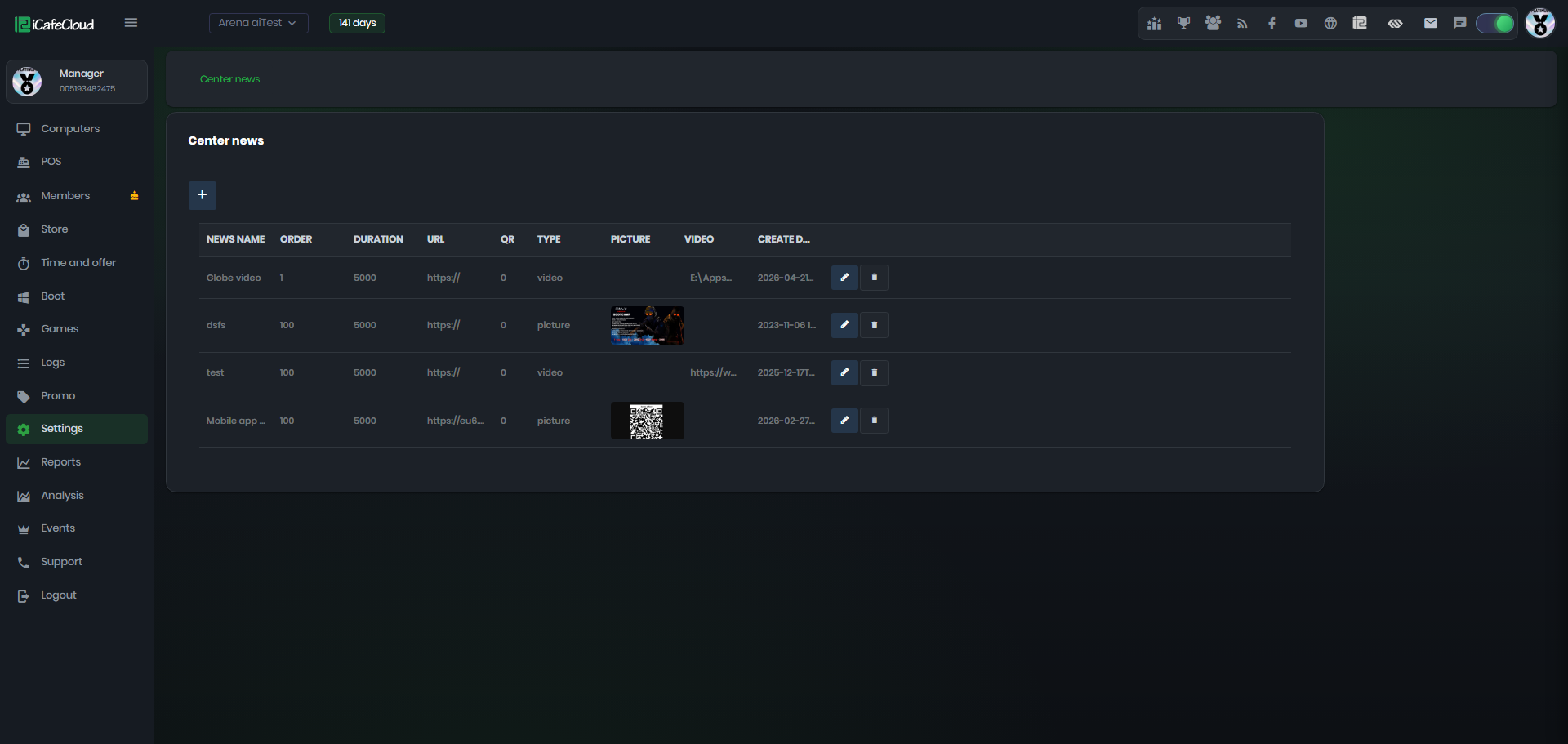
Figure 3
- Manager accounts also have access to all logs and can filter them by selecting specific dates to view activity for a chosen period.(Figure 4)
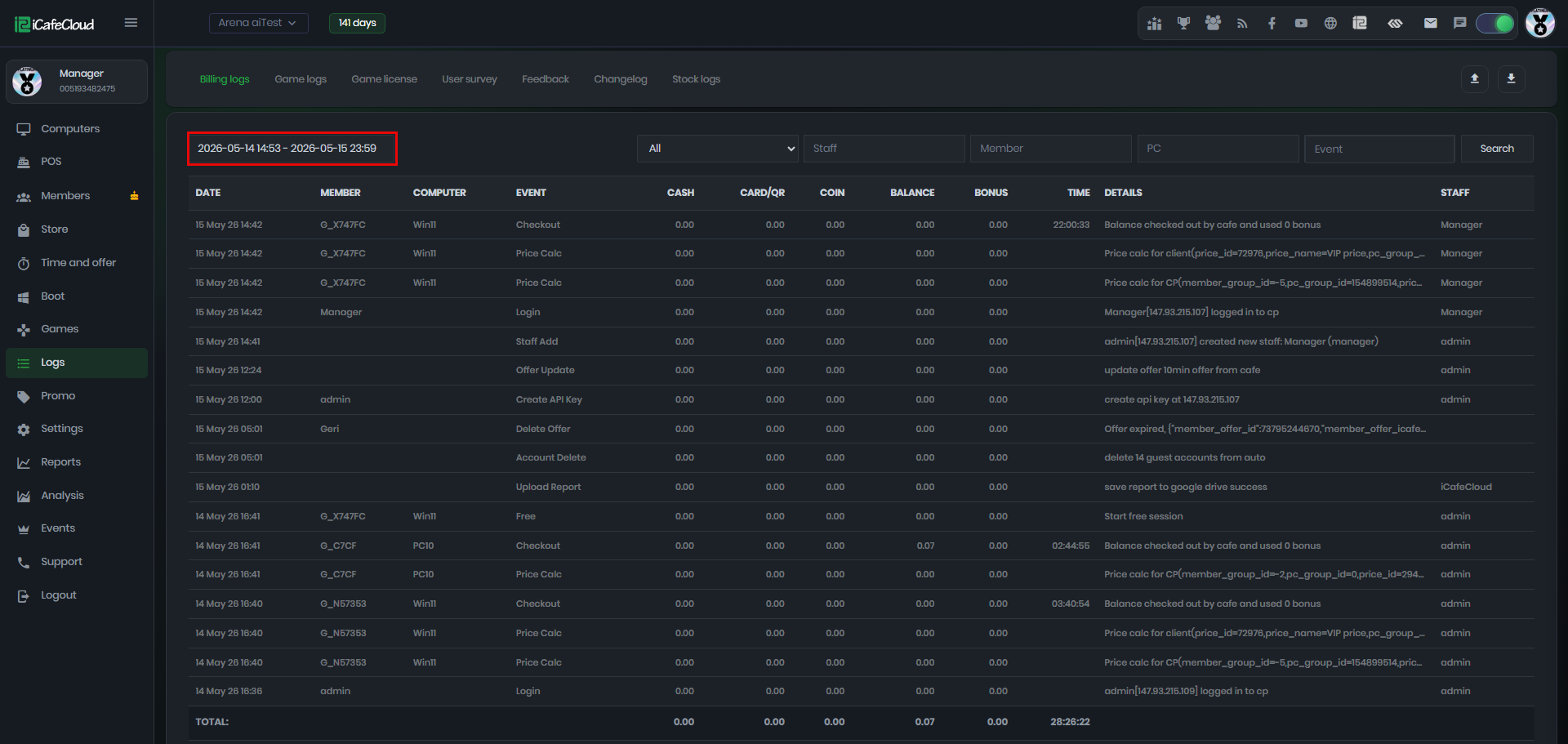
Figure 4