

The following explains how to restrict shift closing so that all pending orders must be cleared and completed before the shift can be fully closed.
- Go to Settings → Payment and Tax, and set “Clear order before shift end” to YES (Figure 1).
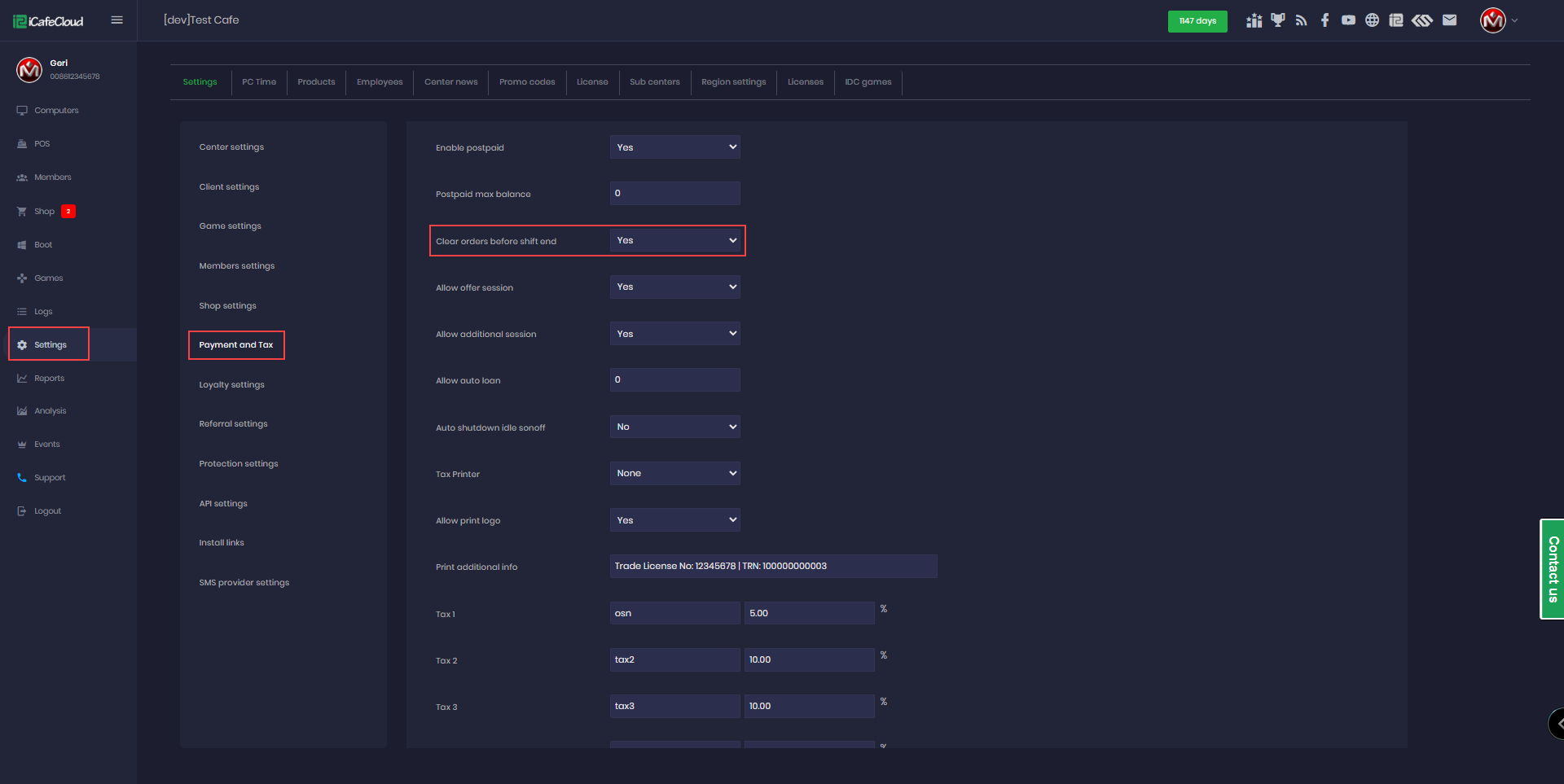
Figure 1
- Once this feature is enabled, an employee attempting to close their shift while there are pending orders will not be allowed. The list with pending orders will appear instructing them to close all first.(Figure 2)

Figure 2
- Staff can view unfinished orders from previous shifts and assist in processing them.
Ex:If the first shift has not ended and a second shift begins, the second shift can still see and complete the first shift’s orders. Any payments received for those orders will be recorded under the first shift, which originally created the order.