

The following explains how to use the chat system between clients and admins or employees, allowing players to request help or ask questions directly without requiring staff to go to their PCs.
- On the client intercafe on the top left next to the sound settings you will notice Chat button (Figure 1)
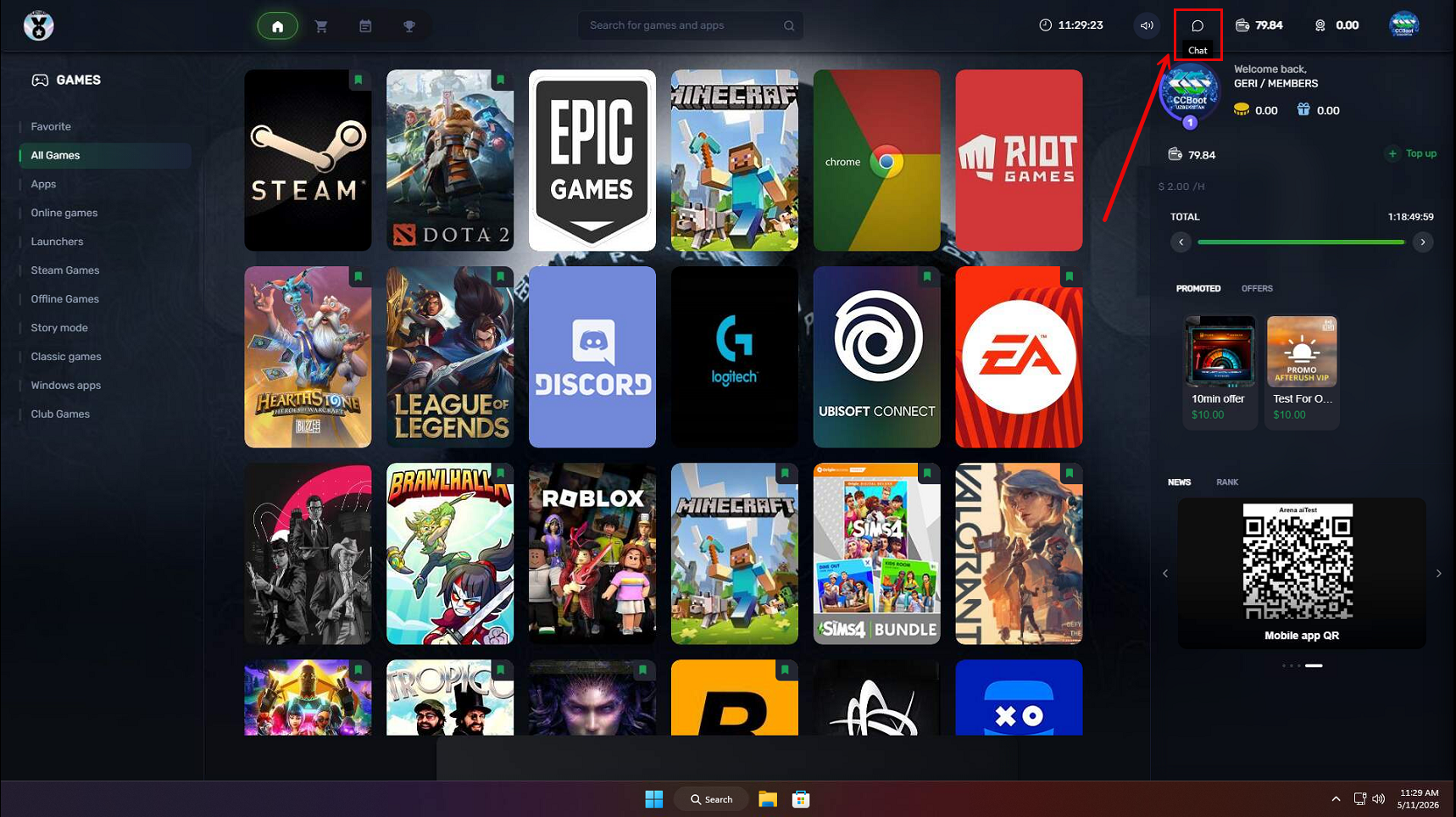
Figure 1
- On the chat layout, you will see the Contacts list, which displays the available employees or admins. Select one of them to start a chat. (Figure 2)
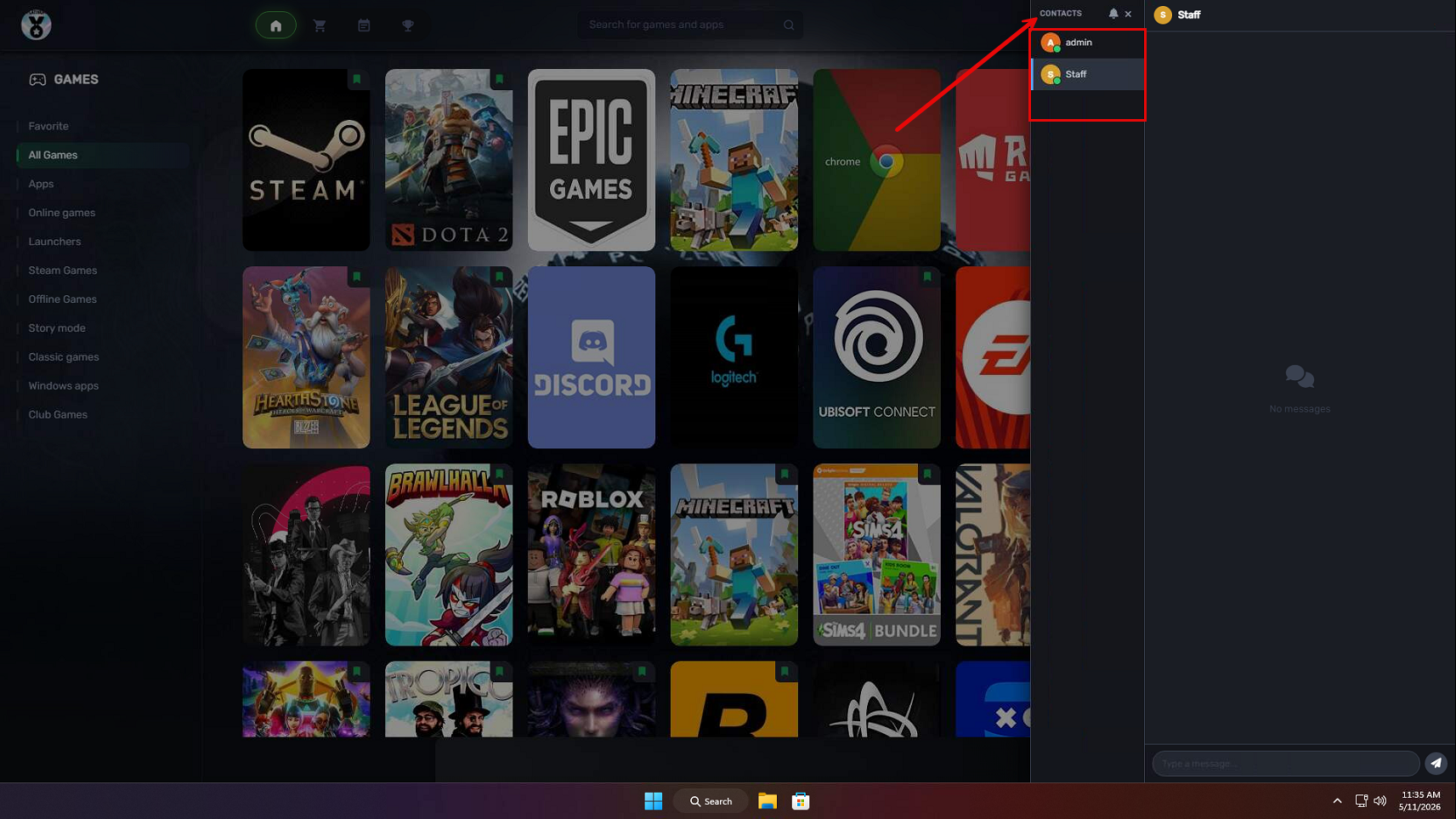
Figure 2
- Once the message is sent, the admin side will display a notification showing the number of incoming chats.(Figure 3)
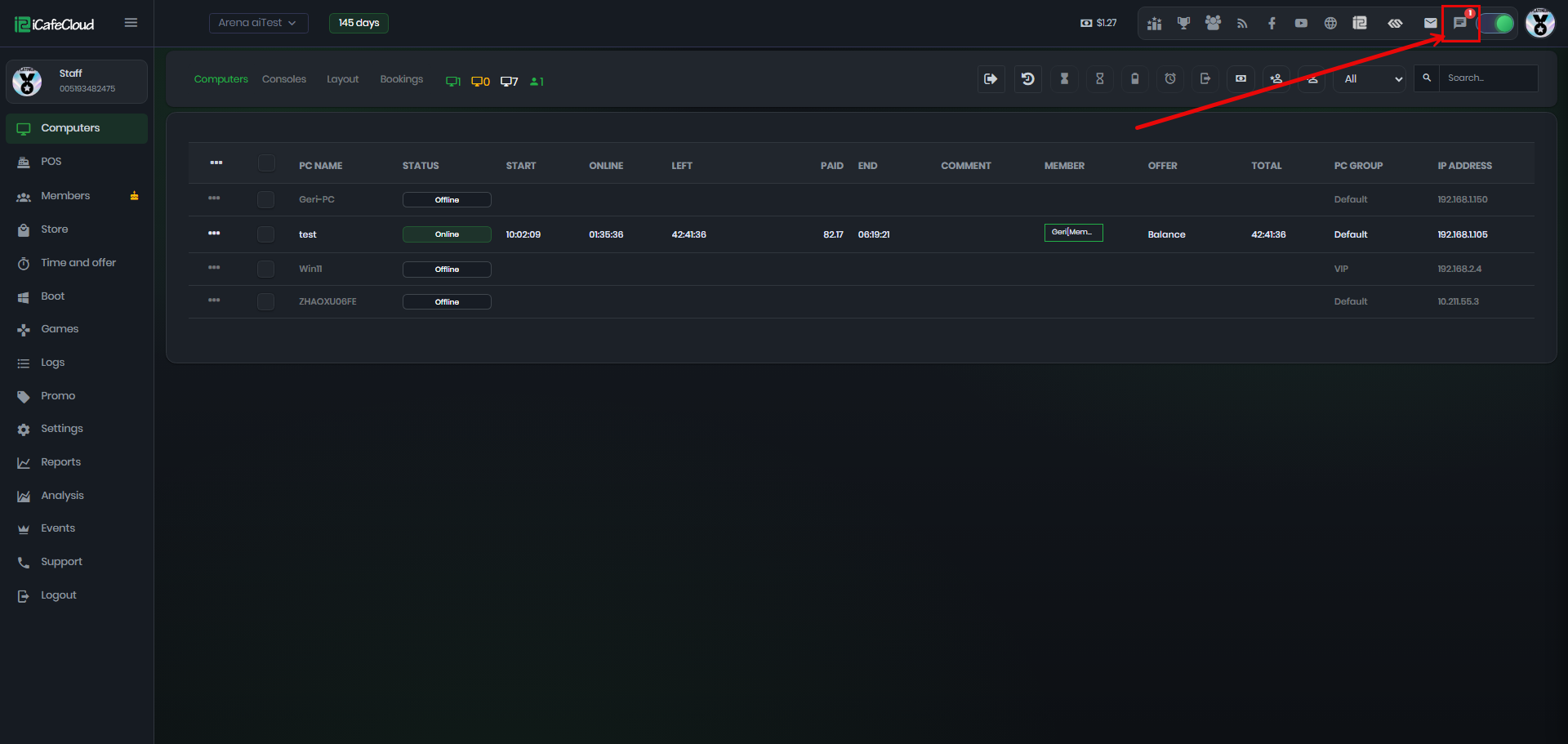
Figure 3
- Open the message and you will see the name displayed in the format MemberAccount@PCName, for example Geri@test. Type your reply in the chat box to respond. (Figure 4)
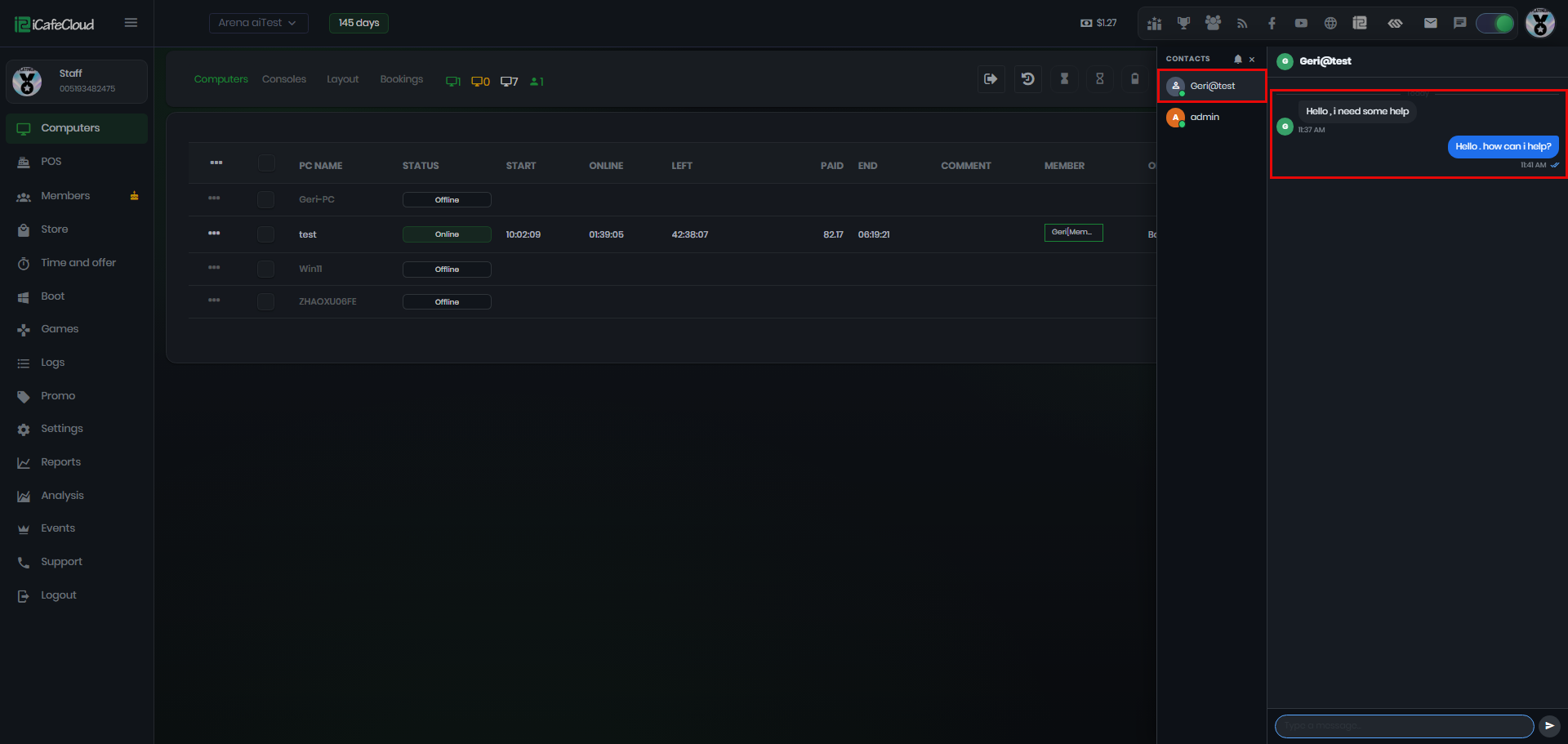
Figure 4
- From the admin side, employees and admins can also chat with each other, not only with players. (Figure 5)
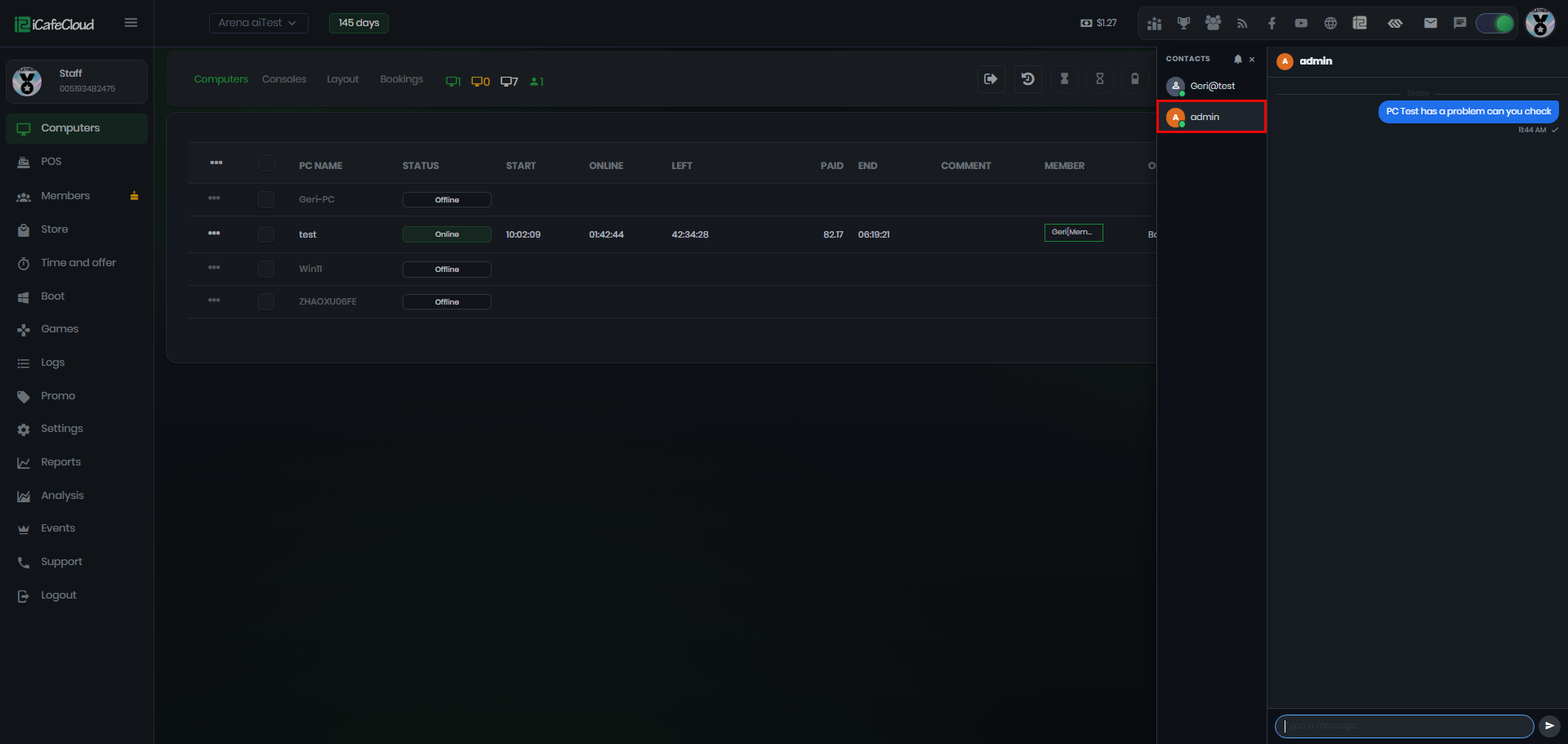
Figure 5
- You can disable the admin account from chat by going to Settings → Client Settings → Display Admin on Chat. Once disabled, only staff members will be able to receive messages. (Figure 6)
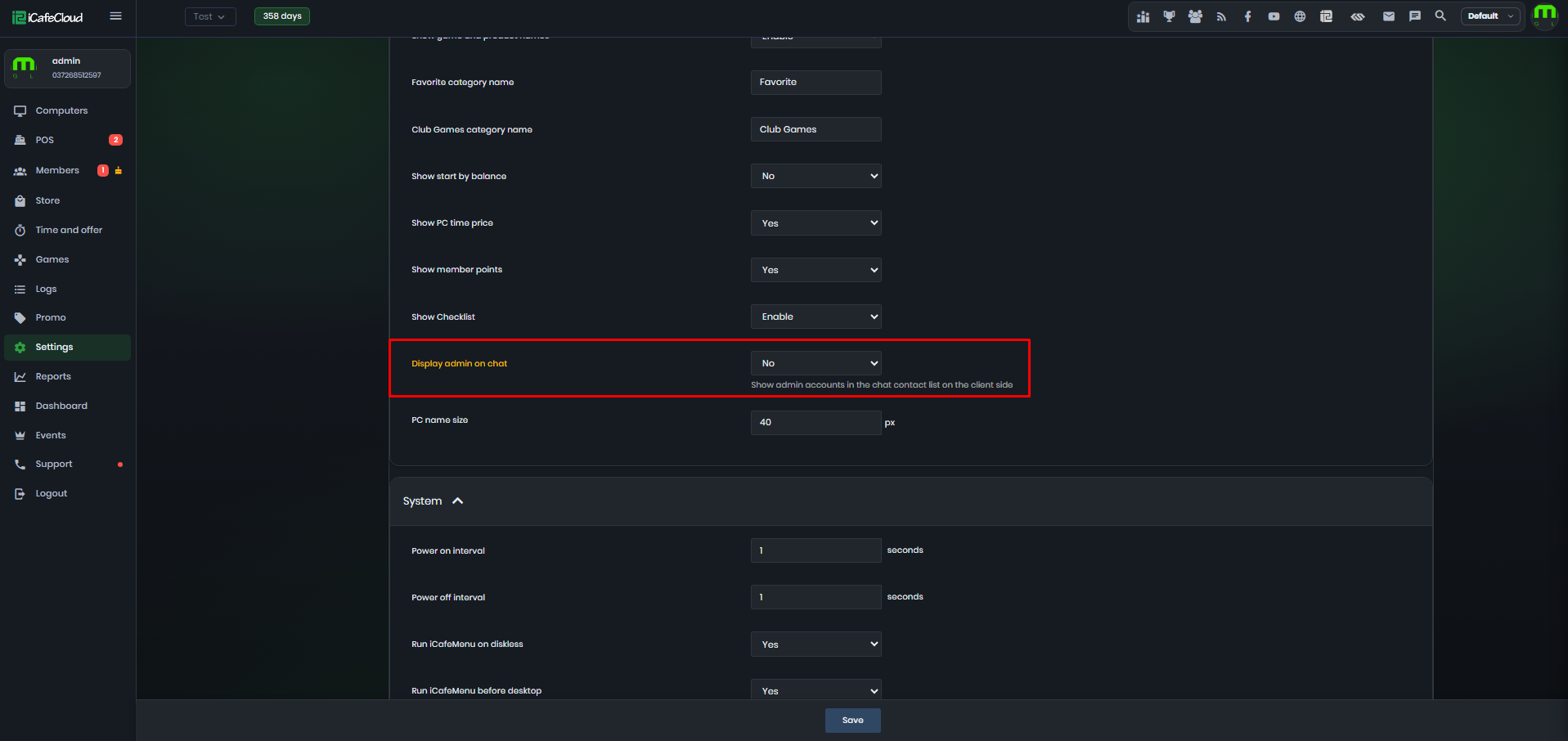
Figure 6
- Chat logs are stored for 24 hours.