
2026-01-13
icafemenu, desktop, shell
The following explains how to disable iCafeMenu from running before the desktop on SSD or HDD mode by removing it from the Shell and Userinit registry entries.
- Boot the client PC.
- If iCafeMenu fails to run, you will see a black screen.
- Press Ctrl + Alt + Delete on the keyboard to open Task Manager.
- In Task Manager, click File at the top, then select Run new task. (Figure 1)
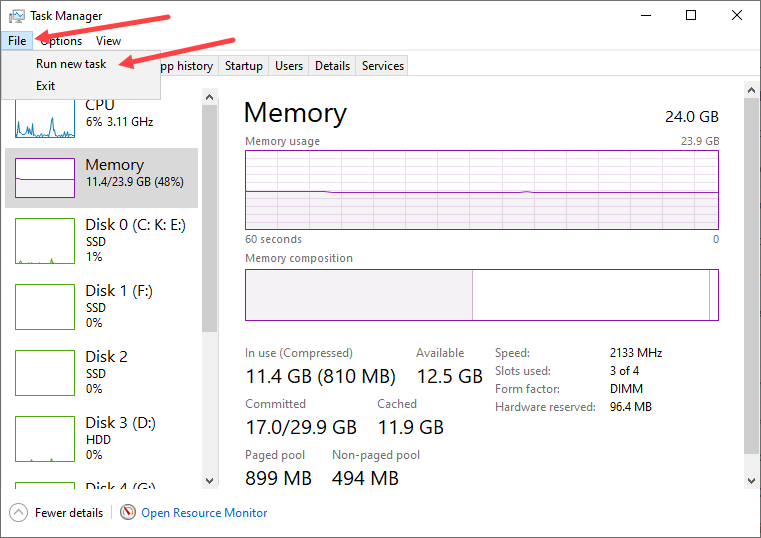
Figure 1
- In the task field, type regedit and click OK to open the Registry Editor.
- Navigate to the following path:
HKEY_LOCAL_MACHINE\SOFTWARE\Microsoft\Windows NT\CurrentVersion\Winlogon (Figure 2).
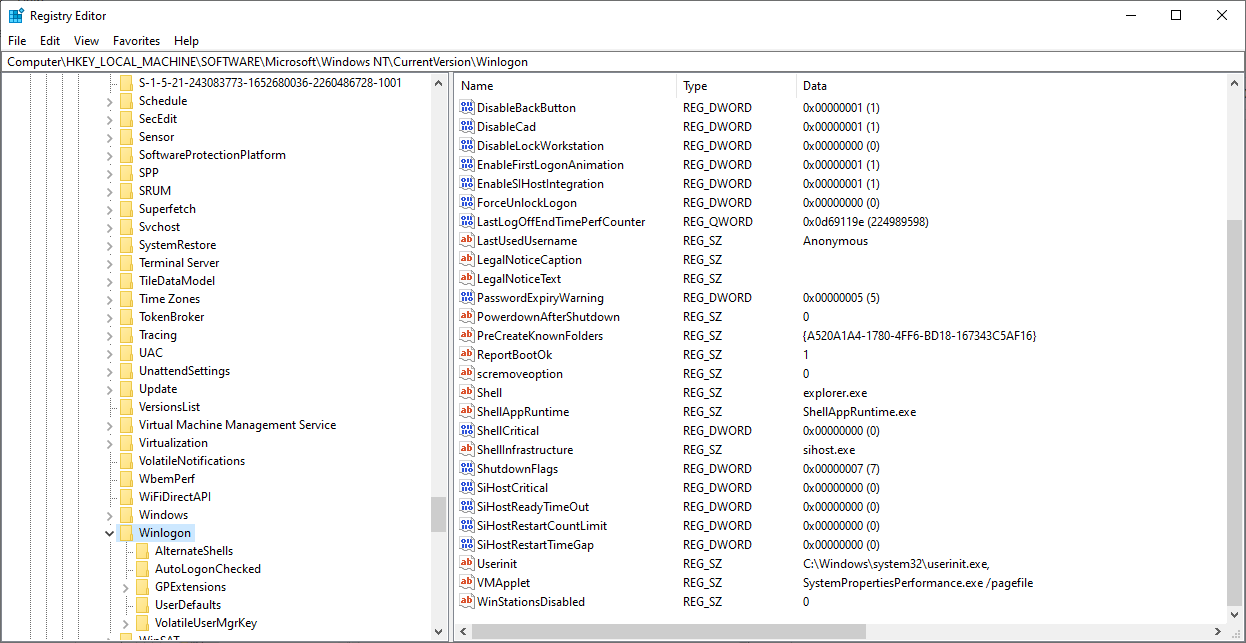
Figure 2
- Edit the registry values as follows:
- Userinit = C:\Windows\system32\userinit.exe
- Shell = explorer.exe
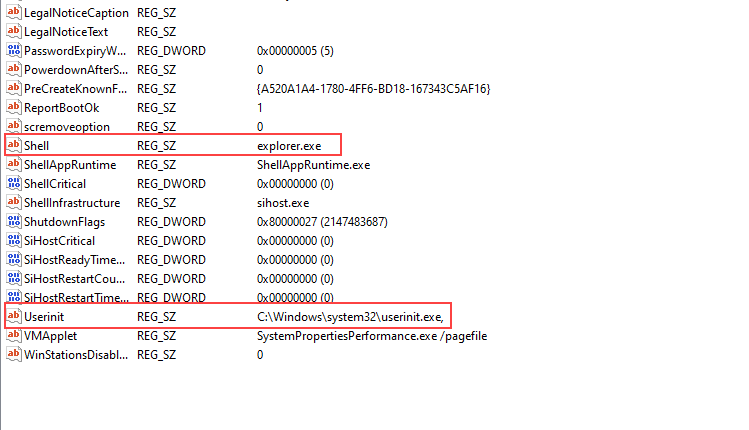
Figure 3
- Close regedit and Turn Off the PC