
2026-01-23
remove, icafemenu, beta
The following section explains how to manually update the iCafeMenu Beta files. This process involves downloading the beta package, extracting the files, and replacing the existing iCafeMenu installation files on the game disk.
- Navigate to Settings, then open Install Links, and click Download to obtain the iCafeMenu files under the Beta version. (Figure 1)
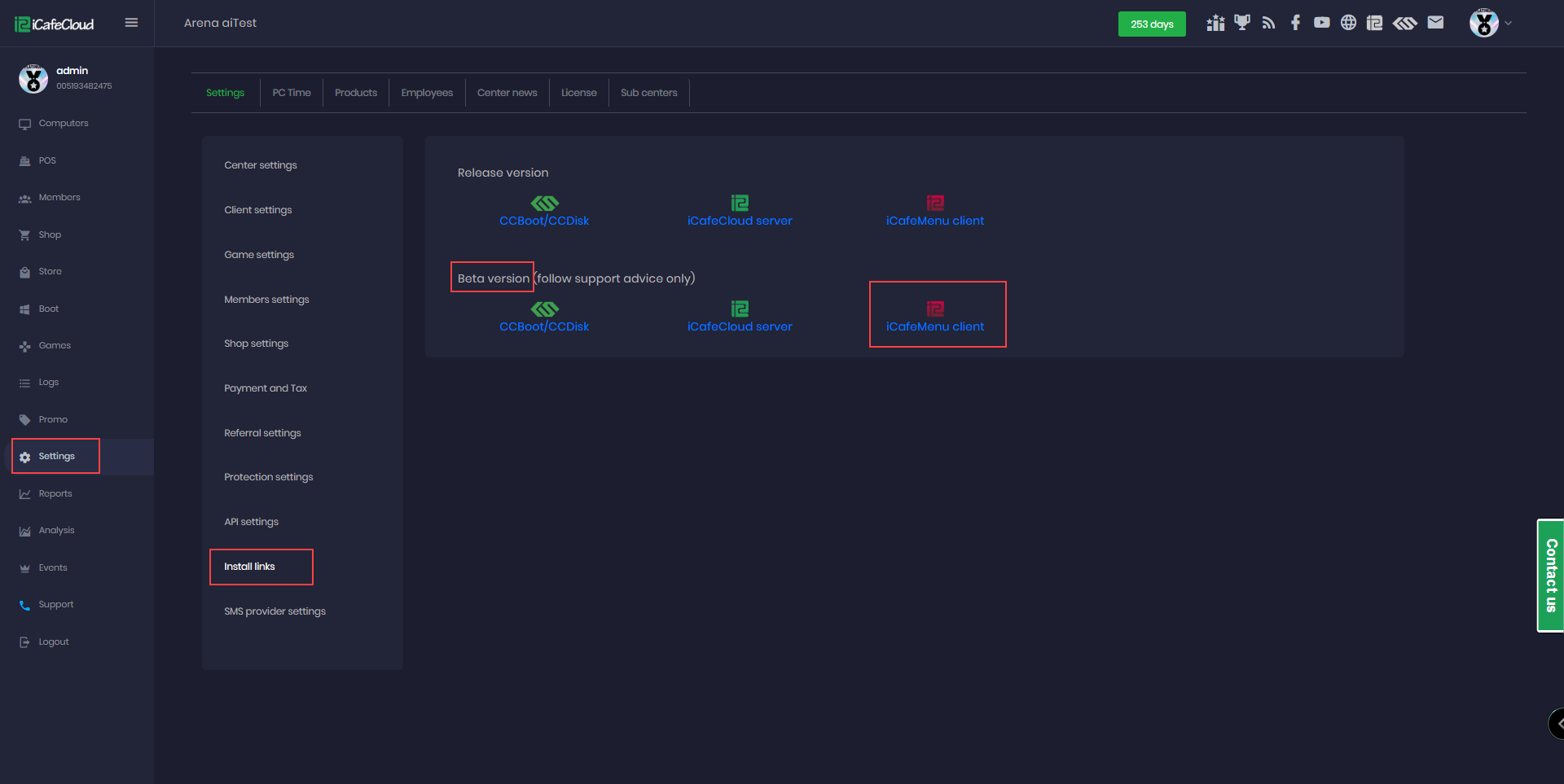
Figure 1
- It will start to download icafemenubeta.zip files once done unzip the files at local (Figure 2)
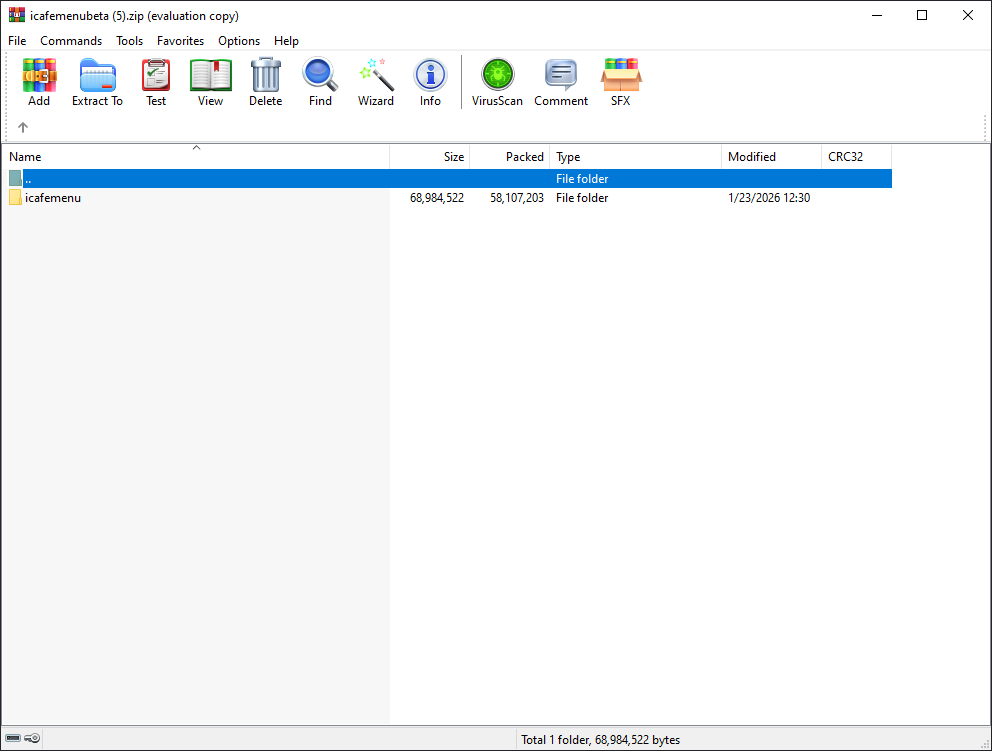
Figure 2
- Copy the extracted icafemenu folder and paste it into Gamedisk\Apps, where the existing icafemenu folder is located (for example: E:\Apps).
- When prompted, choose Replace all files.
- After launching iCafeMenu, confirm the file replacement when asked. (Figure 3)
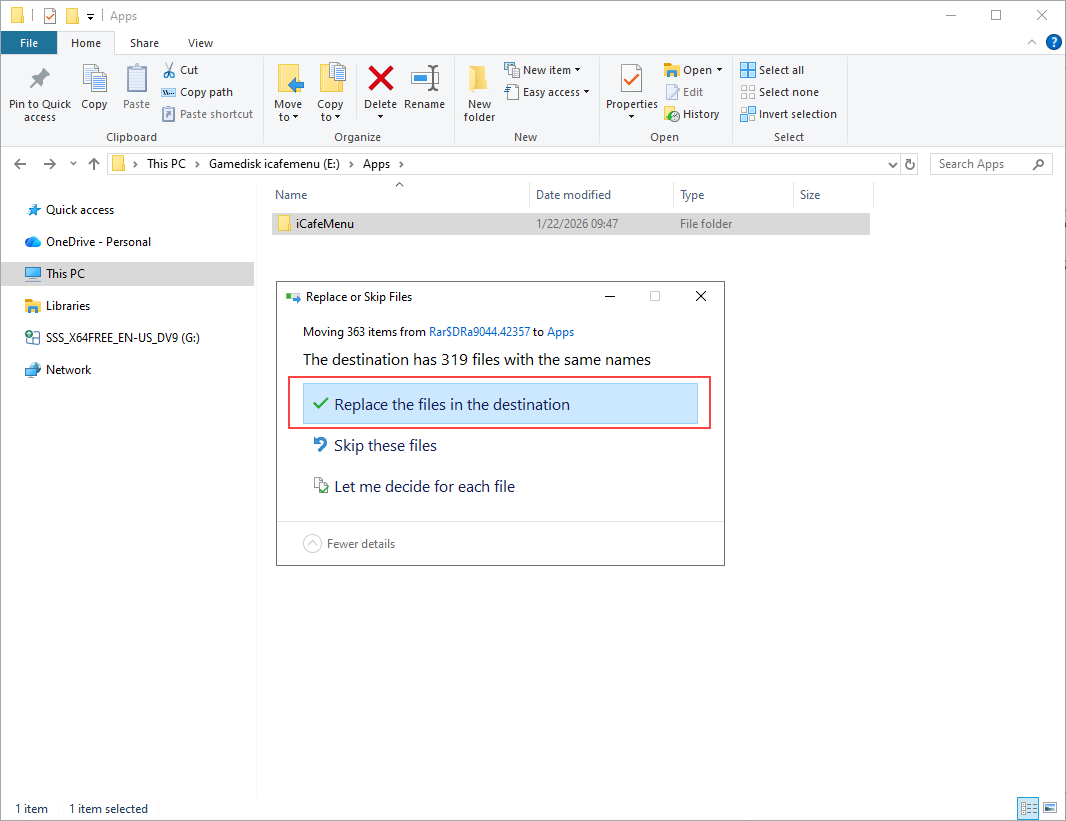
Figure 3
- After complete , reboot the client PCs